





SmokeyColes
Members
-
Joined
-
Last visited
-
This emulates a nvme and it worked
-
<target dev='nvme0n1' bus='nvme' rotation_rate='1'/> delete: <address type='drive' controller='0' bus='0' target='0' unit='2'/>
-
Hello In a linux distribution a vdisk shows as /dev/disk/sda. How can I make it display as: /dev/nvme0n1 In the VM template I can see a drop down which has VirtIO / SCSI / SATA / IDE / USB Is it at all possible? Could I amend: <disk type='file' device='disk'> <driver name='qemu' type='raw' cache='writeback' discard='unmap'/> <source file='/mnt/virtualmachine_cache/domains2/SteamOs/vdisk1.img'/> <target dev='hdc' bus='sata' rotation_rate='1'/> <serial>vdisk1</serial> <boot order='1'/> <address type='drive' controller='0' bus='0' target='0' unit='2'/> </disk> Thanks Chris
-
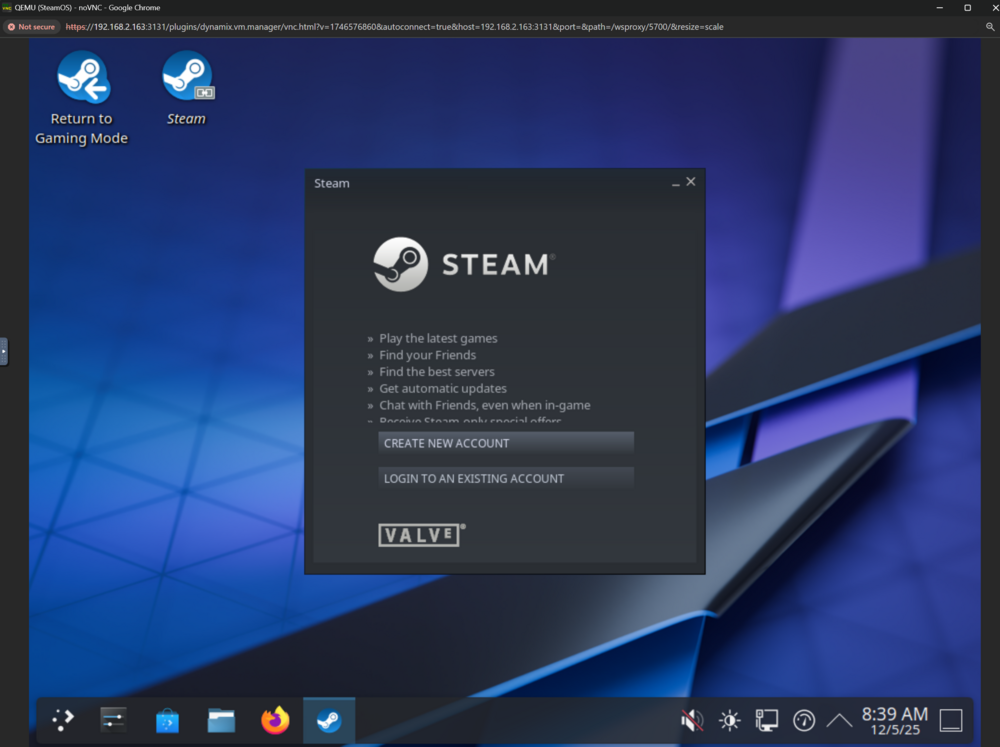
Hello This maybe the first ever post I can help. (1) Download image (2) WinRAR extract img file (3) Use Rufus to flash USB - on the img is 5 partitions. (4) Plug into UNRAID (5) Mount - not my 5th partition would not mount (to check if this is a problem with the USB) Partitions 1 - esp vfat 2 - efi vfat 3 - rootfs - btfs 4 - var - ext4 5 - home - ext4 (unmountable?) (6) In terminal type: ls -lha /dev/disk/by-id/ (7) Find usb-Kingston_DataTraveler_3.0_60A44C426518BEA0DB429420-0:0 lrwxrwxrwx 1 root root 9 Dec 5 14:50 usb-Kingston_DataTraveler_3.0_60A44C426518BEA0DB429420-0:0 -> ../../sdx lrwxrwxrwx 1 root root 10 Dec 5 14:50 usb-Kingston_DataTraveler_3.0_60A44C426518BEA0DB429420-0:0-part1 -> ../../sdx1 lrwxrwxrwx 1 root root 10 Dec 5 14:50 usb-Kingston_DataTraveler_3.0_60A44C426518BEA0DB429420-0:0-part2 -> ../../sdx2 lrwxrwxrwx 1 root root 10 Dec 5 14:50 usb-Kingston_DataTraveler_3.0_60A44C426518BEA0DB429420-0:0-part3 -> ../../sdx3 lrwxrwxrwx 1 root root 10 Dec 5 14:50 usb-Kingston_DataTraveler_3.0_60A44C426518BEA0DB429420-0:0-part4 -> ../../sdx4 lrwxrwxrwx 1 root root 10 Dec 5 14:50 usb-Kingston_DataTraveler_3.0_60A44C426518BEA0DB429420-0:0-part5 -> ../../sdx5 (8) In SteamOS VM template; I used OVMF for bios (9) In SteamOS VM template; add a second vdisk, select manual and type: /dev/disk/by-id/***copy the device in step 7 and dont include these 6 stars*** (10) Ensure usb devices you have not selected the USB (11) Select virtual; note I found the RTX3060ti sluggish; VNC worked better for the install. (12) Run steamOS template (13) At shell type exit to go into boot manager (14) Select "UEFI Misc Device" (15) SteamOS installer boots (16) At GUI select Wipe Device & Install SteamOS icon At this point I had issues with "NVME" - if you have passed through a NVME you will unlikely have this issue, if you have a vdisk like me. (A) Force Stop VM (B) Into the template, select XML. (C) Under the vdisk (not your USB) - change <target dev='hdc' bus='sata' rotation_rate='1'/> to <target dev='nvme0n1' bus='nvme'/> (D) delete the <address type='pci'> under vdisk1. (E) Save and restart the SteamOS (17) Select "Wipe Device Device & Install SteamOS icon (18) With the format caution, click proceed. (19) Click proceed to reboot after "Reimaging Complete" (20) Enter username, password and steam guard. (21) Hit shutdown to shutdown VM, configure GPU in VM template. Remove rufus steam.img USB - I used a NVIDIA RTX3060ti (22) Restart VM (23) When booted open Konsole type "flatpak install flathub org.mozilla.firefox" (24) Once downloaded type "flatpak run org.mozilla.firefox" You have to set a admin password to unlock read-only, enter console and type: passwd if you have locked yourself out you will need to reboot, and do the next steps otherwise ignore. Goto "Terminal with repaire tools" and type: sudo ~/tools/repair_device.sh chroot rm -f /var/lib/overlays/etx/upper/passwd rm -f /var/liv/overlays/etc/upper/shadow then reboot removing USB. Goto Settings > User and set password (25) Type sudo steamos-readonly disable (26) Type sudo pacman-key --init (27) Type sudo pacman-key --populate archlinux (28) sudo pacman -S archlinux-keyring (29) For nvidia: sudo pacman -S nvidia nvidia-utils nvidia-settings (30) hit proceed with installation (31) sudo reboot After this point I just got a black screen, so went back to VNC. No matter what I did I could not progress. I gave up with the NVidia 3060ti, and used my Arc - it worked.
-
@JorgeB perfect That's what I will do.
-
@JorgeB - could you help explain; how can a single drive create a mirror. Can you create two ZFS pools independently; where one mirrors the other? Or is it a case of adding a drive in that pool with a setting for mirror?
-
Hi I have purchased a mechanical SATA HDD, in the UK we seem to be having a bit of a HDD shortage. So I will be get a second with a pre-order; though SCAN have told me Seagate have a backorder on the EXOS. I want to set up a RAID 1 style cache. However I am only going to have the one drive for now. I think with two drives - I'd like ZFS RAIDZ1. I intend to store vdisks on it and iso's - whilst keeping my system cache (NVME) for dockers and apps. So speed + 1disk failure redundancy is what I want is the goal. I realise this is non-conventional to know you want mirroring but have only one disk - but I want to start using it asap as a cache pool. Then take large vdisks off my array and into a cache pool. I know ButterFS is good for flexibility. My question is - (1) What initial file system should I use? (2) If I can use ZFS can i then install a second of the same size; and select RAIDZ1? Thanks Chris
-
In fact I don't want all my hard drives spinning; so I think the option here is simple! I need an individual drive cache pool with domains2 on. It just means buying a hdd, which I probably need to replace one other whilst at it. Correct me if I have misunderstood or you have other idea's. Otherwise it maybe that in the current state its doing exactly what its meant to do and I don't have a problem.
-
Sorry had to take a read (https://forums.unraid.net/topic/50397-turbo-write/) My Tunable (md_write_method): setting is "Auto"; should I select "reconstruct write"? After rechecking I noticed the tooltip says: auto selects read/modify/write. Maybe I need to use a separate single drive cache outside the array. I do like the idea of it being backed up.
-
Hi I am transferring about 600GB of 20GB zip files to a 4.5TB vdisk which I have running in a non-cache drive on a dual parity protected UNRAID array. The transfer of data is SMB via windows explorer using VIRTIO-Net ethernet. Transfer speed is about 270MB's; and then drops to 0bytes/s after roughly 10GB. It then sits at 0bytes/s for a minute or two, than kicks up again. This also happens when I unrar large files already in the vdisk - the progress bar just pauses; though the unzipping doesn't give me any transfer info - so I assume data is being written to vdisk temp folder (the vdisk stored in domains2 mechanical SATA drive in UNRAID) domains - holds the VM C drive - that's on a NVME cache domains2 - mechanical drive on array protected by parity for large vdisks such as 4.5TB Basically my question is that it feels very slow doing data movement. Is this actually a problem or is this OK given its an array mechanical drive vdisk2 is sat on. Windows does not lock up, I can still use the start menu, explorer is a bit of a problem (unresponsive on the affected drive) I've done some basic work - I can see posts about dirty_ratio and dirty_background_ratio. I don't really want to touch as even though I have read the guidance - I'm not entirely sure this will help. Equally the solution maybe something different. Does anyone know a little more, I'm hoping this will resonate with others and not confuse. VM info: RAM: 16GB min, 32GB max, 256GB total UNRAID 6 cores of the CPU (33% of cores) Purpose: activated win11 home running launchbox & emulators. Used ref: https://forums.unraid.net/topic/88484-transfers-stalling-two-most-common-remedies-not-working/
-
OK thank you for confirming.
-
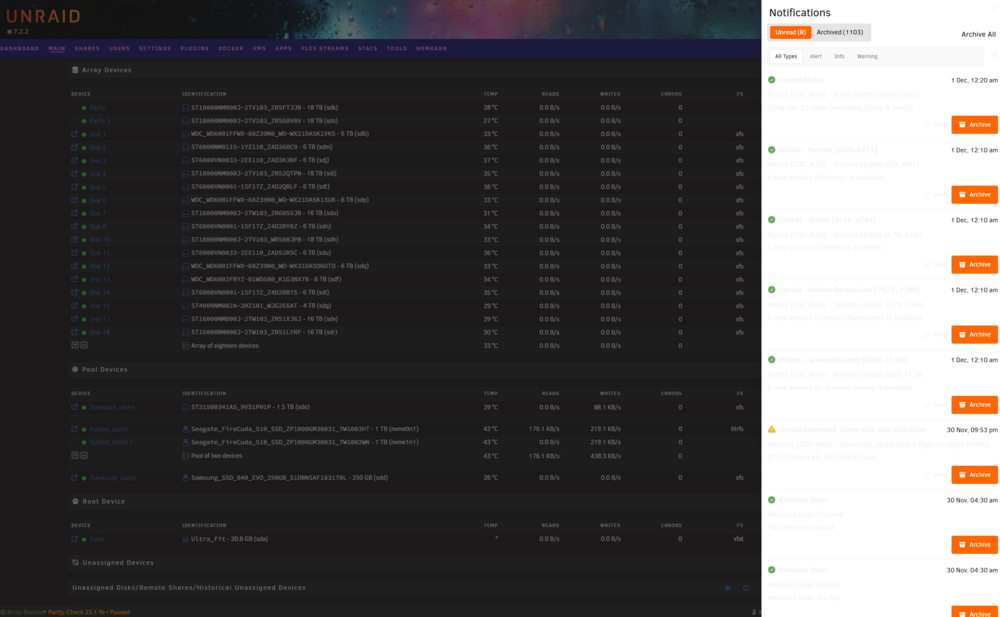
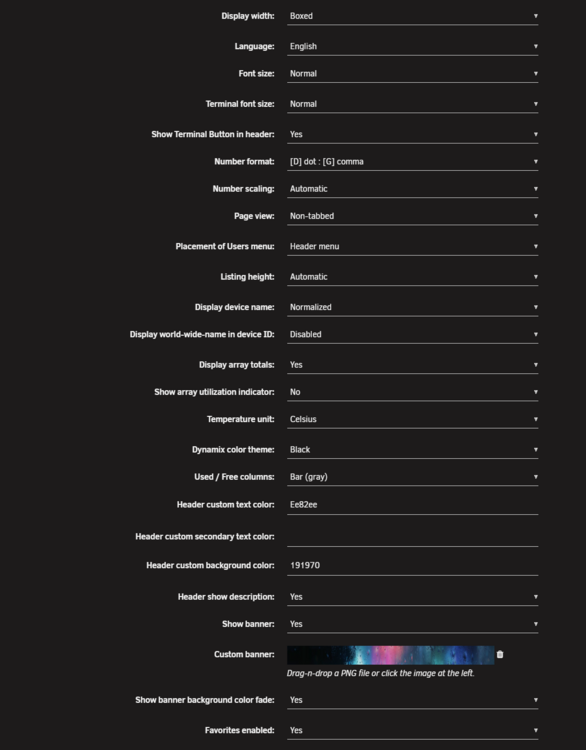
Hi I am having an issue with my notifications menu. I think its only started after the upgrade to 7.2.2.- I'm probably about 75% sure it was OK before. That said I'm half expecting someone to correct me which is OK, I've included my theme setting just in case. I wonder if someone could confirm?
-
@ich777 apologies
-
Hi Is there anyway I can install an older driver 474.82 for my old GT730; rather than the latest? My use case : I don't really need the latest drivers for modern GPUs (I don't have the room or PCIe for them), and the GT730 fits into a PCI-E x4 slot. I've tried pretty much everything to get a VM to work with it so suspect its the new driver causing QEMU failing errors. Thanks Chris
-
Hello I have started using Disk14 rather heavily over the last few days - particularly one large vdisk as a second drive to a arcade VM. Could someone please tell me if I need to be concerned, if I have lost or corrupted data and if I need to replace the drive. The drive is old - I believe was manufactured in 20/07/2015. Also I would appreciate but only if willing, you could explain to me how you've come to your decision. Maybe it will help me in the future self-resolve. Thank you Chris ST6000VN0001-1SF17Z_Z4D2RR7S-20251128-1828.txt 187 Reported uncorrect 0x0032 094 094 000 Old age Always Never 6




