





lokize
Members
-
Joined
-
Last visited
Everything posted by lokize
-
Olá amigos, tenho um stream dock chinês desta marca: https://bbs.key123.vip, e por algo motivo, não funciona no meu Windows 11 VM. Todos os outros dispositivos funcionais bem. Estou anexando imagina mostrando o problema. Existe algo maneira de forçar uma instalação ou algo recurso para fazer-lo funcionar? Nome do Log: Microsoft-Windows-Kernel-PnP/ConfigurationFonte: Microsoft-Windows-Kernel-PnPData: 09/09/2024 02:01:30Identificação do Evento:411Categoria da Tarefa:NenhumNível: ErroPalavras-chave:Usuário: SISTEMAComputador: WIN-9773HLMP4CKDescrição:O dispositivo USB\VID_5548&PID_6670\355499441494 teve um problema ao iniciar.Nome do Driver: input.infGuid da Classe: {745a17a0-74Usd3-11d0-b6fe-0000c9050505005: Inervrosferrosfervo: Inervrosfervrosfervo: Inervrosferrosfervo Inervrosfervo Problema: 0x0Status do Problema: 0xC00000E5XML de Evento:Evento < xmlns="http://schemas.microsoft.com/win/2004/08/events/event"> <System> Provedor < Nome="Microsoft-Windows-Kernel-PnP" Guia="{9c205a39-1250-487d-abd7-e831c6290539}" /> <EventID>411</EventID> <Version>0</Version> <Nível>2</Level> <Task>0</Task> <Opcode>0</Opcode> <Palavras-chave>0x40000000000000</Palavras-chave> <TimeCreated SystemTime="2024-09-09T05:01:30.0768037Z" /> <EventRecordID>121</EventRecordID> <Correlação /> <Execução ProcessID="4" ThreadID="264" /> <Channel>Microsoft-Windows-Kernel-PnP/Configuração</Canal> <Computer>WIN-9773HLMP4CK</Computador> <Segurança UserID="S-1-5-18" /> </System> <EventData> <Dados Nome="DispositivoInstânciaId">USB\VID_5548&PID_6670\355499441494</Data> <Dados Nome="DriverName">input.inf</Data> <Dados Nome="ClassGuid">{745a17a0-74d3-11d0-b6fe-00a0c90f57da}</Data> <Dados Nome="Nome do Serviço">HidUsb</Data> <Dados Nome="Filtros Inferiores"> </Data> <Dados Nome="Filtros superiores"> </Data> <Dados Nome="Problema">0x0</Data> <Dados Nome="Status">0xc00000e5</Data> </EventData> </Event>
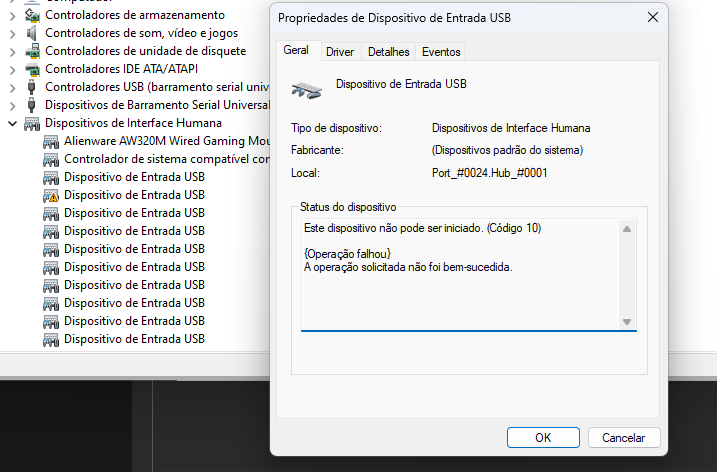
-
I was able to start it by only disabling CSM in the BIOS, but one of my USB devices didn’t work. However, I think it's better to start a new topic for that. Thank you very much for all the help you gave me in this topic, I really appreciate it.
-
I recreated vm with i440 and started but still black screen and same error ————EDIT———- fixed that disabling csm in bios
-
When I use q35 vm start but I have this error and black screen:
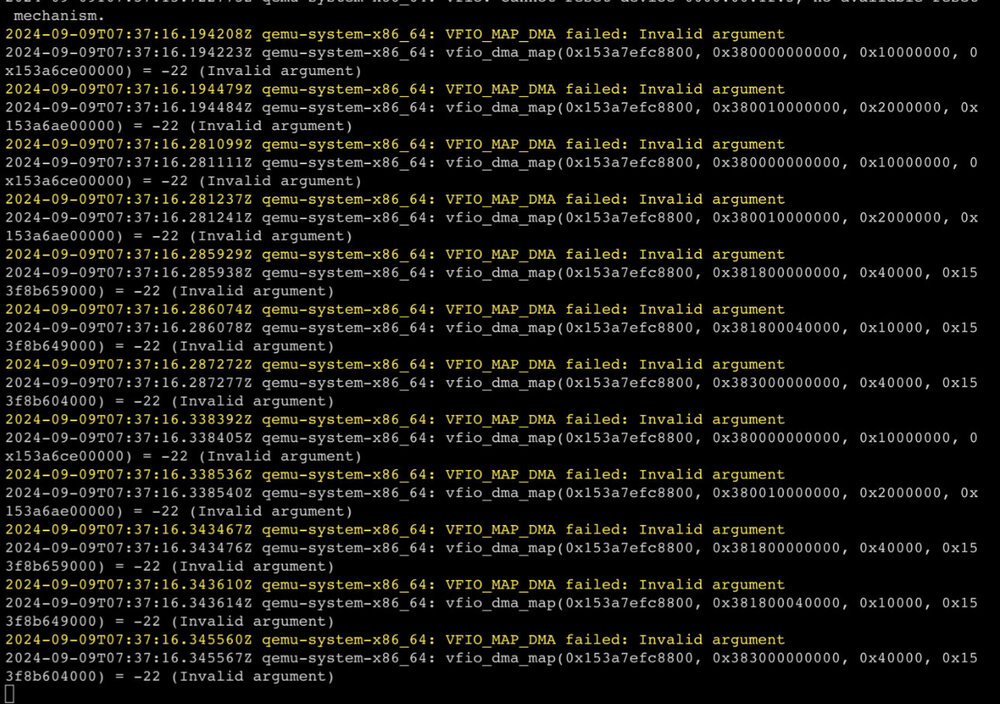
-
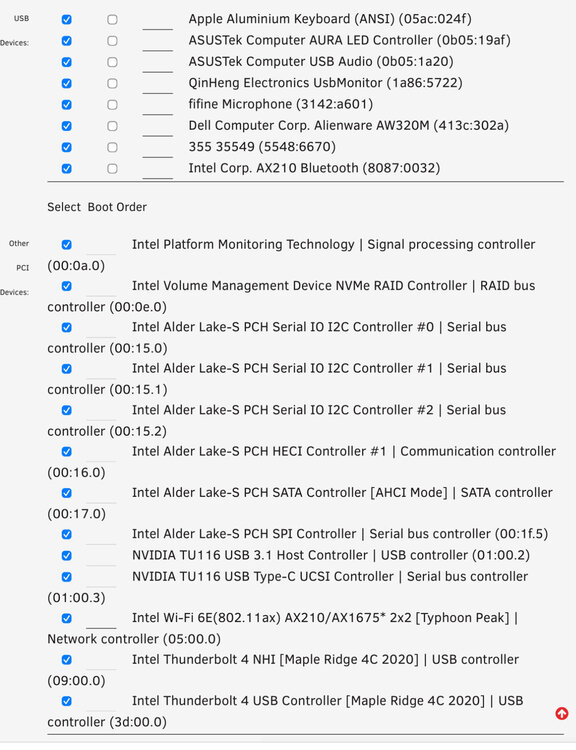
Ok, but what device I need to disable?
-
In system devices? What device?
-
Solved but when I start vm I have this error: using q35 when I try to use i440 I have this error in second image:
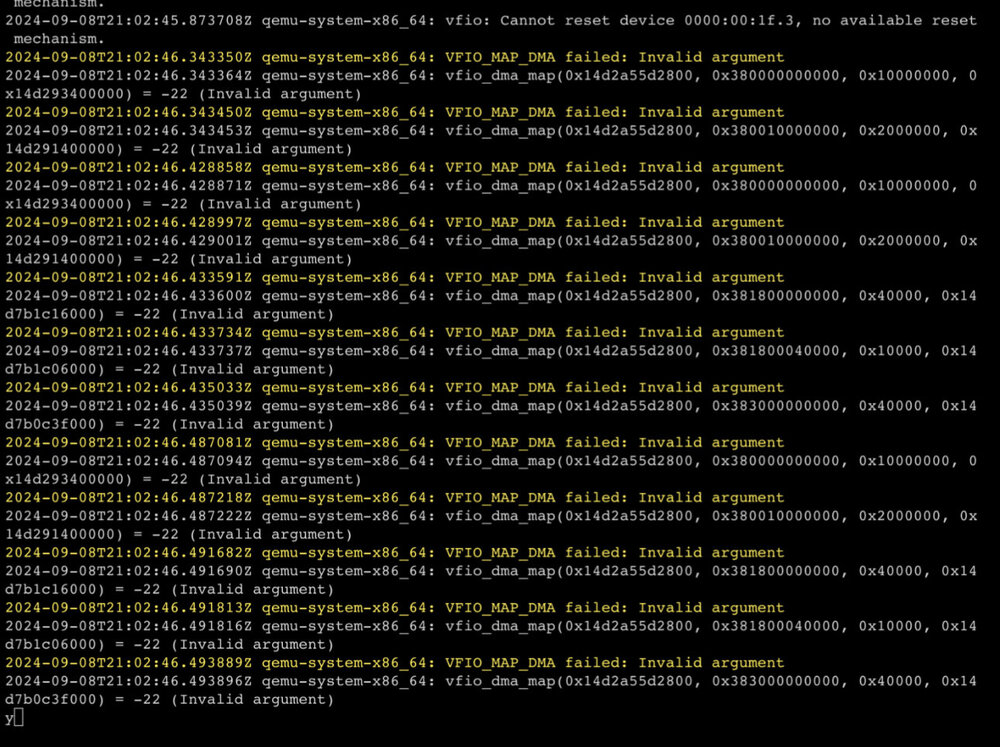
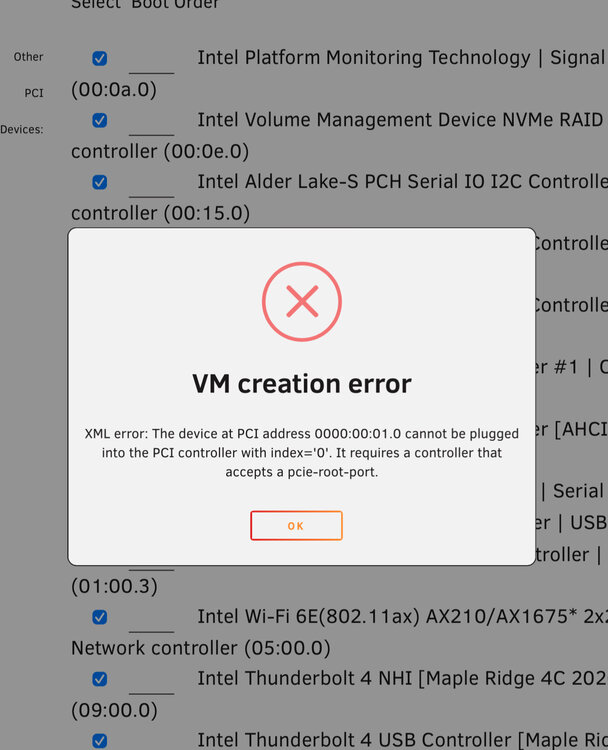
-
Hi friends, I’m getting this error when starting Unraid. The error keeps occurring nonstop, causing the log to fill up to 100%. 0000:02:00.0: device [1987:5016] error status/mask=00000001/00006000 Sep 8 07:30:35 Tower kernel: nvme 0000:02:00.0: [ 0] RxErr Sep 8 07:30:35 Tower kernel: pcieport 0000:00:06.0: AER: Corrected error message received from 0000:02:00.0 Sep 8 07:30:35 Tower kernel: nvme 0000:02:00.0: PCIe Bus Error: severity=Corrected, type=Physical Layer, (Receiver ID) In addition, I don't know if it's related, but every time I start the Windows 11 VM for the first time, it remains paused with the following error: Only after stopping it and starting it again can I actually get the VM to run.
-
Perhaps I fixed it by enabling CSM in the BIOS, but now, after some time using Windows 11, I get a black screen, and minutes later, it returns to normal. Another issue is that if I shut down the VM, the screen doesn’t return to the Unraid GUI.
-
Hello guys, I have 3 displays here and my unraid initializing in wrong display every time, how to change default display monitor of Unraid and use all monitors in Windows 11 VM?
-
strange, is it some incompatibility with our cpu?
-
thanks for reply, bios is updated, i tried csm but not working too... ====EDIT==== i cant enable CSM in my bios...
-
Hello, I'm having problems installing unraid i have this following error: FAILED TO ALLOCATE MEMORY FOR KERNEL COMMAND LINE, BAILING OUT BOOTING KERNEL FAILE. MY HARDWARE SPECS: I9 12900K ASUS Z690-I XPG Lancer, RGB, 32GB (2x16GB) 6000MHz XPG PRO NVME MP600
-
hi, when i put password for root user i cant connect to mariadb, and i have this error: Current charset is windows-1252. If password has been set using other charset, consider using option 'passwordCharacterEncoding', how to use this variable to setCharacterEncoding in docker?
-
oh well, thanks man, you helped a lot!
-
nice topic, when the server restarted the image is gone for me, any way to change this?
-
Nice video, thanks!
-
great, working good, thanks!




