Be-Art
Members
-
Joined
-
Last visited
Everything posted by Be-Art
-
Thank you for the feedback.
-
Seeking some clarity and sanity check on possible issues with mixing rpm and cache capability drives. This is my current config after adding 2 x 7200rpm drives to my array. 1 x SSD Crucial/Micron CT240BX500SSD1 2 x SSD Crucial/Micron CT500MX500SSD1 1 x NVME SKHynix_HFS256GD9TNI-L2B0B 3 x WD Red 4TB WDC WD40EFRX-68N32N0 5400rpm (parity 1, disk 4, disk 6) 1 x WD Red 10TB WDC WD40EZRZ-00GXCB0 5400rpm (parity 2) 2 x Seagate Iron Wolf 2TB ST2000VN004-2E4164 5900rpm (disk 1 & 2) 1 x WD Enterprise 4TB WDC WD4000FYYZ-01UL1B1 7200rpm (disk 5) 1 x HDD TOSHIBA P300 2TB HDWD120 7200rpm (disk 3) 1 x WD Blue WDC WD40EZRZ-00GXCB0 4TB 5400rpm (disk New Additions 2 x HDD Toshiba X300 4TB 7200rpm (disks 7 & 9) 1 x SSD Crucial_CT525MX300SSD1 525GB All SSD's are outside the array. I have concern, as in the past i have used drobo (i know its a raid 5), but i had a huge corruption before coming to unraid this was likely (in opinion of the data recovery expert i paid a stack of cash too in order to retrieve the drobo data) mixing wd blue with toshiba x300 and two other drives. One failed and was unable to rebuild. Is the bottleneck concept applicable to parity processes between 5400, 5900 & 7400rpm's. My current thoughts are i have been running unraid for 2+ years, its been running ok with 1 x 7200rpm (toshiba P300) and 2 x ironwolf NAs at 5900rpm rating.
-
@Squid & @JorgeB Thanks for your responses. I have formatted the pool again and restored appdata and vm images. I have been able to shutdown and start up again without corruption. Will monitor.
-
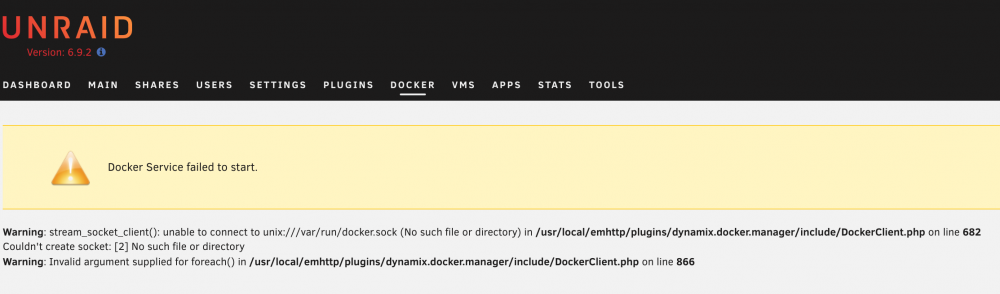
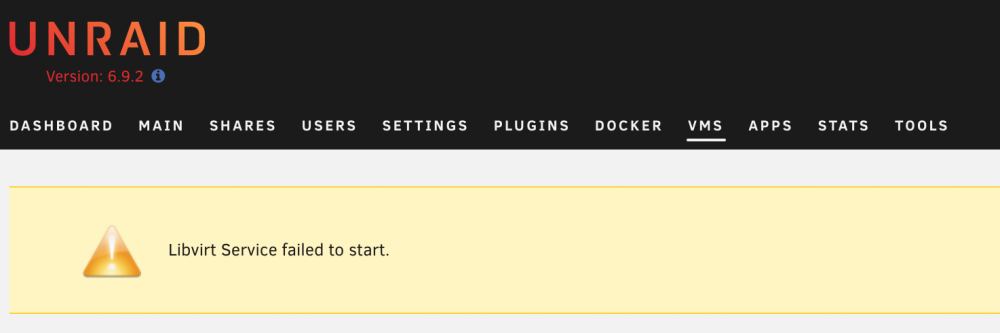
Hi Awesome Community, related to this initial issue. I have been facing the same issue (see screen shots) everytime i clean shut down and restart the unraid server. This has begun to grate (5-6 times) as each time i must restore all docker images from previous downloads and restore vm backups. Previous posts has pointed at the images getting corrupted but i am unsure as to why and what the resolution is. Attached is diagnostics, i invite comment. **diagnostics deleted for system security**
-
Great plugin so far, thanks for the efforts. I am having some speed issues on 'post read' of a 2TB WD RED, so far its been in post read 2 days and its 50+% only. Any ideas based on the attached preclear report? i have re-seated on the sata connection only other item i can try is on a different sata interface but i have precleared and run drives twice the size on that connection. is this a sign of any issue with the drive? slow_preclear.rtf
-
I resolved the issue in the short term by removing bind mounts to the container and letting it update then adding the bind mounts again. Still does not solve my issue with this in the future and my data loss in the bind mounted drives.
-
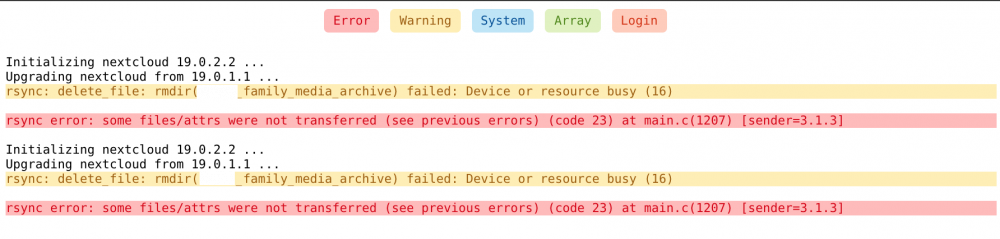
Hi, I tried to update two nextcloud containers today using the "apply update" button in unraid docker manager. The docker containers deleted hundreds of gigs of data from bind mount hard drives and will no longer start. The persistent container data has been reset to new sample data from the image. This is not the first time this has done this and i have had to restore from backups but each time i loose a small hand full of files. Anyone please tell me why in the h*** this is happening? I have no backups for my instances. so there goes all that work again.