





-
Joined
-
Last visited
-
Currently
Viewing Topic: Guide - How to access your unRAID console via a serial port
-
Dear @JorgeB , Thank you for your feedback and guide. I am able to re-create docker image and reinstalling the docker application. I cannot check my custom docker network since the docker service are failed to start. But it is ok since i only have 1 custom docker network. I also have few corrupted VM since it is also on the same cache pool but i think I'll manage since it on VM OS itself.. Thank you.
-
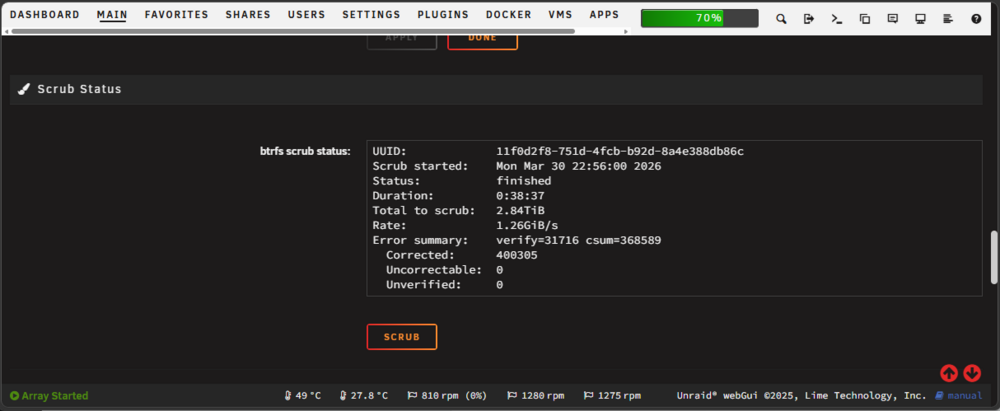
Hi @JorgeB , Thank you for the fast reply. I have completed scrub the pool. This is also latest diagnostic file. aiesb-svr-01-diagnostics-20260330-2337.zip Should i try reboot the server again? Thanks for your help.
-
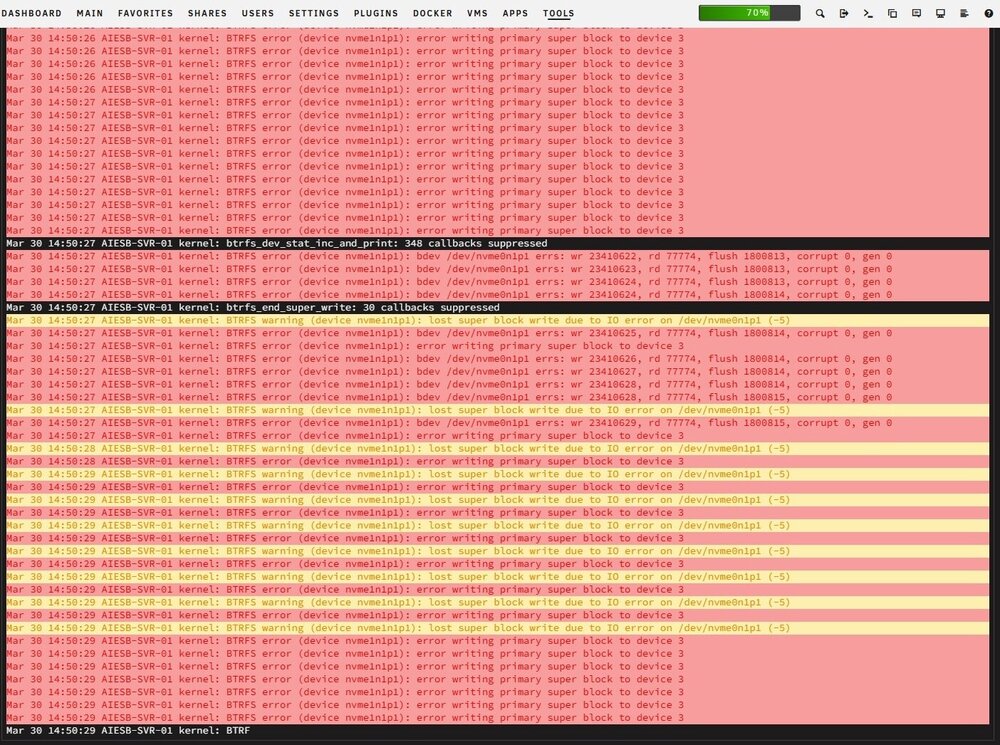
Hi good day, I need help here. One of my nvme ssd on my cache pool suddenly inaccessible. This is the error that i able to capture. Immediate action that I do is rebooting the server. After the server rebooted, seems the nvme ssd appear back but the docker service failed to start. Here i attach diagnostic file after the server rebooted. Silly me, I am accidently override the diagnostic file that i export before I reboot the server with the file after rebooted. aiesb-svr-01-diagnostics-20260330-1654.zip Any idea what should i do? Thanks.

-
Can you screenshot as below
-
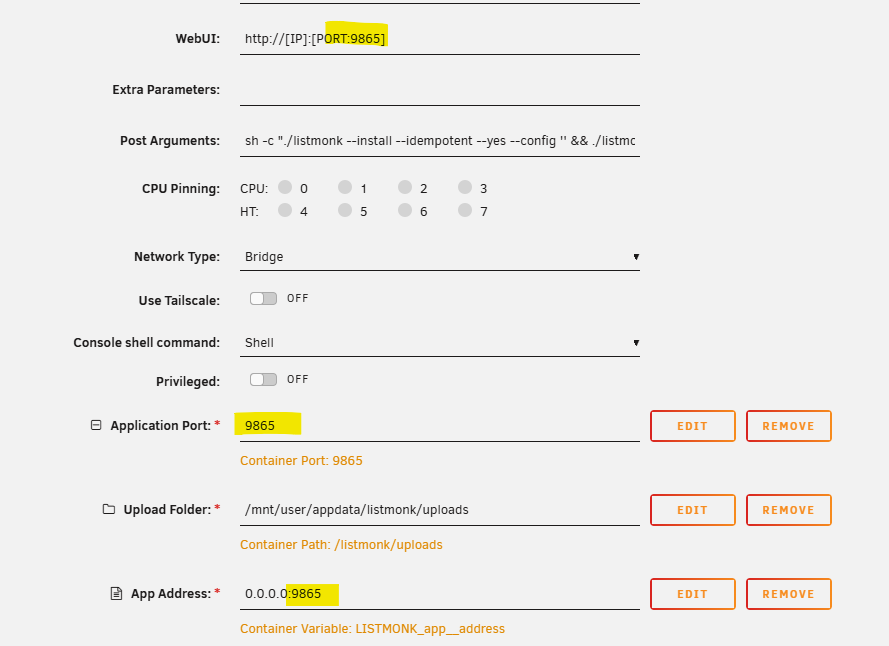
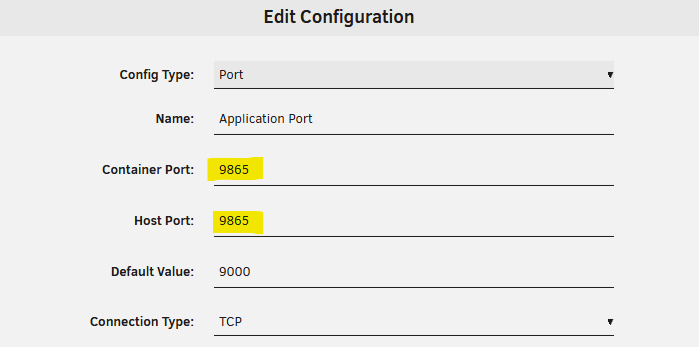
I think no issue with database since the database get populated. I believe this is related on port mapping. Can you check application port by click edit button. Container port and host port should be change accordingly. You can verify after that by applying the changes.
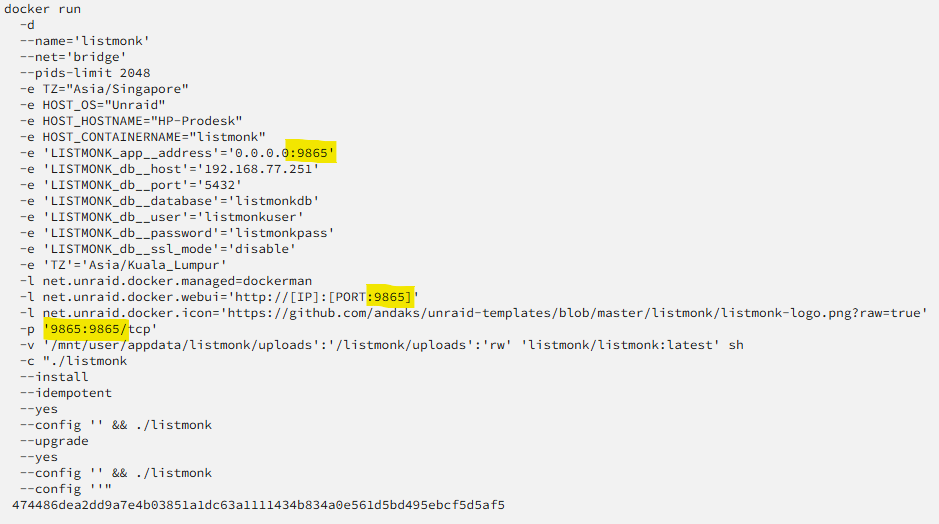
-
Hmm. since I don't have detail info such as log etc, I am unable to replicate the issue. I have tried at another unraid instance (means 3 different setup already) also don't have any issue. You might try to check port number setting as per image below. Also please check if your other container using the same port. Container do not start if failed to bind the port.
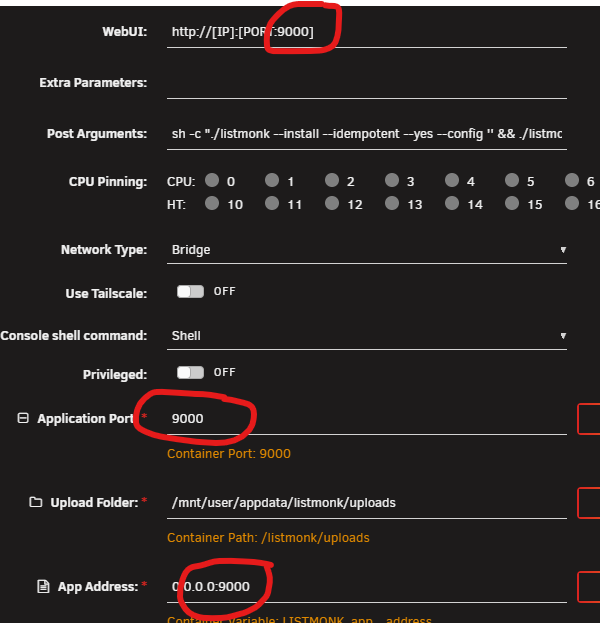
-
Hi @Majobaga , any updates on the issues?
-
Since the setup uses environment variable, TOML file is not use [still exist in container]. Refer this link. That why it is not in appdata folder. Can you check unraid log while starting the container. might get some idea from there.
-
Hi @Majobaga , I already try install in different system and it works without any issue. Can you verify "Post Arguments" value in container setting. Toggle to advance view should be like this sh -c "./listmonk --install --idempotent --yes --config '' && ./listmonk --upgrade --yes --config '' && ./listmonk --config ''" If you using custom network, match the app address with the right ip address [if you have change it from default]. 0.0.0.0:9000 should be fine for most cases.
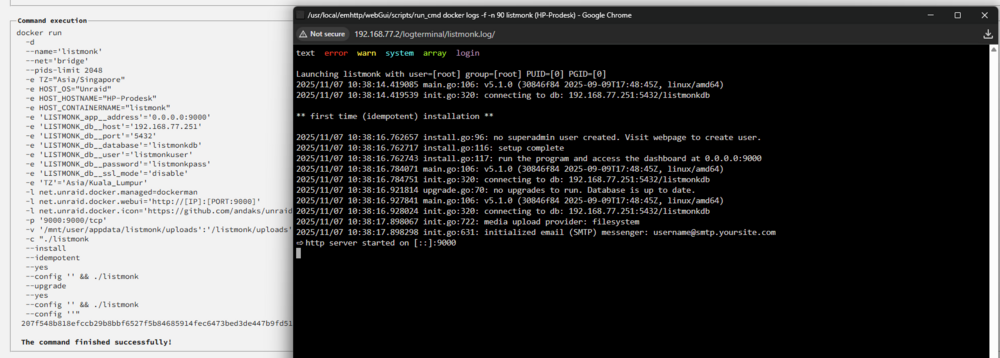
-
Good day everyone, I have issue with my unraid to communicate with docker instance. I have a few docker running. Some of docker instance are configured as bridge network (using unraid IP to access at different port), and some of docker are configured as Custom:br0 (I have assigned IP address with the same subnet as unraid, so the docker can have their own IP). For simplicity, i am using ping command. For each docker that assigned as Custom:br0, it can ping to each other using IP address, but not the unraid server. From unraid server also cannot ping the docker with Custom:br0. FYI, i have enable "Host access to custom networks" on docker setting. If i not mistaken, this issue happen after I upgrade from 7.0.1 to 7.1.2 Attached is the diagnostic file. Thank you for your help hp-prodesk-diagnostics-20250526-1359.zip
-
Hi, I am planning to switch to traefik. However, currently I have multiple domain and i don't have any idea how to set those up & what i need to change in the template. Hope you can point me up on this matter. I am still new to traefik.
-
Support thread for all my docker templates for CA. Dockers Available so far: tile38 - Tile38 is an open source, in-memory geolocation data store, spatial index, and real-time geofence. It supports a variety of object types including lat/lon points, bounding boxes, XYZ tiles, Geohashes, and GeoJSON listmonk : Self-hosted, high performance one-way mailing list and newsletter manager. It comes as a standalone binary and the only dependency is a Postgres database zabbix-server-pgsql : Zabbix server with PostgreSQL database support zabbix-web-apache-pgsql : Zabbix web-interface based on Apache2 web server with PostgreSQL database support chirpstack : ChirpStack is an open-source LoRaWAN Network Server which can be used to setup private or public LoRaWAN networks chirpstack-gateway-bridge : ChirpStack Gateway Bridge is a service which converts LoRa® Packet Forwarder protocols into a ChirpStack common data-format chirpstack-rest-api : A proxy component that exposes the ChirpStack (v4) gRPC API as a REST API Please post any questions/issues relating to this docker template you have in this thread.
-
Muhamad Aidil Karim changed their profile photo
-
Thanks.
-
Hi, Is it save to click 'remove' button under 'Historical Unassigned Devices" since the listed devices is part of my array now?
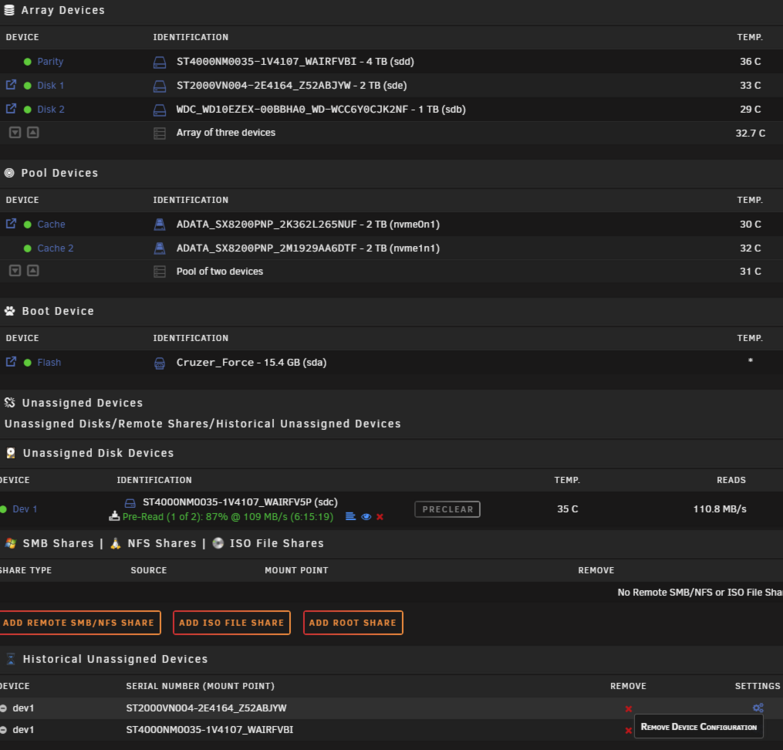
-
Just to update on this issue. Flash newer bios on the motherboard seems to fixed this issue. Running 2 weeks now without freeze.




