





Slarti123
Members
-
Joined
-
Last visited
Everything posted by Slarti123
-
Das ist klar, aber, was mich wundert: Nachdem ich wieder alles in den ursprünglichen switch gesteckt habe, läuft es noch immer problemlos. Das kann ich mir nicht wirklich erklären.
-
Ok, ein erneutes Update. 1) Root Thematik: Ich habe jetzt alle Win Clients gestartet und überall alle shares getrennt. Danach im Windows Credential Manager nachgesehen, ob irgendwo Root angelegt ist- war nicht so. Dann sämtliche Windows Clients und den Unraid Server neu gestartet. Trotzdem: root@Server:~# grep root /var/log/syslog Oct 7 18:37:01 Server winbindd[29986]: Searching groups for username 'root'. Oct 7 18:37:51 Server smbd[12377]: string_to_sid: SID root is not in a valid format Oct 7 18:37:51 Server smbd[12377]: Forcing Primary Group to 'Domain Users' for root Was ggf. sein kann: Dass irgendein plugin/docker/Home Assistant VM eines der shares als root ansprechen will. 2) Speed Thematik: Wirklich kurios: Ich habe einen anderen 2.5G/10G SFP+ Switch ausgeliehen. Exakt gleiche Verkabelung => alles läuft auf erwartet hoher Geschwindigkeit auch bei SMB. Habe mich dann gefreut, auf flow control, negotiation oder was auch immer in dem unmanaged switch getippt und dann spaßeshalber mal alles runtergefahren und den bisherigen Switch wieder reingehängt: Auch da läuft jetzt alles in top Geschwindigkeit. (Ich traue dem Braten noch nicht so recht, falls irgendwas im Router schuld gewesen sein sollte und es erin Zufall mit dem anderen Switch war) Also, schonmal danke für die Hilfe bis hierher. Ich würde mich aber trotzdem freuen, wenn wir das Root Thema noch bei der Wirzel packen könnten. Das sol ja ohnehin nicht sein....
-
Ich habe mich da evtl. schlecht ausgedrückt. Ich habe in unraid user angelegt: Einmal bezogen auf einzelne Personen ("Tobias") und, als ich den Fehler eingrenzen wollte, nochmal explizit bezogen auf die jeweiligen clients, damit ich weiß, von wo welche Anmeldung kommt (also ein Unraid User mit dem Namen "WZ-PC" für den entsprechenden PC) Root habe ich definitiv nie als SMB Credential an irgendeinem Client genutzt
-
Nein, ich habe sogar zwei Varianten von diversen Win Clients getestet: Userbasiert: Nutzer "Tobias" mit entsprechenden Rechten Clientbasiert: Nutzer "WZ-PC" mit entsprechenden Rechten
-
Habe jetzt beides probiert: einmal überall an und einmal überall aus- kein Effekt. Habe sogar sicherheitshalber mal die NICs der beiden Unraid Systeme getauscht- auch alles beim Alten. Ich tippe noch immer auf irgendwas bei der SMB Einrichtung. Bekomme ja auch diese zahlreichen winbindd Fehler. Allerdings seltsam, weil ich ja alles wieder vermeintlich zurückgedreht habe...
-
Update: 5h Memtest (4 Durchgänge) ohne irgendeinen Fehler Habe temporär FTP enabled: Übertragung von einem Win Client mit 2.5Gbe war sehr schnell, konnte bei einem 1.5Gb file keine Zeit stoppen (<5s) SMB immernoch langsam
-
Alles klar, dann mache ich mich mal ans Aufräumen, ist mir auch lieber so- vielen Dank für Eure Unterstützung. Vorweg: Alle Änderungen oben sind nach und nach auf Hinweise aus dem Forum entstanden, um vor allem dem SMB Thema Herr zu werden. Ich habe daher einiges zurückgedreht, aber bislang kann ich noch immer keinen Transfer per SMB starten. Hier schonmal den Zwischenstand: Go Datei: RAM Write Cache wieder auf Standard SMB Extra wieder komplett leer Network bonds weg Lexar ist lediglich die appdata disk, habe sie aber jetzt auf xfs formatiert pcie_acs_override: deaktiviert Boot Stick: Ersetze ich morgen sicherheitshalber, check hat aber nichts ergeben Bios Update ausgeführt CPU: Identisch im Ersatzgerät, das keine Probleme macht VRAM wieder ohne Ballooning (auch das war relativ neu angepasst als Tipp aus dem Forum, um die Fehler auszumerzen) Ich lasse gerade mal memtest laufen, ob es doch am RAM liegt. Vor dem Memtest war allerdings das SMB Thema unverändert: Winclients auf den Ersatz-Unraid: Sehr schnell (>100Mb/s) iperf3: von allen winclients auf meinen eigentlichen Unraid: 10gbe Winclient zu Winclient per SMB: erwartete, gute Geschwindigkeit Schreibtest auf Cache drive war 1.3GB/s: dd if=/dev/zero of=/mnt/cache_ssd/testfile bs=1G count=5 oflag=direct mover manuell von cache auf array auch normal (>30MB/s) SMB von jedem Winclient zum Unraud: Progress steckt bei 0% und bricht irgendwann ab. Manchmal sehr langsame Schreib- und Lesezeiten Soviel zum Tatus Quo. Memtest läuft und morgen neuen USB Stick einrichten. Aber vermutlich bin ich noch immer nahe null (mit einem etwas saubereren System- immerhin). Schonmal Danke für die moralische und inhaltliche Unterstützung!
-
Hallo zusammen, mein Unraid-System läuft nun seit über 4 Jahren, aber ich kämpfe schon seit Längerem mit wiederkehrenden Problemen. Das System dient als NAS sowie für diverse Docker-Container und eine VM, auf der Home Assistant läuft. Ich habe mein Netzwerk in VLANs unterteilt und im Unraid-Server virtuelle Netzwerkschnittstellen eingerichtet, um z.B. Home Assistant und bestimmte Docker-Container in mehrere VLANs zu verbinden. Die Hardware umfasst außerdem einen Coral PCIe, eine alte Nvidia-GPU, PCIe-Netzwerkkarten usw., die alle eigene Treiber benötigen. Zu den wichtigsten Problemen gehören: Diese Themen wurden bereits mehrfach in diesem Forum angesprochen, aber bisher konnte keine der vorgeschlagenen Lösungen meine Probleme beheben. Ich habe sogar den RAM ausgetauscht, aber das hat nichts geändert. SMB- und Netzwerk-Probleme: Die Übertragungen sind extrem langsam, brechen häufig ab, und die Logs sind voll mit Fehlermeldungen. Typische Fehler, die ich sehe, sind: Sep 17 12:03:01 Server samba-dcerpcd[2288]: Failed to fetch domain sid for WORKGROUP Sep 23 16:45:18 Server winbindd[4467]: Returning NT_STATUS_NO_SUCH_USER Die Home Assistant VM stürzt unregelmäßig ab, und in den Logs tauchen häufig Fehler im Zusammenhang mit dem RAM auf: 2024-10-03T18:30:33.352236Z qemu-system-x86_64: ram_block_discard_range: Failed to discard range pc.ram:17a48d000 +1000 (-22) Ich habe ein zweites Unraid-System im gleichen Netzwerk (gleiche VLANs usw.) eingerichtet, jedoch ohne Docker oder VMs. Auf diesem neuen, etwas schwächeren System läuft SMB stabil. Mein ursprüngliches System hat jedoch weiterhin mit Netzwerk- und SMB-Problemen zu kämpfen. Mir ist bewusst, dass eine Neuinstallation von Unraid im klassischen Sinne nicht sinnvoll ist, da das System im RAM läuft. Allerdings habe ich über die Jahre viele Einstellungen vorgenommen, teilweise über das Terminal und in Konfigurationsdateien (nicht nur über die GUI), und viele dieser Änderungen sind mir nicht mehr präsent. Daher überlege ich, ob ein Neustart eventuell doch Sinn machen könnte, auch wenn ich natürlich keinen Datenverlust im Array oder den Aufwand für die Neukonfiguration von Netzwerken, Treibern usw. riskieren möchte. Was würdet ihr mir raten? Neuinstallation, und alles mal wieder mit mehr Erfahrung neu und sauber aufbauen? Welche Best Practices gibt es, um Datenverlust und erneute Konfiguration zu minimieren? Oder soll ich weiter versuchen, das bestehende Setup zu durchleuchten, trotz der vielen früheren Änderungen in Shell und Konfigurationsdateien? Gibt es eine Möglichkeit, das neue System als Zwischenlösung zu nutzen und dann alles wieder auf den Hauptserver zu migrieren? Die Diagnose-Datei ist angehängt. Danke im Voraus für eure Hilfe! server-diagnostics-20241004-1428.zip
-
Hi all, I'm reaching out for advice on a long-running issue with my Unraid system, which has been running for over 4 years. I use it primarily as a NAS, along with several Docker containers and a VM running Home Assistant. My network is segmented into VLANs, and I’ve configured virtual NICs to allow Home Assistant and some Docker containers to connect to multiple VLANs. The setup also includes a Coral PCIe, an old Nvidia GPU, PCIe network cards, and various drivers. The main issues are as follows: SMB and Network Problems: Transfers are unbearably slow and often disconnect, with frequent errors in the logs. These issues have been discussed in this forum several times, but none of the suggested solutions have resolved the problem. I’ve even replaced the RAM, but it hasn’t helped. Some examples of the errors I encounter include: Sep 17 12:03:01 Server samba-dcerpcd[2288]: Failed to fetch domain sid for WORKGROUP Sep 23 16:45:18 Server winbindd[4467]: Returning NT_STATUS_NO_SUCH_USER VM Crashes: My Home Assistant VM crashes intermittently, with logs often pointing to RAM-related issues: 2024-10-03T18:30:33.352236Z qemu-system-x86_64: ram_block_discard_range: Failed to discard range pc.ram:17a48d000 +1000 (-22) I’ve set up a second Unraid system, on the same network (same VLANs, etc.) but without Docker or VMs. On this new, slightly weaker machine, SMB works flawlessly. Meanwhile, the original server continues to struggle with network and SMB issues. I’m aware that a "reinstall" on Unraid doesn’t make much sense since the system runs in RAM. However, over the years I’ve made numerous tweaks—some via the terminal and in config files (not just through the GUI)—and I’ve lost track of many of these changes. This makes me wonder if starting fresh would help, although I don’t want to lose array data or face the challenge of reconfiguring all the drivers, networks, VLANs, etc., from scratch. What would you recommend? Should I go for a full reinstall despite knowing it might not technically make a difference, considering all the terminal/config edits I've made? Is it worth going deeper into diagnosing the current setup, knowing that I might have missed something in the past? Additionally, is there a smart way to use the second, less powerful server as a temporary solution, and then migrate everything back to the main server once it’s fixed? I’ve attached my diagnostics file for further insight. Thanks in advance for your help! server-diagnostics-20241004-1428.zip
-
Thank you! I had the same observation, but I have no clue how to find the reason for all these winbindd messages. Is there any way to see if it is caused by a plugin/vm or anything else?
-
Good point. Here both of them: "Server" has the issues, "NAS" works like a charm server-diagnostics-20240920-2309.zip nas-diagnostics-20240920-2309.zip
-
Hi everyone, I’m experiencing significant differences in SMB performance between my two Unraid systems, which I’ve named "Server" and "NAS". The NAS performs flawlessly, but the Server is slow and frequently experiences issues such as freezing and transfer interruptions. System 1: "Server" Motherboard: ASUSTeK PRIME X570-P (BIOS 2606) CPU: AMD Ryzen 5 2600X Six-Core @ 3600 MHz RAM: 48 GiB DDR4 Network: Active-backup bonding (bond0), mtu 1500 Array: Parity: 4 TB Disk 1: 4 TB XFS Disk 2: 3 TB XFS Cache Devices: Lexar 500GB NVMe (ZFS) WDC 1TB SSD (XFS) System 2: "NAS" Motherboard: ASUSTeK PRIME A520M-K (BIOS 2604) CPU: AMD Ryzen 5 2600X Six-Core @ 3600 MHz RAM: 16 GiB DDR4 Network: Active-backup bonding (bond1), mtu 1500 Array: Parity: 4 TB Disk 1: 3 TB XFS Disk 2: 3 TB XFS Cache Device: Intel 512GB NVMe (BTRFS) Network Setup: Both systems are connected via iperf3 over 10GbE, and network performance appears to be solid. Transfers via the Web GUI file manager are fast on both systems. However, SMB transfers on Server are incredibly slow, with transfers sometimes freezing or taking forever. NAS, on the other hand, maintains a stable 110MB/s over SMB with a 2.5GbE NIC connected to NAS’s 10GbE NIC. Additional Info: SMB on Server is the main issue: transfers freeze, drop off, or move very slowly compared to NAS, where everything works smoothly. I’m not sure where the bottleneck is or why there’s such a difference between the two systems, especially since they’re both similar in terms of hardware and network configuration. SMB Configurations: Server SMB Settings: Enable SMB: Yes (Workgroup) SMB Multi-Channel: Yes Enhanced macOS Interoperability: Yes Enable NetBIOS: No Enable WSD: Yes NAS SMB Settings: Enable SMB: Yes (Workgroup) SMB Multi-Channel: Yes Enhanced macOS Interoperability: Yes Enable NetBIOS: No Enable WSD: Yes Any ideas on what might be causing the issue with Server, or suggestions for optimizing SMB? I can provide more logs and details if needed. Thanks for any help!
-
Top, ganz herzlichen Dank!
-
OK, dann wäre der RAM das bottle neck und ich könnte da ein wenig nachrüsten. Wenn ich aber auf ein Cache Share vom Client hochlade, dann ist die Phase 0 MB/s teilweise fast 1min lang, bevor es weitergeht. Das ist bei größeren Mengen schon nervig. Ist es einen Versuch wert, die Cache SSD zu tauschen oder ist das unnötig? Übrigens: Vielen Dank für die schnellen und hilfreichen Antworten!
-
Ja, das war auch tatsächlich so. Ging dann irgendwann weiter und hat den Vorgang erfolgreich abgeschlossen. Verstehe nicht, was Du meinst. Habe mich vielleicht schlecht ausgedrückt. Habe von einem Share ("Video") eine "nicht gecachte" Datei aus dem Array kopiert auf ein anderes share ("nextdata"), das als "array only" konfiguriert ist. Dabei nur als Oberfläche den Win Explorer/SMB genutzt. Lief aber kein traffic über das Netzwerk.
-
Noch ein Nachtrag: Habe mal vom Win Client per SMB eine 13GB Datei auf das "Array only" geladen. Die ersten ca 4GB gingen mit ca 100MB/s hoch. Danach konstant bei ca. 45MB/s.
-
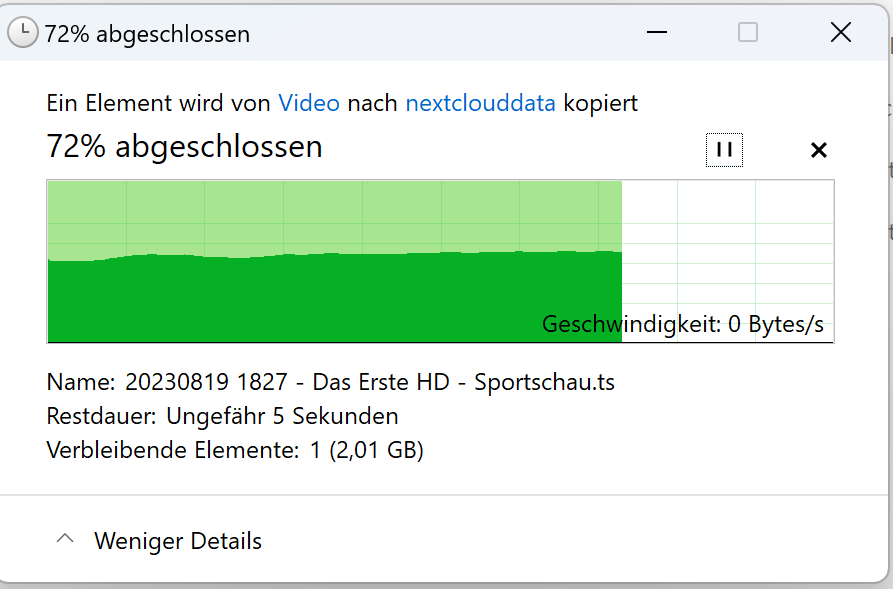
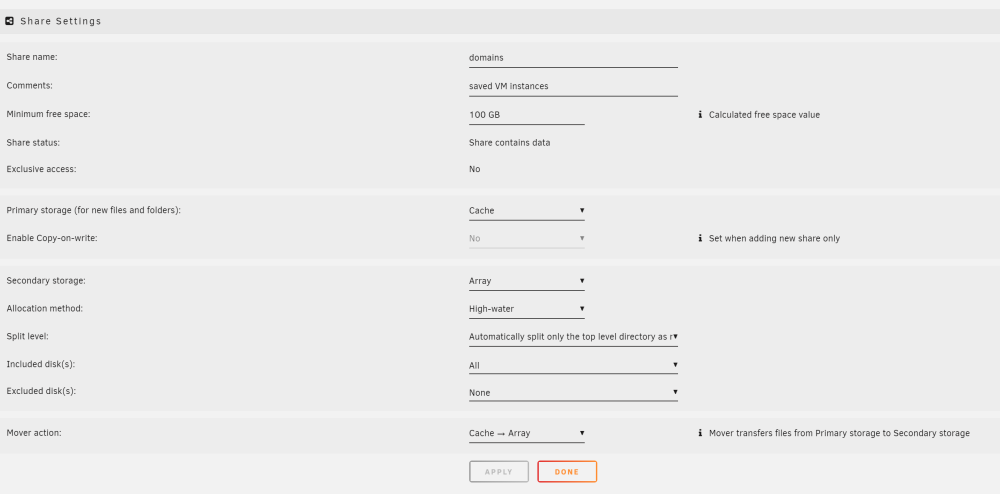
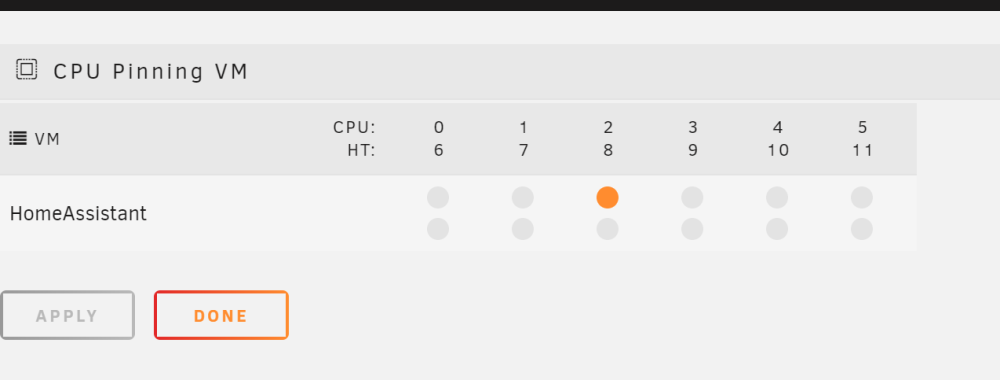
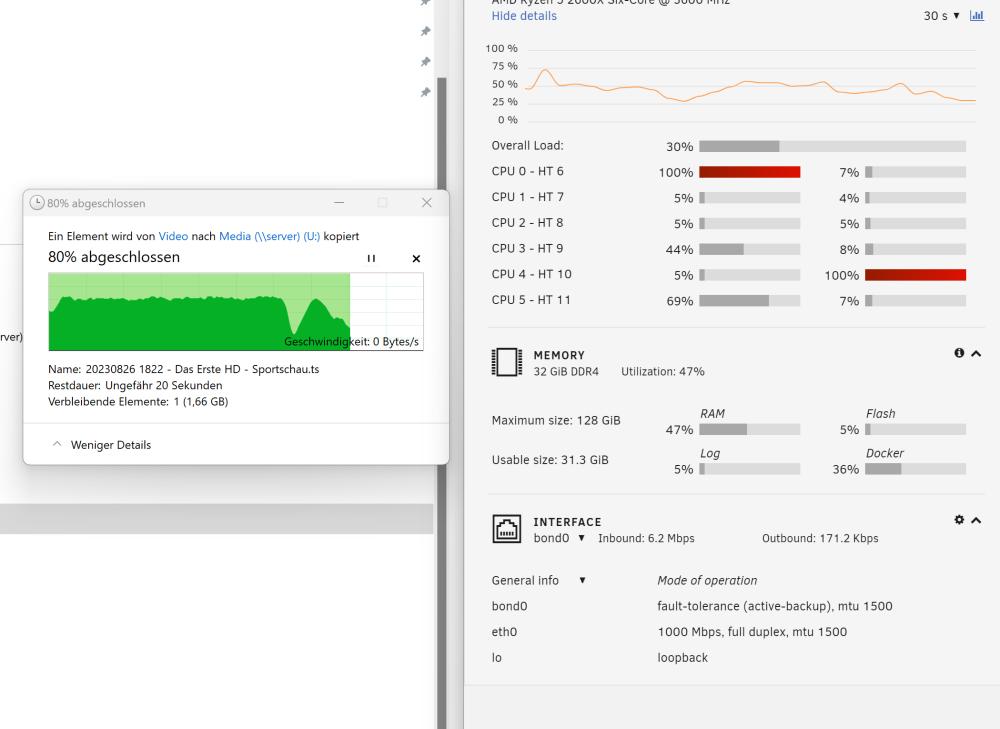
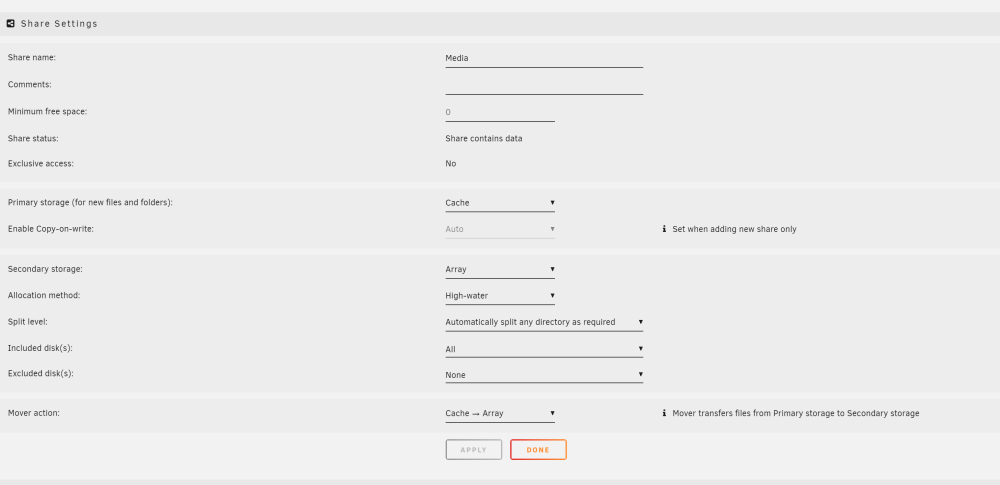
Ja. S. Screenshots. Nur 1 VM für HomeAssistant mit einem Kern und 4-8 GB RAM von 32GB. Das war interessant: Habe ein file von einem share auf das "Array only" share kopiert: 7,8 GB groß. Bis 72% eine Wahnsinnsgeschwindigkeit >1GB/s. Dann auf 0 gedroppt. Das hat keine Veränderung gebracht.

-
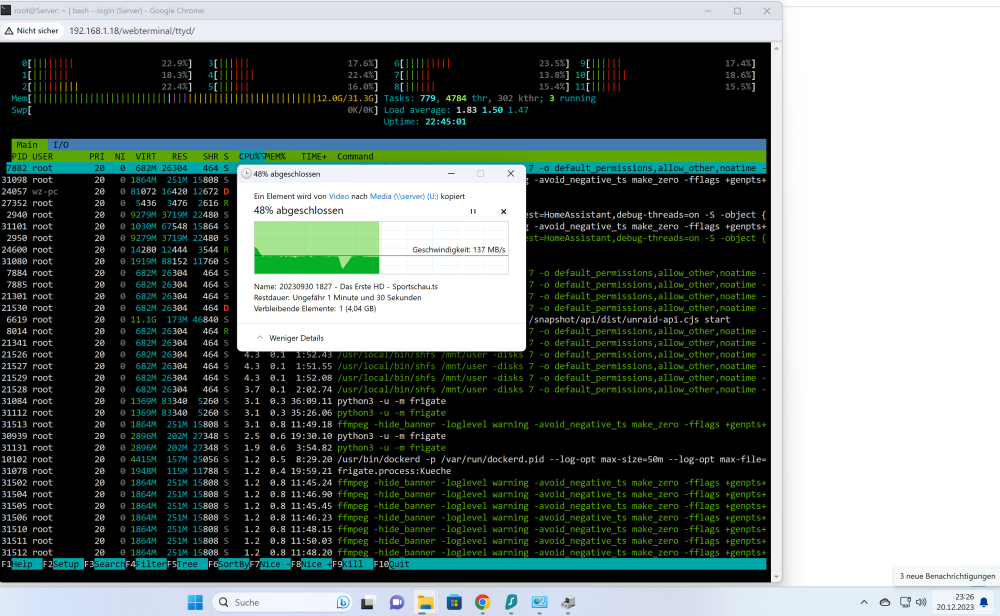
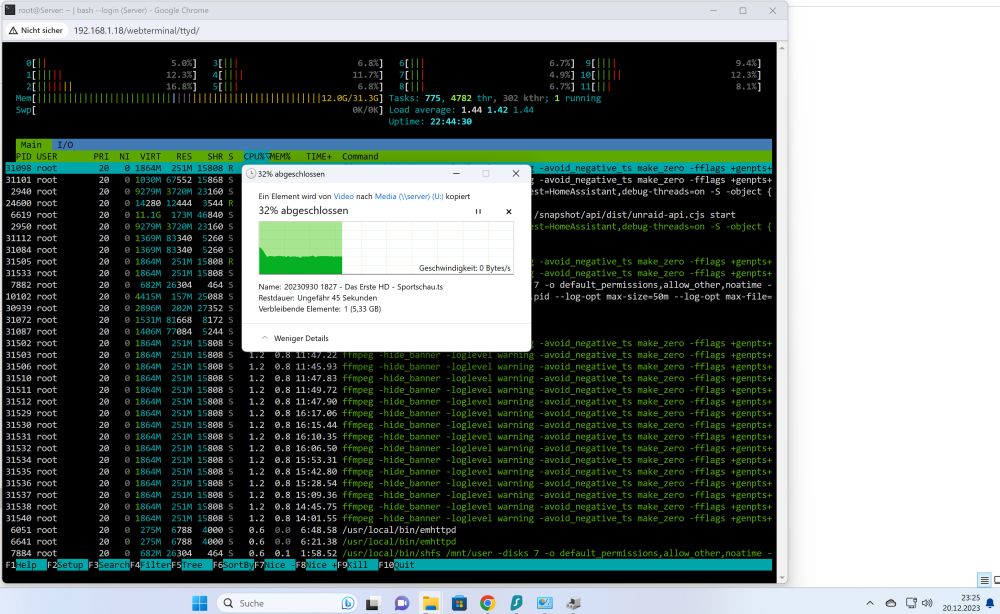
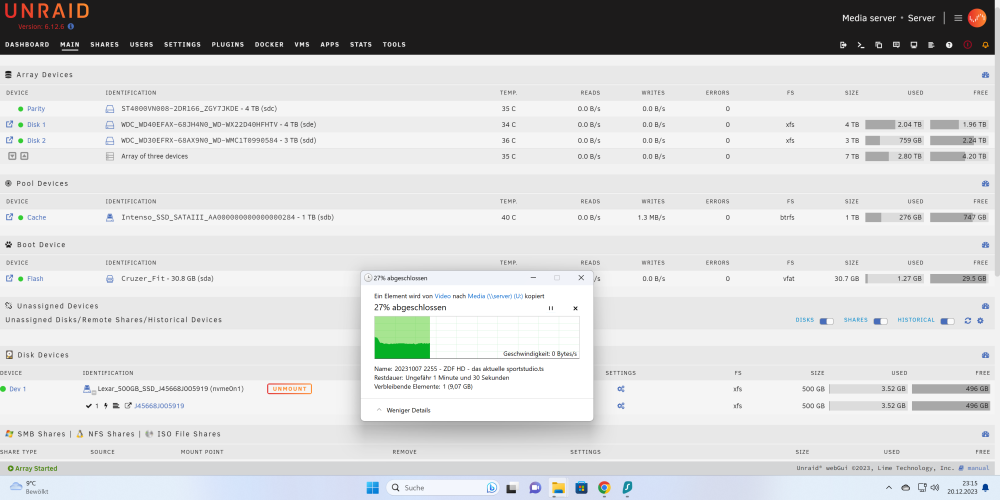
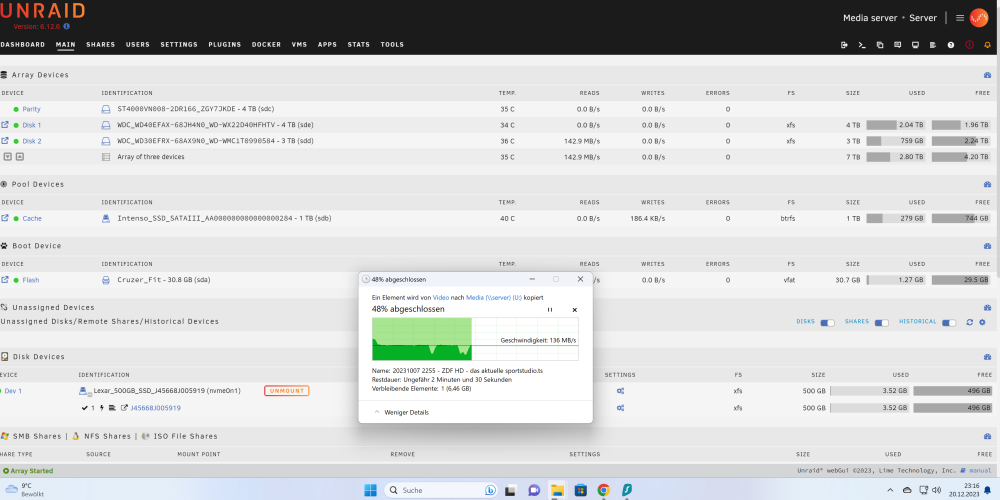
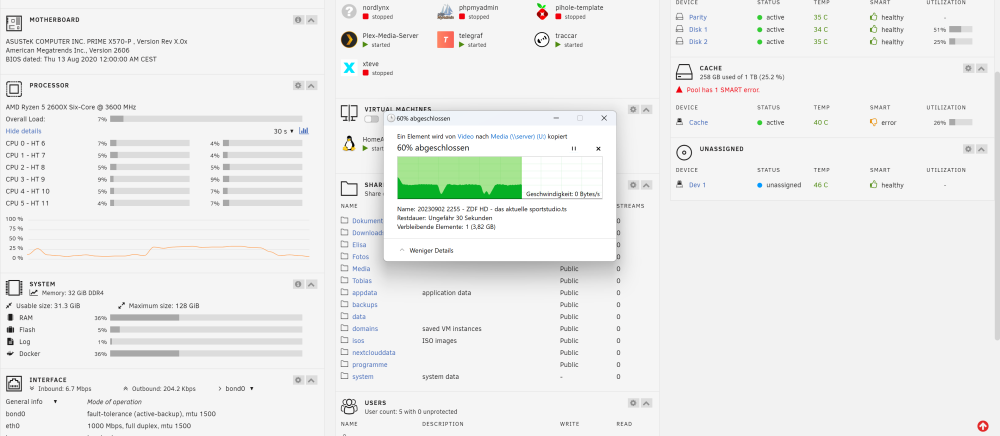
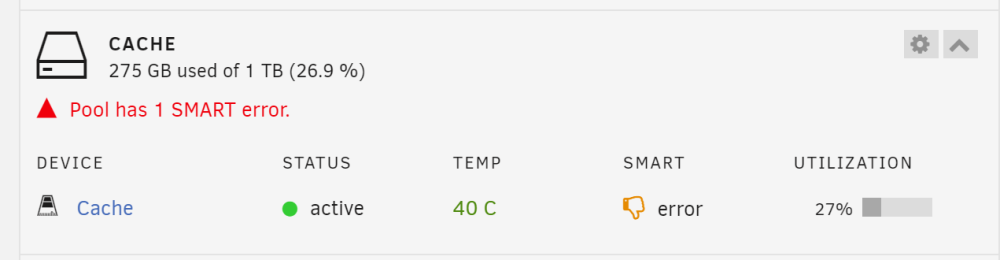
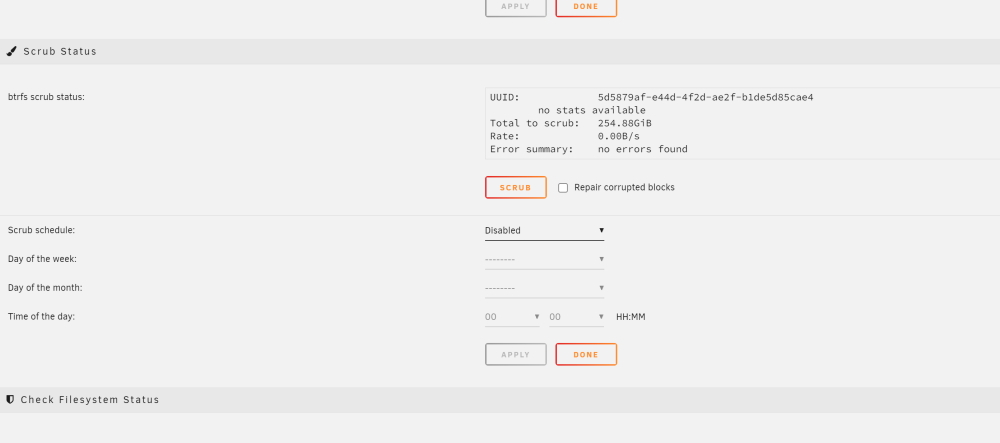
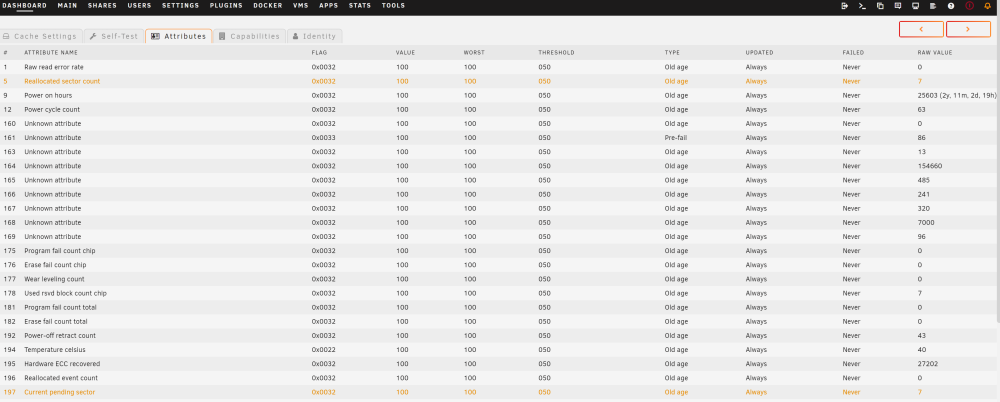
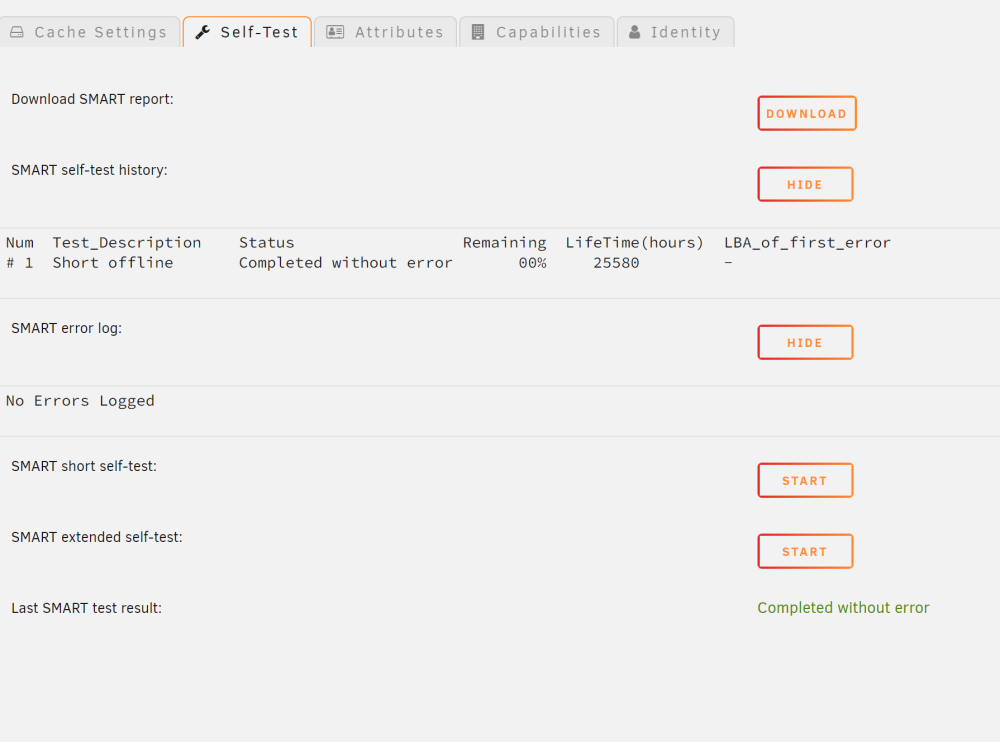
Hallo zusammen, ich bin nicht 100% sicher, habe aber den Eindruck, dass das Phänomen erst seit dem letzten Update auftritt: Wenn ich ein File kopiere, geht zunächst die Geschwindigkeit auf ca. 140Mb/s hoch. Nach kurzer Zeit bricht sie aber völlig ein. Geht auf 0 Mb/s, pausiert dort und schießt wieder kurz auf 140Mb/s hoch, usw. Das passiert auch, wenn ich "lokal" kopiere: Also über einen Win Client auf dem SMB Share von einem Unterordner in den Parentfolder kopiere, ohne das Netzwerk zzu nutzen. RAM/CPU sind nie voll ausgelastet und ich nutze einen SSD Cache Drive (mit Error!). Anbei ein paar Screenshots. Wo kann ich den anfangen, den Fehler einzukreisen? Danke!
-
Hi, I'm using Gluetun with Surfshark and no territory restrictions. Recently my connection speed decreased significantly. When I restart the container, it connects to other servers. Sometimes they are faster, sometimes not. Is there a better way to receive a new IP/server with an API call or using the command line? Thanks!
-
Hi all, I'm migrating my Home Assistant setup from a dedicated (but now dead) PC to a VM on Unraid. My Unraid Server has only one physical NIC and runs several Dockers. I have another stand alone server running OPNSense (where I manage "everything network"). My Home Assistant VM has to be on two VLANS: The "General" one, that is not tagged and all devices use (including all dockers) A "Untrusted" one (VLAN "20"), where I have some IOT devices in On my standalone Home Assistant PC I had two physical NICs and my switch took over for tagging. I guess, in my new setup I could create a virtual nic and tag that one? I am really concernced to break things on my Unraid for all other dockers, etc. So: Could someone please give an idiot-safe instruction what to do? Thank you very much!
-
Reviving this old threat as I experience the same issue. Updated Unraid to 6.10 and now the dockers run in the subnet 172.17.0.X. My actual LAN is in 192.168.178.X I have some docker in bridge or host mode which works, but I do have some as br0 with static IPs in the range of 192.168.178.X. The br0s now cannot find the dockers in host or bridge mode, anymore. Everything worked fine before and I am not very keen to change all settings in some of the clients, etc. Any way to just bring the docker network behaviour back to how it used to be in my environment?
-
Hi all, I've set up the Nordlynx version succesfully and also tunneling other container's traffic through it works. But I see one odd behaviour and have no clue: I use xteve as a container to provide a m3u file for clients. xteve runs through that VPN via "--net=container:nordlynx". I am able to get acccess to that m3u with every app or desktop client (http://UNRAID-IP:34400/m3u/xteve.m3u). I did add 34400 to the ports in Nordlynx and get access in the browser to the GUI. But: When I use the exact same URL in Jellyfin to get access to the m3u, it gets no access. Same behaviour in Plex, when adding it as a DVR (http://UNRAID-IP:34400)- it won't find xteve. Jellyfin and Plex are running as dockers, too, but do not use the VPN. Do I have to open Upnp or something similar, maybe? Thanks!
-
Thank you! Solved: TL;DR had to delete everything (image, container) including the "appdata" folder and re-install without error messages.
-
Thanks, everyone: Solved. For the record (and others): 1) Traccar: The template createa a folder called "traccar.xml". You have to delete that and upload the linked XML file, instead (and of course, do not autostart the docker, before). For some reason, that created a container that was never ever able to start again, even though I manually copied as described. Had to remove the container, delete the image, manually delete all data in "appdata" and then set everything up from scratch as desribed above. 2) TVH: to give you the full picture: still not sure about the initial reasons. Still, similar solution: completely delete container, image and "appdata". New, clean setup. Works now... Thanks a lot!
-
Thank you! I get that one: docker: Error response from daemon: Conflict. The container name "/tvheadend_neu" is already in use by container "1ee57545183880d2da1786e6a8993b32db491fbc1920a8273ef94afa6759b5d2". You have to remove (or rename) that container to be able to reuse that name.



