Nanuk_
Members
-
Joined
-
Last visited
Everything posted by Nanuk_
-
What command do I run to find out what eating all the space in /var/log?
-
I tried truncating it and increasing the size but it keeps filling up. root@Orion:/var/log# mount -t tmpfs tmpfs /var/log -o size=8G,remount root@Orion:/var/log# truncate -s 0 /var/log/syslog root@Orion:/var/log# du -h /var/log 0 /var/log/pwfail 0 /var/log/preclear 0 /var/log/unraid-api 0 /var/log/.pm2/modules 4.0K /var/log/.pm2/pids 0 /var/log/.pm2/logs 24K /var/log/.pm2 0 /var/log/swtpm/libvirt/qemu 0 /var/log/swtpm/libvirt 0 /var/log/swtpm 0 /var/log/samba/cores/rpcd_winreg 0 /var/log/samba/cores/rpcd_classic 0 /var/log/samba/cores/rpcd_lsad 0 /var/log/samba/cores/samba-dcerpcd 0 /var/log/samba/cores/winbindd 0 /var/log/samba/cores/smbd 0 /var/log/samba/cores 144K /var/log/samba 0 /var/log/sa 0 /var/log/pm2 0 /var/log/plugins 0 /var/log/pkgtools/removed_uninstall_scripts 24K /var/log/pkgtools/removed_scripts 2.7M /var/log/pkgtools/removed_packages 2.7M /var/log/pkgtools 8.0K /var/log/nginx 0 /var/log/nfsd 0 /var/log/libvirt/qemu 0 /var/log/libvirt/ch 0 /var/log/libvirt 6.5G /var/log
-
Here are the results of du -sm /var/log/* root@Orion:~# du -sm /var/log/* 0 /var/log/btmp 0 /var/log/cron 0 /var/log/debug 1 /var/log/dhcplog 1 /var/log/dmesg 0 /var/log/docker.log 0 /var/log/faillog 1 /var/log/graphql-api.log 1 /var/log/lastlog 0 /var/log/libvirt 0 /var/log/maillog 0 /var/log/messages 0 /var/log/nfsd 1 /var/log/nginx 0 /var/log/packages 3 /var/log/pkgtools 0 /var/log/plugins 0 /var/log/pm2 0 /var/log/preclear 0 /var/log/pwfail 0 /var/log/removed_packages 0 /var/log/removed_scripts 0 /var/log/removed_uninstall_scripts 0 /var/log/sa 1 /var/log/samba 0 /var/log/scripts 0 /var/log/secure 0 /var/log/setup 0 /var/log/spooler 0 /var/log/swtpm 125 /var/log/syslog 1 /var/log/tailscale-utils.log 1 /var/log/tailscale.log 0 /var/log/unraid-api 0 /var/log/vfio-pci 0 /var/log/vfio-pci-errors 1 /var/log/wtmp root@Orion:~#
-
Hello I'm having the same problem. Here are my diagnostics and the results of "du -h /var/log". root@Orion:~# du -h /var/log 0 /var/log/pwfail 0 /var/log/preclear 0 /var/log/unraid-api 0 /var/log/.pm2/modules 4.0K /var/log/.pm2/pids 0 /var/log/.pm2/logs 24K /var/log/.pm2 0 /var/log/swtpm/libvirt/qemu 0 /var/log/swtpm/libvirt 0 /var/log/swtpm 0 /var/log/samba/cores/rpcd_winreg 0 /var/log/samba/cores/rpcd_classic 0 /var/log/samba/cores/rpcd_lsad 0 /var/log/samba/cores/samba-dcerpcd 0 /var/log/samba/cores/winbindd 0 /var/log/samba/cores/smbd 0 /var/log/samba/cores 136K /var/log/samba 0 /var/log/sa 0 /var/log/pm2 0 /var/log/plugins 0 /var/log/pkgtools/removed_uninstall_scripts 24K /var/log/pkgtools/removed_scripts 2.7M /var/log/pkgtools/removed_packages 2.7M /var/log/pkgtools 8.0K /var/log/nginx 0 /var/log/nfsd 0 /var/log/libvirt/qemu 0 /var/log/libvirt/ch 0 /var/log/libvirt 128M /var/log root@Orion:~#orion-diagnostics-20260326-2010.zip
-
total 1.3M -rw------- 1 root root 0 Dec 19 05:03 btmp -rw-r--r-- 1 root root 0 Apr 29 2021 cron -rw-r--r-- 1 root root 0 Apr 29 2021 debug -rw-r--r-- 1 root root 1.1K Dec 23 01:48 dhcplog -rw-r--r-- 1 root root 84K Dec 23 00:09 dmesg -rw-r--r-- 1 root root 0 Dec 23 00:11 docker.log -rw-r--r-- 1 root root 0 Jun 26 04:05 faillog -rw-r--r-- 1 root root 22 Dec 23 16:42 gitcount -rw-r--r-- 1 root root 16K Dec 23 16:42 gitflash -rw-r--r-- 1 root root 863K Dec 23 20:10 graphql-api.log -rw-r--r-- 1 root root 292 Dec 23 20:10 lastlog drwxr-xr-x 4 root root 80 Oct 1 08:29 libvirt/ -rw-r--r-- 1 root root 0 Apr 29 2021 maillog -rw-r--r-- 1 root root 0 Apr 29 2021 messages drwxr-xr-x 2 root root 40 Sep 13 04:23 nfsd/ drwxr-x--- 2 nobody root 60 Dec 23 00:10 nginx/ lrwxrwxrwx 1 root root 24 Dec 19 05:07 packages -> ../lib/pkgtools/packages/ drwxr-xr-x 5 root root 100 Dec 23 00:10 pkgtools/ drwxr-xr-x 2 root root 560 Dec 23 00:10 plugins/ drwxr-xr-x 2 root root 40 Dec 19 05:06 pm2/ drwxr-xr-x 2 root root 60 Dec 23 00:10 preclear/ drwxr-xr-x 2 root root 40 Dec 23 00:12 pwfail/ lrwxrwxrwx 1 root root 25 Dec 19 05:04 removed_packages -> pkgtools/removed_packages/ lrwxrwxrwx 1 root root 24 Dec 19 05:04 removed_scripts -> pkgtools/removed_scripts/ lrwxrwxrwx 1 root root 34 Dec 23 00:10 removed_uninstall_scripts -> pkgtools/removed_uninstall_scripts/ drwxr-xr-x 2 root root 40 Jul 29 01:26 sa/ drwxr-xr-x 3 root root 300 Dec 23 00:09 samba/ lrwxrwxrwx 1 root root 23 Dec 19 05:02 scripts -> ../lib/pkgtools/scripts/ -rw-r--r-- 1 root root 0 Apr 29 2021 secure lrwxrwxrwx 1 root root 21 Dec 19 05:02 setup -> ../lib/pkgtools/setup/ -rw-r--r-- 1 root root 0 Apr 29 2021 spooler drwxr-xr-x 3 root root 60 Oct 1 08:29 swtpm/ -rw-r--r-- 1 root root 287K Dec 23 20:10 syslog -rw-r--r-- 1 root root 15K Dec 23 20:00 tailscale-utils.log -rw-r--r-- 1 root root 25K Dec 23 01:48 tailscale.log drwxr-xr-x 2 root root 40 Dec 23 00:10 unraid-api/ -rw-r--r-- 1 root root 0 Dec 23 00:09 vfio-pci -rw-r--r-- 1 root root 0 Dec 23 00:09 vfio-pci-errors -rw-rw-r-- 1 root utmp 7.9K Dec 23 20:10 wtmp
-
Thanks I'll set it to "Syslog only" for now.
-
I have the error logging set to "syslog & output file" in File Integrity. Should I change it to lessen the spam?
-
0 /var/log/pwfail 0 /var/log/preclear 0 /var/log/unraid-api 0 /var/log/.pm2/modules 4.0K /var/log/.pm2/pids 0 /var/log/.pm2/logs 24K /var/log/.pm2 0 /var/log/swtpm/libvirt/qemu 0 /var/log/swtpm/libvirt 0 /var/log/swtpm 0 /var/log/samba/cores/rpcd_winreg 0 /var/log/samba/cores/rpcd_classic 0 /var/log/samba/cores/rpcd_lsad 0 /var/log/samba/cores/samba-dcerpcd 0 /var/log/samba/cores/winbindd 0 /var/log/samba/cores/smbd 0 /var/log/samba/cores 36K /var/log/samba 0 /var/log/sa 0 /var/log/pm2 0 /var/log/plugins 0 /var/log/pkgtools/removed_uninstall_scripts 24K /var/log/pkgtools/removed_scripts 2.7M /var/log/pkgtools/removed_packages 2.7M /var/log/pkgtools 4.0K /var/log/nginx 0 /var/log/nfsd 0 /var/log/libvirt/qemu 0 /var/log/libvirt/ch 0 /var/log/libvirt 3.6M /var/log
-
orion-diagnostics-20251222-2256.zip My Var Log filled up really quickly and I'm not sure what's causing the issue.
-
Tdarr no longer workes without the samba extra configurations. Is there a walkthrough to mount the root share using UD?
-
orion-diagnostics-20251211-2235.zip
-
Wait are you talking about the "Unassigned Devices" plugin? so leave Samba extra configuration blank? Even this bit? browseable = yes valid users = nanuk write list = nanuk # Secure public = no # disable SMB1 for security reasons [global] min protocol = SMB2
-
Sorry what's the UD plugin's full name so I can search for it in community app? Also will using that mess up the settings of my tdarr, plex, etc.? Also I'm still getting the error.

-
Anyway, here is the new diagnostic with the rootshare above. orion-diagnostics-20251210-0326.zip
-
I changed it to this. Should this work? [rootshare] path = /mnt/user comment = browseable = yes valid users = nanuk write list = nanuk writeable = yes vfs objects = # Secure public = no # disable SMB1 for security reasons [global] min protocol = SMB2
-
Sorry, not quite sure what was the original Samba Extra Configuration. I made those changes to harden the settings after some research. What should I removed? [rootshare] path = comment = browseable = yes valid users = write list = vfs objects = # Secure public = no valid users = nanuk writeable = yes vfs objects = #disable SMB1 for security reasons [global] min protocol = SMB2
-
Here you go, disabled SMB, deleted the docker image and did a reboot. tower-diagnostics-20251210-0246.zip
-
Hello I've been having issues with docker lately. The service eventually fails to start so I've been deleting the Docker vDisk. Now it's saying "Unable to write to Docker Image" to write. tower-diagnostics-20251209-1617.zip
-
Tell me if it works for you Chief! Good luck!!!!
-
So I think I resolved it. Seems there may have been a corrupted file on the USB drive (I'm assuming because chkdsk got stuck trying to repair the drive). Chkdsk couldn't fix it so I used the unraid usb creator to format a usable unraid usb drive and restored a previous flash backup onto it. Seems to be working find now.
-
I just started having a similar issue and now my mapped samba shares are no longer reachable on my Desktop. Nov 24 17:47:48 Tower smbd[1580042]: [2025/11/24 17:47:48.674902, 0] ../../lib/param/loadparm.c:991(lpcfg_service_ok) Nov 24 17:47:48 Tower smbd[1580042]: WARNING: No path in service rootshare - making it unavailable! Nov 24 17:48:48 Tower smbd[1581059]: [2025/11/24 17:48:48.681853, 0] ../../lib/param/loadparm.c:991(lpcfg_service_ok) Nov 24 17:48:48 Tower smbd[1581059]: WARNING: No path in service rootshare - making it unavailable! Nov 24 17:49:48 Tower smbd[1582034]: [2025/11/24 17:49:48.689423, 0] ../../lib/param/loadparm.c:991(lpcfg_service_ok) Nov 24 17:49:48 Tower smbd[1582034]: WARNING: No path in service rootshare - making it unavailable! Nov 24 17:50:48 Tower smbd[1583040]: [2025/11/24 17:50:48.696081, 0] ../../lib/param/loadparm.c:991(lpcfg_service_ok) Nov 24 17:50:48 Tower smbd[1583040]: WARNING: No path in service rootshare - making it unavailable! Nov 24 17:51:48 Tower smbd[1584045]: [2025/11/24 17:51:48.702906, 0] ../../lib/param/loadparm.c:991(lpcfg_service_ok) Nov 24 17:51:48 Tower smbd[1584045]: WARNING: No path in service rootshare - making it unavailable! Nov 24 17:52:48 Tower smbd[1585084]: [2025/11/24 17:52:48.709810, 0] ../../lib/param/loadparm.c:991(lpcfg_service_ok) Nov 24 17:52:48 Tower smbd[1585084]: WARNING: No path in service rootshare - making it unavailable! Nov 24 17:53:48 Tower smbd[1586097]: [2025/11/24 17:53:48.716859, 0] ../../lib/param/loadparm.c:991(lpcfg_service_ok) tower-diagnostics-20251124-1809.zip
-
What setting can you disable on Docker. Plugin or VM to prevent scratch files from writing to the USB Drive?
-
This has been happening to me lately, does anyone know of a more robust USB drive brand? I've been using Samsung 64GB Flash Drive USB 3.1 (BAR Plus)
-
Thanks! I'm going to save that command!!
-
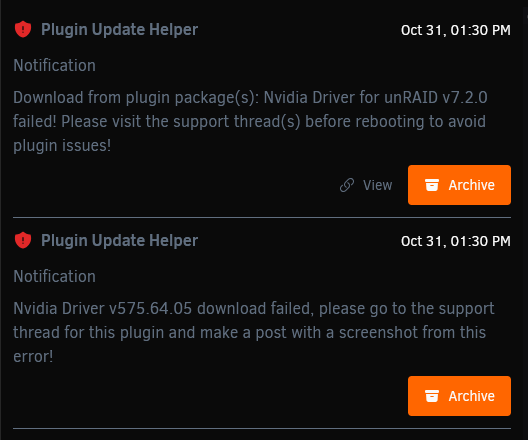
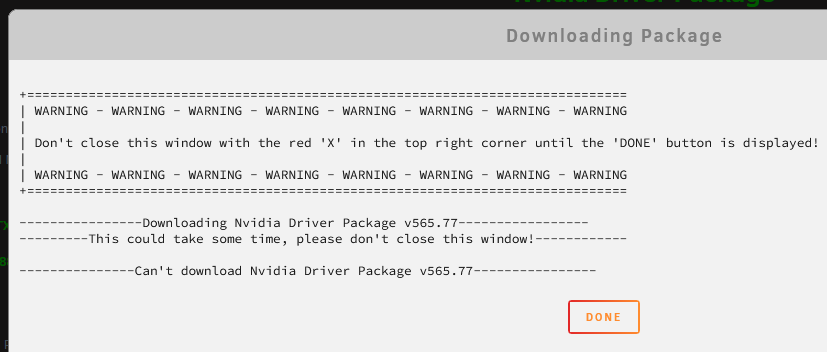
Looks like you can just uninstall the plugin, do the update and then just reinstall the plugin. I'll update here if I turn out to be wrong.