






hummelmose
Members
-
Joined
-
Last visited
-
It will be in two weeks. Not at my unraid for the next 10 days.
-
Good info - I wille try the same.
-
I have excactly the same problem - It's my primary email, so I won't change it. How to get things right?
-
hummelmose changed their profile photo
-
May I suggest - docker-foldes instead - folder-view has never been a good name since it for me relates to the filesystem.
-
@Veah - You are my hero - That did the trick. Thanks a mill - Now my 10G Nics are Eth 0 and 1 Thank You very much. 👍
-
@Veah - How do I bind them to vfio. ? @JorgeB I did try to remove - The network-rules.cfg. Didn't try the other. I have a dhcp reservation to the new, so not a problem to try that also. I'm not home right now, so can't try until the weekend. Thanks for the suggetions.
-
Ah. sorry - There you go 🙂 jeh-unraid-diagnostics-20250123-0918.zip
-
Hi. I just purchased a new 10Gbps dual port NIC. They work fine as ETH2 and ETH3. But I want them as ETH0 and ETH1 since docker prefer that. I can't disable my build in NIC's on my Supermicro X10SRM-F Motherboard. I tried to remove the jumper on motherboard, and that just killed all net. I read somewhere that I could change the new nic to ETH0 and 1 by stopping the array, and then in Network Settings change it. But I can't - The MAC's are locked to the two build in NIC's that are disconnected. tried to delete the /boot/config/network-rules.cfg and reboot, but that didn't help. Is there anyway I can change what NIC's are considered ETH0 and 1, 2,3 🙂 I'm quite lost here. My docker containers run, but when I choose WebUi nothing happends. They do respond on the IP though. Hope it makes sense to someone.

-
Hi all. I have a weird issue with my unraid. I don't use TimeMachine, but I keep getting this entry in my log.. Any ideas to get rid of it. Dec 3 21:03:22 jeh-unraid smbd[6879]: [2024/12/03 21:03:22.872100, 0] ../../lib/param/loadparm.c:990(lpcfg_service_ok) Dec 3 21:03:22 jeh-unraid smbd[6879]: WARNING: No path in service TimeMachineBackup - making it unavailable! Dec 3 21:03:22 jeh-unraid smbd[6879]: [2024/12/03 21:03:22.872330, 0] ../../lib/param/loadparm.c:990(lpcfg_service_ok) Dec 3 21:03:22 jeh-unraid smbd[6879]: WARNING: No path in service TimeMachineBackup - making it unavailable! Dec 3 21:03:22 jeh-unraid smbd[6879]: [2024/12/03 21:03:22.872499, 0] ../../lib/param/loadparm.c:990(lpcfg_service_ok) Dec 3 21:03:22 jeh-unraid smbd[6879]: WARNING: No path in service TimeMachineBackup - making it unavailable! Dec 3 21:03:22 jeh-unraid smbd[6879]: [2024/12/03 21:03:22.872676, 0] ../../lib/param/loadparm.c:990(lpcfg_service_ok) Dec 3 21:03:22 jeh-unraid smbd[6879]: WARNING: No path in service TimeMachineBackup - making it unavailable! Dec 3 21:03:22 jeh-unraid smbd[6879]: [2024/12/03 21:03:22.872875, 0] ../../lib/param/loadparm.c:990(lpcfg_service_ok) Dec 3 21:03:22 jeh-unraid smbd[6879]: WARNING: No path in service TimeMachineBackup - making it unavailable! Dec 3 21:03:32 jeh-unraid smbd[7143]: [2024/12/03 21:03:32.956987, 0] ../../lib/param/loadparm.c:990(lpcfg_service_ok) Dec 3 21:03:32 jeh-unraid smbd[7143]: WARNING: No path in service TimeMachineBackup - making it unavailable! Dec 3 21:03:32 jeh-unraid smbd[7143]: [2024/12/03 21:03:32.957320, 0] ../../lib/param/loadparm.c:990(lpcfg_service_ok) Dec 3 21:03:32 jeh-unraid smbd[7143]: WARNING: No path in service TimeMachineBackup - making it unavailable! Dec 3 21:03:32 jeh-unraid smbd[7143]: [2024/12/03 21:03:32.957506, 0] ../../lib/param/loadparm.c:990(lpcfg_service_ok) Dec 3 21:03:32 jeh-unraid smbd[7143]: WARNING: No path in service TimeMachineBackup - making it unavailable! Dec 3 21:03:32 jeh-unraid smbd[7143]: [2024/12/03 21:03:32.957711, 0] ../../lib/param/loadparm.c:990(lpcfg_service_ok) Dec 3 21:03:32 jeh-unraid smbd[7143]: WARNING: No path in service TimeMachineBackup - making it unavailable! Dec 3 21:03:32 jeh-unraid smbd[7143]: [2024/12/03 21:03:32.957925, 0] ../../lib/param/loadparm.c:990(lpcfg_service_ok) Dec 3 21:03:32 jeh-unraid smbd[7143]: WARNING: No path in service TimeMachineBackup - making it unavailable! Dec 3 21:03:32 jeh-unraid smbd[7143]: [2024/12/03 21:03:32.958098, 0] ../../lib/param/loadparm.c:990(lpcfg_service_ok) Dec 3 21:03:32 jeh-unraid smbd[7143]: WARNING: No path in service TimeMachineBackup - making it unavailable! Dec 3 21:03:32 jeh-unraid smbd[7143]: [2024/12/03 21:03:32.958310, 0] ../../lib/param/loadparm.c:990(lpcfg_service_ok) Dec 3 21:03:32 jeh-unraid smbd[7143]: WARNING: No path in service TimeMachineBackup - making it unavailable! Dec 3 21:03:32 jeh-unraid smbd[7143]: [2024/12/03 21:03:32.958480, 0] ../../lib/param/loadparm.c:990(lpcfg_service_ok) Dec 3 21:03:32 jeh-unraid smbd[7143]: WARNING: No path in service TimeMachineBackup - making it unavailable! Dec 3 21:03:32 jeh-unraid smbd[7143]: [2024/12/03 21:03:32.958649, 0] ../../lib/param/loadparm.c:990(lpcfg_service_ok) Dec 3 21:03:32 jeh-unraid smbd[7143]: WARNING: No path in service TimeMachineBackup - making it unavailable! Dec 3 21:03:32 jeh-unraid smbd[7143]: [2024/12/03 21:03:32.958824, 0] ../../lib/param/loadparm.c:990(lpcfg_service_ok) Dec 3 21:03:32 jeh-unraid smbd[7143]: WARNING: No path in service TimeMachineBackup - making it unavailable!
-
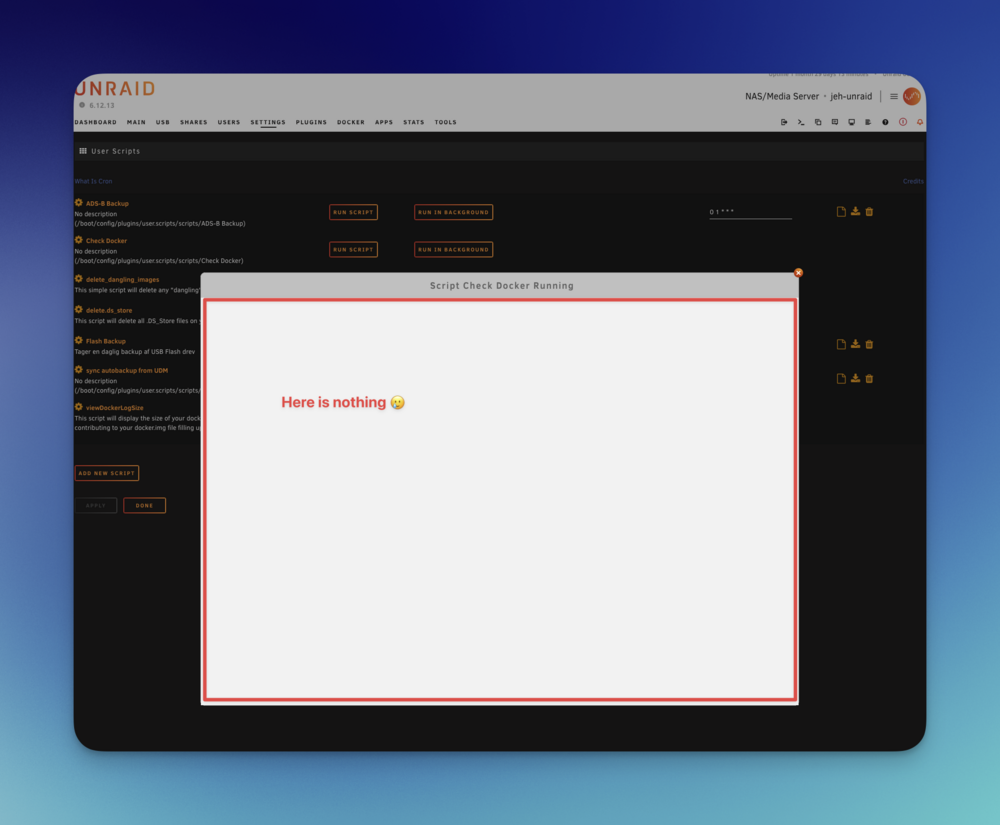
Hi. I have a huge problem with this fantastic plugin. Lately I can't see anything in the window when running any script. They run, but I can't see anyting until they're done. I have googled and googled, but no findings. Any ideas ?
-
Yes. I do believe it relates to the daily backup, since Signal 15 is an reaction to kill command - I didn't solve it, but just asked SABNZBD not to send warnings (since it was only a warning). But it came in relation to upgrading UNRAID to 6.9.x, so maybe Unraid handles "kill()" differently.
-
Just sabnzbd and sonarr and radarr.
-
Signal 15 Caught, saving and exiting. Hi. After updating Unraid to 6.9.x (both 0 and 1) I get an Warning every night with the message "Signal 15 Caught, Saving and Exiting" I think it's related to the backup, but I never got it before 6.9 - Anyone else experiencing the same ? I am running latest available Docker Image.
-
Big happy birthday. I'm right now building my first Unraid server - And nothing would make it more beautiful than the badge on front. If I don't win please point me in the direction where I can buy it :-)




