





mrdavvv
Members
-
Joined
-
Last visited
-
Man i delayed deploying Vorta for like a full year, and now that im up an ready to do it, the image its not longer available!. Ill try installing it without it, hope it works!
-
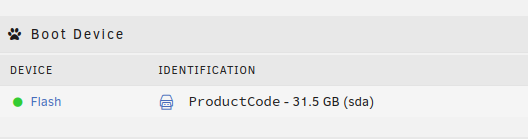
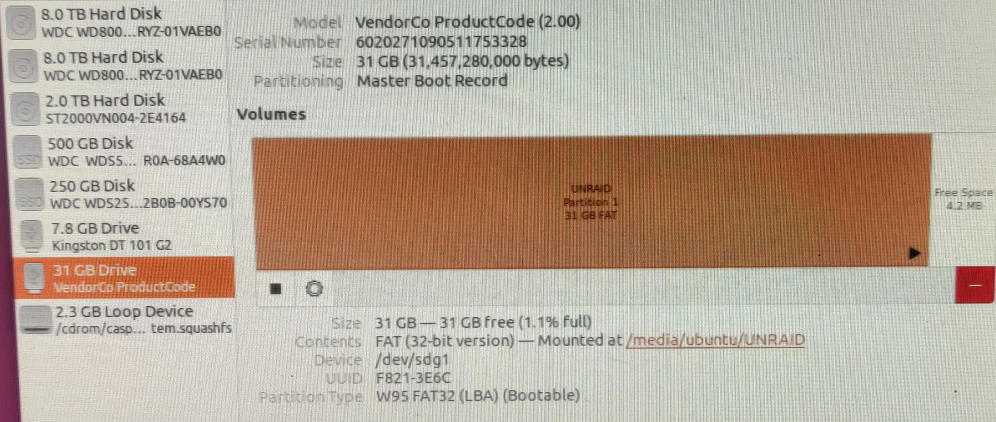
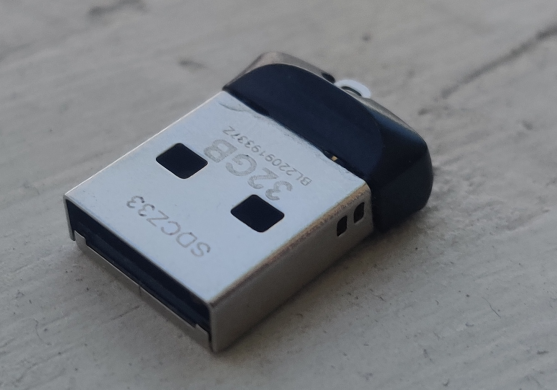
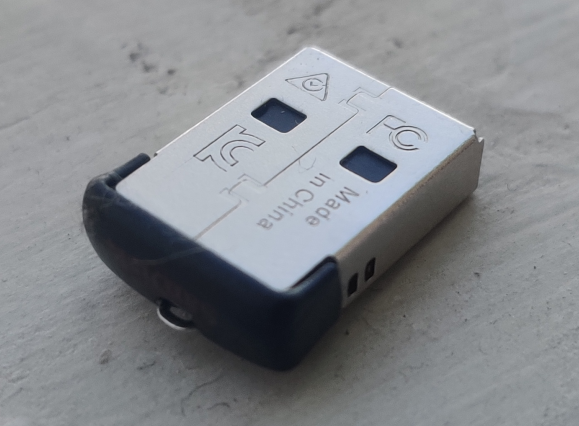
Im suspicious of my USB, i bought it trough Amazon (First mistake), and in both Unraid / Ubuntu shows with no ID / Vendor: What do you think guys?, seems legit?, better to send it back?.
-
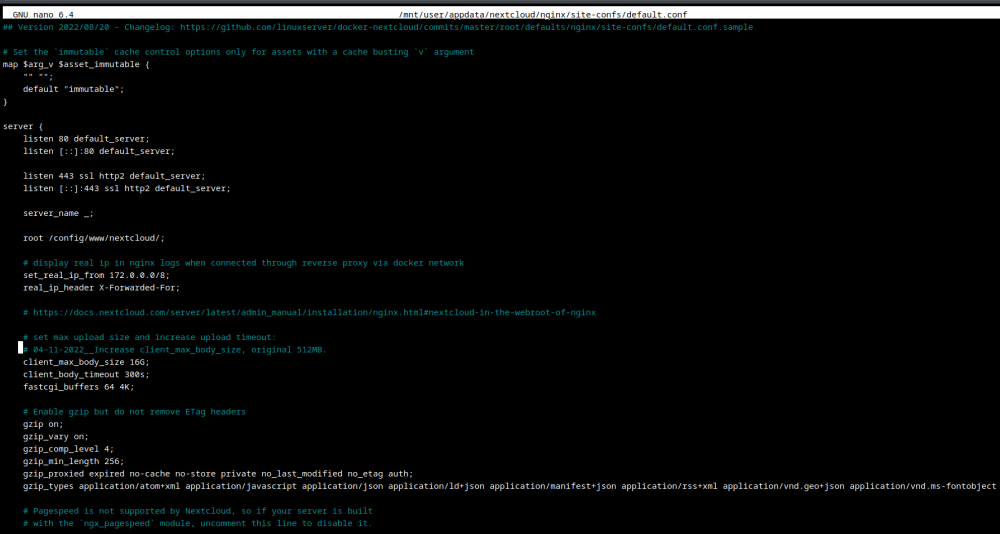
This a capture from my file: nano /mnt/user/appdata/nextcloud/nginx/site-confs/default.conf
-
Solution: Aparently the Nextcloud LSIO image uses this addres for nginx config's: nano /mnt/user/appdata/nextcloud/nginx/site-confs/default.conf Instead of: nano /mnt/user/appdata/nextcloud/nginx/nginx.conf So just adjusted this line in the former and it worked: # 04-11-2022_Increase client_max_body_size, original 512MB. client_max_body_size 16G; After restarting the instance, NX keep insisting on the 413 error. I tried renaming the files, as it has worked for me before. After renaming some files, NX just "unfreezed" and starting uploading my big files. Finally!
-
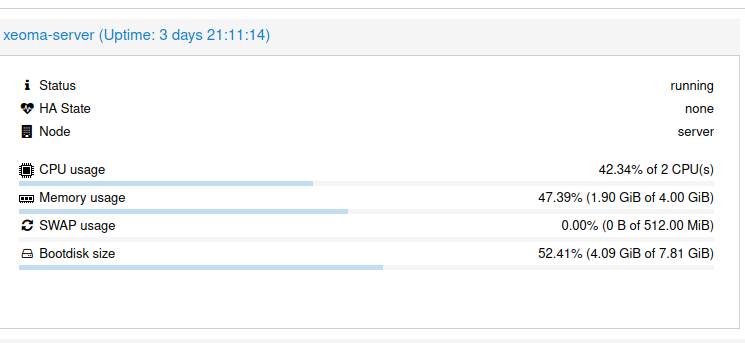
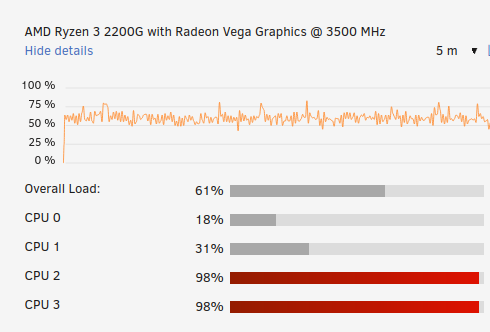
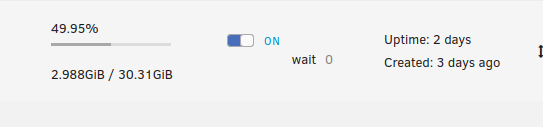
Performance Downgrade with docker | What could it be?. Before i was running a LXC Container in Proxmox (Ubuntu 20.04), with 2 Cores available: Average around 40 - 50% And this is the CPU load with docker, in the same 2 cores: (Not running other Docker / VM's at the moment) Average 70 - 98% The setup of Xeoma and load its exactly the same, as the number of cameras and configurations didnt change (Using the export setup method). So.... i find it estrange, i was expecting some changes, but considering that both are running the same APP, in a simillar linux kernel, so having double the load can be right... right? This seems normal?, where should i start to look? Docker has higher overhead than a lxc container?, if so, this much? Can i do something other than upgrading my CPU? Greetings!
-
My 2TB 5200RPM Drive its having a long death, so time to find its replacement. Im running a Xeoma Docker instance, connected to around 16 IP Cameras, Resolution 4MP, all H265, each has a data load of around 500 - 2MB/s with my current settings, so a total for all the cameras 30 - 40MB/s. My current WD Golds data transfer average its 180MB/s, so that means a 7200RPM drive can handle a lot of cameras (64 Cameras)... Im thinking my numbers are probably way off. But well, the latest Seagate 2TB its having a premature death, so maybe this setup its a little hard on the HDD's.... or not?. Would it be better to setup an small 512 / 1TB SSD as a cache of the recordings?, and then send each day to the HDD?. Not sure if a lot of writes are better handled with a Enterprise SSD, or a spinnning one. -- Are the CCTV Drives any different?. Current Setup: 2TB Seagate, Single Pool Device, BTFRS partition. Requirements: No need to have parity on this data. Try to not kill the HDD / SSD too fast. Able to handle future expansion, maybe 20 - 30 cameras in total Thanks!

-
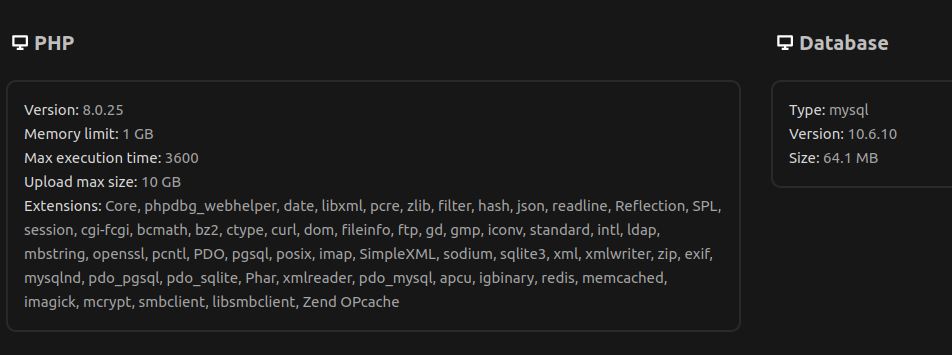
Hello guys! Im having a lot of trouble with the syncing of big archives in Nextcloud. It seems like its a common problem, but i have tried a lot of proposed solutions in the web, with no avail. Setup: Unraid 6.11.1 Nextcloud Server: Latest LSIO Docker V25, Maria DB LSIO Container. Nextcloud Client: Latest APPImage 3.6.1 (Kubuntu Linux 20.04) Problem: Nextcloud client in desktop gives the error " 413 Request entity too large", in all my files bigger than around 500MB. Web client / Android with no issues. Attempted Solutions: nano /mnt/user/appdata/nextcloud/nginx/nginx.conf # Original: client_max_body_size 0; #Test 1: client_max_body_size 16G; #Test 2: client_max_body_size 16G; client_body_buffer_size 400m; nano nano /mnt/user/appdata/nextcloud/php/php-local.ini post_max_size = 10G upload_max_filesize = 10G post_max_size = 10G max_input_time = 3600 max_execution_time = 3600 memory_limit = 1024M Restarting the docker service between al the testing. appreciate any help!
-
Hello @itimpi. Thanks for the feedback, i also like option #3..... and as you mention, it would be better to use nvme for the virtualization, however, that would mean that i cannot do a raid 1, or do one that isn't that effective.... Probably my best option would be to get a better mobo with a second PCI or double m.2 ports... For the time, im probably sticking with single SSD (Cache) + single NVME drive (Virtualization). And just update in the future.
-
I'm still in the process of getting everything ready for my new Unraid server. With the new drive pools function, i was thinking about what could be the best setup for a cache and virtualization data drive, that would have: Docker and VM data Maybe plex metadata Cache for filesystem. Option 1 Single 500GB SSD - No redundancy, but can backup docker / VM data with a plugin. - Cheap n easy. What lifetime can i expect of an SSD with this task, ive read studies about how they can hold moving TB's of data for years, and all depends of your use case.... not sure if the probability of failure its too high in this case. Option 2 2x500GB SSD Raid 1 - Redundancy thanks to raid1. - Should be fast enough for all task's with a good nvme (3500mb/s)? The only problem its that my Mobo (Asus B350) only has 1 slot for NVME, and no free PCI slots (The single x16 ones its used by a HBA card). So i would need to stick with a regular sata SSD for the second drive. If i have a 3500mb/s nvme in slot1, and a 500mb/s sata in slot 2, my write speeds would be limited all the time for the max speed of the sata drive?, or only while specifically writing / reading at that drive?, would be this problematic for raid 1? Option 3 (I think the best). - 1 x 500GB Nvme for cache duties - 1 x 500GB SSD for docker's, VM's and plex metadata. Backup with plugin, or maybe do a raid1 with a couple of SSD's. Or any other option that you recommend?. As i mention im limited to only 1x Nvme, and no PCi slots. Maybe i should update my MOBO to have the option of Raid1 with 2 x Nvme's?. (Not sure if there is any micro ATX Am4 boards that can do this). Thanks a lot for your time! System: - 4 x 8tb Spinning. + 1 unasigned 2TB (For cctv recordings) + 1 unasigned 2TB (For downloads) - AM4 B350m with a 2400G Ryzen. (One 1 x m2 slot, one x16PCIe, 2 x PCI x1. - Node 804 case Usage: - Plex for max 2 concurrent users. (With the usual plex stack, downloaders, sonnarr, lidarr, etc). - NAS for 2 / 3 users, light load. - CCTV with xeoma - Some experimental dockers, nothing heavy. - Win10 VM for office ussage.

