




.jpg.cd0ee2faf0b1ddf75893cc24e561601d.jpg)
ZappyZap
Members
-
Joined
Everything posted by ZappyZap
-
that's not the correct way # cat /etc/slackware-version Slackware 15.0+ #
-
Good to hear you are good.... thanks for the update
-
I will have a look tomorrow
-
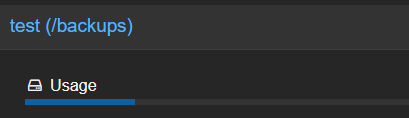
What did you put in : Backup path ? your datastore should be /backups i have tear down my test instance for some hw maintenance. hopefully i will be able to check/test this tonight or tomorrow
-
what do you mean ?
-
you will need to provide more details
-
any time a pleasure
-
So successful mean the SMTP accept the message. after that all depend which SMTP you use, and what it does with the message
-
@ArstenA short answer Yes Long answer , is yes and now it also include unbound. so to use DOT/DOH : you set the variable PIHOLE_DNS_ to 127.2.2.2#5253;127.1.1.1#5153 Unbound : you set the variable PIHOLE_DNS_ to 127.0.0 127.0.0.1#5335 Of course, you can also configure the in the DNS tab of the pihole settings.
-
Hi, It is my plan to do it this week to be clear , the image is already updated. i need to update the template, i hope that's what you mean ?
-
my pleasure
-
I have to edit the template. will be done soon, just working on something else at the moment remove DNS1 and DNS2 Variable and add : PIHOLE_DNS_ with value : 127.0.0.1#5335
-
Any time. For stubby, i am installing the version from debian repo. and seems it has not been updated there...... I could of course compiled from source , i will will see. thanks
-
Container updated .... 21.03.2024 01:16:19 cloudflared version 2024.3.0 (built 2024-03-20-1010 UTC) installed for amd64 21.03.2024 01:16:19 Unbound Version 1.19.3 installed for amd64 21.03.2024 01:16:20 Built from pihole/pihole with tag latest and while we are at it , container also unbound ready for your use it listening on "127.0.0.1#5335" thanks
-
I will look at it and update
-
i would like to understand how my ticket https://forums.unraid.net/support/38518/ has been resolved without even an answer ? i found that a bit bad... thanks
-
what do you mean ? the container use network type as Host. So no need to bind anything unless you already have something on 8007
-
try enter in the container and change passwor there with : passwd
-
what ? which container ?
-
I am waiting Alex for either deprecated this template or switch to the new image. @jdmhammer
-
weird i am running this one personnaly for many month with no issue, it is getting updated often tho (some would say too much ) but is it working still ?
-
Hi @jdmhammer i am open for that, no issue at all. can you let me know the link to the template and i will point this thread to it.
-
Overview: Support for Docker image Silverbullet Application Name: Silverbullet Application repository: https://github.com/silverbulletmd/silverbullet Application site : https://silverbullet.md/ Overview : SilverBullet is a note-taking application optimized for people with a hacker mindset. We all take notes. There’s a million note taking applications out there. Literally. Wouldn’t it be nice to have one where your notes are more than plain text files? Where your notes essentially become a database that you can query; that you can build custom knowledge applications on top of? Make sure to look at the complete documentation Please post any questions/issues relating to this docker template you have in this thread.
-
Great @jdmhammer waiting to see it!
-
Overview: Support for Docker image Tasks.md Application Name: Tasks.md Application: https://github.com/BaldissaraMatheus/Tasks.md Documentation: https://github.com/BaldissaraMatheus/Tasks.md Overview : A self-hosted, Markdown file based task management board. Make sure to look at the complete documentation Please post any questions/issues relating to this docker template you have in this thread.
.thumb.jpg.bec61e4e919a9235cc4475f8cb53d5e3.jpg)

