




.jpg.cd0ee2faf0b1ddf75893cc24e561601d.jpg)
ZappyZap
Members
-
Joined
Everything posted by ZappyZap
-
The core features should work, but there are ones do not work due to container architecture: ZFS: it is not installed in a container Shell: since the PVE (not PAM) authentication is being used, and since the shell access does not make sense in an ephemeral container environment PAM authentication: since containers are by definition ephemeral and no /etc/ configs are being persisted Note: it is not my container, i just interface it to unraid via template.
-
the removal of sqlite surely add a little bit of complexity , what is the issue you are facing ? i can try help
-
I test it and should be good i update the template as well
-
This has been finally merge into ESPHOME - YAY!!!
-
I will add this variable to the template Thanks Edit : done - Thanks @zoggy
-
OMG i miss this update.... i will need to test this unless you want to be the "ginnypig"
-
@ax42 i am still not able to reproduce this.... on my test system. which version of unraid are you running
-
i am not the maintainer of the container., just made the template and testing on unraid but as i talk to him, it seems to be a nice chunk of work to port the v3 please post on the github. Thanks
-
i read that while i was traveling,.... but i do not use compose with unraid .... but the template is already relaease : https://github.com/devzwf/unraid-docker-templates/blob/main/binner.xml
-
i have to agree with the screenshot.... and also i experience same on copper sadly.... on Fiber the stability is there ...
-
I will check all that this week-end when i get back.
-
Thanks the container should get updated next round i will give it a test
-
Hi sure things, i will push it this week-end Thanks
-
I will update the template Update: template has been updated let me know
-
Sure thing let me know what is the env you want to update.
-
what the log saying ?
-
You seems correct.
-
seems related to : https://github.com/alexjustesen/speedtest-tracker/issues/711
-
why do you think it is something with the images? there is many people using it and do not have this issue. Let try debug it.... what did you try to conclude it is the image who is the culprit ?
-
Great info there, but i am not the maintainer of the docker image , i just implement the unraid template using https://github.com/loganmarchione/docker-postfixrelay i am not changng anything in the conf file
-
been running fine for me as well # uptime 15:25:41 up 79 days, 21:04, 0 users, load average: 0.21, 0.26, 0.27 but this will change as i just just update the image with cloudflared 2023.6.1
-
did the same and saw the same behavior thanks @Kilrah
-
oh yeah i understand now what you was saying... odd probably relinquency of old obsolete now flippinturt @Squid can you check
-
the one from "Mavrag's Repository" do not : which Repository: do you see on yours ?
-
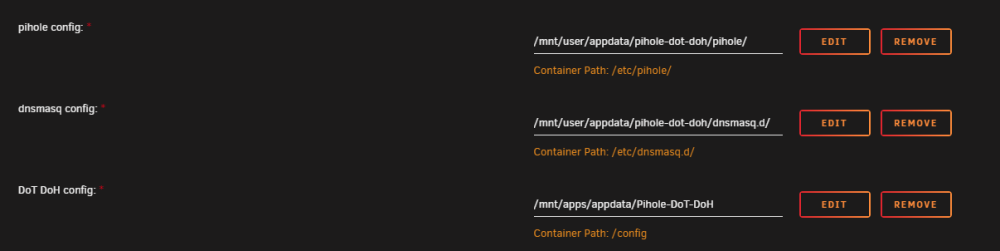
are you sure you are using my template ?
.thumb.jpg.bec61e4e919a9235cc4475f8cb53d5e3.jpg)

