UNRA1DUser
Members
-
Joined
-
Last visited
Everything posted by UNRA1DUser
-
Hi there, do you have any kind of alternative to those Mainboards? - Gigabyte MC12-LE0 AMD B550 AM4 - Gigabyte W480M Vision W Is there any? They Mainboard should at least support ECC RAM and 2x NVMe. Any advise, please? Thanks!
-
What kind of options? Can you maybe send me some Hardware / Mainboards ?
-
Hi all, I am currently searching for the right Mainboard / CPU / RAM combo that can fulfill the following minimum conditions. - RAM: 64GB Registered ECC RAM (Would be good if the Mainboard could handle up to a minimum of 128 GB or more) - NVMe: 2x NVMe slots (4x NVMe would be better) - CPU: 8 - 10 Cores (More or less cores would be also fine if the rest fits) Power consumption and form factor doesn't matter for now. It will be a server that runs 24/7. I will also buy a PSU for it. Thank you for your help!
-
Danke dir für die Infos! Ich werde definitiv bei Unraid bleiben. Wollte nur meinen Senf zu diesem Topic geben und mein Wissen erweitern. Für mich hat Unraid alles was es braucht und mein riesen Server läuft entspannt im idle auf 10-13 W.
-
Könnte man nicht einfach Proxmox auf die Hardware installieren und eine NVME zuweisen und in einer VM Unraid installieren mit den restlichen Platten als NAS? Dann würde doch der Stromverbrauch auch recht gering sein bzw. die HDDs runterfahren, wenn die nicht benötigt werden. Korrekt? Wie sich das ganze mit TrueNAS und dem Stromverbrauch auswirkt wüsste ich auch gerne
-
Hi, tested this. Works good. Tooks about 4 Minutes for 1 GB. It´s using only 1 Core of the CPU with a 100%. [14.06.2024 19:35:32 CEST] /usr/bin/memtester 1G 1 ============================================================================================= The detailed error output was enabled, please watch this panel for any occuring errors. ============================================================================================= [14.06.2024 19:39:10 CEST] The operation has finished without errors. [14.06.2024 19:39:10 CEST] Code: 0 - OK.
-
Thanks. I added it. It looks like this now. Let´s see what happens. kernel /bzimage append initrd=/bzroot intel_pstate=passive pcie_aspm=off
-
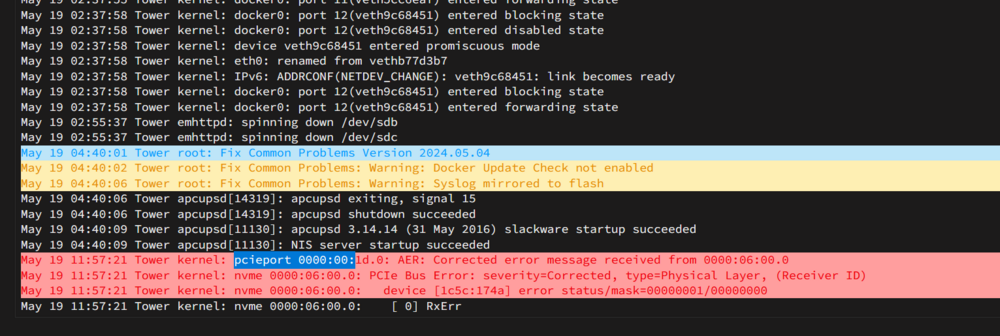
Does anybody knows something about this Error Message? Seems to be my Second NVME Slot?
-
On which Network are those Dockers ?
-
The interesting thing is what Hardware? Can it be a HDD or M.2 SSD ? Or a connection lost to the USB Stick ?
-
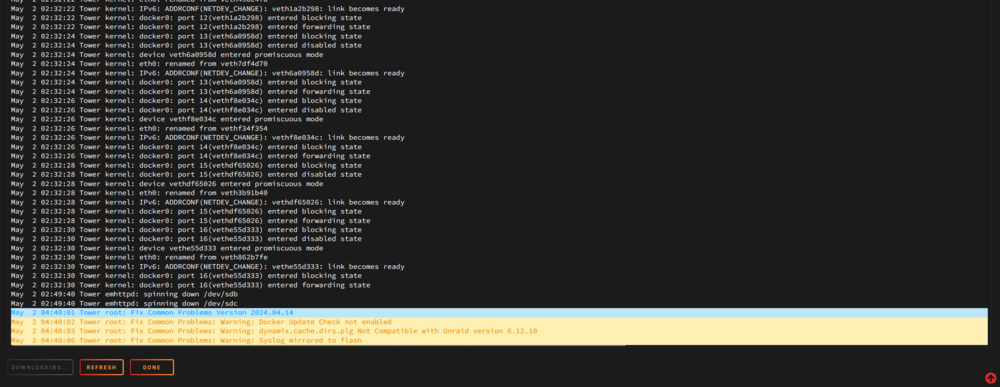
Hi again, after round about 10-20 days the Server restarts by itself again. I attached my logs. Maybe someone can see something? tower-syslog-20240502-1640.ziptower-syslog-previous-20240502-1640.zip
-
But the interesting thing is, I switched to a new PSU and I had the same issue in unraid normal mode. And I tested a CPU Benchmark in Unraid safe mode without plugins and everything. (I tested also with only plugins on). And everything works without Issues for a long time. But I also found a setting in BIOS its called Power Loading. -> Enables or disables dummy load. When the power supply is at low load, a self-protection will activate causing it to shutdown or fail. If this occurs, please set to Enabled. Auto lets the BIOS automatically configure this setting. Maybe I should try that ?
-
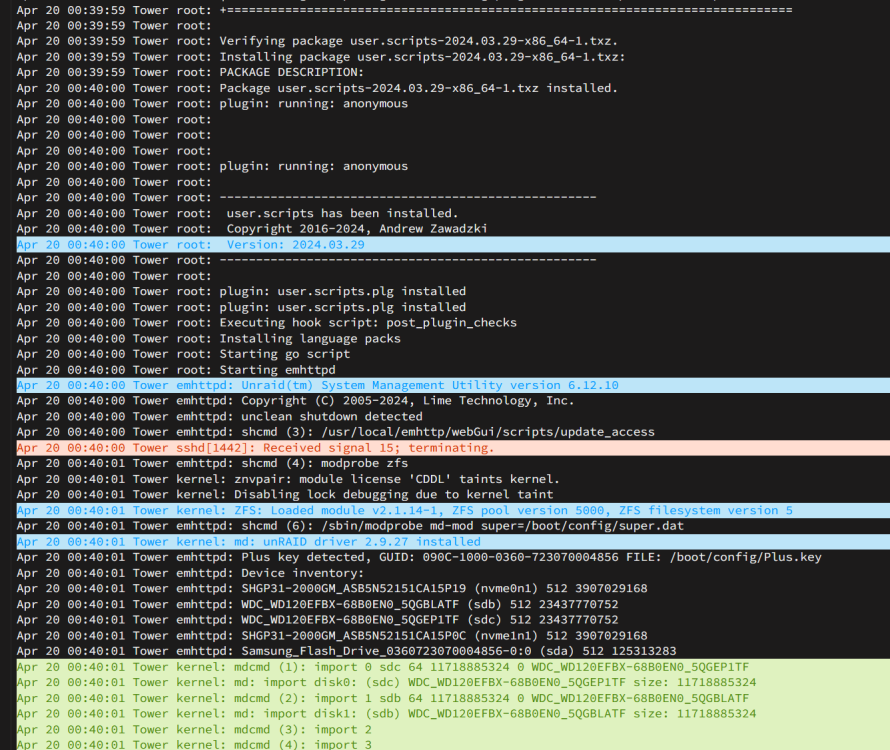
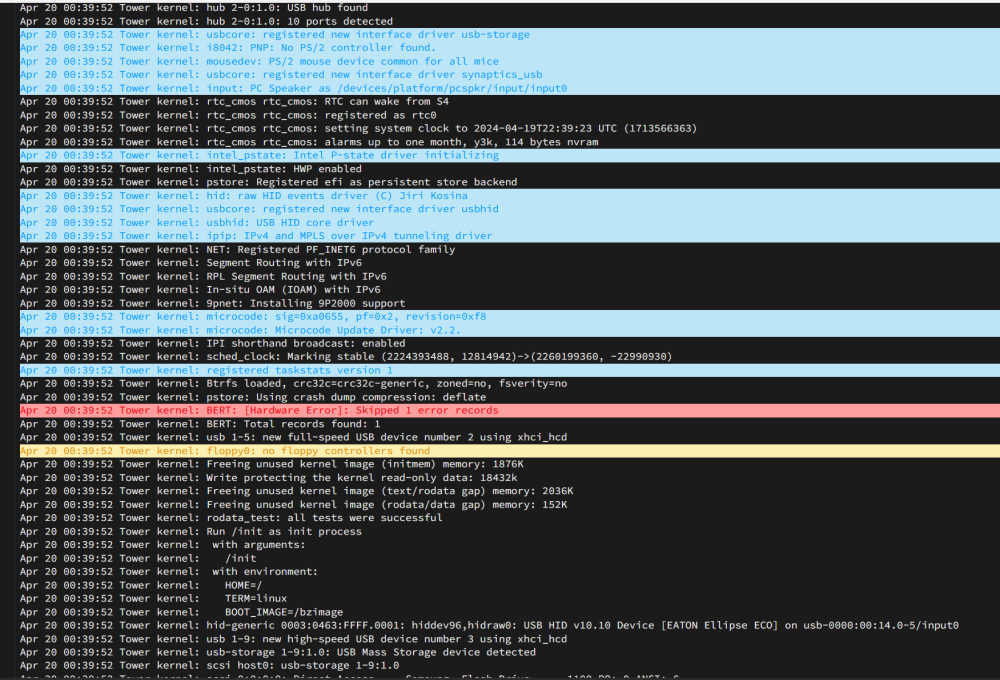
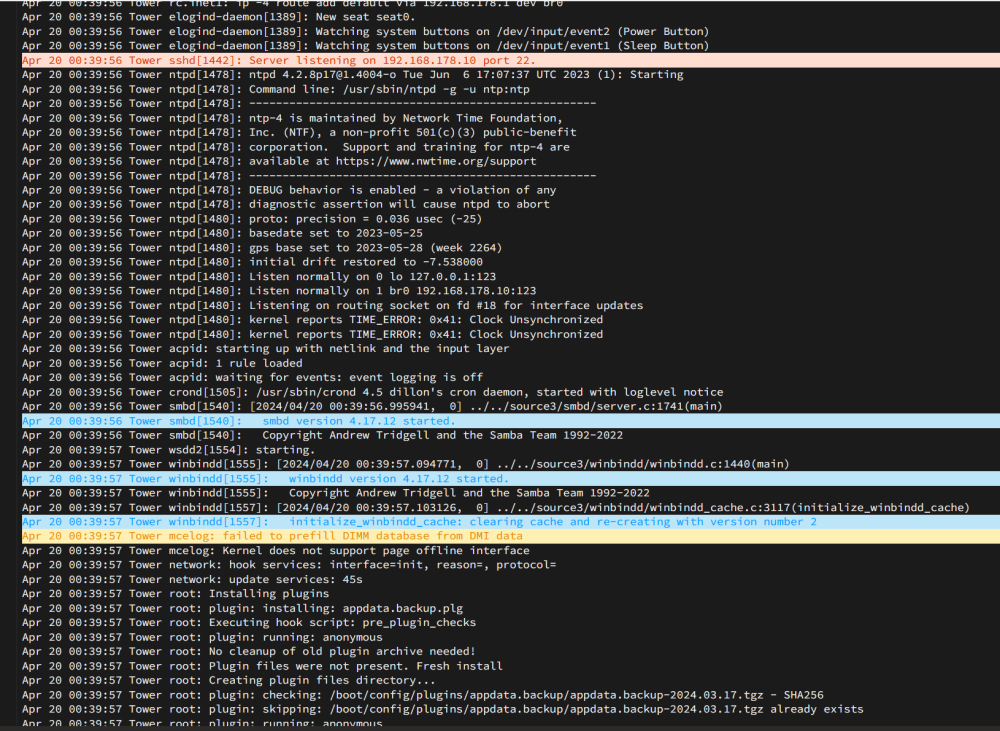
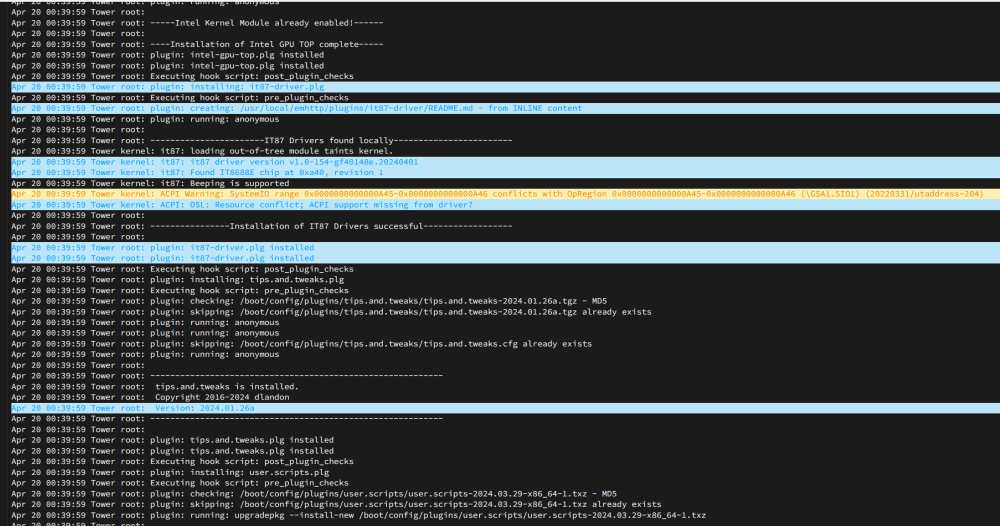
I just activated the Syslog Server to mirror to the Flash drive. I don´t have a cat or any other animal. And nobody was entering that room after 09:00 PM. But what Hardware Issue it is? I checked mostly everything. Checked all drives with a SMART test, CPU Benchmark, Changed PSU to a new one, Memtest over several hours. Changed the USB-Stick, also created it new. In mid of the Parity-Sync the Server decided to reboot. And the Server also rebooted at other states. Not only in mid of the Parity-Sync. I mean those Messages in the Syslog. "Received signal 15; terminating." "BERT: [Hardware Error]: Skipped 1 error records" "kernel reports TIME_ERROR: 0x41: Clock Unsynchronized" -> Often my set time in BIOS is flipping back to something else. ACPI Warning:
-
I created the USB-Stick completely new and also didn´t copied any configs. The Parity-Sync is also running since yesterday. But at 00:40 AM the Server gots a Message to terminate? I didn´t shutdown the Server. What happend? I wasn´t on the PC/Server since 09:00 PM And today morning I just have to login again and enter my Encryption Key for the HDDs. Whats going on here? Can somebody check the log and help me, please? tower-syslog-20240420-0730.zip
-
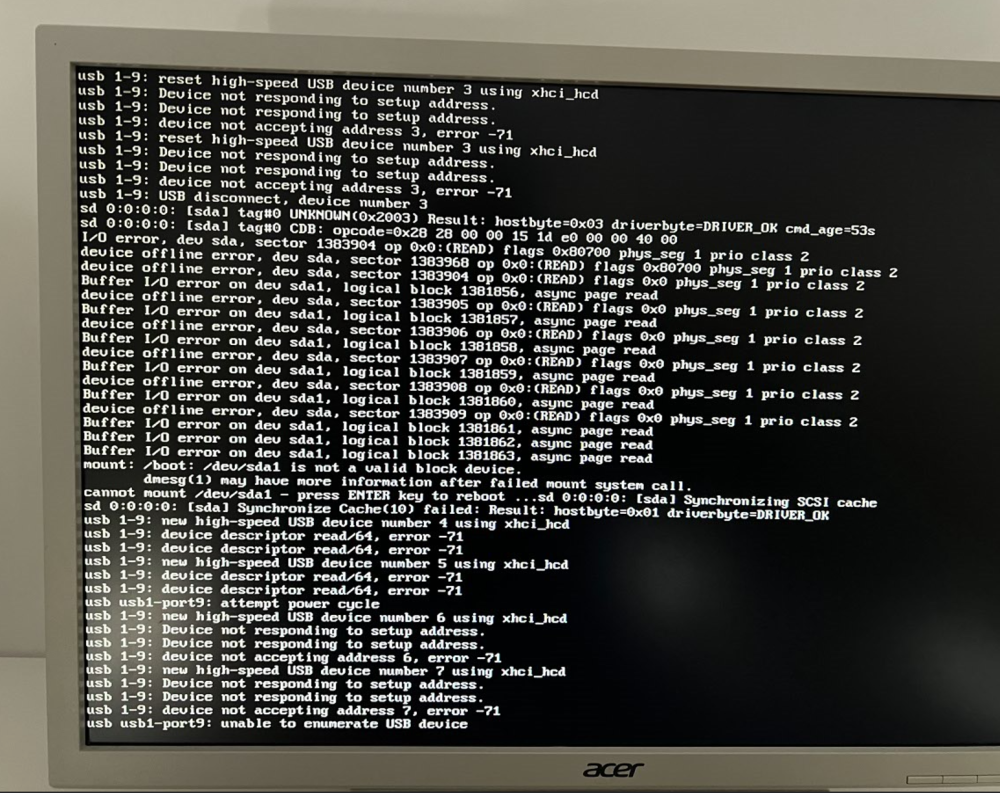
I recreated the USB Stick. I am now able to reboot normally again. But I still have the same boot sequence like in the Video -> Is that the normal boot behavior with "Not automatically fixing this" and this big block of numbers ?
-
Can I recreate it with my old files ? Or should I create it completely new and just move all my docker xml and VMs over ? all also bought a new one today. If re creating is not working.
-
If I startup the System normally and do a reboot I get this Messages. I also recorded the booting sequence. I think it´s not normal or? I Hope you can download it and Slow down the speed to see the Messages.
-
Thanks for you´re answer. I disabled secure Boot and Enabled Legacy USB support. If I enable CSM support I get the following settings: LAN PXE Boot Option ROM: Disabled (I think I don´t need it) Storage Boot Option Control: UEFI (I can choose UEFI, Legacy or Do not launch) Other PCI devices: UEFI (I can choose UEFI, Legacy or Do not launch) Should be both on Legacy ? I also found settings for "Intel Platform Trust Technology (PTT)" should that be also disabled? It is currently Enabled. "Software Guard Extensions (SGX)" is set to Software Controlled. Should I disable it? Is it used?
-
I just bootet into the BIOS and wanted to check some settings (Didn´t changed anything). After 1-2 Reboots the USB drive is not recognized anymore. Maybe that´s something I should analyse. Could it happen that after some Days the USB device is not recognized anymore and thats why Unraid freezes? My USB Device (https://www.amazon.de/gp/product/B07D1KCL2Z/ref=ppx_yo_dt_b_search_asin_title?ie=UTF8&psc=1) is connected via this Adapter "https://www.amazon.de/gp/product/B08N4LQJJN/ref=ppx_yo_dt_b_search_asin_title?ie=UTF8&th=1" directly on the Mainboard. (USB Device is new also checked for Errors.) BIOS USB Settings: Legacy USB Support: Disabled XHCI Hand-off: Disabled USB Mass Storage Driver Support: Enabled Port 60/64 Emulation: Disabled Fast boot: Disabled Link CSM Support: Disabled Windows 10 Features: Other OS Secure Boot: Enabled (Because of EFI?) Power Loading: Auto (Set it now to Disabled to test it) I am booting Unraid with EFI. Does any other BIOS Setting is important? If I move my USB Device with Adapter to another Onboard Port it would work again with the same settings.
-
I did a "SMART extended self-test" on both M.2. SSDs. 0 Errors. Everything seems to work? I have 2x SK hynix Gold P31 2TB PCIe NVMe Gen3 M.2 2280 interne SSD, bis zu 3500 MB/s, kompakt, Formfaktor SSD - Internes Solid State Drive mit 128-Layer NAND Flash, Festkörper-Laufwerk I also added "pcie_aspm=off" to my config. But I think that wouldn´t fix my freezes?
-
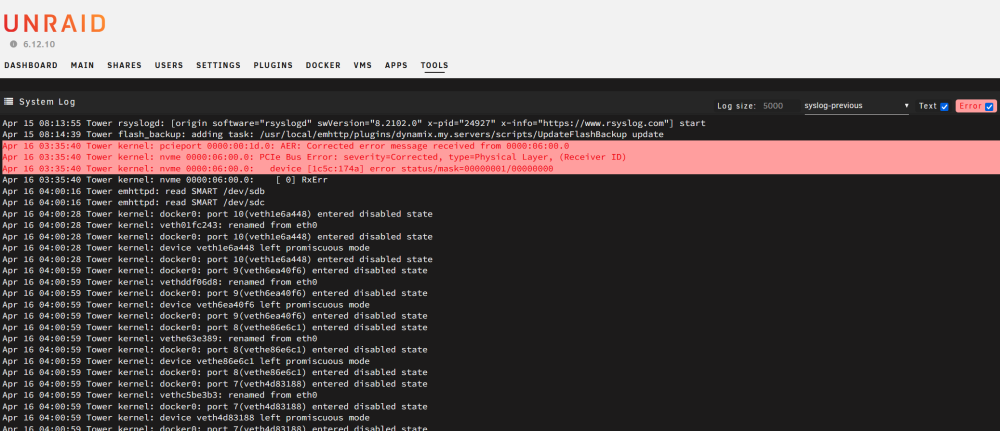
Hi again, my server did run for several days without freezing. For 2 days my Server freezed again. Found something like this in my Logs. I also attached both log files. Is maybe one M.2. SSD broken? How could I test this? Or is my Mainboard broken? PCIe Bus Error? Thanks! tower-syslog-20240418-0624.zip tower-syslog-previous-20240418-0624.zip
-
Hi, you can just edit the "NEXTAUTH_URL" Value and point to you´re IP instead of localhost. Example: Change from "http://localhost:3000/api/v1/auth" to "http://192.168.1.1:3000/api/v1/auth"
-
Hello everyone, I wanted to ask if and how it is possible to use a static IP address from a VPS via VPN in Unraid or Fritzbox. In the end, the goal is to use the static IP address for my mail server. Preferably via WireGuard. Has anyone had any experience with this or even installed it? Is it enough to configure WireGuard on Unraid and simply connect the VPS via VPN? Furthermore, of course, open the ports. Which VPS provider can you recommend? Thanks!
-
It is completely self-hosted. But I have not found a single standard account in the DB. The documentation doesn't show anything either. You can install an SSO connection and then log in with it. But without this, you first have to create an account within your own application. I have also not read anything about an admin account that can administer all other accounts. If you find any information about it here, please let me know. I will then implement this.
-
I created a Linkwarden Docker Template. It should be added in some hours / days to the CA. If you want to use it directly you could also download it here -> https://github.com/UNRA1DUser/unraid-docker-templates/tree/main/templates