





Zeench
Members
-
Joined
-
Last visited
Everything posted by Zeench
-
Could u give me some additional information of what this does and what can happen if i do it wrong? I dont have a clue what exactly it is. I read the Plugin description but i doesnt understand what its doing with me Server. Could it be easier to replace the RAM or something?
-
I got this error again now. What can i do? New diagnostics attached... chriznas-diagnostics-20230714-1621.zip
-
Hi Guys, my server ran into an out of memory error. Can someone help me to locate the Problem? Thx in advance chriznas-diagnostics-20230628-0744.zip
-
Strange, now when i rebooted for the 3rd time in Safe Mode and Back to normal i have the Checkbox that says i want to Format... I literally didnt do anything except for rebooting 3 Times in Safe Mode and Back. Now its working! Ty 😃
-
ah okay, here they are. chriznas-diagnostics-20230617-1409.zip
-
Again? I posted them 2 in or 3 Posts earlier, didnt I? I didnt change anything except the Safe Mode reboot... Again thyvm for Ur effort and time.
-
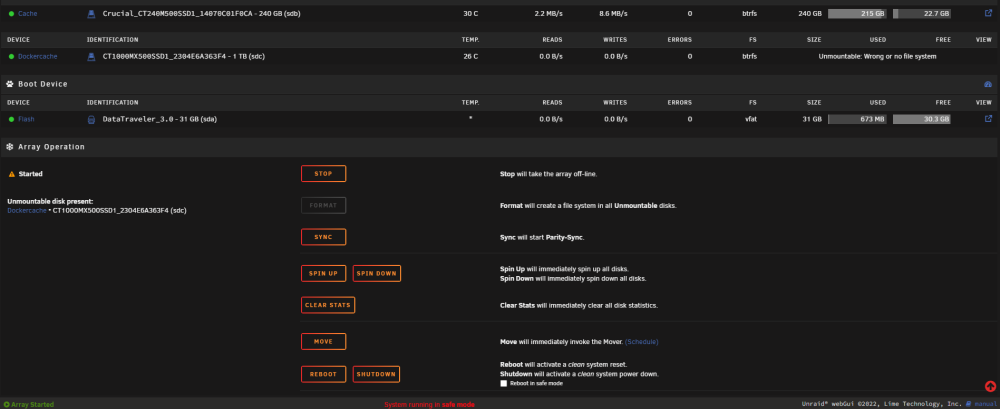
in safe mode its the same issue...
-
u think that will help with the unmountable problem? bcoz the other probslems are gone after 15mins of wating. Using Chrome...
-
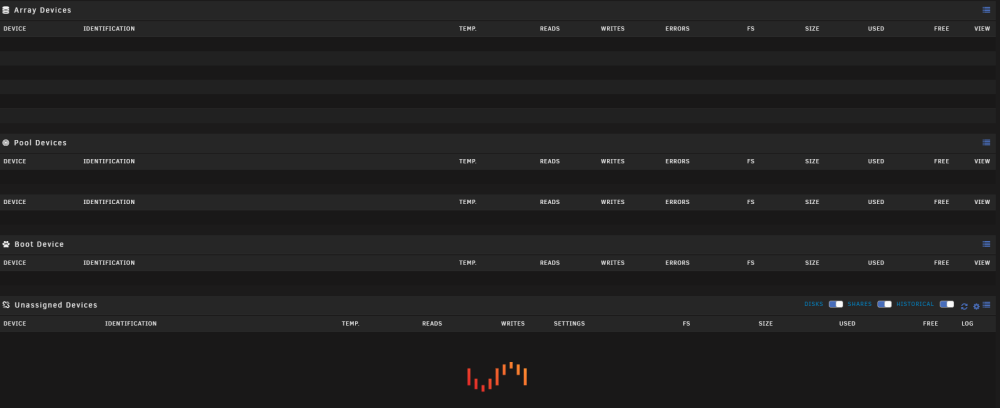
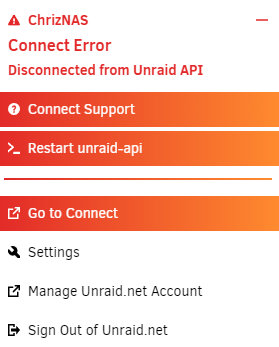
Release: Version: 6.11.5 I know that checkbox, but it doesnt appear on my system... when i stop the paritycheck after starting the array, my server wont show disks etc and is loading till nirvana... And i also lose my connection to myUnraid... chriznas-diagnostics-20230616-1910.zip
-
Now I have the next Problem. I created a 2nd Pool, now the new disk is unmountable and the format button is grey. I set the file System on the new Cache disk drive to btrfs. Maybe its doin something in the background, i cant see?


-
thank you for helping me out here. Glad u guys and this forum exist, otherwise a layman like me would no longer be able to cope with this kind of stuff. Back to topic, I'm thinking it could be wise to have 2 seperate cache pools, right? One for my Docker (thats why my old pool was constantly full) and one for my other Shares. Should i do that? That way i dont risk all data on both drives, bcoz the old one doesn't interfere with the new one...
-
Hi Guys, i installed a 2nd SSD to my Server. The first Cachepool was a 250Gb SSD and I always ran out of Space. So I ordered and already installed a 1TB SSD. But how do i configure the new disk without data loss? I was naive enough to think, i just add the disk to the pool and everything works out so i have 1,25TB. It turns out its not that easy. When ich add the new disk to the Cache pool, a red warning comes up that says, if I do it that way, all data on my old Cachedisk will be overwritten. Well I dont want that. What do I do? edit: i just saw, that the warning is just for the new disk, do i get that right? So if i just add the new one to the pool, unraid will format only the new drive?

-
Thank you for that Info I ordered another Flash Drives a Kingston Datatraveler with 32GB. SpaceInvadeOne once tested those, and that should fit. I dont actually know why my other new Stick didnt work...
-
okay, thank you. Am i right, that unraid can only handle max. 32GB?
-
That did it! Thx WTH, that Stick is brand new, and it works fine as a simple USB Stick in Windows. What caused this? How did u know? This USB Stick thing bothers me some time. What is THE BEST Stick i can buy that lasts a long time? This is my 3 Stick in like 2 years... I just want one that lasts...
-
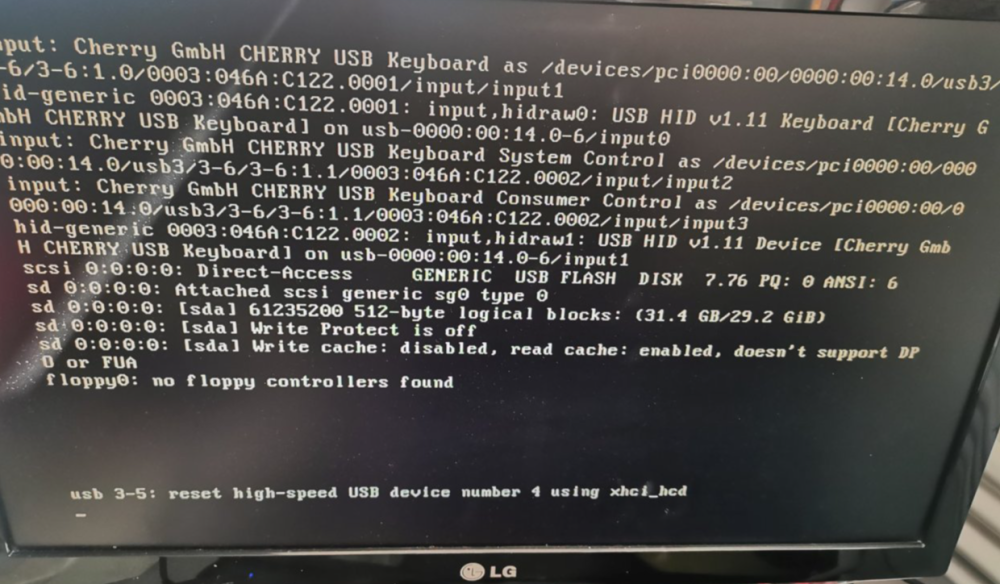
Hello Guys, i could need a bit of help. My USB Stick crashed and i bought a new one, installed the latest Backup(unfortunatly it is half a year old) with the USB Creator and replaced it. The thing is, UNRAID doesnt start properly. The Startup-process comes up (where i can chose to run safe mod and stuff) then it seems to start, but it always stops eventually. See Image attached. Cant get it to work, it will always stop there. I already tried a complete new installation on the stick without backup. Even that doesnt work. I also tried to copy the raw Data from my Backup to the Stick and ran the Make bootable, but that didnt work either. Someone have a clue what is goin on?
-
ok, thank you very much again.
-
Thank you very much my friend, that was the Solution. Could it be that the Stick is goin to break and should i replace it beforehand? Or was that just a strange coincidence?
-
Hi JorgeB, thx for answering. Here are the newest diags. chriznas-diagnostics-20221006-1152.zip
-
no one who can help me here? I'm afraid to do something because of data loss. edit: okay I couldnt resist to do something. I rebooted the System. BUT it now says: USB drive is not read-write... I didnt change anything, does thi mean my Stick is broken? Or changed a System setting in some mysterious way?

-
Hi Guys, while tryin to update some plugins i've ran into some errors. Update Fix Common Problems plugin: updating: fix.common.problems.plg plugin: downloading: https://raw.githubusercontent.com/Squidly271/fix.common.problems/master/archive/fix.common.problems-2022.09.26-x86_64-1.txz ... failed (Generic error) plugin: https://raw.githubusercontent.com/Squidly271/fix.common.problems/master/archive/fix.common.problems-2022.09.26-x86_64-1.txz download failure (Generic error) Update CA.Backup plugin: updating: ca.backup2.plg plugin: run failed: /bin/bash retval: 1 Install tips and tweaks (same happens when i want to "pin" a plugin) <br /> <b>Warning</b>: file_put_contents(/boot/config/plugins/community.applications/pinned_appsV2.json): failed to open stream: Read-only file system in <b>/usr/local/emhttp/plugins/community.applications/include/helpers.php</b> on line <b>62</b><br /> {"status":true} My "Fix Common Problems Plugin" said I shall post my diagnostics here and call for help. The Server is running so far, but i cant update plugins. I've read much with to less RAM about this error, but I have more than 50% free, so i guess that should not be the problem here Could someone help me out here? Thx in advance chriznas-diagnostics-20221004-1335.zip
-
Hi there, can someone help me to get my nvidia GTX660 to work with the Shinobo-pro-cctv Docker? What i did so far: extra line under extra Paramters: --runtime=nvidia added GPUUID under Nvidia GPU Devices: my GPUUID added Nvidia GPU Capabilites: all installed the cuda.sh in the Docker Terminal. tried to install ffmpeg (via sh ffmpeg.sh) as well, but didnt work. set up the camera settings with GPUUID and stuff, but cant chose Cuda/Cuvid as Accelration Engine. Acceleration Engine only shows: vdpau, vaapi, drm object sharing i assume there should be an option with Cuda/Cuvid?!?!? the decoder though, show some Cuvid options... contacted @ich777 to be sure my nvidia driver and GPU are working, and they do. (nvidia-smi doesnt show any running processes) No idea what else i can do. Anyone got some Advice for me? one more thing, i am a complete beginner. so don't assume too much knowledge thx in advance
-
The Solution was found in the german part of the Forum. anyways, thanks for all your help I appreciate it. Solution Thread:
-
Danke für die Nachfrage. Ist echt super klasse wie gut der support hier funktioniert.
-
Meinst du den Shinoby Container? Da hab ich nämlich nur den Extra parameter --runtime=nvidia hinzugefügt. Hab irgendwo gelesen dass das so funktionieren sollte, aber anscheinend nicht


