JGNiDK
Members
-
Joined
-
Last visited
-
DISABLE_SIGNUPS - where should it go? And is it: DISABLE_SIGNUPS=no for it to work?
-
I don't know if it helps you, but my problem was that I logged in to Cloudflare with an Apple "shadowed" email AKA *Hide my email*. So my email asking for certificates from NGINX, didn't match the one from Cloudflare. I had to delete my account with Cloudflere and start over, using same email as in NGINX.
-
I got the same one. Any suggestions for a solution??
-
Did you solve it?
-
-
-
Mine is 14 in the end and not mentioned on this page. What does that mean? I have 4 sticks of 16GB, but only 32GB is showing up. So similar problem. What should i buy then? It's an EliteDesk 800 G3 Base Model Small Form Factor

-
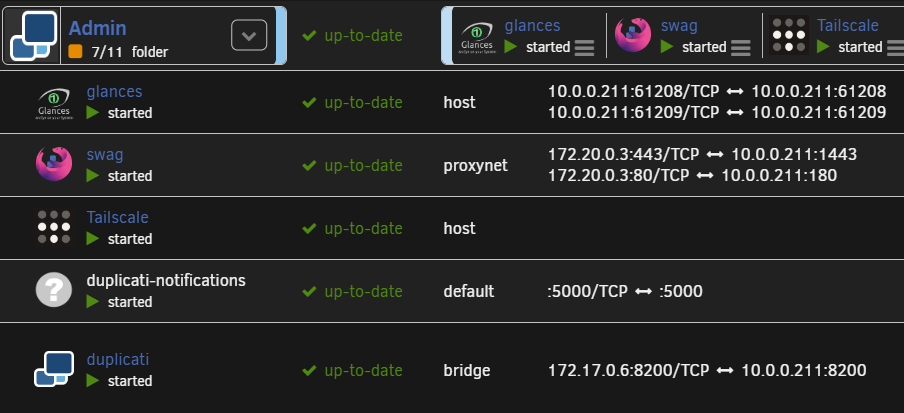
The issue seems to have started with Tailscale and change of LAN network. I’ll take it from here, but will return in a new thread if I can’t solve the issues I still have with the network.
-
unRAID. But everything is dead right now. So I'm very unpopular right now
-
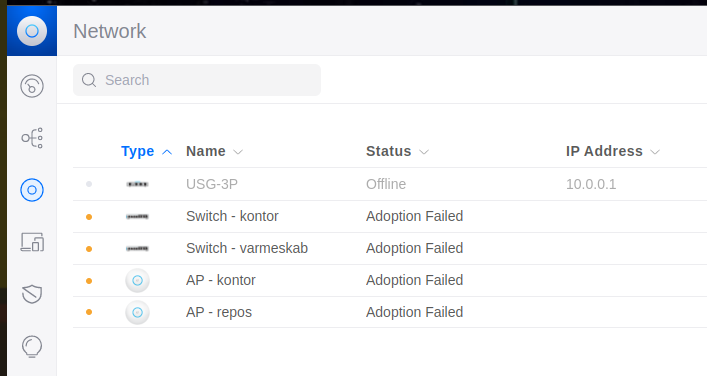
Something is really strange now
-
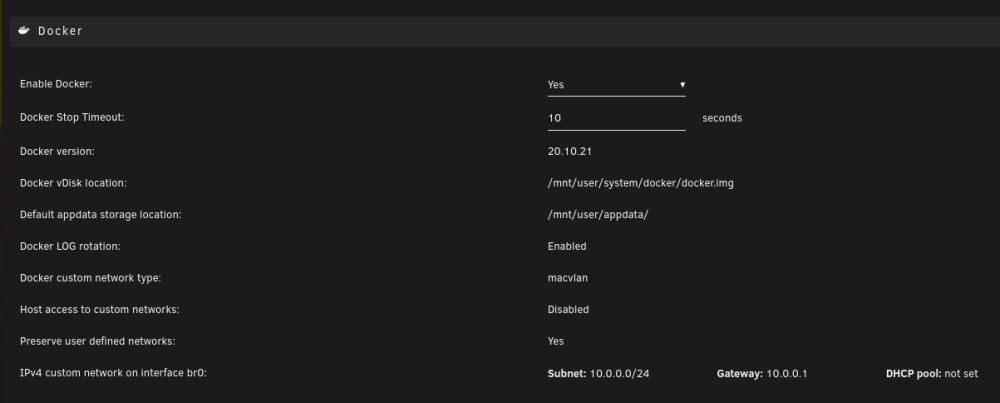
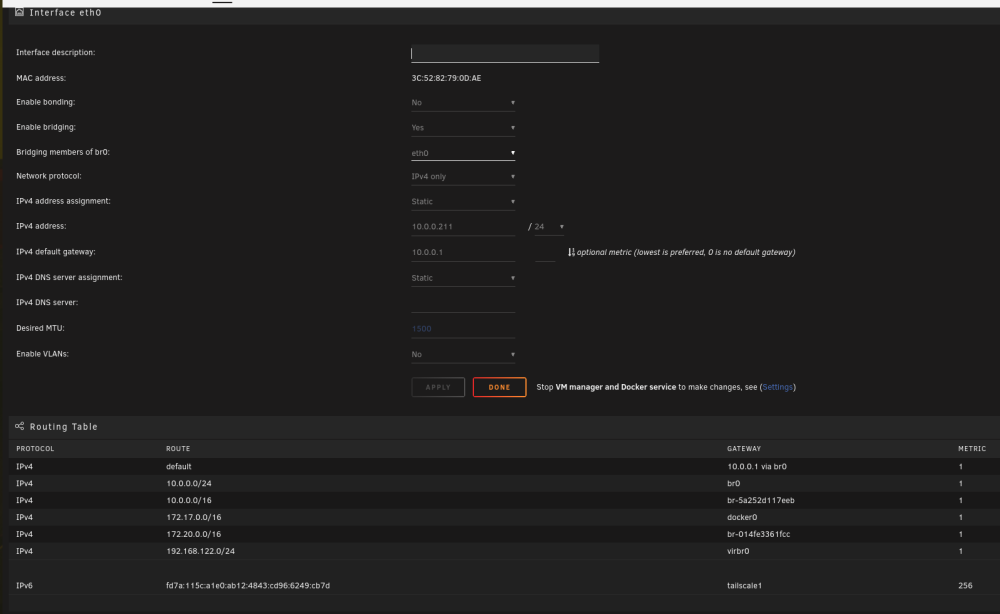
My Docker and network settings now
-
Oki note something strange happened. I changed unRAIDs IP to DHCP, to see if it would take 10.0.0.211. Now all net is gone!! What's going on I wonder?? And how too change it back???
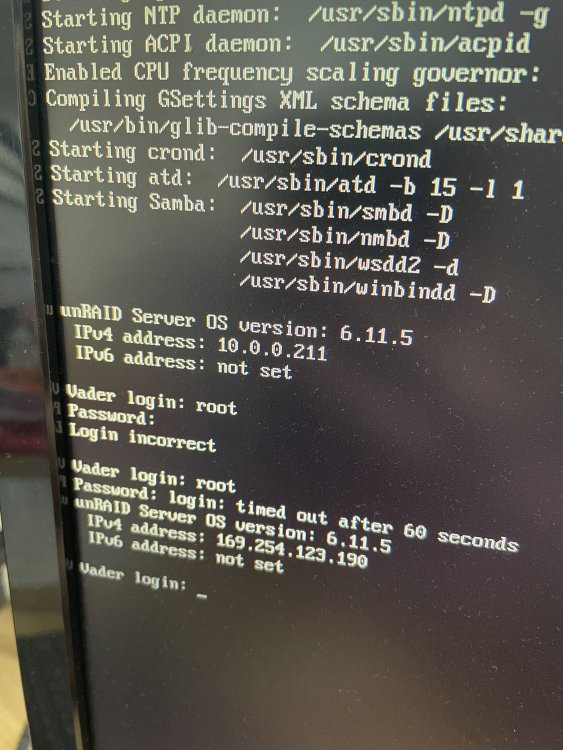
-
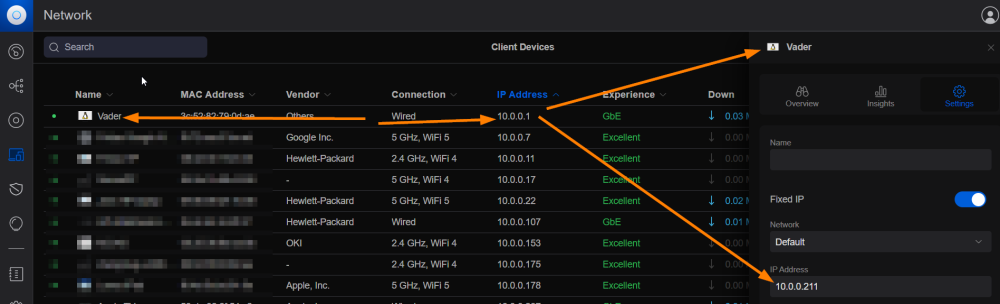
Right now.....
-
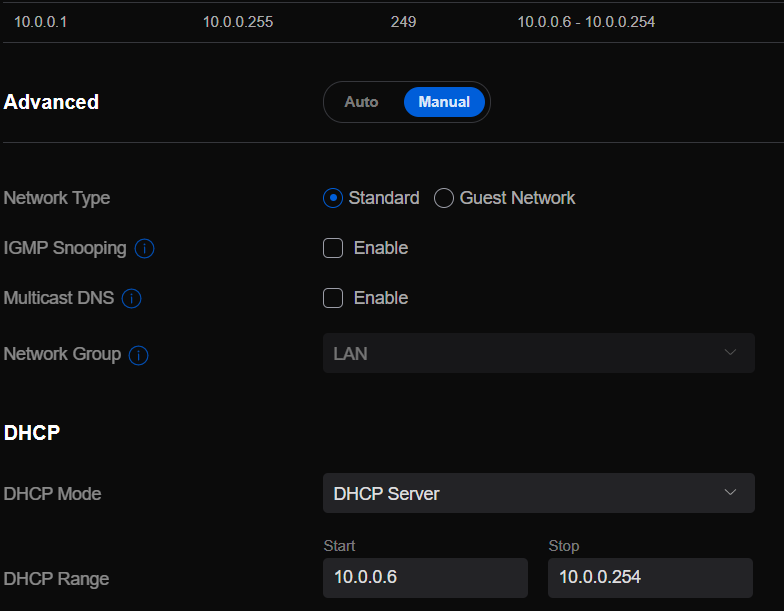
Nope. Nowhere. Vader is my unRAID-server yes. The MAC is eth0 My uSG. Which is weird when it's offline. But never the less. All my Docker containers use .211 and my HA in VM uses .245. So it should be oki? I turned off my unRAID for 30 minutes yesterday. Then I'm also turning off my Unifi Cloud controller. So a little difficult to be 100% sure. But when I turned on my unRAID again, it was offline. I totally agree!!

-
So what should I look for?