





DavidNZ
Members
-
Joined
-
Last visited
Everything posted by DavidNZ
-
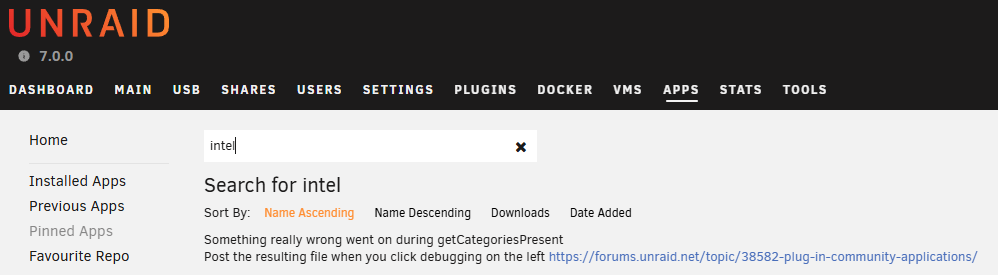
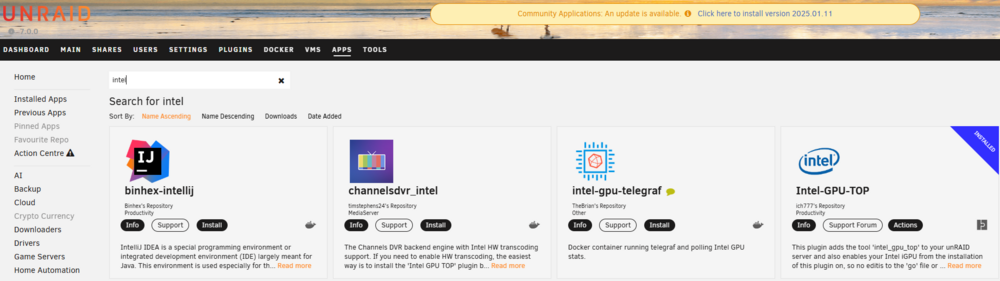
It appears the 2025.01.11 update to the CA plugin is the issue, it is NOT an Unraid V7 issue. I have 2 servers on V7.0.0 and only one has updated the CA plugin and that server has the issue. It appears there is now a 2025.01.11a update which has resolved the issue for me, nice work @Squid
-
I can also confirm this works. After installing Docker, my VM wouldn't boot, added this just above the final line (</domain>) and booted up as normal
-
I had the issue before I upgraded to 6.12.6, so rolling back to 6.12.4 wasn't really an option (short of a new USB, which I really didn't feel like doing) However I gave the VFIO config recreation a go as I am only passing through the 3080 and wow, that worked! I now have the iGPU going again, thanks mrhanderson for finding that thread! I still have the issue with the System Temps not showing, but they are not as important as the AIO is auto controlled based on coolant temp, so I will probably live with out that
-
Hi All, I have an ASUS Proart Z790 Creator motherboard with 13900K and 3080 (3080 passed through as VM GPU). I have been using the iGPU for docker related video tasks (Tdarr, Plex, Frigate etc) and it has been working fine till I rebooted one day and the docker containers referencing /dev/dri failed to start. There was no BIOS changes at this time, and I do not recall making any Unraid changes to cause this. Run modprobe i915 and it doesn't return anything, cd /dev/dri and there is no directory found: root@UNRAID:~# modprobe i915 root@UNRAID:~# cd /dev/dri bash: cd: /dev/dri: No such file or directory root@UNRAID:~# lsmod | grep -i 'i915' i915 2527232 0 drm_buddy 16384 1 i915 i2c_algo_bit 16384 1 i915 ttm 77824 1 i915 drm_display_helper 135168 1 i915 drm_kms_helper 167936 2 drm_display_helper,i915 drm 495616 5 drm_kms_helper,drm_display_helper,drm_buddy,i915,ttm intel_gtt 24576 1 i915 iosf_mbi 20480 2 i915,intel_rapl_common i2c_core 86016 7 drm_kms_helper,i2c_algo_bit,drm_display_helper,i2c_smbus,i2c_i801,i915,drm video 61440 1 i915 backlight 20480 4 video,drm_display_helper,i915,drm root@UNRAID:~# modinfo i915 filename: /lib/modules/6.1.64-Unraid/kernel/drivers/gpu/drm/i915/i915.ko.xz license: GPL and additional rights description: Intel Graphics author: Intel Corporation author: Tungsten Graphics, Inc. import_ns: DMA_BUF I found a post that said you need to whitelist the i915, which I do not have, however someone also said installing Intel GPU TOP will do the same thing and I have got this installed. (have not tried the old remove and reinstall though) I also noticed at the same time that all fan speeds, motherboard and CPU temps were also gone from the system temp menu and dashboard displays. BIOS GPU is set to Auto (as there is no option for onboard GPU to be the primary, but this is how it has always been) And there is a TV connected by HDMI to the motherboard, so as there is an output to activate. Any ideas or things to check? Would really love to get the iGPU processing going again! Diagnostics attached. unraid-diagnostics-20231207-1718.zip
-
Hi Guys, It is time to replace my Unraid server (HP Z600) with something a bit newer and better speced. I was also thinking to replace my main desktop (4770K) and virtualize it within Unraid. I was looking at an Intel 13900K with Asus Proart Z790 Creator and 64GB of DDR5 as I am keen on the efficiency cores for Unraid (the perf cores for VMs), 10G LAN, amount of M.2 and SATA ports it has available (I am aware if I have an NVME in the 4th M.2 slot I lose the SATA 5-8 ports, so that is fine, I only have 3 array drives currently and I am sure I can work around it if needed) in addition to the multiple PCIE 16x ports. I run Plex, Tdarr, Frigate some ML stuff like Deepstack etc, Home assistant in a VM, so need dual PCIe 16x slots (as I have an RTX 3080 for the VM replacing my desktop and a GTX 1070 for Unraid "stuff") and need to be able to pass through USB devices to the desktop VM and Home assistant I will want to play games using the VM with the 3080, but I don't really play online games with the Battlenet and anti cheat stuff, so I don't see that being an issue for me. I am not looking to get the absolute max gaming performance either. The spec may seem overkill, but I generally only upgrade once every 8 or so years. I am keen to hear from anyone who knows about the Marvell AQtion 10Gb Ethernet in Unraid, and the Z790 IOMMU groups and config in general to hopefully figure out if this board will work for me. Thanks!
-
Does the container start? What are the container logs showing?
-
In the repository field at the top of your screenshot. Change "latest" to "1.25.4.5487-648a8f9f9" That will force it to stay on that version. However I agree with trurl, you should see if your issue is a known issue on the Plex forums as updates are a good thing security and feature wise


