





mike_2246
Members
-
Joined
-
Last visited
Everything posted by mike_2246
-
seemed like a simple task but I can't figure out how to get a speedtest docker to work when I route through binhexvpn or similar. I'd like to be able to test a bunch of different VPN's and figure out which gives me the best speed. I'm currently using PIA and getting very slow speeds when compared to no VPN Unless there's another alternative to testing OpenVPN speeds on Unraid? posted here since I can't open a new thread in Docker Container. Thanks
-
seemed like a simple task but I can't figure out how to get a speedtest docker to work when I route through binhexvpn or similar. I'd like to be able to test a bunch of different VPN's and figure out which gives me the best speed. I'm currently using PIA and getting very slow speeds when compared to no VPN Unless there's another alternative to testing OpenVPN speeds on Unraid? Thanks
-
Thanks, so just confirming after I start array it will prompt for zfs pool encryption password? Normally it would ask for this before starting. Just confirming as the 20% not backed up is on that zfs encrypted pool.
-
So backed up 80% of my server to make room for new 14tb (array) disk from a mix of 6/8. I currently have 2 zpools. 1 was encrypted ZFS Raid mirror and the other was ZFS Raidz2 I made a new config after installing new drives (zpool drives not touched), When Making the new config I did select preserve pool slots. pressed apply and done. now my zpools say auto for FS instead of the options I had that specified (ZFS and and Raidz2 etc). Do I leave these as auto? after starting the array will it prompt me for my zpool password? Server is 6.12.3
-
Tried to update my Cache drive. Disabled Docker and VM then copied everything from A to B. Went to the Shares and mapped to the new Cache Drive. All dockers up and working except plex. it reset my database. I tried to restore from the built in plex scheduled task backups and from CA Backup/Restore Appdata Plugin. I then tried remapping back to the old Cache drive and database is still reset. Any ideas? I really only care about watch history getting restored. I do have Tautulli docker intsalled that shows my watch history, is there a way to resync this?
-
Server's been up and running for probably a year now. Just today it started freezing and I have to hard reboot. Any ideas?tower-diagnostics-20230128-0936.zip
-
Just built a second Unraid Server for File Server/Plex/Ombi. Over the last couple days Unraid has rebooted on it's own a few times and my VM I just created keeps crashing. I've tried a bunch of different options with deleting and recreating the VM and all keep crashing. Not sure if this is a hardware problem or software. (1st Server runs flawless and has for months) media-diagnostics-20221215-0039.zip
-
Haven't done a memory test, can I do that in unraid?
-
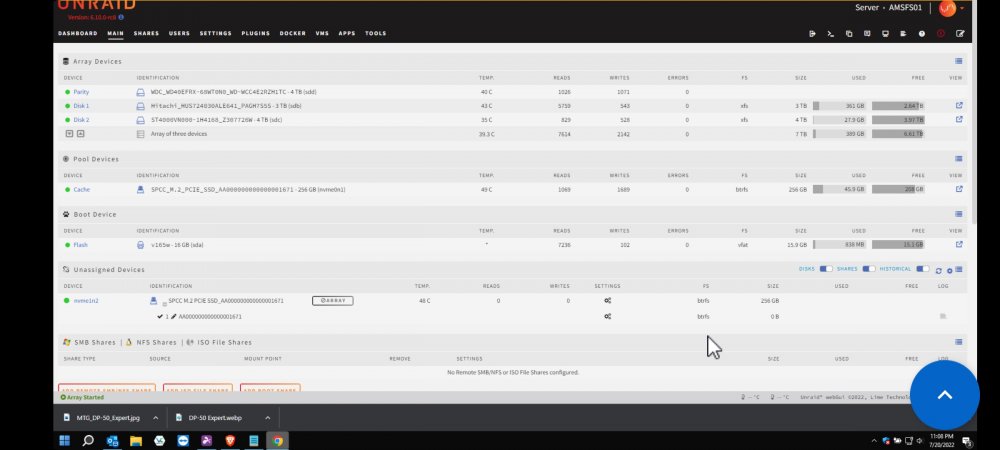
Havne't checked my server in a month or two. Logged in to do some updates and when I click Update a pop up opens when I click update but it's a blank white box with nothing to click. Also when I go to Docker all my icons have a ? instead of the real icons. I've tried to reboot the server and have same two issues. I'm only using this for a simple file and backup server. amsfs01-diagnostics-20220720-2035.zip
-
It uses tmp to encode then overwrites the existing file so at most if your doing 3-4 encodes only those 3-4 at a time should be in your temp folder.
