





emuzi
Members
-
Joined
-
Last visited
-
折腾了许久,终于找到解决办法了——重新手动安装插件,插件地址为:https://raw.githubusercontent.com/unraid/community.applications/master/plugins/community.applications.plg
-
-
-
谢谢大佬的解决方案,先Mark备用
-
谢谢,期待实现虚拟显卡输出到显示器的方案
-
安装插件后不需要其它如何设置,只需要在虚拟机中直通虚拟出的显卡就可以了吗?谢谢!
-
谢谢大佬开发的实用插件。这个在13带U上应该也可以吧?
-
谢谢指教!
-
谢谢大佬,请问支持板载的8125网卡吗?谢谢指教!
-
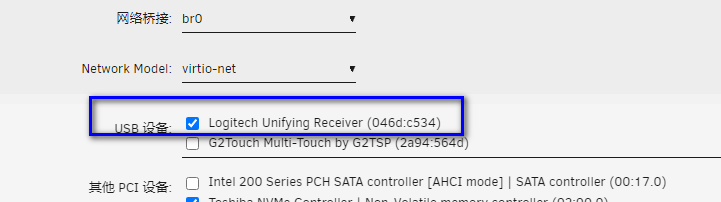
在虚拟机设置(编辑)中将usb键鼠勾选上即可
-
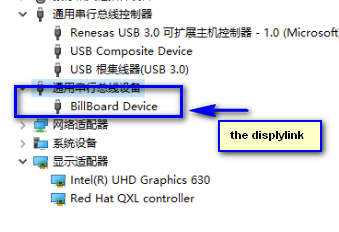
Could you please send a few screenshots to me ? thanks.
-
but the screen is black.
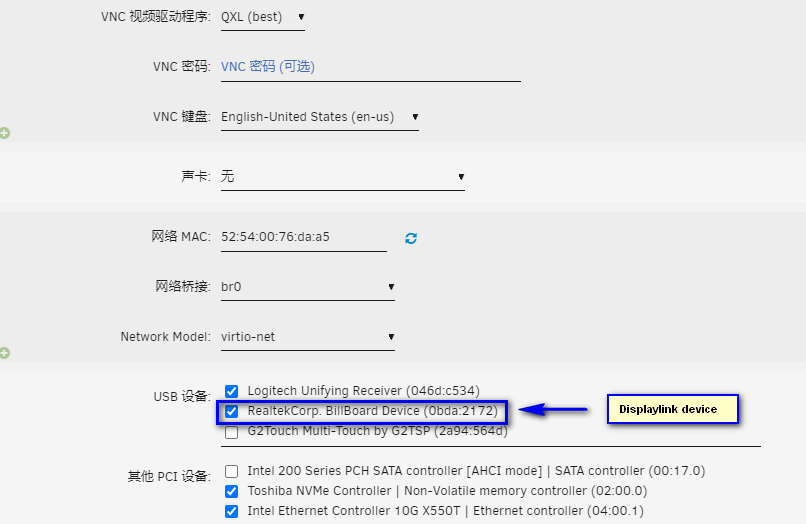
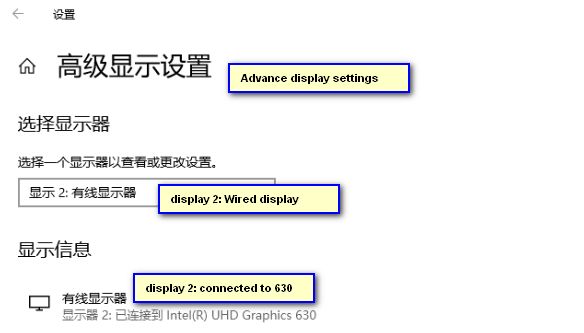 I could not get this correctly yet. could you please give me a step by step way ? thank you !It's great ! But how to set the Display to "mirror output" ? Thank you for your help.

