





Hogwind
Members
-
Joined
-
Last visited
Everything posted by Hogwind
-
If you don't care about the update you can always roll back to 8.6 by changing the repository, like this: The old message about https was cached for me so I had to CTRL+F5 to load Calibre in the browser.

-
In Sonarr go to Series -> Library Import, and add /TV-Archived.
-
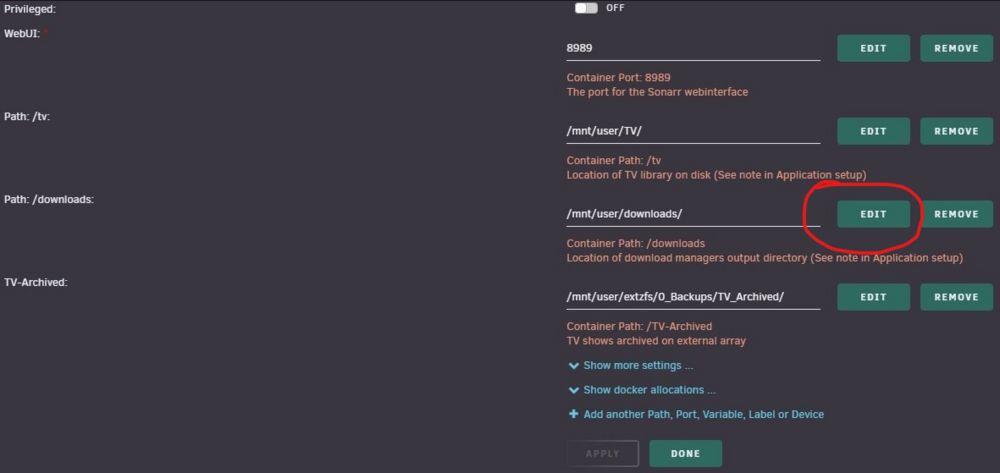
Click the EDIT and change the Container Path: /downloads to /data So it looks like this:

-
👆 That is what you need to change. Open the Sonarr template and edit that path so that the "Container Path" is /data.

-
Start by edit the configuration template for Sonarr, and change the container path name /downloads to /data. Radarr, sabnzbd and qbittorrent all have: /data <--> /mnt/user/downloads/ Sonarr need to have that mapping as well. And for the vanished downloads I think you need to change the Completed Download Folder in SABnzb from /downloads to /data. You have downloads set to /data in qBT so downloads in qBT should be found in /mnt/user/downloads.
-
My bad, I misunderstood.
-
What type of list have you set up?
-
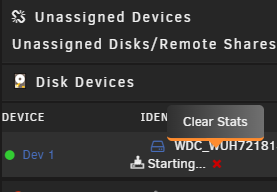
@dionmunk Was it a broken UI stats or did you solve you problem? 👆 I'm having the same problem right now, can't see any status. Just stuck on "Starting...". Have checked with another browser and it looks the same. I'm just gonna let it be for a day or two. I have set the notification on 25% progress so maybe I get notifications.
-
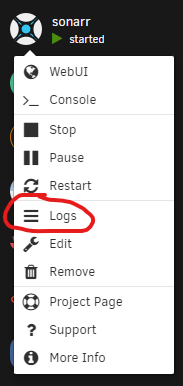
Best way to trouble shot is to look in the log file. A quick way is to open the log after you started the docker through the docker menu. For all the logs look in \appdata\sonarr\logs
-
Source: https://wiki.servarr.com/radarr/faq#can_I_disable_the_refresh_movies_task
-
How did you set up your download client in Sonarr? Has it been working and all of a sudden it has started behaving this way?
-
I would try this:
-
The logs contains Kill Bill Vol. 1 2003 Bluray-1080p.mkv, maybe the file is damaged or something. I would remove it and refresh the share.
-
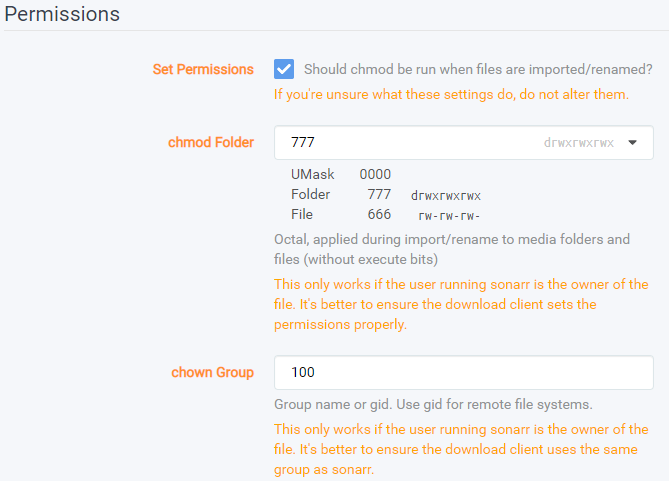
I think you can leave chown Group empty if you don't use remote shares. Hopefully you have by now got it working...
-
Check the Permissions under Settings > Media Management, I've got mine set like this and haven't had any issues. What's your current permissions settings?
-
I think it's a Overseerr setting, check that you have Enable Automatic Search under Settings > Services > Radarr.
-
I think it's a prowlarr setting. Do you get a green check when you run a test of the radarr app in prowlarr? Here is a guide that covers most of the setup.
-
Maybe you changed the owner/premission of config.xml when you edited it. EDIT: default is nobody/-rw-r--r--
-
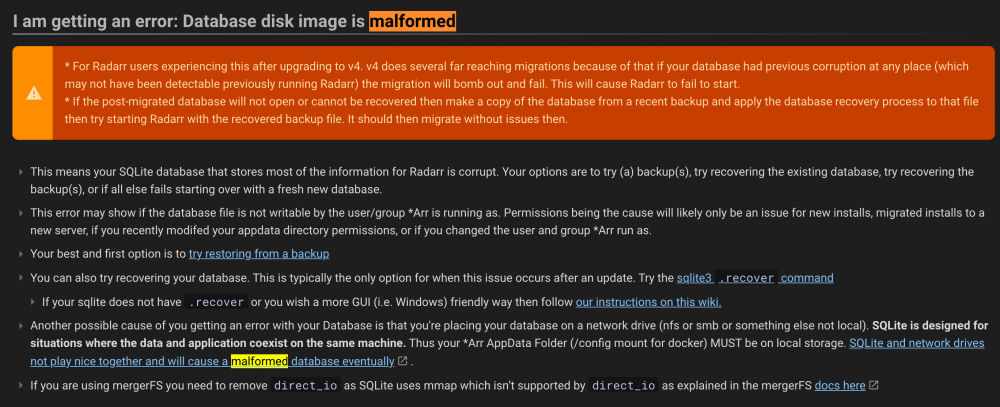
Looking at the log it says: System.Exception: database disk image is malformed I don't have any experience myself with that but I found and posted some info about that issue, if you check one page back. I would test one of the backups you will find in the appdata -> radarr -> backups folder.
-
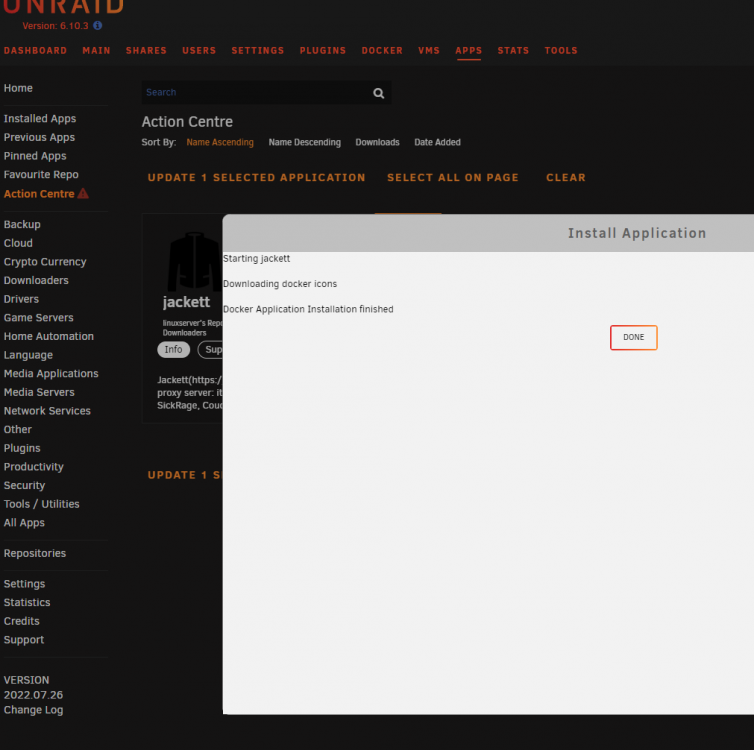
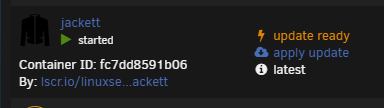
First I update from Action Centre: And then when you check the Docker page it still has an update: But I have now noticed that the "update ready" and the blue text disappear after a while, maybe after the next check for an docker update?
-
Hi, if you update dockers from action center, the dockers gets updated. But on the unraid dashboard you still see the updated dockers with blue text and under dockers you se the lightning indicating that there still is an update. unRAID 6.10.3 CA 2022-07-26
-
Hi, looks like you got the same problem as some users of binhex radarr docker. Picture with info from that thread. Source: https://forums.unraid.net/topic/53807-support-binhex-radarr/page/21/
-
Yes
-
What I did was edit the docker template and added Repository: linuxserver/qbittorrent:14.3.2.99202101080148-7233-0cbd15890ubuntu18.04.1-ls110 It worked for me but I don't know if it's the correct one to use in unraid.
-
Seems like the latest(v4.3.3) update is broken, it doesn't load the old torrents. Does anyone have the Repository tag for v4.3.2, there are so many to choose from. EDIT: I just tried this linuxserver/qbittorrent:14.3.2.99202101080148-7233-0cbd15890ubuntu18.04.1-ls110 And it worked, but if it's not the correct one i'm happy to be corrected.




