





mjeshurun
Members
-
Joined
Everything posted by mjeshurun
-
Hi @PSYCHOPATHiO, thank you for the installation guide. I tried to follow the following youtube video for matrix installation and what you wrote, but, unfortunately, I can't get the matrix server to load. I'm getting these error messages in the unraid log for the matrix container: 0: : DTLS 1.2 supported 0: : TURN/STUN ALPN supported 0: : Third-party authorization (oAuth) supported 0: : GCM (AEAD) supported 0: : OpenSSL compile-time version: OpenSSL 1.1.1k 25 Mar 2021 (0x101010bf) 0: : 0: : SQLite supported, default database location is /var/lib/turn/turndb 0: : Redis supported 0: : PostgreSQL supported 0: : MySQL supported 0: : MongoDB is not supported 0: : 0: : Default Net Engine version: 3 (UDP thread per CPU core) ===================================================== 0: : Domain name: 0: : Default realm: turn.matrix 0: : CONFIGURATION ALERT: You specified --lt-cred-mech and --use-auth-secret in the same time. Be aware that you could not mix the username/password and the shared secret based auth methods. Shared secret overrides username/password based auth method. Check your configuration! 0: : ERROR: CONFIG ERROR: Empty cli-password, and so telnet cli interface is disabled! Please set a non empty cli-password! 0: : WARNING: cannot find certificate file: /data/matrix.tls.crt (1) 0: : WARNING: cannot start TLS and DTLS listeners because certificate file is not set properly 0: : WARNING: cannot find private key file: /data/matrix.tls.key (1) 0: : WARNING: cannot start TLS and DTLS listeners because private key file is not set properly 0: : WARNING: cannot find DH key file: /data/matrix.tls.dh (1) 0: : NO EXPLICIT LISTENER ADDRESS(ES) ARE CONFIGURED 0: : ===========Discovering listener addresses: ========= 0: : Listener address to use: 127.0.0.1 0: : Listener address to use: 172.18.0.14 0: : ===================================================== 0: : Total: 1 'real' addresses discovered 0: : ===================================================== 0: : NO EXPLICIT RELAY ADDRESS(ES) ARE CONFIGURED 0: : ===========Discovering relay addresses: ============= 0: : Relay address to use: 172.18.0.14 0: : ===================================================== 0: : Total: 1 relay addresses discovered 0: : ===================================================== 0: : Cannot create pid file: /var/run/turnserver.pid 0: : pid file created: /var/tmp/turnserver.pid 0: : IO method (main listener thread): epoll (with changelist) 0: : Wait for relay ports initialization... 0: : relay 172.18.0.14 initialization... 0: : relay 172.18.0.14 initialization done 0: : Relay ports initialization done 0: : IO method (general relay thread): epoll (with changelist) 0: : IO method (general relay thread): epoll (with changelist) 0: : IO method (general relay thread): epoll (with changelist) 0: : turn server id=1 created 0: : turn server id=0 created 0: : IO method (general relay thread): epoll (with changelist) 0: : turn server id=2 created 0: : IO method (general relay thread): epoll (with changelist) 0: : turn server id=3 created 0: : IO method (general relay thread): epoll (with changelist) 0: : turn server id=4 created 0: : IO method (general relay thread): epoll (with changelist) 0: : IO method (general relay thread): epoll (with changelist) 0: : turn server id=5 created 0: : turn server id=6 created 0: : turn server id=7 created 0: : IO method (general relay thread): epoll (with changelist) 0: : IO method (general relay thread): epoll (with changelist) 0: : turn server id=8 created 0: : turn server id=10 created 0: : IO method (general relay thread): epoll (with changelist) 0: : turn server id=12 created 0: : IO method (general relay thread): epoll (with changelist) 0: : turn server id=14 created 0: : IO method (general relay thread): epoll (with changelist) 0: : turn server id=11 created 0: : IO method (general relay thread): epoll (with changelist) 0: : turn server id=15 created socket: Protocol not supported socket: Protocol not supported socket: Protocol not supported socket: Protocol not supported socket: Protocol not supported socket: Protocol not supported socket: Protocol not supported socket: Protocol not supported socket: Protocol not supported socket: Protocol not supported socket: Protocol not supported socket: Protocol not supported socket: Protocol not supported socket: Protocol not supported socket: Protocol not supported socket: Protocol not supported socket: Protocol not supported socket: Protocol not supported socket: Protocol not supported socket: Protocol not supported socket: Protocol not supported socket: Protocol not supported socket: Protocol not supported socket: Protocol not supported socket: Protocol not supported socket: Protocol not supported socket: Protocol not supported socket: Protocol not supported socket: Protocol not supported socket: Protocol not supported socket: Protocol not supported socket: Protocol not supported socket: Protocol not supported socket: Protocol not supported socket: Protocol not supported socket: Protocol not supported socket: Protocol not supported socket: Protocol not supported socket: Protocol not supported socket: Protocol not supported socket: Protocol not supported socket: Protocol not supported socket: Protocol not supported socket: Protocol not supported socket: Protocol not supported socket: Protocol not supported socket: Protocol not supported socket: Protocol not supported socket: Protocol not supported socket: Protocol not supported socket: Protocol not supported socket: Protocol not supported socket: Protocol not supported socket: Protocol not supported socket: Protocol not supported socket: Protocol not supported socket: Protocol not supported socket: Protocol not supported socket: Protocol not supported socket: Protocol not supported socket: Protocol not supported socket: Protocol not supported socket: Protocol not supported socket: Protocol not supported Traceback (most recent call last): File "/usr/lib/python3.9/runpy.py", line 197, in _run_module_as_main return _run_code(code, main_globals, None, File "/usr/lib/python3.9/runpy.py", line 87, in _run_code exec(code, run_globals) File "/usr/local/lib/python3.9/dist-packages/synapse/app/homeserver.py", line 440, in <module> main() File "/usr/local/lib/python3.9/dist-packages/synapse/app/homeserver.py", line 430, in main hs = setup(sys.argv[1:]) File "/usr/local/lib/python3.9/dist-packages/synapse/app/homeserver.py", line 323, in setup config = HomeServerConfig.load_or_generate_config( File "/usr/local/lib/python3.9/dist-packages/synapse/config/_base.py", line 692, in load_or_generate_config config_dict = read_config_files(config_files) File "/usr/local/lib/python3.9/dist-packages/synapse/config/_base.py", line 746, in read_config_files yaml_config = yaml.safe_load(file_stream) File "/usr/local/lib/python3.9/dist-packages/yaml/__init__.py", line 125, in safe_load return load(stream, SafeLoader) File "/usr/local/lib/python3.9/dist-packages/yaml/__init__.py", line 81, in load return loader.get_single_data() File "/usr/local/lib/python3.9/dist-packages/yaml/constructor.py", line 49, in get_single_data node = self.get_single_node() File "/usr/local/lib/python3.9/dist-packages/yaml/composer.py", line 36, in get_single_node document = self.compose_document() File "/usr/local/lib/python3.9/dist-packages/yaml/composer.py", line 55, in compose_document node = self.compose_node(None, None) File "/usr/local/lib/python3.9/dist-packages/yaml/composer.py", line 84, in compose_node node = self.compose_mapping_node(anchor) File "/usr/local/lib/python3.9/dist-packages/yaml/composer.py", line 127, in compose_mapping_node while not self.check_event(MappingEndEvent): File "/usr/local/lib/python3.9/dist-packages/yaml/parser.py", line 98, in check_event self.current_event = self.state() File "/usr/local/lib/python3.9/dist-packages/yaml/parser.py", line 438, in parse_block_mapping_key raise ParserError("while parsing a block mapping", self.marks[-1], yaml.parser.ParserError: while parsing a block mapping in "/data/homeserver.yaml", line 17, column 1 expected <block end>, but found '<scalar>' in "/data/homeserver.yaml", line 67, column 2 Based on the errors in the log, I wanted to disable the --lt-cred-mech auth method, but I couldn't find any reference to this in the homeserver.yaml file. Do you know how I can disable this? Regarding the other warnings and errors, do you happen to know what I should do to fix them? Sorry if my questions might be obvious to programmers, but I'm actually a noob. Hope you can help 🙏
-
In that case, what is the benefit of using OpenHAB behind a reverse proxy? I understand people are doing it. are there no pro's for using openhab behind a reverse proxy?
-
HI @knex666, thank you for your message 🙏 My aim is to expose OpenHAB to the outside world using OpenHABCloud, but I would like to run the docker app in conjunction with a reverse proxy (swag) to limit the number of open ports on my router, and to secure all communications with https.
-
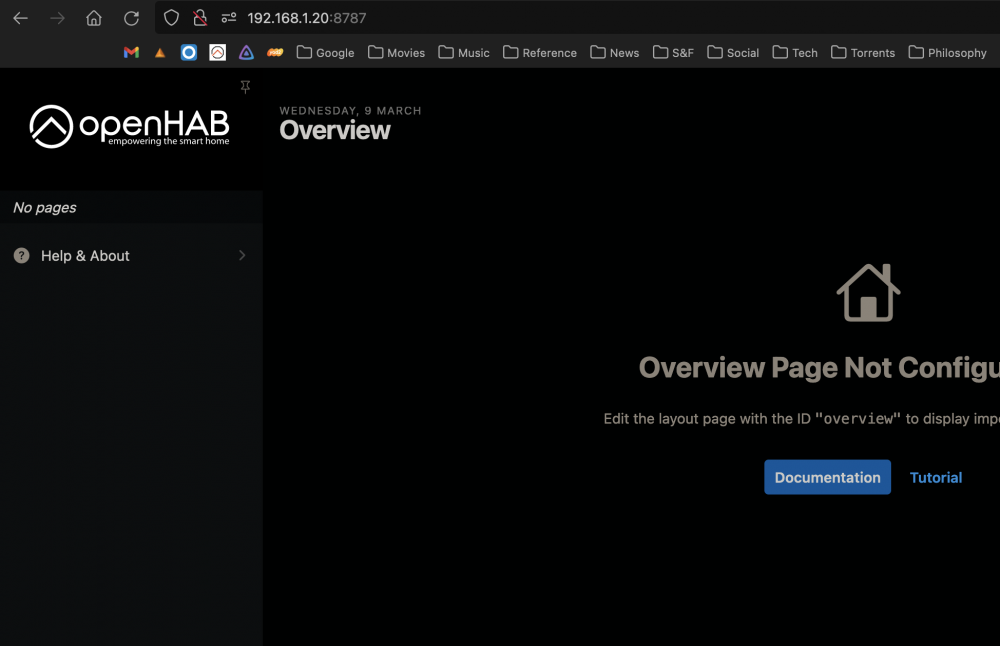
I tried. Unfortunately, it doesnt open properly. However, when I try the http port, OpenHAB's MainUI opens ok. I installed UnRAID Cloudflare-DDNS and created a CNAME on Cloudflare to automatically update my external dynamic IP given by my ISP. I then configured the swag's docker app proxy-conf file for openhab.subfolder.conf with the DDNS CNAME address I created on Cloudflare. Is this what you meant I should do?

-
Hi @Nodiaque, I tried to follow your suggestion, but I don't think it worked. I tried to define server_name by the name of the openhab docker container, and I also tried defining server_name by my UnRAID server local IP. I think neither options worked, because I don't see a lock icon for the URL in the browser search bar. Which means the connection is not secure.

-
Hi @shrekfx, Did you figure out how to configure NCP run behind a reverse proxy? I'm trying to set it up to work with Swag, but so far I had no success. Hope you can help.
-
Thank you for your reply, @potjoe .Your input is very helpful 🙏 I installed both NC and NCP as docker apps to compare the difference. Without changing any cpu core settings, NCP is currently running faster than NC. Could this speed difference happen because I setup NC to work behind a reverse proxy? Can anyone suggest how to configure NCP to run behind Swag reverse proxy? I tried to follow the same steps I took for NC, but that doesn't seem to work for NCP.
-
Thank you so much! I will follow your tips tomorrow and report back
-
I'm not sure the extra parameters I added actually did anything. UnRAID is showing OpenHAB as using ports: 5007, 8080, 8101, 8443. Instead of showing the port numbers I defined in the extra parameters 🤔

-
Amazing! Your explanation was perfect. I was able to change the ports 🙏 I have swag installed, and would like to set it up for OpenHAB to limit the open ports, but since you mention OpenHAB should not be open to the outside, is there any value to running OpenHAB behind the reverse proxy? If I'm not opening the app to the outside, what should I write in the openhab.subdomain.conf for 'server_name'? Should I write the local IP of the UnRAID server? Should I change anything else in the .conf file?
-
Changing the docker app configuratin to host now brings up the web ui on port 8080 This part of the explanation I didn't understand. Where do I change the ports numbers? And where should I run the command you mentioned? -e OPENHAB_HTTP_PORT=8888 -e OPENHAB_HTTPS_PORT=8443
-
Thank you so much for the detailed answer, @Nodiaque!! 🙏🙏 I will read it thoroughly and try to follow your tips. Your explanation about ports made me think of another question. For security reasons, I would like to limit the amount of open ports on my router and server. Is it possible to configure the OpenHAB docker app to run along with Nginx reverse proxy?
-
Hello Friends, I'm just starting with my first UnRAID intel based home server, and I would like to install OpenHAB 3.2.0 on it to replace my current OpenHAB 3.2.0 system running on a Raspberry Pi 4. Using UnRAID's community apps, I was able to install the OpenHAB docker app. Since I understood UnRAID is using ports 8080 and 443 for its internal functions, I added to the OpenHAB docker template two ports: HTTP: 8686 and HTTPS: 446 I also made a small change to the docker template path locations from: Host Path 2: /mnt/user/appdata/openhab2/conf/ => /mnt/user/appdata/openhab/conf/ (removing the "2" from "openhab2") and Host Path 3: /mnt/user/appdata/openhab2/userdata/ => /mnt/user/appdata/openhab/userdata/ (removing the "2" from "openhab2") The docker app installation finished successfully and I was able to run the following command to open the terminal client: docker exec -it openHAB /openhab/runtime/bin/client I might be missing something, but how do I log into OpenHAB's MainUI web application? I tried browsing to the address: http://[MyServer IP]:8686, and I also tried http://localhost:8686, but neither options worked and I was not able to lopen the web MainUI. Am I doing something wrong?
-
Hello Friends, I've been using Nextcloudpi for over a year now on a Raspberry Pi 4 and I really enjoyed using it. Last week I decided to upgrade my system to an x86 intel based homeserver running UnRAID. As such, I need to install Nextcloud fresh, and I wanted to consult knowledgeable people as to which install method would work best on UnRAID 6.9.2 with Nginx reverse proxy for security. Would it be preferable to install the "regular" NC docker app from linuxserver's repository? Is Nextcloudpi also good for UnRAID systems? Would it be preferable to install NC or NCP as a docker app or on a dedicated VM? Hope someone can help 🙏
-
Hello Friends, I'm a new UnRAID user, slowly learning "the way of the land" of home servers, and UnRAID 6.9.2 in particular. I would like to install Jellyfin on my UnRAID server and use it alongside Nginx proxy manager for better protection. I installed jc21's Nginx-Proxy-Manager-Official app from UnRAID's community apps store. I also installed linuxserver's Jellyfin app. I managed to setup the Jellyfin docker app and it's running using http port 8096, but I can't figure out how to configure it to work with Nginx using https port 8920. These are the steps I took so far: Using Cloudflare I created a CNAME subdomain media.[mydomain.com]. Next, I logged into the Nginx web client and added the following proxy host: Domain name: media.[mydomain.com]. Scheme: http Forward Hostname / IP: [my local UnRAID server IP address] Forward Port: 8920 (as I setup in the jellyfin docker app installation for https). I turned on: cache assets, block common exploits and websockets support. Under SSL, I created a new SSL certificate with Let's Encrypt and turned on: Force SSL and HTTP/2 Support. After this Nginx is now showing the host subdomain status as "online" with Let's Encrypt SSL. However, I am unsure how to continue to set up the SSL certificate under Jellyfin Dashboard->Networking. I found this explanation on the Jellyfin documentation: https://jellyfin.org/docs/general/networking/nginx.html , but I'm not sure it's relevant to the Nginx docker app I installed, because I am using the web client and I don't have the following folder on my server: /etc/nginx/conf.d. Which means I cannot create the jellyfin.conf file they described. Is anyone familiar with a tutorial to setup jellyfin's HTTPS remote access? Hope someone can help 🙏
-
Great! Thanks again 🙏
-
Thanks for the feedback. I guess, I can currently build the server with the SSD's setup as a multi-cache pool to enjoy their added value in speed, and in the future add more array and parity disks, when my server disk space requirements grow. Am I correct in this assumption?
-
Thank you both, @ChatNoir @JorgeB 🙏 From your experience, would it be better to setup the two WD Red SSD's as array and parity disks (without TRIM support), or as a multi-cache pool with a simple USB flash drive as array and with no parity drive?
-
Hello friends, I'm about to configure my first UnRAID home server and I'm reading through the manual for UnRAID 6. While reading the manual I'm now facing a few questions regarding my current hardware. I already own the following gear: CPU: Intel Core i7-10700. Motherboard: Asus Rog Strix Z490-I. RAM: Kingston Fury 64GB (2x32GB) DDR4. SSD: 2x WD Red SA500 NAS SATA SSD 2.5”. USB Flash Device: SanDisk Cruzer Fit 16GB. Case: Xtia Xproto Mini. UnRAID's manual indicates the following regarding SSD usage for arrays and parity: SSD support in the array is experimental. Some SSDs may not be ideal for use in the array due to how TRIM/Discard may be implemented. Using SSDs as data/parity devices may have unexpected/undesirable results. How can I know if the WD RED SSD's are compatible for usage as array/parity? is there a test tool or a list of SSD's known to be compatible/un-compatible? If these SSD's are un-compatible for UnRAID's array and parity purposes, can I use them as a multi-cache pool with no array and parity drives? Or does UnRAID require to install at least one array and parity drives in addition to the multi-cache pool? Thank you in advance for your help.
-
Hello Unraid Friends, I'm planing to build my very first home server with Unraid. I took the time to go over many forum suggestions and links and from all I read and my future usage plans, I think I should abandon my initial idea to use an AMD CPU, and instead choose an Intel CPU that can properly pass-through the iGPU to several VM's at the same time. If possible, I could use suggestions from knowledgeable users to double check my hardware preferences allows to run about 3-4 VM's and pass the iGPU to all of them at the same time. I was thinking of using the Intel Core i7-10700 (8cores/16threads 65w). I'm unsure which motherboard chipset will be most suitable for a mini-itx form factor: z490, b560 or z590. Does anyone have any suggestions? Are there major differences between these motherboards I should know of? Would you recommend a specific PSU wattage? Hope someone can help 🙏
-
Hi @mgutt, I took the time to go over your suggestions and links. From all I read and my future usage plans, I think I should take your advice and abandon my initial idea to use an AMD CPU and instead choose an Intel CPU that can properly pass-through the iGPU to several VM's at the same time. If possible, I could use your help to check I choose hardware that allows to run about 3 VM's and make use of iGPU pass-through without "breaking the bank" I was thinking of using the Intel Core i7-10700 (8cores/16threads 65w). I'm unsure which motherboard chipset will be most suitable for a mini-itx form factor: z490, b560 or z590. Do you have any suggestions? Are there major differences between these motherboards I should know of? Would you recommend a specific PSU wattage? Hope you can help 🙏
-
I like your plan. I also have my eyes on a similar system. Does your system works ok with the B550i? I was thinking to build a system using a Gigabyte B550I MB, AMD Ryzen 7 5700G or 5800x, (if I go with the 5800x then I would also use an undecided GPU when prices drop), 2x4TB WD Red SSD's, 64GB RAM (ECC if I use the 5800x) and probably 2x500GB NVMe drives for cache. For the case I was thinking of using the Xproto Mini. Could use some tips, in case my hardware preferences has bad choices.
-
Many gratitudes on the detailed answer. I really appreciate it. I will look into everything you wrote further.
-
Apologies, this will be my first home server project and I'm a noob, so I don't really have a good reason to run Jellyfin/Plex in a VM instead of a docker container. From what I read so far on the net, I thought running them inside a VM would be better, but I guess I was wrong. If I install a media server using docker, where should I actually install it on the system? I understand UnRAID is stored on a USB flash drive. Do docker containers go on the flash drive too, or will I need to dedicate a certain amount of GB/TB for docker containers and app data on my main SSD (in a way it's unrelated to the VM's)? If the media servers are installed as UnRAID docker apps, will they be able to use an AMD CPU/GPU? Sorry for asking such basic questions. Regarding Windows server, to be honest, I'm not a big fan of the Windows ecosystem, due to its unstableness. As my daily driver I much rather use mac. And in the case of the server, I assumed Linux based systems are more stable than Windows. But maybe I'm wrong about that.
-
Thank you very much for your explanation. What if my VM is used for a Jellyfin/Plex server? Would it not benefit from the virtual GPU if transcoding is needed when streaming content to another device?


