





freeridekid
Members
-
Joined
-
Last visited
Everything posted by freeridekid
-
Hello fellow unRAID users! I've run into a snag trying to install a package from GitHub. Every time I attempt the installation, I encounter the error displayed below. I'm hoping someone has come across a similar issue and can shed some light on a possible solution. Any guidance would be immensely appreciated!
-
Definitely Interested
-
Hello I am considering upgrading my 10th gen cpu to an 11th gen, and I was curious about the current status of HW transcoding in Plex on 6.9.2 Thanks
-
Would there be a reason all my dockers restart every night when this plugin runs?
-
bump
-
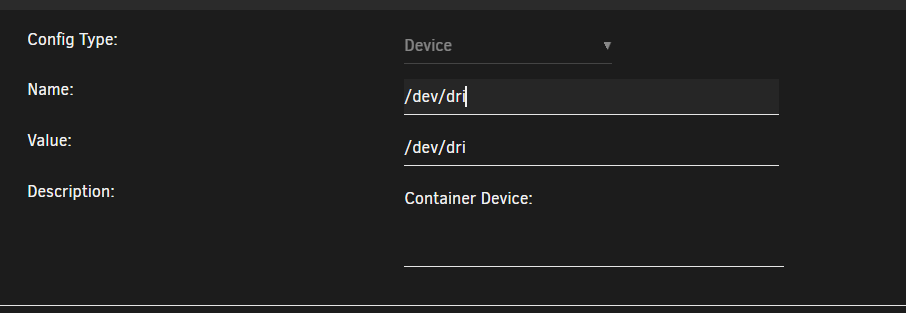
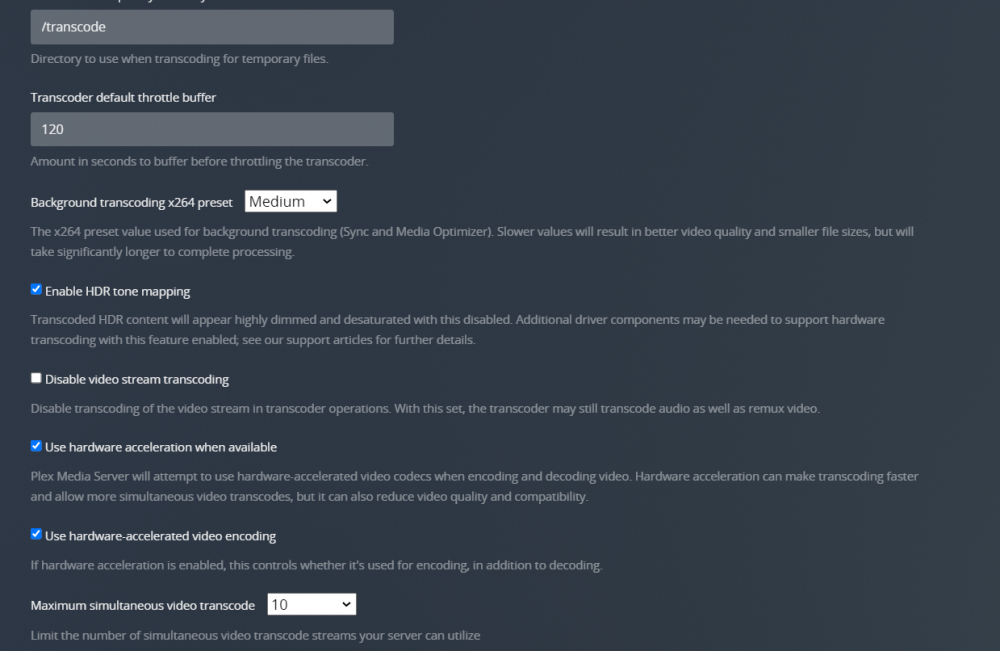
Hello I have a i3 10500 with a UHD 630 GPU. I have followed the following guide but i am still unable to get HW transcoding working on my plex server. Anyone have any ideas what I am missing? I have Intel Top and gtv-g installed and the igpu passed through to plex
-
I'm using the hotio container, if that matters
-
That's what I figured, but one wasn't running
-
I rebooted it at 8:22 but this morning before i did it said it was only online for 1 hour How would i find out if it crashed?
-
Here they are trialskid-diagnostics-20220301-1115.zip
-
Hello My uptime is completely inaccurate. I checked on my server this morning and it said the uptime was ~1 hour. I know this isn't true since some of my dockers show otherwise. Since then I have been checking it and its been jumping around from 20 minutes to 2.5 hours. Has anyone else heard of this happening?
-
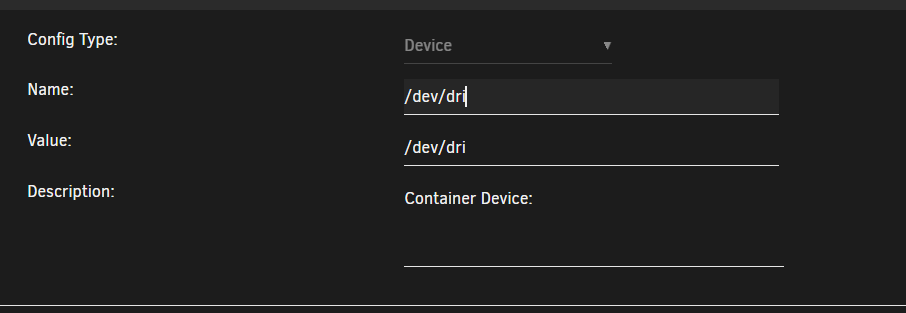
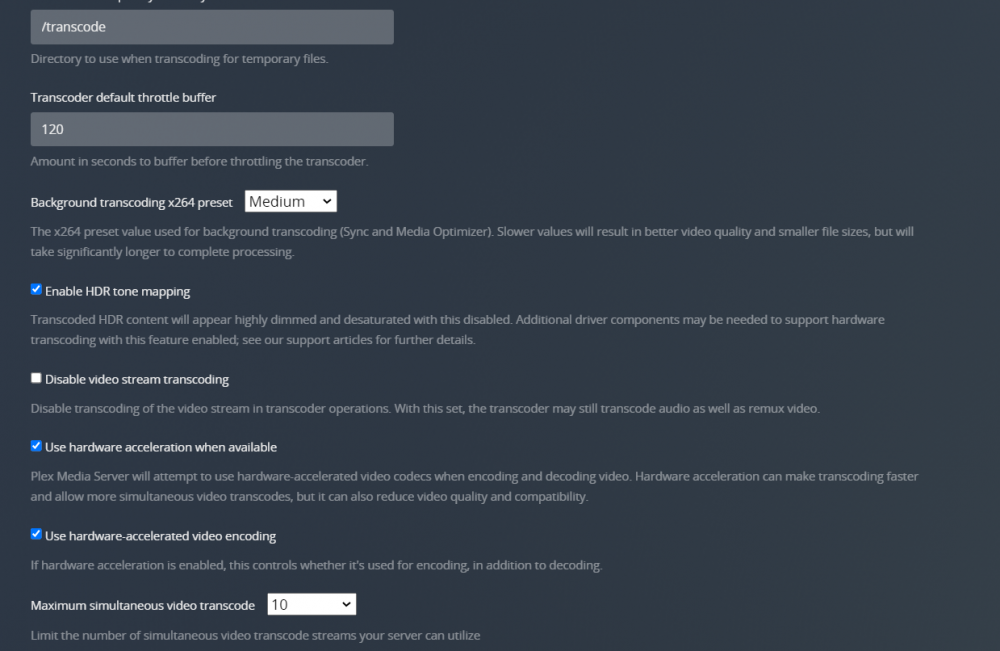
Is there a guide to get HW transcoding working with a 10th series iGPU on 6.9.2? I have Intel Top and gtv-g installed and the igpu passe through to plex, but i am still unable to get it to hardware transcode
-
awesome, thanks
-
No, when i hook a monitor up to my server, it goes black and has no video output once it posts
-
Is there any way we can continue to use the gui with this?
-
Well I figured it out again. If i go into advanced display settings > Display adapter settings for Display 2 > List All Modes > I can select it and change through there and it works
-
the resolution scales fine in RDP
-
Here they are trialskid-diagnostics-20220224-1111.zip
-
It completely cuts out Yah I don't know what happened but the VM crashed and disappeared completely
-
If I hook up my monitor to my server and boot up, I am able to select start with GUI and see all the processes, and then the monitor cuts out I am not sure what I did different. My VM crashed and I had to re install but it won't work this time
-
Im back to being stuck at that resolution again Also, when i boot up my unraid machine, the display cuts out once booted up if i select either normal or gui mode, i wonder if that has anything to do with it
-
I’ve confirmed my issue was my dummy plug. I plugged in a monitor and all resolutions work fine what dummy plugs are you guys using?
-
-
Hello I followed the guide on installing Intel-GVT-g to get iGPU working in a windows 10 VM. Everything seems to be working fine, besides the fact my resolution is stuck at 1024x768. It does allow me to select other resolutions but when I do it immediately kicks back to 1024.768. Im at a loss
-
the resolutions are there, its just when i select one it defaults back to 1024x768


