






Conan the Barbarian
Members
-
Joined
-
Last visited
-
Look some messages back. You have to modify the timeout settings in the plugin.
-
In my case with Jellyfin, it really depends on the media transcoded. Try with a few different in HDR10 to verify. Also forcing a transcode in 720p o lower resolution playing from a browser.
-
Following your instructions and modified that line inside /usr/local/emhttp/plugins/gpustat/lib/Intel.php And now yesssss! Many thanks.
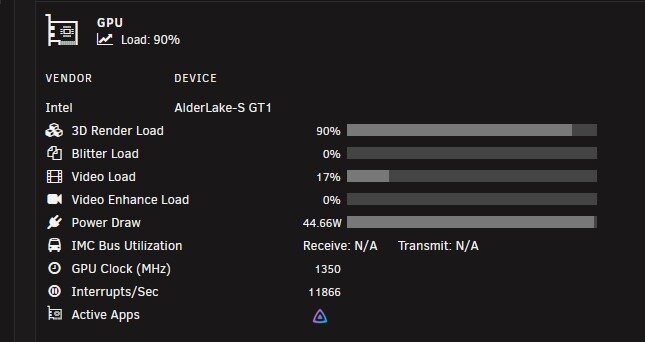
-
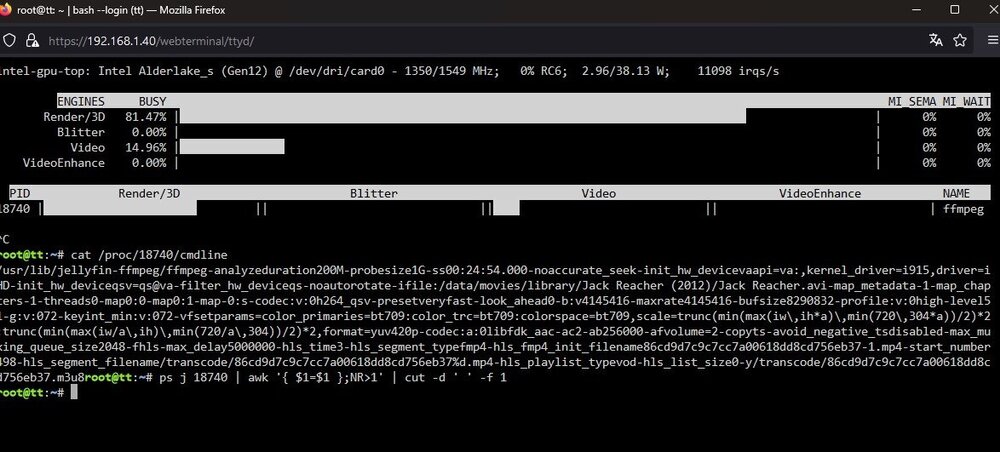
This helps you?
-
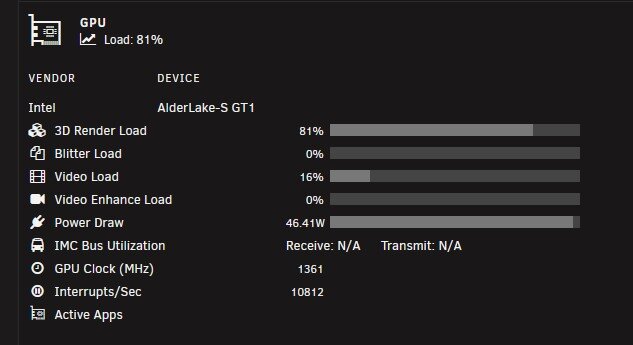
Not at that time. Now I just updated the plugin version and tried again. gpudata00000002.0
-
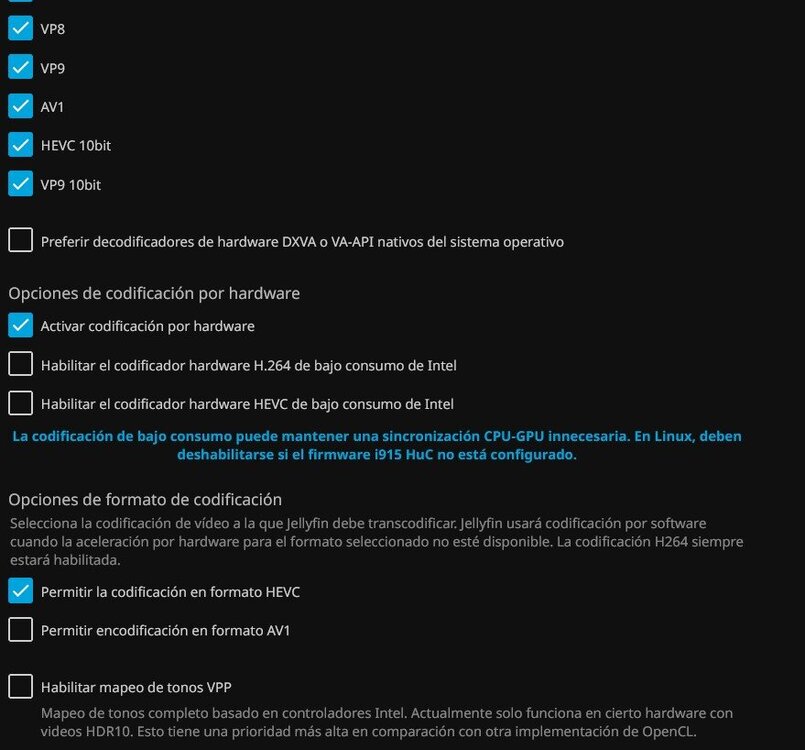
Sure, here is... I was also playing a bit with Jellyfin transcoding configuration. After disable hardware docoders of OS and disable also the intel low-power hardware decoder options, the 3D Render Load and Load % are now working always. Still not working the Active Apps, inside nvidia settings. gpudata00000002.0
-
I see. Forcing in the browser a transcoding to 720p it shows also activity in 3d Render Load and also up, in the GPU Load %. But in a normal transcoding the overal Load is always 0%. Do you know why? Also, I have to configure something else to show Jellyfin in Active Apps? Thanks
-
Thanks for the reply Simon. In my case, using Jellyfin and forcing to transcode, I'm getting this: The load is always 0%, nothing in 3d render load and also nothing in active apps.
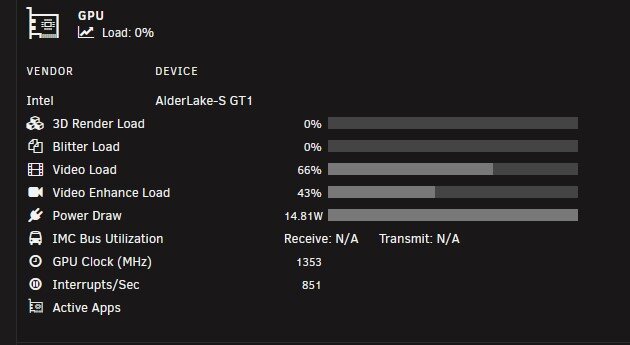
-
Same reproduction in a tiny pc, with an Intel 8th gen:
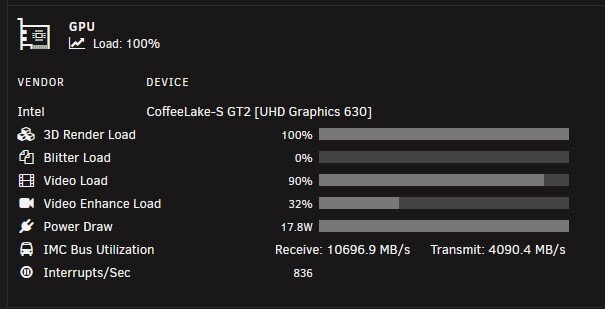
-
I mean the header. I'm pretty sure before was not showing all the time 0% GPU load
-
When upgrading today (both GPU stats + intel top) I got same error (cannot parse). Modifying timeouts to 2000 - .7 .3 seems to fix it, but GPU load is always 0
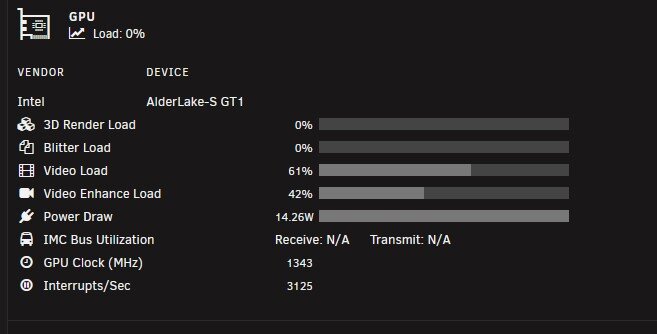
-
Good morning, installing now the pugin in a new machine, with Intel i5-13600T alder-lake-s. All working fine, except IMC bus uutilization, showing N/A. Is that normal? (In previous generations that value was always showing something. I include also the aspect with a i5-9400T). Thanks
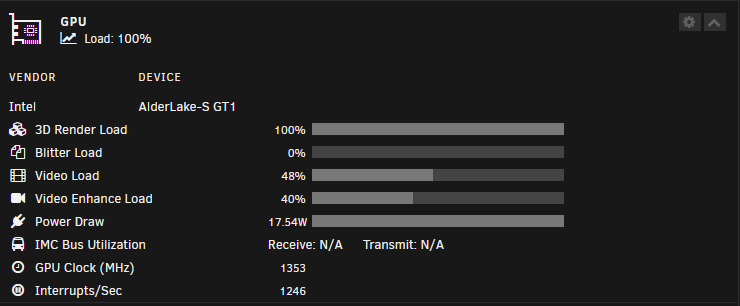
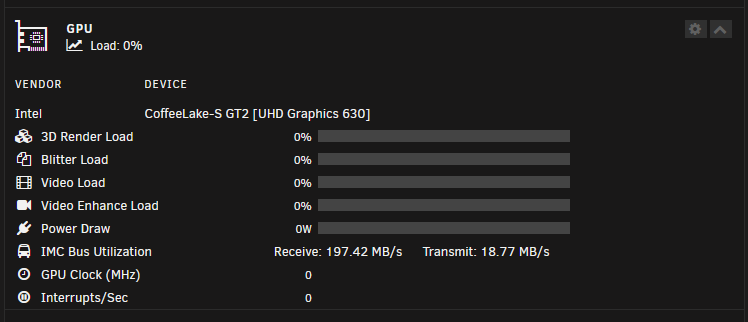
-
Same here, with a Gigabyte x670e + 7900. No sensors detected for temps. The one for getting system info is working fine.
-
Hi, using a Gigabyte mobo x670e with a Ryzen 9 7900. The plugin system info shows all the information perfectly. But the system temp doesn’t detect any sensor. do you know if there is still no support for am5? thanks
-
Hi, just testing as well a TR-002, in my casa inside the array. Were you able to spin-down the drives? Thanks



