





CypherColt
Members
-
Joined
-
Last visited
Everything posted by CypherColt
-
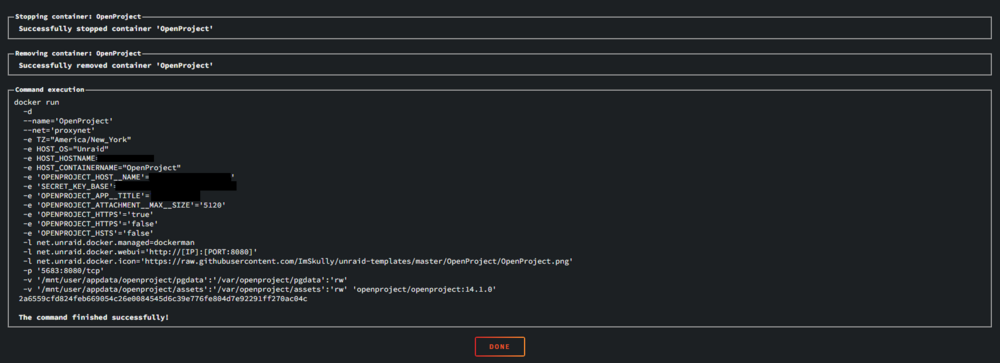
It seems the container is always appending 'OPENPROJECT_HTTPS' = 'false' to it so it overrides when we set it to true as a variable, I'm not sure how to workaround that within unraid other than to build my own docker compose until this one is fixed.
-
Launch it as it is for now, Join your server and wait a bit for it to generate a Worlds folder in the /Save folder. Now stop the container, find your own non dedicated server Worlds folder and copy it in the appdata/corekeeper/Save/worlds folder (overwrite the world with yours!) - Start the container and it should work. - Spent a bit figuring this out tonight and got my world in. Windows: C:\Users\USERNAME\AppData\LocalLow\Pugstorm\Core Keeper\Steam\28378246\worlds
-
I just got this one working on my server, tweaked the dark mode colors a lot to look good on OLED, and shuffled the words. It's working really nicely thank you! Got my wordle group playing it now. (I also set it to start at 0 by changing to today's date in src/lib/words.ts) Not to say I didn't like the one SmartPhoneLover shared, xavierh's is just easier to customize than the clone of the original!
-
It looks like as of today, the NYTimes have modified the words and the github Wordle no longer lines up with the NYTimes words. - Noticed when my friend and I had different words this morning.

