





MoherPower
Members
-
Joined
-
Last visited
Everything posted by MoherPower
-
So is the question about version is all you can do to help me in both cases?
-
Version 6.9.2 2021-04-07 Base distro: docker: version 20.10.5 fuse3: version 3.10.2 nginx: version 1.19.9 samba: verson 4.12.14 (CVE-2020-27840 CVE-2020-27840) Linux kernel: version 5.10.28 include all CONFIG_NF_* modules oot: realtek r8125: version 9.005.01
-
I have problems with making disk settings persistent. 2 of my nvme disks are heating up to 51 degres. overheating alarm is set by default to 45. I can go to specific disk and change Warning disk temperature threshold (°C): to 55 but when i edit diferent disk or restart unraid - changes are not saved. i also posted topic about saving settings about controler type over month ago but nobody answered. See movie in that post you will see what i mean. https://forums.unraid.net/bug-reports/stable-releases/692-smart-settings-for-individual-disk-is-not-saved-r1757/ Problems seems to be related. thesame is happening when you unselect some SMART warnings (199 for example) - this is also not saved. Can some one help me?
-
I was not talking about exposing GUT to internet. in companies with many PC there is alvays a possibility that some users may infect themselfs with any kind of software used by criminals to breake safeguards from inside. Beside this in those companies are also more than 1 admin. it would be very desirabe to make one account for one admin. that wahy you dont have to share root password to many people. You can just disable or remove account of admin that is not working any more.
-
problem solved i changed privilige to 777 for all of folders. we can close this topic.
-
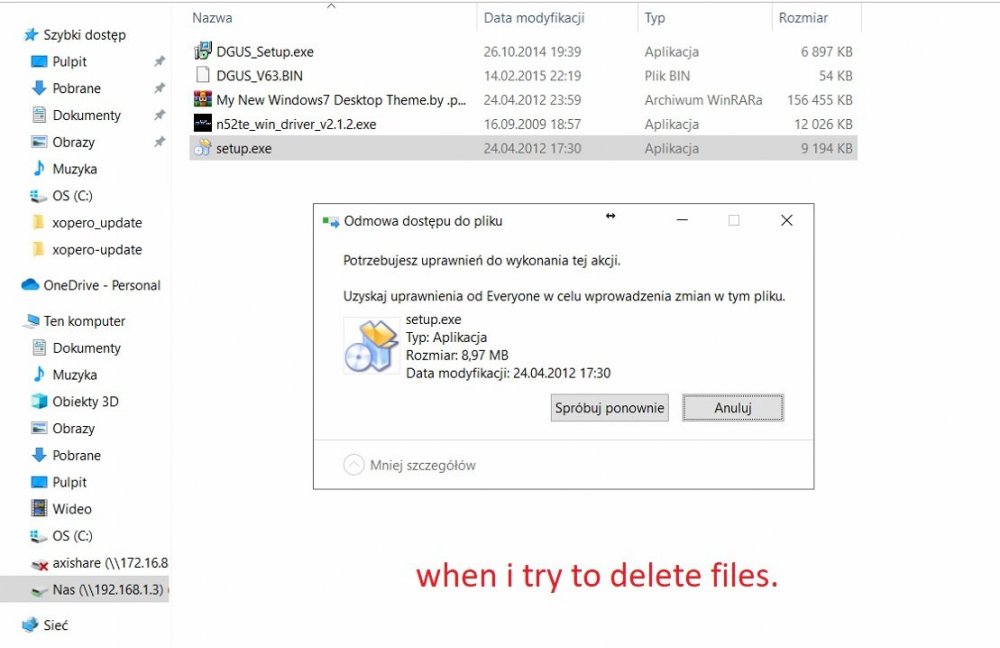
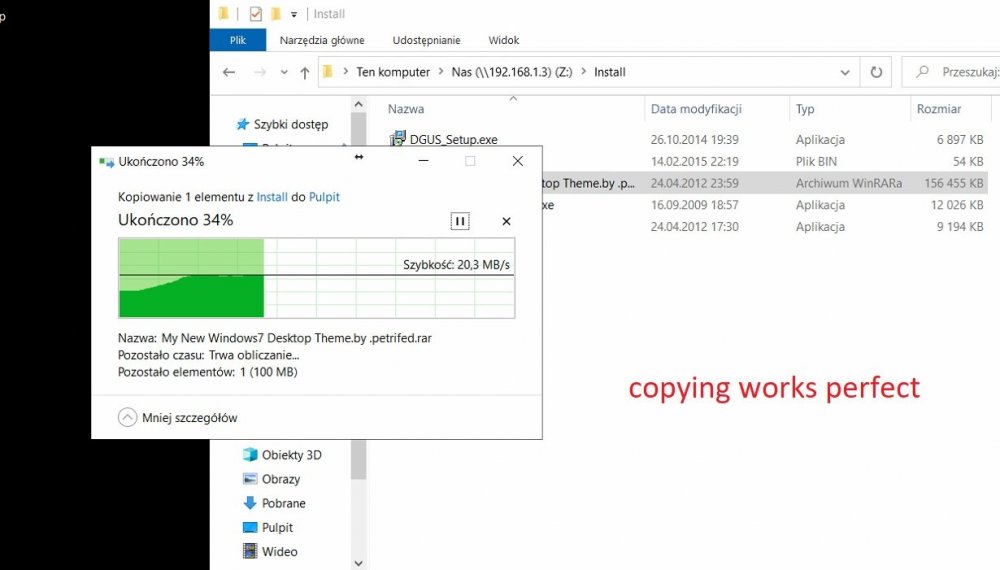
from picture above i checked and have problems with folder Firma and Backup in unraid gui becouse of privilige too. but when i mounted it in windows from account unrad. i can read it but not chage/delete. but i can read and copy to other locations. should i report a bug? this is unraid error for sure.
-
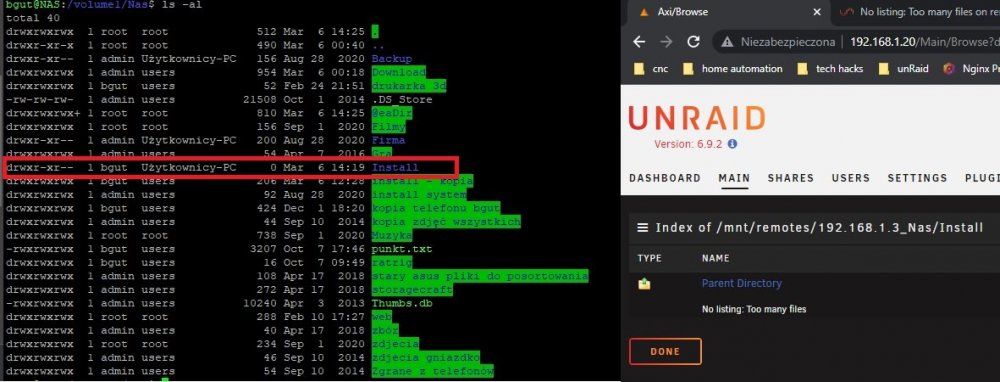
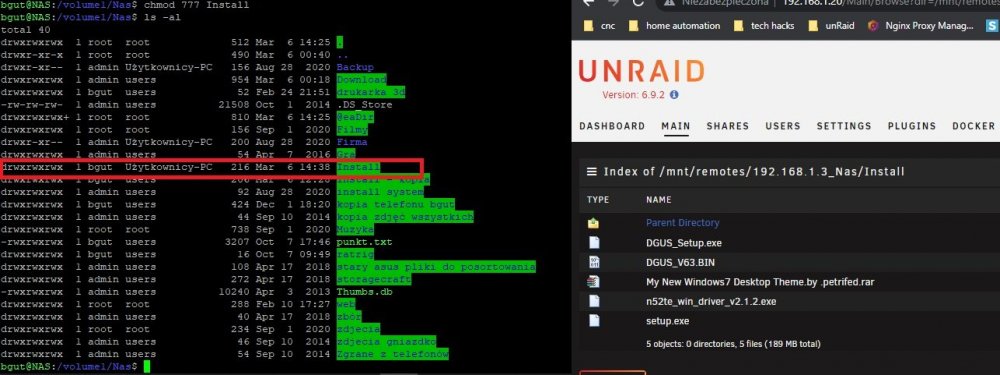
I found the problem. i use account name:group unraid:users for mounting NAS. Folder install has chmod 754 so user unraid have only read privilige as i wanted. and this blocks mounting. when i change to chmod 777 install everything works perfect. can you tell me whe unraid needs write, execute privilige to properly show folder?
-
i thought that -a option transfers atributes too. since on NAS is not xfs filesystem i was afraid that atributes will be incompatebile and it will create more problems. But i will do just as you instructed and post again. i will also do one more thing. i will log in by ssh to nas and list directory to see for sure if there is no hidden files.
-
here it is. Please ignore disk5 read error in array 1. axi-diagnostics-20220306-1252.zip
-
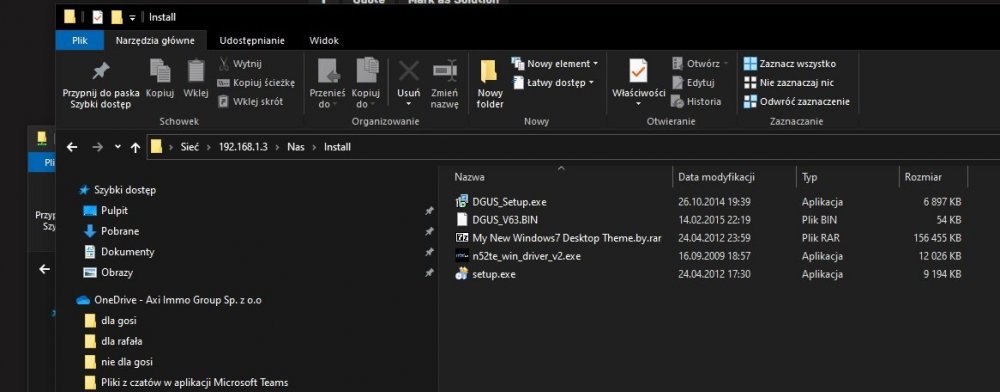
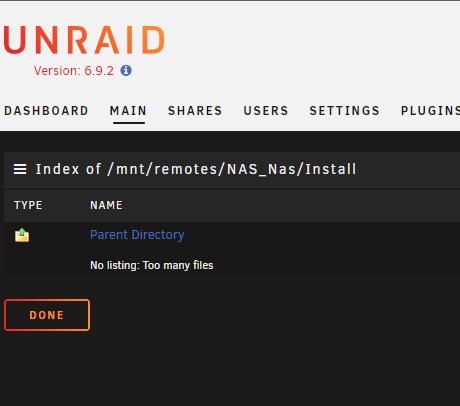
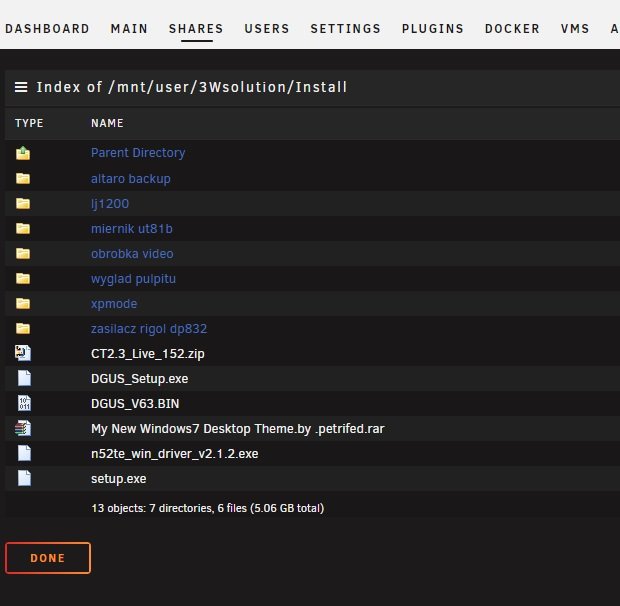
as you can see only fiew files in install folder. ho hidden files, no fancy caracters exept "_" or "." no national (polish) caracters also. also i would like to remind you that this foder is not showing in unraid GUI After running rsync. but ofcouse i can read this folder in windows explorer as you can see above. also i can read this folder when i copy it by windows to unraid (there is some more files/dirs becouse i copied to unraid some files from other sources).
-
Hi I have synology Nas and i want to copy data from it to new unraid server i did this mounted smb share in unraid that points to my old synology i used rsync to copy folders from synology to unraid. i copy folder by folder and suddenly one of them get me permission denied "sending incremental file list rsync: [sender] readdir("/mnt/remotes/NAS_Nas/Firma"): Permission denied (13) rsync error: some files/attrs were not transferred (see previous errors) (code 23) at main.c(1330) [sender=3.2.3] Script Finished Mar 06, 2022 02:50.01" after that content of folder is not listed in web gui "Index of /mnt/remotes/NAS_Nas/Firma Parent Directory No listing: Too many files" and this is not a xfs coruption becouse on synology i don't use xfs file system. i can unmount and remount share and i can list folder again but running rsync repeats problem. To be absolutly sure if it is filesystem problem i used windows file explorer to copy files form Nas to unraid and all went well. NO SINGE ERROR. Something is wrong with rsinc/unraid but i dont know what. i am planning to sync this folder so please help. rsync command i use is this rsync --update -rh --progress "/mnt/remotes/NAS_Nas/Install" "/mnt/user/3Wsolution" i use user scripts plugin to run rsync on specific time.
-
I have H240 controller that do not read smart by default. but when i go to DASHBOARD -> Array -> disk 1 > Smart Settings than i chose controller type HP cciss index 4 /dev/sdf and i click Apply - all SMART data for this disk is read. Hurrey!!! than i go to disk 2 and repeat process chose controller type HP cciss index 2 /dev/sdb and again all SMART data for this disk 2 is read BUT for disk 1 all SMART data is cleadred. (set for "use default") and when i set data for disk 1 than info for disk2 is cleared angain and so on. all go for "Use default" and index of drive is empty. it seems that clicking name of any disk and entering this disk settings resets Smart settings. unraidbug.mp4
-
Those days standard practice is to disable obvious accounts like root/admin/etc... and create hard to gues accounts and give them admin privilige. I am new user of unraid (from yesterday :P) and i am astonished that such advancesd system lacks so basic functionality. Root/admin accounts are first target of every 5yo kid who try to be hacker. Why can't I disable them for peace of my mind??



