





Kronos_
Members
-
Joined
-
Last visited
-
Replaced my flash drive for the second time and all crashing has seemed to stop.
-
I don't think I had syslog write to flash but I did have write to flash on shutdown. I enabled write to flash and will send another log when it crashes again.
-
Created after a crash and booted into safe mode. Hope these help. kronos-safemode-diagnostics-20251202-1737.zip
-
I disabled parity checking but it still crashed at one point. I normally don't notice till someone tries watching plex and it says it's down. I never had issues with this system before and I have been using undraid on this PC for almost 4 years now. Normally if I have an issue there have been solutions online or steps to diagnose the issue. But for this error all I see a threads that have no conclusion or updating unraid fixed it (I'm on the latest stable build). Are there no other ideas for helping determine a solution to this problem?
-
This crashing has only been "recent" (maybe only the last six months). I have had parity checks complete fine but now it just crashes after every parity check. Any advice for what hardware related issues could be occurring. It is getting very annoying having to hard reset the server every time it happens. For the time I guess I can just stop parity checks but of course that is not ideal.
-
Any recommendation on what config files I can update/reset? The crash seems to happen more often after a parity check if that makes a difference.
-
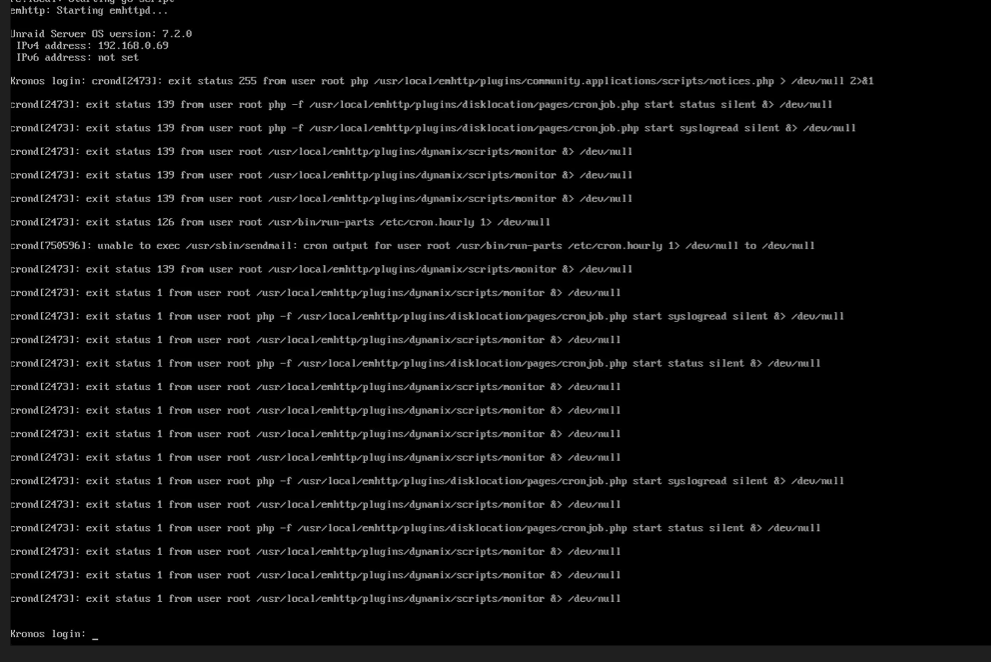
Recently I have been getting this exit status 255 from user root php /usr/IocaI/enhttp/pIugins/community.applications/scripts/notices.php > /dev/null 2>&1 error a lot recently. There are a lot of references to dynamix plugins. As far as I'm aware I do not have any dynamix plugins installed. This copy of unraid has been updated from early 6 vers and I have installed and uninstalled many plugins in that time. I saw on some threads that use had modified a go file, I checked this file and it has never been modified. Hopefully this is just an easy fix. I'm fine with removing or changing whatever to get to "stock" unraid and stop these crashes from happening. I have read multiple threads with this same error and they either had no solution or were told to "revert" manual code changes, something I have never done. Thanks kronos-diagnostics-20251115-1536.zip
-
Please us the support thread for the given app Also other .zim files can be found here http://download.kiwix.org/zim/
-
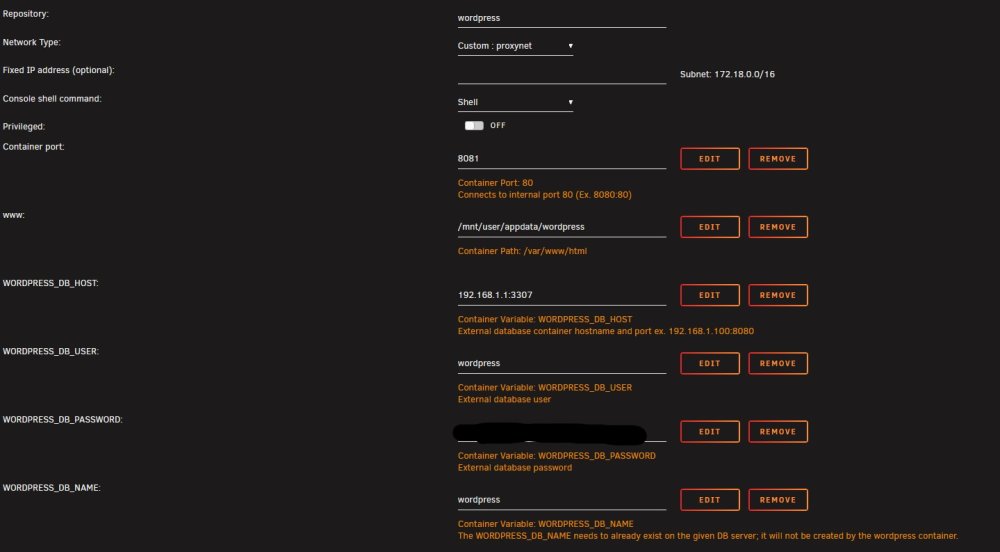
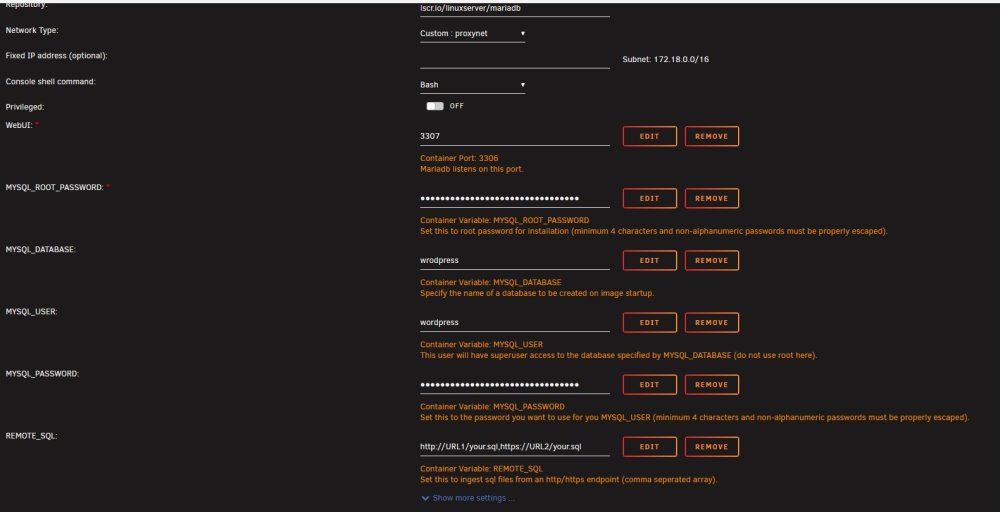
According to the linuxserver version of mariadb github readme the created user has superuser access to the created database. So I would assume it does. Switching to the Mariadb Offical fixed the issue but I don't see why the linuxserver version is have the issue to begin with.
-
Hi I have an issue where I get "Cannot select database". I'm using a second instance of mariadb from linux server (other one is being used by nextcloud). I'm not sure what the issue is as it says the username and password are correct but that it can't access the database still. Thanks in advance. sorry If I'm just doing something dumb. http://192.168.1.1:8081/wp-admin/ wordpress setup mariadb setup

-
That's what I figured glad I got an answer . The main ones that stay active and don't sleep are 4 10TB 7200rpm WD red drives. I could probably condense what is on the other drives (mix of 4 and 3TB) and pop out the HBA card. Good advice thank you. I will definitely take a look at this site and see my options.
-
Also to note my power usage idle currently is around 100W with 3 drives active and the rest spun down and MC server off. Honestly not sure how much power will be saved making these changes.
-
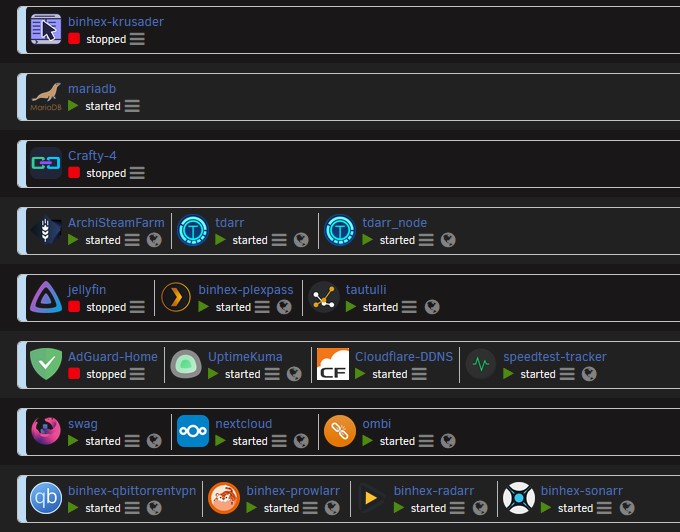
Hi, I'm making a plant to upgrade my current unraid server from my old gaming pc parts to a more powerful and power efficient machine. My budget is around $500 give or take and I'm mainly looking to upgrade the CPU, Motherboard, and Power Supply. My current build consists of an Intel® Core™ i7-8700K, ROG STRIX Z370-E GAMING, 32GB DDR4, NVIDIA GeForce GTX 1080, LSI 9211-8i 6G SAS HBA, 10 HHDs, 2 NVMe SSDs, 6 120mm fans. I know what docker containers I will be running, this is mainly a plex and minecraft sever build. I use Tdarr to convert my videos to h265 and most my plex client devices can play back h265 so I'm not transcoding back to H264 a majority of the time. Looking to upgrade the CPU to one with UHD 770 Graphics to be able to remove the dGPU. I heard hat the intel UHD 770 Graphics are amazing at transcoding. So my question is, is there a difference in UHD 770 Graphics performance based on i3/i5/i7 and 12th and 13th gen? In searching I couldn't find a clear answer. From what I read no but just want to make sure. Is a i7-2700k over kill? I would like some performance wiggle room. Any advice on motherboards would be awesome. Would prefer DDR4 compatible but what affect DDR4 vs DDR5 has on the UHD 770 Graphics I don't know. I'm also looking to get a 600W Platinum power supply. And I probably will replace the LSI 9211-8i 6G SAS HBA with a ASM1166 sata card. Screenshot of my current docker containers:
-
I do have a Cosrair RM 850x 80+ GOLD I know it's not much better but it is something I do have just laying around. Would you say it's worth swapping? (My unraid server is really just my re purposed old gaming pc) I have a ASM1062 10 port card, would that be just as good? this one exactly: https://www.amazon.com/StarTech-com-SATA-PCIe-Card-10P6G-PCIE-SATA-CARD/dp/B09KDLKYRN?ufe=app_do%3Aamzn1.fos.18ed3cb5-28d5-4975-8bc7-93deae8f9840 Using it for a plex docker container. Most of the time it's in proper standby mode using 10W Ok great.
-
When I run: powertop --quiet --auto-tune I get this error: powertop: /lib64/libncursesw.so.6: no version information available (required by powertop) powertop: /lib64/libtinfo.so.6: no version information available (required by powertop) Cannot load from file /var/cache/powertop/saved_parameters.powertop File will be loaded after taking minimum number of measurement(s) with battery only Cannot load from file /var/cache/powertop/saved_parameters.powertop File will be loaded after taking minimum number of measurement(s) with battery only My specs: Intel® Core™ i7-8700K CPU @ 3.70GHz ROG STRIX Z370-E GAMING NVIDIA GeForce GTX 1080 32GB DDR4 RAM Corsair TX850 80+ Bronze 6 120mm fans 2 80mm fans LSI 9211-8i 6G SAS HBA 10 HDDS 2 NVME SSDs Side question, does 90W seem normal with all drives spun down and with CPU at 2% and GPU in idle state of 10W?


