





Valen
Members
-
Joined
-
Last visited
-
in my case an x60, so i can retire my 4 antec twelve hundred
-
brand new system 714 only used for smb ran windows 10 for 2 months no problem now unraid freezes and i cant get a screen to display if frozen i7 4770 , 32 gb ram thanks if i need to downgrade the option is not available snas-diagnostics-20250709-1001.zip snas-diagnostics-20250708-2330.zip
-
verify your ram. use memtest to do so
-
NAS #1 : 96GB DDR4 (4x16gb + 4x8gb ) x99 motherboard max 128gb NAS #2 : 64GB DDR4 (8x8gb ) x99 motherboard max 128gb NAS #3 : 256GB DDR4 ECC (8x32gb ) quanta supermicro motherboard max 1 TB
-
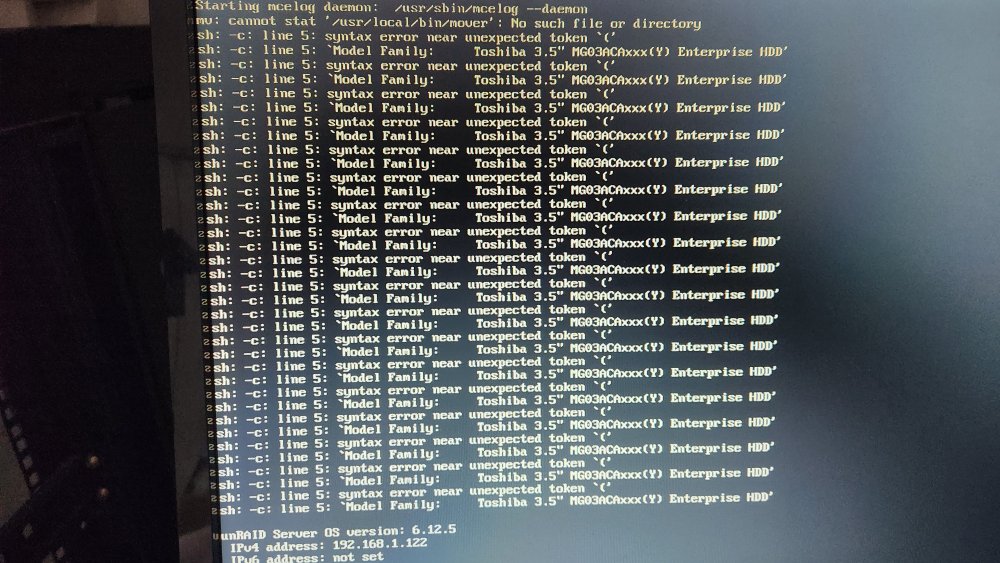
i just updated the os and rebooted . while i was looking at the screen , i got this .
-
no , drive died , turn off server , replaced drive, turn on server, expected server to ask rebuild of replaced drive but got this instead only happened on these drives / brand
-
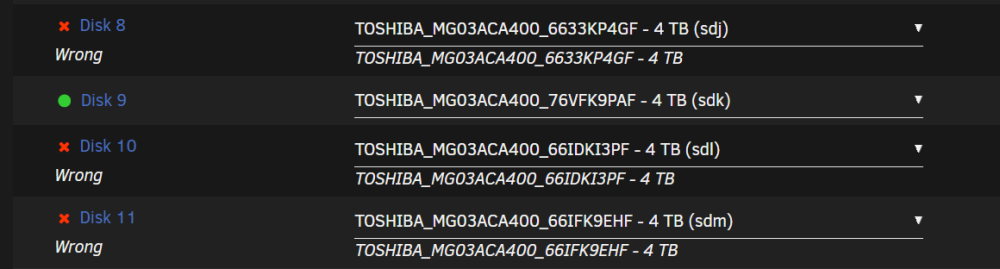
HI got a drive that died , it got emulated. Shutdown the server replaced the drive restarted the server now i have 3 drive (of the same model ) that are saying "wrong" drive yet the are the right one. i verified the drive with smart , no errors The server is a Quanta D51PH-1ULH Thanks qnas-diagnostics-20231129-0900.zip
-
Hi currently have 2 system with unRAID 1: i7 4470k / 32gb ram and 10x 8TB on 6.11 , no issues with this one. motherboard : Asus Z87-PRO 2: i7 4470k / 16Gb ram and 5x 8TB , 5x3TB and 2x 6TB (HBA SAS2008 F:20.0.70.0) , motherboard Asus : Z87-A was on 6.11 ,keeps freezing and have to hard reboot the system. reverted back to 6.11.rc5 and will post back in a few days if it resolved it and post diags

