





Mind Dragon
Members
-
Joined
-
Last visited
-
Ookey...I'll hack away at the SheBang for a while. Thanks for the info At least I'm a bit closer to my dream of NO MOVING PARTS.... Now if they would just make one 16TB M2 for $199....That would be a dream.
-
Okay I have dynamix installed and I have mounted one of the new drives. I can navigate to it as "disk" The other shares I can navigate to individually. If I select "copy" - I can't see the "disk" How do I ... Copy from A to B? They're not connected.
-
OOookay. I'm looking at this Github and now I'm confused. https://github.com/dlandon/unassigned.devices What would the exact steps be to: 1. Mount a new drive 2. Transfer data from old to new 3. Remove old drives 4. Add parity to new
-
So I have some old spinning disks with Unraid data on it. And I have new non-spinning disks that are in my unraid. I can start the array on the spinning disks. How do I then copy the data from that to the new set of non spinning disks so that I can decommission the spinning disks?
-
1) This used to work on my windows box just fine before I moved it. 2) TCP / UDP works both inside and outside the firewall
-
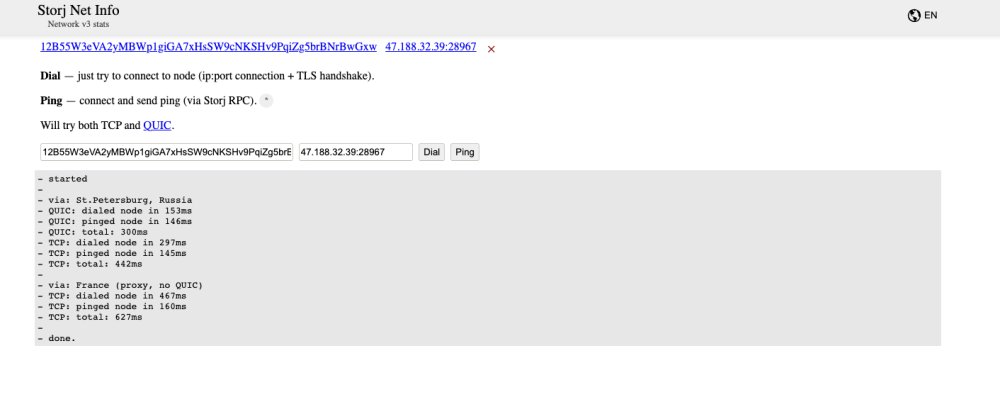
I posted to official Storj and I didn't get any answers there ... posting here too... https://forum.storj.io/t/misconfigured-but-everything-is-set-right/22308/9 I also tried adding the flags -p 28967:28967/udp to the extra parameters for launch but that still doesn't enable UDP into the container ... Any ideas? TCP works, UDP does not. And even weirder - ping works
-
Bleh. No really good Prime Day deals so far ...
