Nothingtoxic
Members
-
Joined
-
Last visited
Everything posted by Nothingtoxic
-
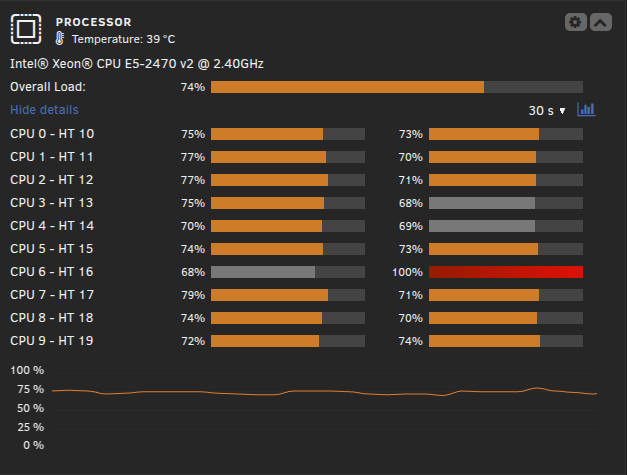
Hi, testing to use the OBS-NDI docker to stream from my main PC to and use my server that has an Quadro P2200 to utilize the nvenc to stream to twitch i have got it to work and i can see in nvidia-SMI that it is using the gpu but its also using about 60% all core load on my xeon E5-2470v2 is that normal ? this is while the docker is running and havent even started the stream only seeing the viewfinder that it is streaming the content over the lan seems very strange that it uses this much CPU on the server with the NDI link ?
-
yes and no, seems something is up with my brave browser, it was working for an hour then it went bad again but while testing in edge it was working perfectly fine while anything i tried to do had a 5-10min delay in brave for no reason but everything else seems to be working fine as for now
-
had 6.11.5 before and had this error, update to 6.12.2 and still same error, seems somehow that my nginx docker deleted my cert folder/files for w/e reason so had to remake those files and then remake all my cloduflare certs and now its working as it was before why i have no idea as unraid was not reveresed proxied
-
yeah but i always been using tower.local to connect to my unraid gui thats in the tab so that hasnt been the issue even if i VPN home i use tower.local aswell so unraid have never been reversed proxied, i only proxied my media server etc
-
i have no idea if nginx proxy manager have done something to my unraid setup as i have issues with that too, no after remaking all certs for it unraid seems to be working fine again out of the blue
-
<-----UNRAID-API-REPORT-----> SERVER_NAME: Tower ENVIRONMENT: production UNRAID_VERSION: 6.12.2 UNRAID_API_VERSION: 3.1.1 UNRAID_API_STATUS: running API_KEY: valid MY_SERVERS: authenticated MY_SERVERS_USERNAME: Nothingtoxic CLOUD: STATUS: [ok] MINI-GRAPH: STATUS: [CONNECTED] </----UNRAID-API-REPORT----->
-
noticed this morning i had issues with unraid and after noticing that my dockers werent seen externally checked npm and getting these error ❯ Starting nginx ... nginx: [emerg] cannot load certificate "/etc/letsencrypt/live/npm-18/fullchain.pem": BIO_new_file() failed (SSL: error:02001002:system library:fopen:No such file or directory:fopen('/etc/letsencrypt/live/npm-18/fullchain.pem','r') error:2006D080:BIO routines:BIO_new_file:no such file) its like overnight its just deleted my nginx files ? as it was fully working when i went to sleep
-
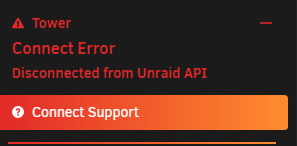
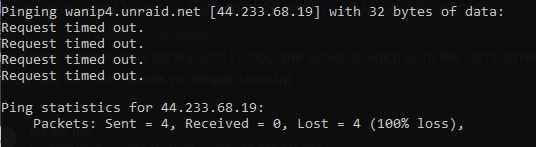
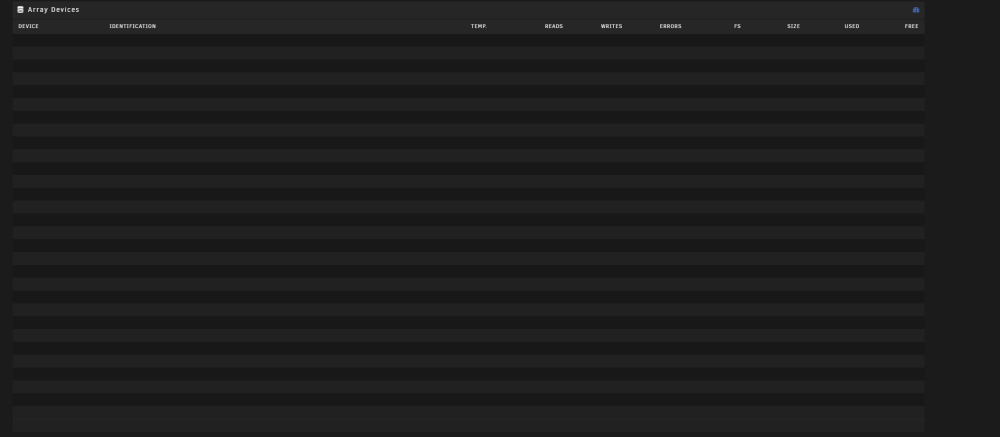
Hi, as of this morning i been having issues with the unraid-api giving me errors and half the UI is pretty much just blank for 10minutes if im doing anything to it, the dockers and everything else seems to work fine but it points it to DNS error to wanip4.unraid.net is not reachable, when i try to ping it from my main mahcine its also not reachable but using "is it down home page" it seem to be able to connect to it somehow, i run adguard home on my pi and checked the logs there and its not blocking it even tryed to turn of the protection to check and no change, this is how my main array page looks like for about 10 minutes just as i try to scroll around the ui and then all the drives pops back again but still with unraid-api down, doesnt work to enter the terminal to do unraid-api restart doesnt do anything and only a restart seems to fix it for a while then it just back into this state again just to add, this issue came somehere in the night as it was working fine w/o any issue when i went to bed so somehere under the night the api went awol and its not the first time this seems to be happening where i can have it running fine for months on the end and then out of the blue i have api errors for some hours to a week even and then it just fine w/o me touching anything
-
seems everything is fixed now after swapping to the Basler AG NIC and setting up 2 cables for unraid for the 802.1ad link aggreation instead of the active backup mode
-
im atm testing something as i have a Basler AG NIC inserted in the server that was suppose to be used for VM OPNsense that has intel NIC chipson them instead of the onboard Broadcom chips that the Dell Poweredge T320 uses see if its there the issue is
-
Hi, the past week i been having some connection issues externally for my unraid server where it dockers as Jellyfin isnt connectable remotely or my own VPN to get to reach the server when im out and about, checking at with an ping to www.google.com and now and then it just drops the connection to google while rest of my net is working fine, the whole server is working locall so i can watch movies etc but i cant connect it to it from the outside, checked all my settings for DNS servers etc and also my router and looks as it should just unraid that fully drops the external contact with the WWW, starting to be abit frustrating as im keeping a VPN service up for myself but also for family members if they leave the country and need to access content that isnt licenced in the country they are in heres the ping from the unraid terminal thats been running the past 30minutes --- www.google.com ping statistics --- 1115 packets transmitted, 1029 received, +75 errors, 7.713% packet loss, time 1956495ms rtt min/avg/max/mdev = 8.612/10.336/527.745/24.059 ms, pipe 4 tower-diagnostics-20230218-1401.zip
-
atm actully not using ZFS even as might just remove the plugins. well in safe mode seems all shares are back now so i guess i will reboot back into normal mode and see how it looks
-
hmm ok well will try reboot into safe mode after disable docker and vm manager
-
heres the diag zip folder tower-diagnostics-20230209-2355.zip
-
Hi, had my unraid server spaz out that i had to hard reset the whole server and that seem to have corrupted my docker image somehow that i had to make a whole new image and "reinstall" all dockers but thank f* for the templates are still saved in the appdata folder, so after everything was set up i deciced to delete the old docker image but that now has deleted all my shares oO https://gyazo.com/f24c296837bae4a21816d13d80bbebd8 i do have a flash backup atleast taken 1 week ago so can that save the shares to import them back or am SOL ?
-
will check these again, but correct my thinking, as i set it up as seafile.* and made a cname on cloudflare do i need another cname for the FILE_SERVER_ROOT aswell?
-
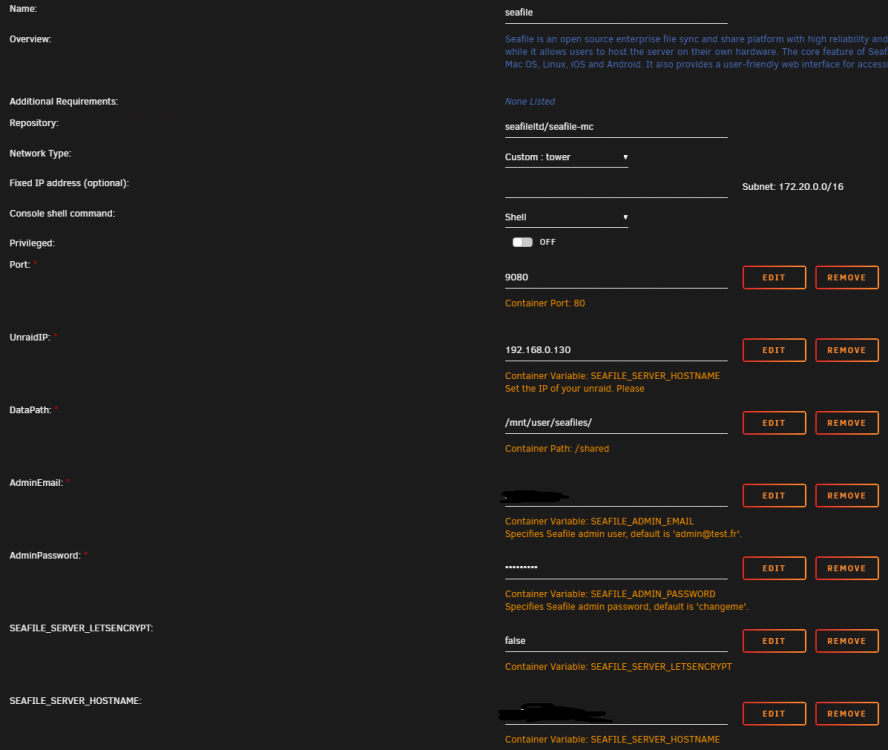
Hi! sorry for setting this in the wrong thread but wasant able to set it on the application support > docker container. im trying to setup Seafile and then using swag to reverse proxy it to only use the SSL ports open, i have setup a docker with seafile-mc and out of box it works fine to get to the site locally on the lan ip/port but as soon i setup swag ontop of it the http site just gets bad gateway(should be normal) but https:// only gives me ERR_CONNECTION_REFUSED or if i try to use the hostname i setup with cloudflare that doesnt work either it only comes to depending on if i use to proxy tro cloudlfare there "error 522" page that connection to cloudflare works but the connection to seafile doesnt work or i get something with SSL error. It feels like something is missing in the swag config file but everything else i host out of the same server works and i dont pretty much the same thing on all of them changeing the variables that they need of course. attached is how i setup the container in unraid, with the subdomain file in swag second picture how the internal docker ip vs external side and third picture is the firewall rule i have in my router as i want all traffic going through 443/SSL and go through swag this seems to work on everything i host Jellyfin etc etc but seafile for some reason doesnt want to work like this. so am i missing something or is the sample file from swag not fully finished? seafile.subdomain.conf both seafile and swag sits under the same internal UnRaid network tower as my other dockers that i am and will be hosting through swag just to make it easier to use the hostnames