





fespinoza831
Members
-
Joined
-
Last visited
Everything posted by fespinoza831
-
Thanks will check as soon as I get home from work.
-
Good morning, I found disk1 disabled with no error in smart check. So I removed then assigned again to start the rebuild but it stops and starts a read check which stays paused. plexserver-diagnostics-20230814-0637.zip
-
Got this error today. Diag was pulled before rebooting. plexserver-diagnostics-20230421-2119.zip
-
Found the fix. looks like its the firmware on the Crucial MX500 drives. There a firmware update that address the issue. Performed the update on Friday and haven't had any issues since.
-
ok just moved both drives to the HBA
-
OK will do this, but should mention that I had same issue on my previous board which was a MSI MPGZ490 now using a ASUS Prime Z590-A. Are the MX500 known to work?
-
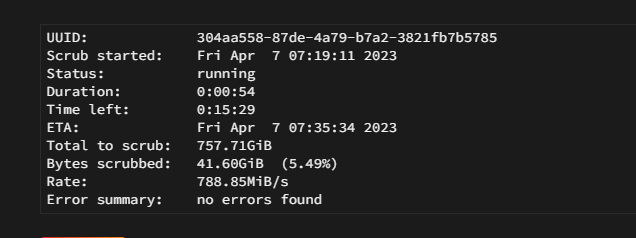
brought it back up and running the scrub but it doesn't show any errors Still running Parity Check...
-
Also noticed that when this happens I cannot restart the server. I stop dock and VMs. check for open file then reboot but it will hang at a black screen. I have to hard reset to actually bring it back up from that. but if I do a shutdown and then start it it works fine.
-
Is this still my cache drive? Apr 7 05:47:52 PlexServer kernel: ata3: hard resetting link Apr 7 05:47:56 PlexServer kernel: ata5: link is slow to respond, please be patient (ready=0) Apr 7 05:47:58 PlexServer kernel: ata3: link is slow to respond, please be patient (ready=0) Apr 7 05:48:01 PlexServer kernel: ata5: COMRESET failed (errno=-16) Apr 7 05:48:01 PlexServer kernel: ata5: hard resetting link Apr 7 05:48:02 PlexServer kernel: ata3: COMRESET failed (errno=-16) Apr 7 05:48:02 PlexServer kernel: ata3: hard resetting link Apr 7 05:48:06 PlexServer kernel: ata5: link is slow to respond, please be patient (ready=0) Apr 7 05:48:08 PlexServer kernel: ata3: link is slow to respond, please be patient (ready=0) Apr 7 05:48:11 PlexServer kernel: ata5: COMRESET failed (errno=-16) Apr 7 05:48:11 PlexServer kernel: ata5: hard resetting link Apr 7 05:48:12 PlexServer kernel: ata3: COMRESET failed (errno=-16) Apr 7 05:48:12 PlexServer kernel: ata3: hard resetting link Apr 7 05:48:16 PlexServer kernel: ata5: link is slow to respond, please be patient (ready=0) Apr 7 05:48:18 PlexServer kernel: ata3: link is slow to respond, please be patient (ready=0) Apr 7 05:48:46 PlexServer kernel: ata5: COMRESET failed (errno=-16) Apr 7 05:48:46 PlexServer kernel: ata5: limiting SATA link speed to 3.0 Gbps Apr 7 05:48:46 PlexServer kernel: ata5: hard resetting link Apr 7 05:48:47 PlexServer kernel: ata3: COMRESET failed (errno=-16) Apr 7 05:48:47 PlexServer kernel: ata3: limiting SATA link speed to 3.0 Gbps Apr 7 05:48:47 PlexServer kernel: ata3: hard resetting link Apr 7 05:48:51 PlexServer kernel: ata5: COMRESET failed (errno=-16) Apr 7 05:48:51 PlexServer kernel: ata5: reset failed, giving up Apr 7 05:48:51 PlexServer kernel: ata5.00: disable device Apr 7 05:48:51 PlexServer kernel: ata5: EH complete Apr 7 05:48:51 PlexServer kernel: sd 6:0:0:0: [sdf] tag#4 UNKNOWN(0x2003) Result: hostbyte=0x04 driverbyte=DRIVER_OK cmd_age=89s Apr 7 05:48:51 PlexServer kernel: sd 6:0:0:0: [sdf] tag#4 CDB: opcode=0x2a 2a 00 1c 97 0a a8 00 00 70 00 Apr 7 05:48:51 PlexServer kernel: I/O error, dev sdf, sector 479660712 op 0x1:(WRITE) flags 0x8800 phys_seg 14 prio class 0
-
Was good for a few day and it happened again yesterday. so I replace the power cables again last night. ran the scrub and woke up to docker being crashed and cache drives disabled again. is there anything else that could be causing this. Any of my hardware not recommended. Not sure what else to do here. plexserver-diagnostics-20230407-0706.zip
-
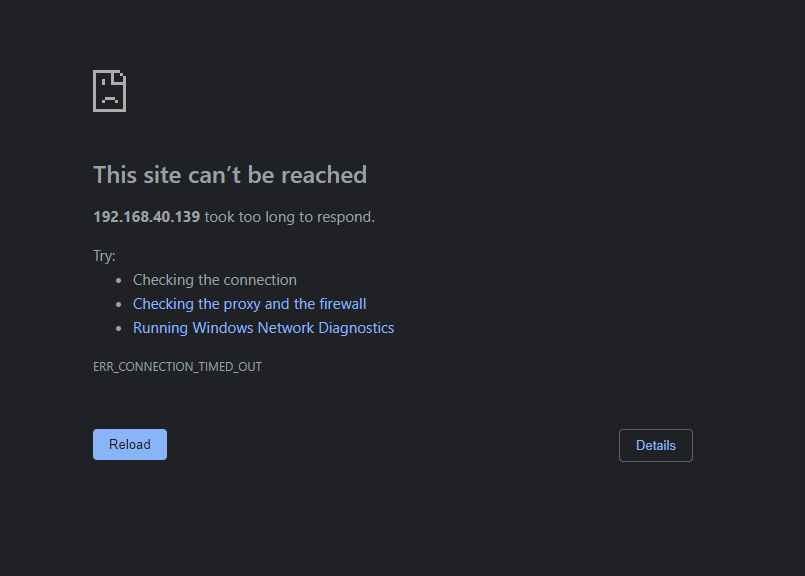
this is what I get when trying to access the web UI
-
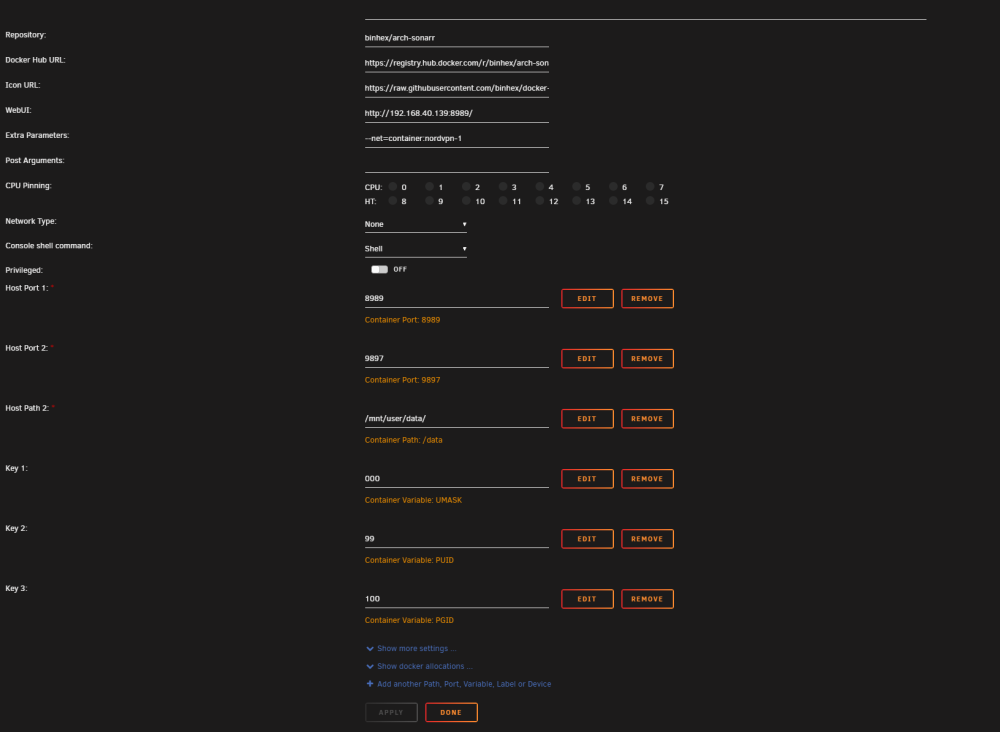
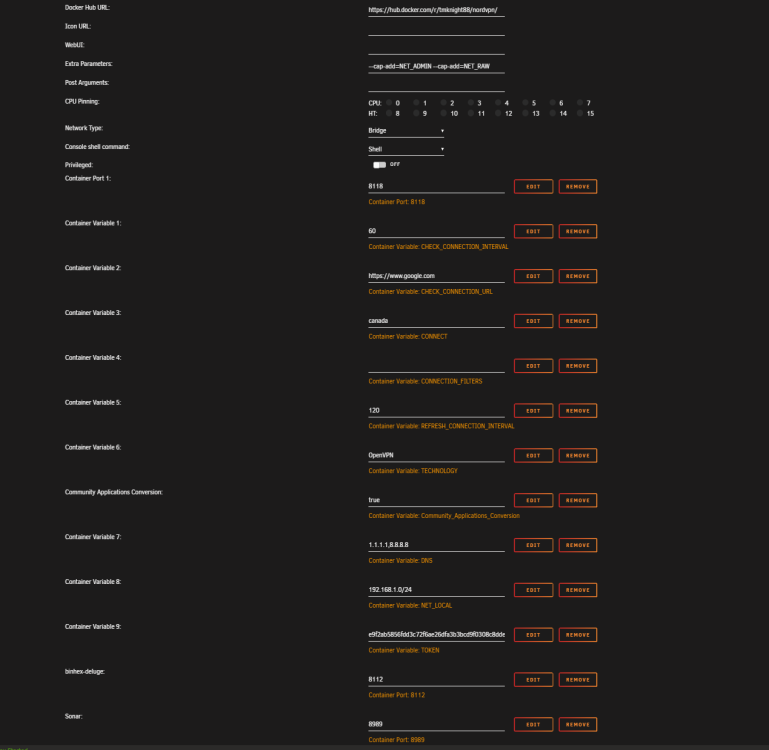
Was testing this with Sonar before setting up NZBGET
-
# curl ifconfig.io returned the VPN ip but i cant access the web GUI of the routed container.
-
thanks, Il ready have that running, and it does inform me when the issue happens but Id like to learn how to search my own diag file to identify which cache drive is the one failing. Should I consider changing to XFS for the two cache drives?
-
Ok, I'll try that. What do you search for on the log to find which drive is failing?
-
its connected directly, I had splitter before and I've had it on a sas card but now its directly. Had same issue on all 3
-
all cables, new PSU, new motherboard, ram,
-
So I replaced the the cache drive that was failing, changed the ram and it still happens. Even reformatted the both cache drives. plexserver-diagnostics-20230328-0726 (1).zip
-
I guess there was a balance running.
-
So I removed that drive, but now im getting this. Cache pool BTRFS too many profiles plexserver-diagnostics-20230313-0938.zip
-
I moved my unraid to a new case, new PSU, new cables. same drives. its still happening. plexserver-diagnostics-20230312-1644.zip
-
Yes just wasnt sure which of the two cache drives was having the issue.
-
which drive?
-
The issue came back...been happening for the past two days in a row plexserver-diagnostics-20230302-1630.zip
-
Thank you very much, its been up and runnign for 3 days now no errors was a bad sata cable.


