Johnny T
Members
-
Joined
-
Last visited
Everything posted by Johnny T
-
Thanks for that. I'll give the tape a go. Sounds like that's the problem as both of the drives are 'white label' ones. I've ordered some tape. It should be here by Thursday. Will report back and let you know how I get on. Thanks for all your help
-
Yes, it was a 2Tb Seagate Firecuda that I took out of the PC. So, it must be detecting it fine. I've now connected the two 18Tb drives. Do you think it's worth trying the card in a different PCI slot? Thanks
-
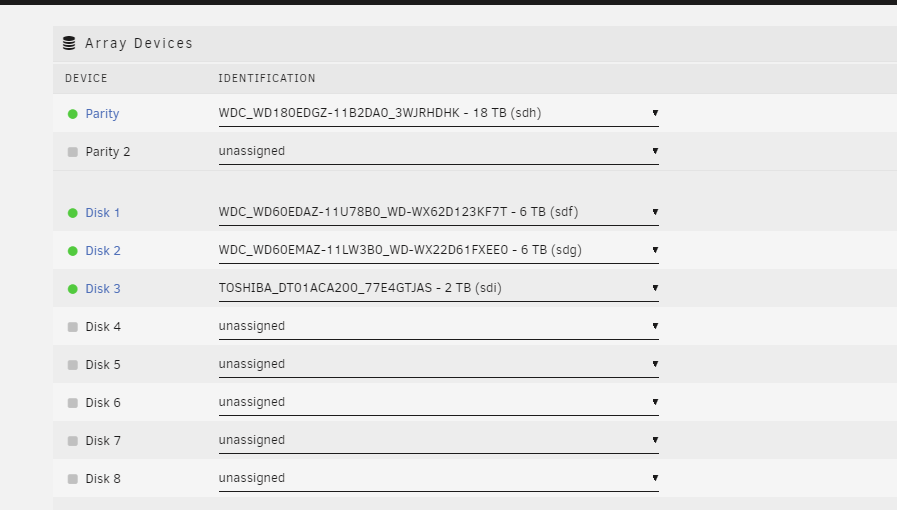
Okay.. so the latest update. I removed "what I thought" was the problem 2Tb drive but this one was actually fine and part of my array... so I've removed the 'problem' 2Tb drive now. So, the current state of affairs is this... The firmware of the HBA card is updated. I've added 2 x 18TB (WD shucked) drives into the system connected to the new HBA card. I've given them power from the PSU. When I boot up the array it just shows the existing drives - no mention of the two new 18Tb drives. I stopped the array and, in the dropdown "unassigned" list there isn't any drives listed? So, I'm stuck again. I've attached the latest diagnostics. I don't know how to 'read' the diagnostics but can you tell whether the HBA card is working okay? It's a new card from eBay so just wondering if there's a problem with it? Also, does it matter what PCI slot it goes into? And, lastly, it came with two cables that each have 4 x SATA connectors on the end. Does it matter which cable and which 'end' I use? Thank you for your help jtserver-diagnostics-20221108-1448.zip
-
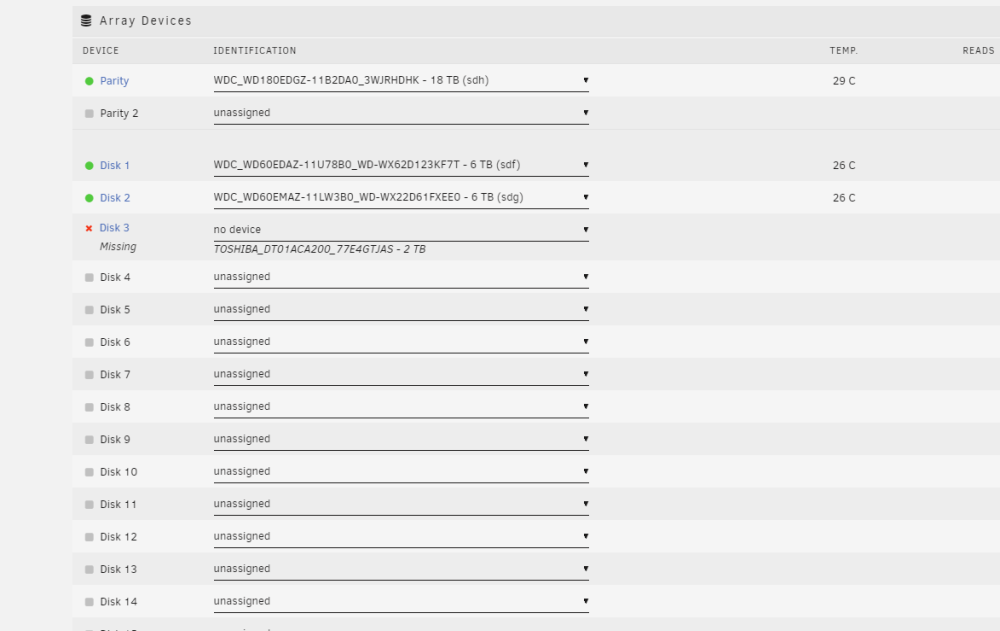
I've taken out the 2Tb disk and put in one of my 'new' 18Tb disks. It's now reporting that the disk is missing. I've attached the latest diagnostics file. Thanks for your continued help 🙂 jtserver-diagnostics-20221108-1336.zip
-
Right, we're getting somewhere... that's the firmware updated to v20 now. Still no joy with it detecting the hard drives. I'll swap out the 2Tb one with one of the new ones and see if that works... will report back.....
-
Yes, it was from Installer_P20_for_Linux. I'm trying to try the one you've provided but Windows is not letting me transfer it over to my flash drive (keeps saying the file is no longer located blah blah...). I'll try a reboot... bear with me
-
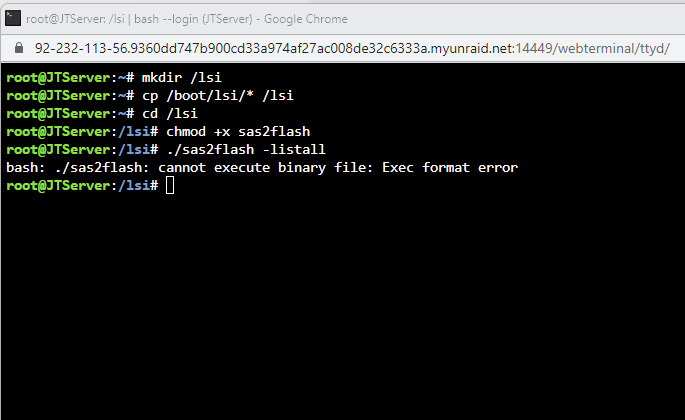
I've hit a bit of a snag. I was following your instructions for upgrading the firmware (great instructions btw!). I found the 9211-8I files on the Broadcom website. There was "sas2flash" and "2118it.bin" (there were 2 'Firmware' files - one folder was "HBA_9211_8i_IR" and the other was "HBA_9211_8i_IT" - I'm assuming I want the "IT" one as I've read that we need the HBA card flashed to be IT?). I copied the two files to my flash card and then went through the commands but it failed on "./sas2flash -listall" and reports "bash: ./sas2flash: cannot execute binary file: Exec format error" Do you know where I've gone wrong? Thanks 🙂
-
Okay, thanks for that. I'll try the firmware update and have a look at the disks and then report back. Thank you very much for your help so far 🙂
-
I've just run the Diagnostics tool (never seen that before - learned something else today!! Thanks 🙂 ) I selected "anonymise" the data. Hoping that won't be an issue but let me know if it is. jtserver-diagnostics-20221108-1158.zip
-
Hi there, I'm very new to Unraid / Linux, although I'm really enjoying setting everything up. I wanted to add a couple of extra drives to my server so I bought an HBA card with the following description from eBay "LSI 6Gbps SAS HBA 9211-8I FW P20 IT Mode ZFS FreeNAS unRAID + 2* Cable SATA" I've just installed it and used two of the connectors (there's 8 in total) to connect the two new drives. However, when I boot my server I don't see any new drives appearing? I wondered if anyone could help me troubleshoot this? I'm happy to post logs or whatever other information you need? Thanks for any help you can give me.
-
Unfortunately this didn't work. It just reset the name to Tower and removed my fixed IP address. However, I just copied my saved backup over the USB and it's working again. I didn't realise I could just copy the files directly on to the USB - I had presumed there was some fancy fomatting or 'hidden' files or something going on. So, I just need to Google transferring my UnRaid to a new USB stick now and I'll swap it over to my new Cruzer stick when it arrives tomorrow. Thanks for your help 🙂
-
Thanks for replying back Squid. I do have a backup of my Unraid that I took through the GUI when it was working. I've ordered a Cruzer USB stick (32Gb USB 2.0) to try. Currently I'm just running a memtest on my RAM on the server to see if there are any issues but, when that completes, I'll try your suggestion. Thank you very much for your help. It's strange but, even though my Unraid seems corrupted, I can still connect to Home Assistant on the server?? I've currently only got Home Assistant on Unraid as I'm just very new to all this so just finding my way slowly with YouTube videos, web pages and help from kind people like yourself. Hopefully the OP will also be in a position to try your suggestion and report back as well. Thanks 🙂
-
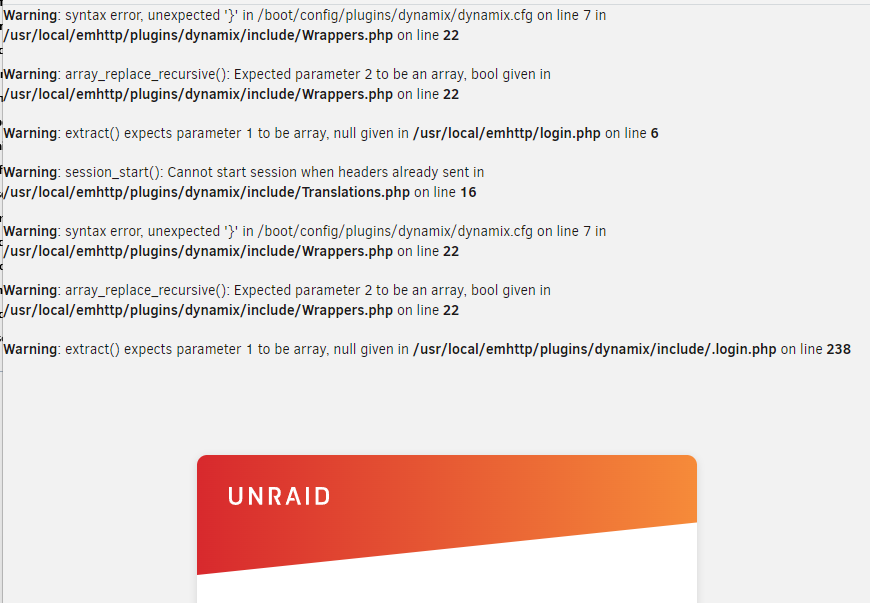
@jeffreywhunter did you get anywhere with this issue by any chance? I'm completely new to Unraid but just did my first reboot and have got the exact same errors as you (although I don't have 'garbled' text on the boot up window). I'm a bit stuck on how to correct this? Hoping I don't have to set everything up again and built the array etc etc......? Thanks