kyoumei
Members
-
Joined
-
Last visited
-
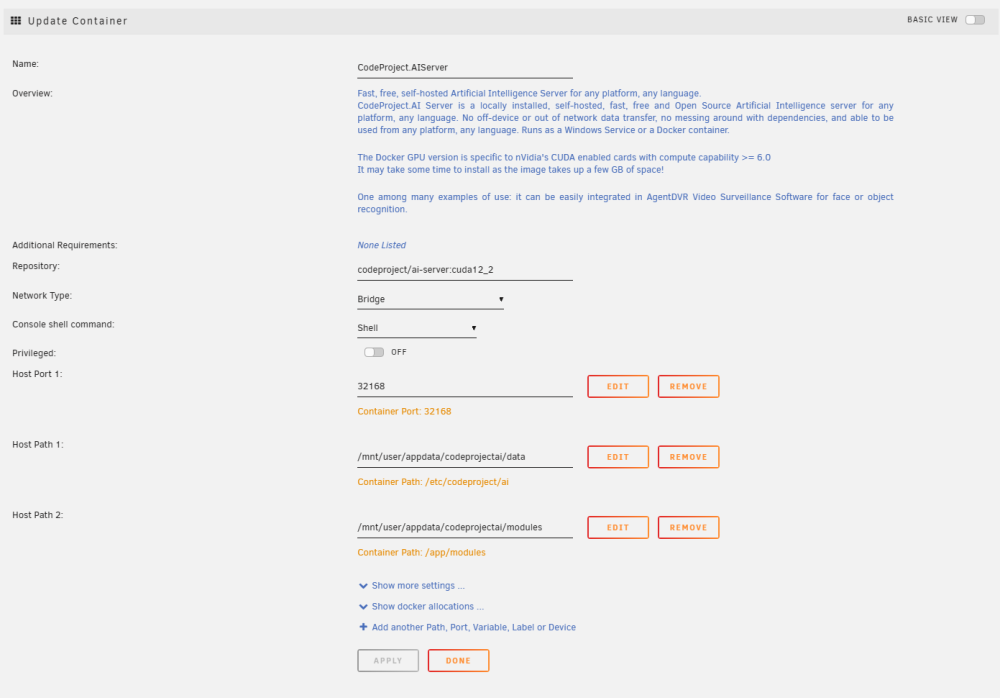
I am running codeproject/ai-server with the cuda12_2 tag, and it works well. However, I've noticed that the container size is 11.1GB in size, when looking at the docker container size section. Is this normal? Thanks

-
Did you manage to end up finding a solution to this? As I have the same problem myself with a similar configuration
-
Hi, When I attempt to install the plugin, it gets stuck on the "Installing nvidia driver step" and in my terminal, I can see the following messages pop up I tried to build a diagnostics file, but with the plugin installed/attempting to install, Unraid will crash when trying to run the nvidia-smi command with the same errors as above in terminal. Everything in the Unraid GUI becomes unresponsive until I remove the plugin manually and force a reboot. Any idea what I can do to fix the problem? I am using a 1650 super in Unraid 6.12.8
-
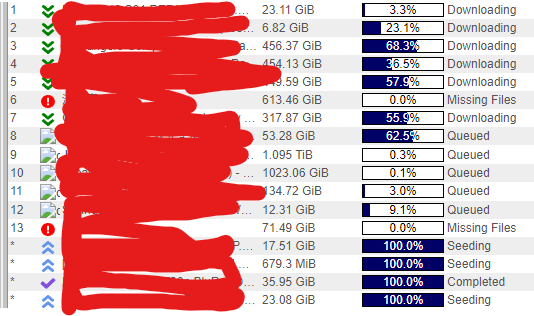
Hi, I updated to the v4.5.0 qbittorrent and I've found that the queue icon does not seem to not load in the table. Seems like the queue.svg file did not download as /images/queue.svg does not exist. Other icons like /images/download.svg do exist, which show fine as seen in screenshot below;