





TheLinuxGuy
Members
-
Joined
-
Last visited
Everything posted by TheLinuxGuy
-
thank you - i installed that plugin and will try to use it to mitigate the split-level issue and if that fails, i may change the setting on the shares.
-
Sorry about that - here it is. tower-diagnostics-20251025-1116.zip
-
I have "Minimum free space: 30gb" on all of my shares, recently mover has stopped working (rsync "disk out of space" error) and when looking at unraid's main page /mnt/disk1 keeps getting overfilled by mover - it is not switching to other disks with free space (e.g: /mnt/disk2... disk3...) My version is 7.1.4 - I haven't changed my server settings in awhile and recently the mover just started doing this today.
-
Unraid 7.0 kernel has the bcache-linux module. What is missing is unraid web interface hooks to detect and handle the configuration of bcache disks (its similar to setting up a disk partition format dance). /dev/sda needs to be bcache formatted via make-bcache command. Now that /dev/bcache0 exists, unraid needs to allow us to put encryption or a partition on top. In other words unraid needs to threat /dev/bcacheN as it does for /dev/sdN in the current state of affairs. I haven't bruteforced since I don't have a spare license and all my USB disks all have undergone a trial already but I did see I was able to create a /dev/bcache0 device on my unraid because the kernel has the module it needs - i just needed to drop the binaries for the userspace tooling that talks to the kernel and go to town. https://github.com/TheLinuxGuy/ugreen-nas/blob/725850e877731aa475300b3eacfdd7f853640b8a/bcache-cheatsheet.md?plain=1#L53
-
And as expected... bcachefs will be dropped from the linux kernel. https://news.itsfoss.com/linux-kernel-bcachefs-drop/ Best to implement bcache as block /dev/bcacheN as the layer on top of disks on unraid IMO
-
unraid should allow us to use bcache-linux (totally different than bcachefs) Why would we even bother about bcachefs? performance is abysmal, single developer is a dick and got 404'd from sending kernel patches. See below.
-
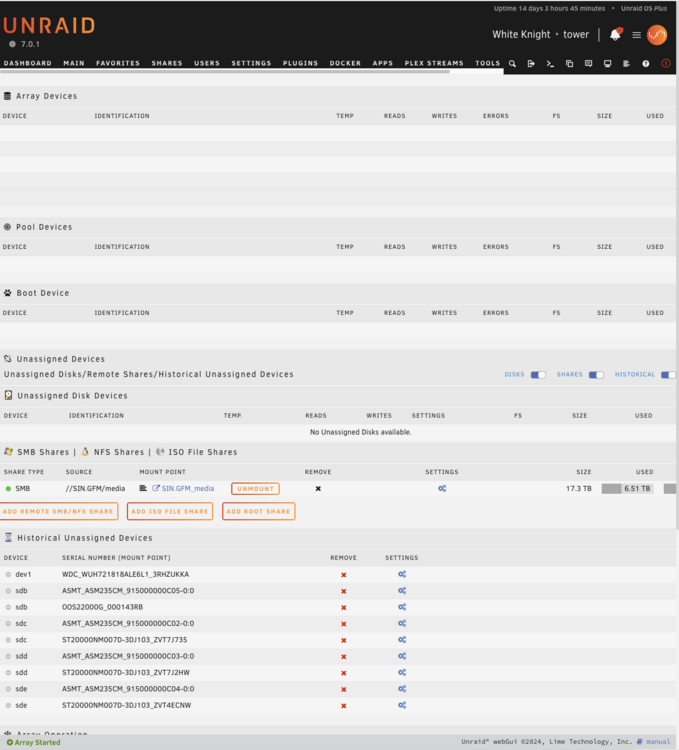
Also another web UI element that fails to load most times for me....
-
here it is, thanks. tower-diagnostics-20250323-2155.zip
-
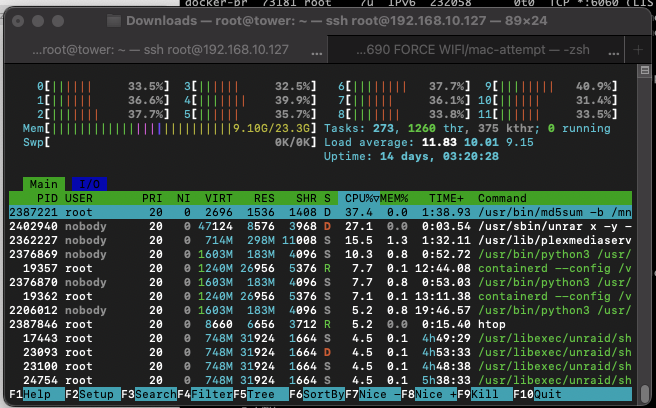
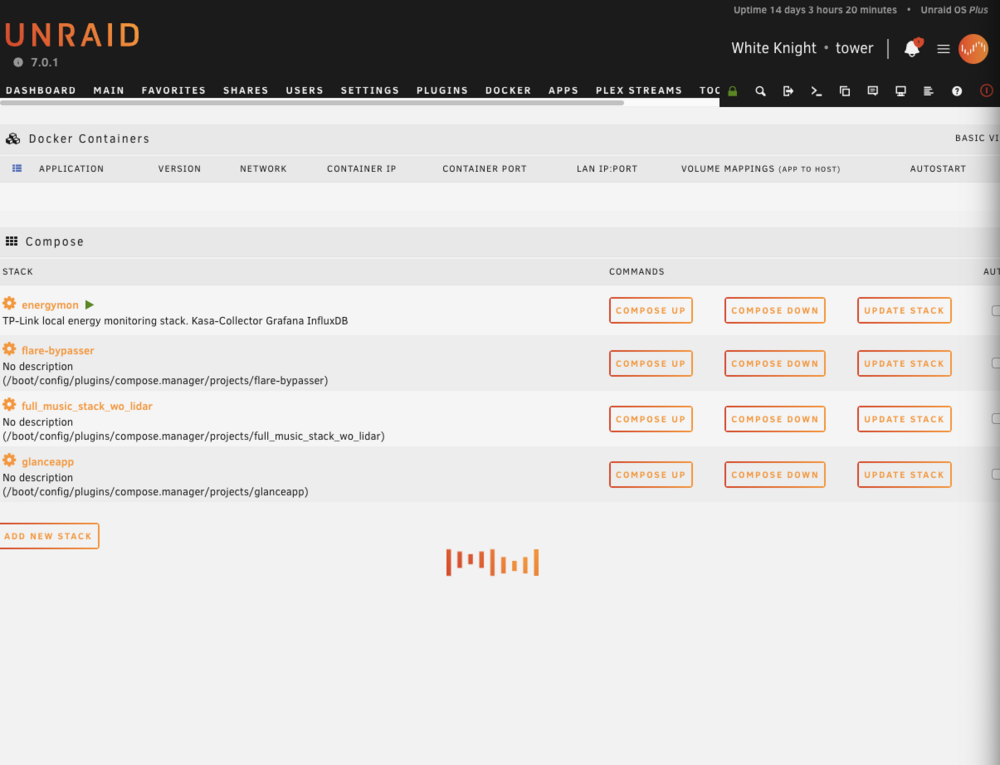
Hello, the Unraid web UI has become almost unusable for me when I try to view the Docker page. The loading spinning logo turns into an infinite loop, most times I have to reload the page multiple times until I finally see the page and the information on that page. I have not changed my workflows on my unraid server, this web UI page was rock solid on older releases. Since I upgraded to 7.0 a few weeks ago this page has become very unreliable, I waited for awhile until I had time to file this thread thinking it may be a minor bug that the next release would fix (7.0.1) that did not happen. My server load is at the usual that its always at during downloading / unpacking in nzbget (Under 10 for 12 cores is good, I had this server go into 40+ during heavy transcoding activity from plex). Any help is appreciated.
-
Since I know a lot of people read this thread (I do myself too when researching new parts) I wanted to share my experience with the MSI MPG Z690 FORCE WIFI DDR5 ATX board. TL;DR no C10, C3 max. I was looking for a motherboard that can support two x8/x8 PCIE x16 slots at full bandwidth PCIE 5.0 with a lot of nvme storage. The MSI MPG Z690 FORCE WIFI first this requirement nicely, the bad news is that it isn't power efficient at all. I unlocked the hidden BIOS menus, changed many settings and enabled the usual suspects of ASPM and all other settings needed. Nothing will bright this board past C3 Pkg. This is not a total loss for me since I am going to use it for my 56Gbps Connectx-3 Pro experiment and I also have a 12 disk enclosure that will connect to a broadcom 9500-8i - so this is why I needed dual x8/x8.
-
Cool web interface, can you share how / where to get it? ---- Guys one of my old LGA1700 motherboard died and I need to replace it, could I get some suggestions on a board that can easily reach C10 with DDR5 + three M.2 nvme + x16 pcie slot (2 slots of this type is preferred, second can be x4). Also just purchased a ConnectX-3 Pro 56gbps inifiniband, i think this card will kill C10 idle are there other cheap options for 40/56g cards?
-
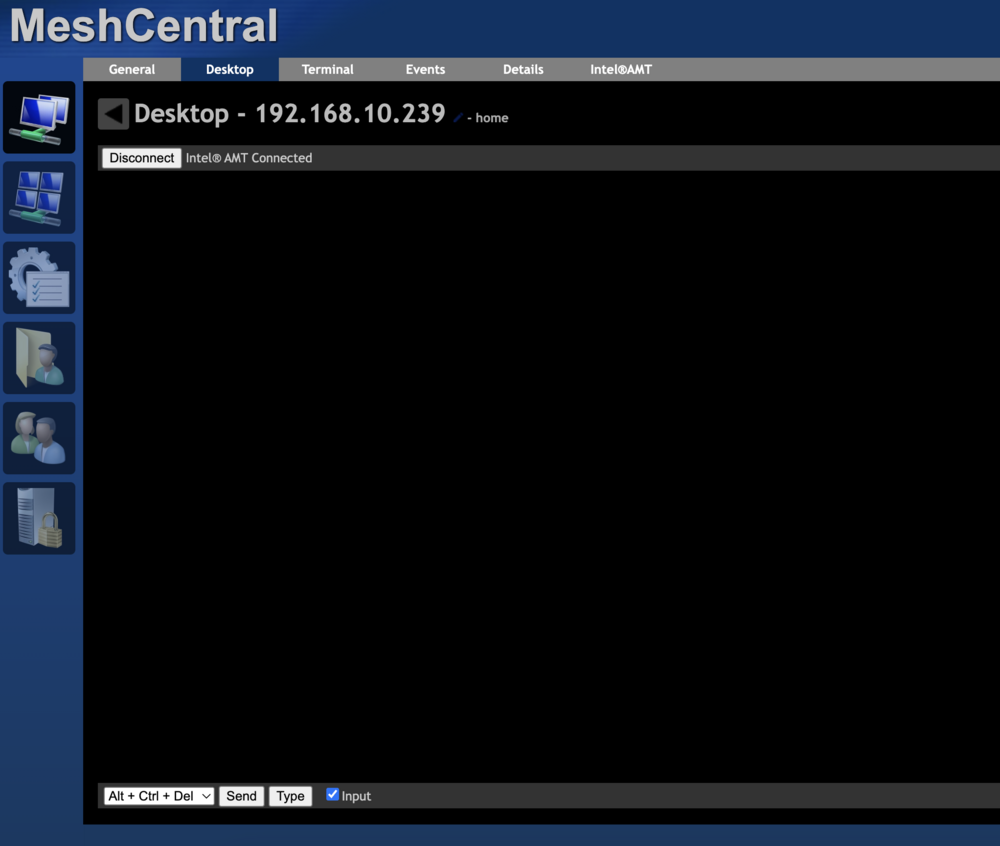
Does unraid require any special configuration settings to allow intel vpro / AMT 2.0 to properly display the terminal console? I'm able to view the GRUB boot menu, select but once the kernel loads the screen turns black like the photo and i can't view it.
-
I wasn't able to fix this issue when nesting unraid with proxmox as the hypervisor. I put this USB3 enclosure on an older HP 800 G6 mini pc and booted unraid there, the system has been stable for 3 days.
-
powertop is a great tip. I am actually running `powertop --auto-tune` at boot on the proxmox host. Let me disable this and see if this changes things. Proxmox host is a Minisforum MS-01 mini pc. Intel 12600H with vpro 32gb memory
-
Yes, I am actually testing Unraid 7 on a Proxmox VM and I am passing thru the entire USB 3.2 controller. On Proxmox host I am doing explicit USB detection blacklisting and driver blacklisting in combination, so disks never show up in proxmox by mistake. This is working, as I originally saw the problem was that disks were showing up in proxmox non-exclusively. root@MS1:~# cat /etc/udev/rules.d/99-ignore-usb-device.rules SUBSYSTEM=="usb", ATTR{idVendor}=="2109", ATTR{idProduct}=="0822", ATTR{authorized}="0" SUBSYSTEM=="usb", ATTR{idVendor}=="174c", ATTR{idProduct}=="55aa", ATTR{authorized}="0" SUBSYSTEM=="usb", ATTR{idVendor}=="2109", ATTR{idProduct}=="2822", ATTR{authorized}="0" root@MS1:~# cat /etc/modprobe.d/blacklist-usbstorage.conf blacklist usb-storage root@MS1:~# lsusb -t /: Bus 04.Port 1: Dev 1, Class=root_hub, Driver=xhci_hcd/3p, 20000M/x2 /: Bus 03.Port 1: Dev 1, Class=root_hub, Driver=xhci_hcd/1p, 480M root@MS1:~# Yes, the quirk is working and I had checked it by running `cat /sys/module/usb_storage/parameters/quirks` which returned the quirk setting. I have also experimented by removing the quirk and do notice the error messages change and say UAS driver in use. Oct 3 18:27:27 UNDEV kernel: usb 10-1: USB disconnect, device number 2 Oct 3 18:27:27 UNDEV kernel: usb 10-1.2: USB disconnect, device number 3 Oct 3 18:27:27 UNDEV kernel: sd 1:0:0:0: [sda] tag#4 uas_zap_pending 0 uas-tag 1 inflight: CMD Oct 3 18:27:27 UNDEV kernel: sd 1:0:0:0: [sda] tag#4 CDB: opcode=0x88 88 00 00 00 00 00 00 5e 80 90 00 00 02 a0 00 00 Oct 3 18:27:27 UNDEV kernel: sd 1:0:0:0: [sda] tag#7 uas_zap_pending 0 uas-tag 2 inflight: CMD Oct 3 18:27:27 UNDEV kernel: sd 1:0:0:0: [sda] tag#7 CDB: opcode=0x88 88 00 00 00 00 00 00 5e 83 30 00 00 01 f8 00 00 Oct 3 18:27:27 UNDEV kernel: sd 1:0:0:0: [sda] tag#4 UNKNOWN(0x2003) Result: hostbyte=0x01 driverbyte=DRIVER_OK cmd_age=0s Oct 3 18:27:27 UNDEV kernel: sd 1:0:0:0: [sda] tag#4 CDB: opcode=0x88 88 00 00 00 00 00 00 5e 80 90 00 00 02 a0 00 00 Oct 3 18:27:27 UNDEV kernel: I/O error, dev sda, sector 6193296 op 0x0:(READ) flags 0x0 phys_seg 84 prio class 0 If you have any suggestions on how I could make this work I would appreciate it, I know its a bit of a complex setup as I try to maximize hardware usage without having to spin up a dedicated hardware for unraid backup server.
-
Thanks for sharing that you are running this setup successfully yourself. I can't wait for this to arrive will take 4-8 weeks but patience is a virtue... Looking at the Broadcom 9500-8i and 9500-16i - is there a reason for me to pay double for a 16i? Because it looks like this enclosure from aliexpress is actually a SAS expander and I should be able to daisy chain multiple of them... so I am thinking maybe I am OK with a 9500-8i card... ebay has them for $70
-
I'm building a backup unraid server using a mini PC and this 5 bay 3.5 inch enclosure from Sabrent. After OS install, initializing the array starts building parity and this may work fine for several hours until it fails. Oct 2 22:49:38 UNDEV kernel: usb 10-2: USB disconnect, device number 2 Oct 2 22:49:38 UNDEV kernel: usb 10-2.2: USB disconnect, device number 3 Oct 2 22:49:38 UNDEV kernel: sd 1:0:0:0: [sda] tag#16 uas_zap_pending 0 uas-tag 2 inflight: CMD Oct 2 22:49:38 UNDEV kernel: sd 1:0:0:0: [sda] tag#16 CDB: opcode=0x88 88 00 00 00 00 00 0c 3b 43 f0 00 00 02 88 00 00 Oct 2 22:49:38 UNDEV kernel: sd 1:0:0:0: [sda] tag#16 UNKNOWN(0x2003) Result: hostbyte=0x01 driverbyte=DRIVER_OK cmd_age=0s Oct 2 22:49:38 UNDEV kernel: sd 1:0:0:0: [sda] tag#16 CDB: opcode=0x88 88 00 00 00 00 00 0c 3b 43 f0 00 00 02 88 00 00 Here is the current USB stack root@UNDEV:~# lsusb -t /: Bus 001.Port 001: Dev 001, Class=root_hub, Driver=ehci-pci/6p, 480M |__ Port 001: Dev 002, If 0, Class=Human Interface Device, Driver=usbhid, 480M /: Bus 002.Port 001: Dev 001, Class=root_hub, Driver=uhci_hcd/2p, 12M /: Bus 003.Port 001: Dev 001, Class=root_hub, Driver=ehci-pci/6p, 480M /: Bus 004.Port 001: Dev 001, Class=root_hub, Driver=uhci_hcd/2p, 12M /: Bus 005.Port 001: Dev 001, Class=root_hub, Driver=uhci_hcd/2p, 12M /: Bus 006.Port 001: Dev 001, Class=root_hub, Driver=uhci_hcd/2p, 12M /: Bus 007.Port 001: Dev 001, Class=root_hub, Driver=uhci_hcd/2p, 12M /: Bus 008.Port 001: Dev 001, Class=root_hub, Driver=uhci_hcd/2p, 12M /: Bus 009.Port 001: Dev 001, Class=root_hub, Driver=xhci_hcd/12p, 480M |__ Port 002: Dev 002, If 0, Class=Hub, Driver=hub/4p, 480M |__ Port 003: Dev 004, If 0, Class=Hub, Driver=hub/4p, 480M |__ Port 009: Dev 003, If 0, Class=Mass Storage, Driver=usb-storage, 480M /: Bus 010.Port 001: Dev 001, Class=root_hub, Driver=xhci_hcd/4p, 10000M |__ Port 002: Dev 009, If 0, Class=Hub, Driver=hub/4p, 10000M |__ Port 002: Dev 010, If 0, Class=Mass Storage, Driver=uas, 10000M |__ Port 003: Dev 011, If 0, Class=Hub, Driver=hub/4p, 10000M |__ Port 001: Dev 012, If 0, Class=Mass Storage, Driver=uas, 10000M |__ Port 002: Dev 013, If 0, Class=Mass Storage, Driver=uas, 10000M |__ Port 003: Dev 014, If 0, Class=Mass Storage, Driver=uas, 10000M |__ Port 004: Dev 015, If 0, Class=Mass Storage, Driver=uas, 10000M /: Bus 011.Port 001: Dev 001, Class=root_hub, Driver=xhci_hcd/15p, 480M /: Bus 012.Port 001: Dev 001, Class=root_hub, Driver=xhci_hcd/15p, 5000M I have tried to use "USB quirks" without success and I am not sure if I am missing something. On my syslinux configuration, I added this, then rebooted, "create new configuration", setup array again and let it parity sync only for it to fail again. This enclosure has a USB hub also, do I need to use a quick on that PCI id too? label Unraid OS menu default kernel /bzimage append initrd=/bzroot usb-storage.quirks=174c:55aa:u Thanks undev-diagnostics-20241003-1047.zip
-
Hi! could you share your observations about this card? A few questions * What is the idle power consumption without any disks attached? C states on the same? * What is the idle power consumption during array rebuild and C? I wonder if any SAS3808 controller will do - anyone knows if China fakes of this device are common as they are for LSI cards... i may assume yes there are cheap fakes on ebay i must be careful.
-
Hi everyone, I am doing a new build project and I need recommendations for low power HBA (SFF-8643 or SFF-8087) that supports 12 disks or more for this build. Which ones can you recommend? This case will be external. thanks in advance!

-
any updates about this ask in 2024?
-
Hi newbie question, according to changelog this image should support `syslog` - how do I go about enabling and using it? I see 514 port exposed and when shipping logs to the observium it does not seem to be getting processed. Are other settings need be changed in the web UI or files to make this work? The instructions from observium discuss rsyslogd but this is not installed in the docker container.
-
Not sure where else to post this question. "Unraid digest" email today included a blurb I wanted to know more about what "Hybrid ZFS pools" means in this context? Any information about the technical details of it yet?
-
@JSE that's fair, I am not married to the idea of bcachefs. There could be a similar caching solution achieved with lvmcache + dm-cache with btrfs under the hood too, this option should be much more stable and proven than bcachefs.
-
Almost exactly a year ago, I made this feature request which got 19 people upvoting. Please implement 'bcache' https://docs.kernel.org/admin-guide/bcache.html as "source" disk in unraid. This way, actual spinning rust hard drives can be mapped to /dev/bcache0 /dev/bcache1 ... /dev/bcacheN Then unraid can on top of /dev/bcacheN format and put the filesystem and/or encryption layers.
-
I ended up rebooting, and that solved the issue.



