heppy
Members
-
Joined
-
Last visited
Everything posted by heppy
-
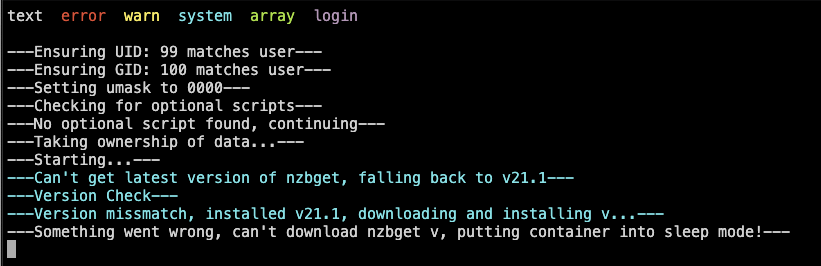
error output attached. Was working perfectly up until yesterday and I've not changed anything
-
Do the following: Stop the container Delete the "logs" folder and every *.tar.gz file you see from the main directory from Radarr which lives usually in your appdata directory Star the container This will reinstall the latest version. I just tried it and the latest version just works fine over here. Will this also fix NZBGet which has broken for me this morning?
-
So....the weirdest thing is happening. I hate gigabit fibre (Sky Fibre Ireland) to the home and download speeds are up there at 800 Mb/s and uploads has always been around 70-90 Mb/s which is great. Suddenly, overnight, the upload speeds have dropped to 10 and downloads have remained the same, however, using the SpeedTest tracker on my UnRaid Server, the speeds are consistently 75Mb/s but nothing else in the house is whether it's wired or wireless. The ISP says, well the connection to the house is obviously fine if one device is working. I've tried different cables, used the UnRaid cat5e cable on the Mac, moved all the ethernet ports around, turned off wi-fi, hard reset the router and nothing makes any difference. Does anyone have any idea what could be going on and how to fix it?
-
To close this out, I turned off Plex’s DLNA option and the problem hasn’t reoccurred so the issue must be with Plex.
-
will do, and thanks for the help.
-
I think this may be the cause of some other issues. The steps were, I was going to reassign one of my cache pool drives, stopped array, decided not to and then restarted the array and Fix Common Problems caught OOM error. Diagnostics attached, please help! tower-diagnostics-20240209-1143.zip
-
Hi there, I had this problem exactly a week ago and I ended up having to power off by the button and restarting and checking parity. Thought everything was fine but like I said, it happened again at almost the exact same time whilst doing something similar (browsing in sonarr). Anyway, same thing happened, couldn't log into the UI, docker image containers would load but incredibly slowly. I managed to shut one down and then a couple of minutes later all came back as normal. I have the syslog server on this time and nothing looks too untoward to me but then, I don't really know what I'm looking at This happened about an hour before the crash but the actual crash happened somewhere between these two moments and nothing was logged then there's this which looks like it may be relevant? full syslog and diagnostics attached. Would be great if someone could shed some light on the issue and possibly present a solution? Thanks all. tower-diagnostics-20240205-1122.zip syslog-192.168.1.200.log
-
help! It happened again, and weirdly at the same time as last week on a Monday. Given that I've not put in a shutdown script can anyone explain what might have happened?
-
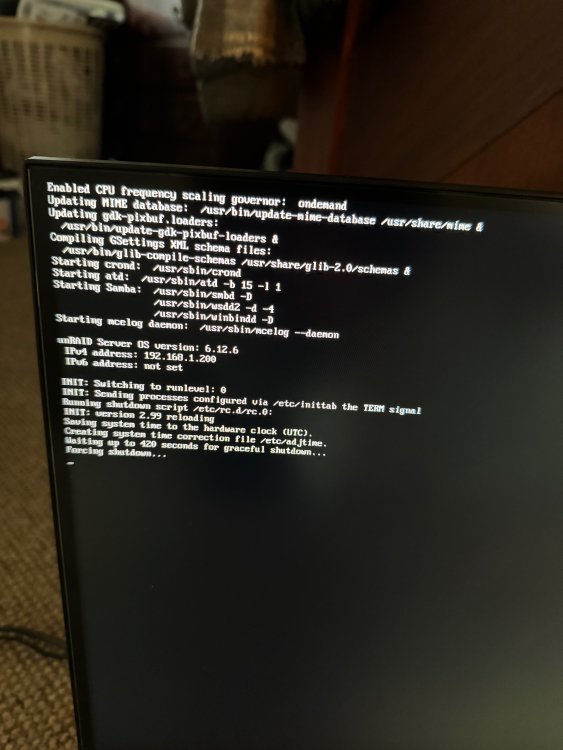
Hi there, Not sure what happened here, last week finally upgraded from 6.11.5 to 6.12.6 which seemed to go smoothly. Changed docker network type from macvlan to ipvlan. Also upgraded cache drive to zfs all of which went well and no issues. This morning, made a change to Sonarr and suddenly everything slowed down to a crawl, couldn't log in via the GUI and just about managed to get in via terminal (again, very slow) and get the diagnostics (attached). Docker was still running as I could sporadically open them but then they'd stop working again. Went and plugged in a monitor and a forced shutdown had been started (not by me). Stupidly didn't have syslog server activated. Must be a new issue as previous uptime was over a year. Wonder if anyone can help decode the issue. tower-diagnostics-20240131-1048.zip
-
I meant to replace that drive anyway, but I’m always terrified of shutting the server down as last time it went into hang on shutdown and I had to force shutdown which was a whole other nightmare!
-
Perfect, will run another test and thanks for the reply. I should have a mentioned that one of my drives has a broken piece of plastic on the connection which i had to bodge fix with some hot glue so i wonder if that’s the fail point even though the server hasn’t moved in over a year. Will run another extended text.
-
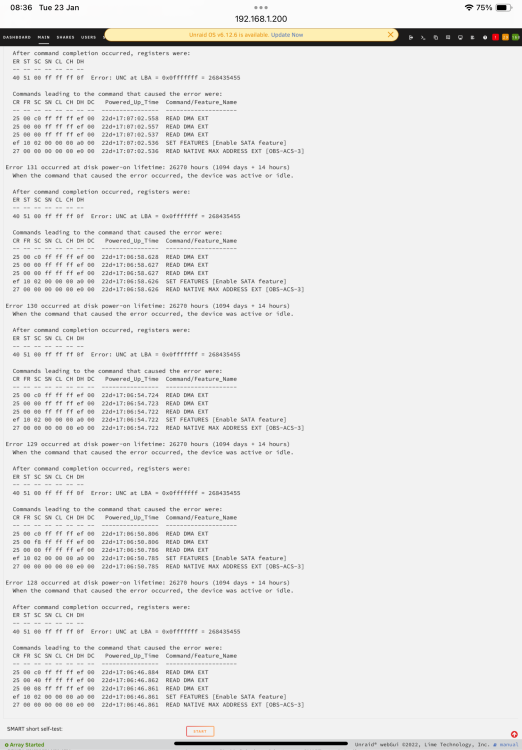
Here’s the downloaded report tower-smart-20240123-0833.zip
-
I have no idea what this means but I’m presuming replaced the disk immediately?
-
yup, as I said in the original post, am doing that already and will post what it comes back with. Thanks
-
Saw this in the syslog after a warning came up Jan 10 01:09:38 Tower kernel: I/O error, dev sdh, sector 4648311824 op 0x0:(READ) flags 0x0 phys_seg 32 prio class 0 Jan 10 01:09:38 Tower kernel: md: disk5 read error, sector=4648311760 Jan 10 01:09:38 Tower kernel: md: disk5 read error, sector=4648311768 Jan 10 01:09:38 Tower kernel: md: disk5 read error, sector=4648311776 Jan 10 01:09:38 Tower kernel: md: disk5 read error, sector=4648311784 Jan 10 01:09:38 Tower kernel: md: disk5 read error, sector=4648311792 Jan 10 01:09:38 Tower kernel: md: disk5 read error, sector=4648311800 Jan 10 01:09:38 Tower kernel: md: disk5 read error, sector=4648311808 Jan 10 01:09:38 Tower kernel: md: disk5 read error, sector=4648311816 Jan 10 01:09:38 Tower kernel: md: disk5 read error, sector=4648311824 Jan 10 01:09:38 Tower kernel: md: disk5 read error, sector=4648311832 Jan 10 01:09:38 Tower kernel: md: disk5 read error, sector=4648311840 Jan 10 01:09:38 Tower kernel: md: disk5 read error, sector=4648311848 Jan 10 01:09:38 Tower kernel: md: disk5 read error, sector=4648311856 Jan 10 01:09:38 Tower kernel: md: disk5 read error, sector=4648311864 Jan 10 01:09:38 Tower kernel: md: disk5 read error, sector=4648311872 Jan 10 01:09:38 Tower kernel: md: disk5 read error, sector=4648311880 Jan 10 01:09:38 Tower kernel: md: disk5 read error, sector=4648311888 Jan 10 01:09:38 Tower kernel: md: disk5 read error, sector=4648311896 Jan 10 01:09:38 Tower kernel: md: disk5 read error, sector=4648311904 Jan 10 01:09:38 Tower kernel: md: disk5 read error, sector=4648311912 Jan 10 01:09:38 Tower kernel: md: disk5 read error, sector=4648311920 Jan 10 01:09:38 Tower kernel: md: disk5 read error, sector=4648311928 Jan 10 01:09:38 Tower kernel: md: disk5 read error, sector=4648311936 Jan 10 01:09:38 Tower kernel: md: disk5 read error, sector=4648311944 Jan 10 01:09:38 Tower kernel: md: disk5 read error, sector=4648311952 Jan 10 01:09:38 Tower kernel: md: disk5 read error, sector=4648311960 Jan 10 01:09:38 Tower kernel: md: disk5 read error, sector=4648311968 Jan 10 01:09:38 Tower kernel: md: disk5 read error, sector=4648311976 Jan 10 01:09:38 Tower kernel: md: disk5 read error, sector=4648311984 Jan 10 01:09:38 Tower kernel: md: disk5 read error, sector=4648311992 Jan 10 01:09:38 Tower kernel: md: disk5 read error, sector=4648312000 Jan 10 01:09:38 Tower kernel: md: disk5 read error, sector=4648312008 Dashboard reports an error, Smart Self Test is reporting OK (am now running an extended test) Diagnostics attached....and if it's somehow ok, can I clear the error TIA, Simon tower-diagnostics-20240115-1045.zip

-
thank you!
-
Hi there, love this plugin and have used it since the beginning and am finally trying to streamline my workflow. Basically, i have two drives that attach to unraid through it, one via usb and the other is an sub share. I’m trying to write the script that will automount the drives, run my backups and then unmount Both are set to automount but only the USB drive works. this is the script # MOUNT DISK BY ID (PLUG IN YOUR DISK_ID BELOW) DISK_ID=MYCLOUDEX2ULTRA_NAS_Movies THIS_DISK=`ls -l /dev/disk/by-id/ | grep '$DISK_ID' | head -1 | tail -c4` /usr/local/sbin/rc.unassigned mount "/dev/$THIS_DISK" This works for the usb disk id but not the sub share (above) which I understand because smb is a different connection to unraid. So what is the syntax to automount it? Also to note, when i plugin the USB it does automount as per the UD settings but the same doesn’t work for the smb TIA
-
I did check that the cables are compatible and interchangeable as per Corsair’s guidelines. also, the issue was that my original PSU is a platinum and the newer was gold. So it’s just that my older one is much, much better and I didn’t know
-
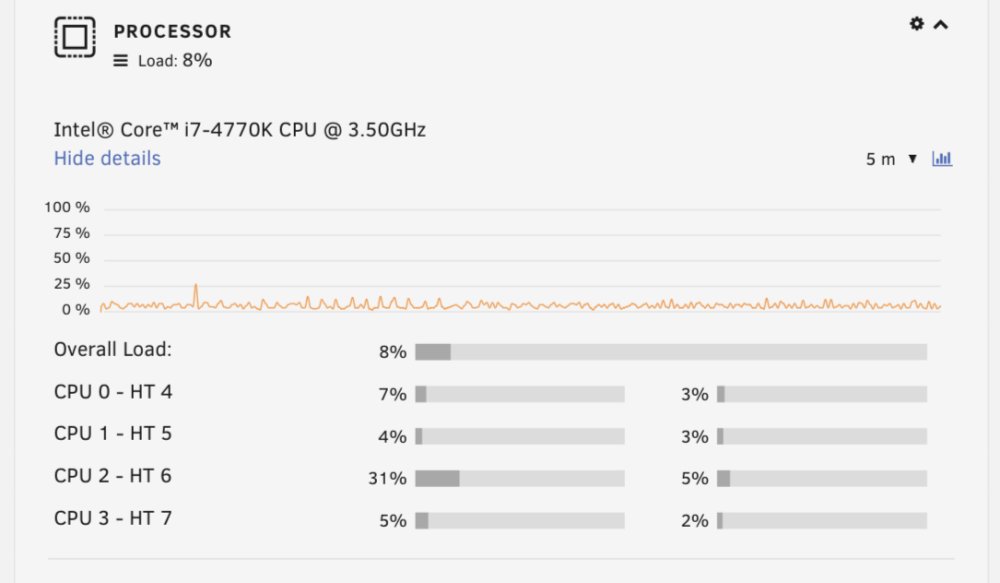
Hello, so, I have a weird thing maybe. Up to now I’ve been using a Corsair ax760i to power my rig which idles at about 31w (6x3.5” and 2xSSDs) on a i7-4770k which was fine but I wanted to see if I could get it down. Most research suggest the RM550x is the PSU to get so I did. Only cable I changed was the 24pin but used the origins l cables from before but with the sata adapter from the new one so all drives are powered from one cable. also. Went down from 32gb ram to 16, turned off XMP Profile in RAM, disabled audio in BIOS and set C7 to enabled. but now, it’s idling (all drives spun down) at about 57w and the CPU stats seem to indicate something is always happening as per picture . any ideas? tower-diagnostics-20221125-2344.zip
-
Just hijacking this briefly. I have a 2 SSD cache which i want to change to a single ssd- i've run the convert to single mode command which went fine. Then stoppped the array and unassigned the second drive from the cache, restarted the array but now it's saying unmountable:no file system i have a backup so I'm not too stressed but wanted to know if this can be fixed and if not, what did I do wrong? TIA
-
Spent all day yesterday messing about with Tdarr which I really wanted to work - slapped in my GTX770 and tried to get my mac as a second node before realising that the Nvidia card won’t transcode to h265, sigh and the Mac node wasn’t working at all. I know this part is off track but no one else has any idea - i decided to try a server/client on my mac and eventually realised i had to download a different version of ffmpeg and handbrakecli to link to which worked but scanning anything (network or local) gives the following error for every file Does this mean anything to anyone?
-
Thank you!
-
Morning, jus found this plugin which looks great though suspect it’s not going to work on my system i7-r4770k gigabyte z87x-ud5h 32gb ram i have set the governor to conservative, hit apply but on the right it still says performance, the driver is Intel cpu freq. is there a setting in the bios I need to amend to get it to take? TIA
-
Will do - thanks!
-
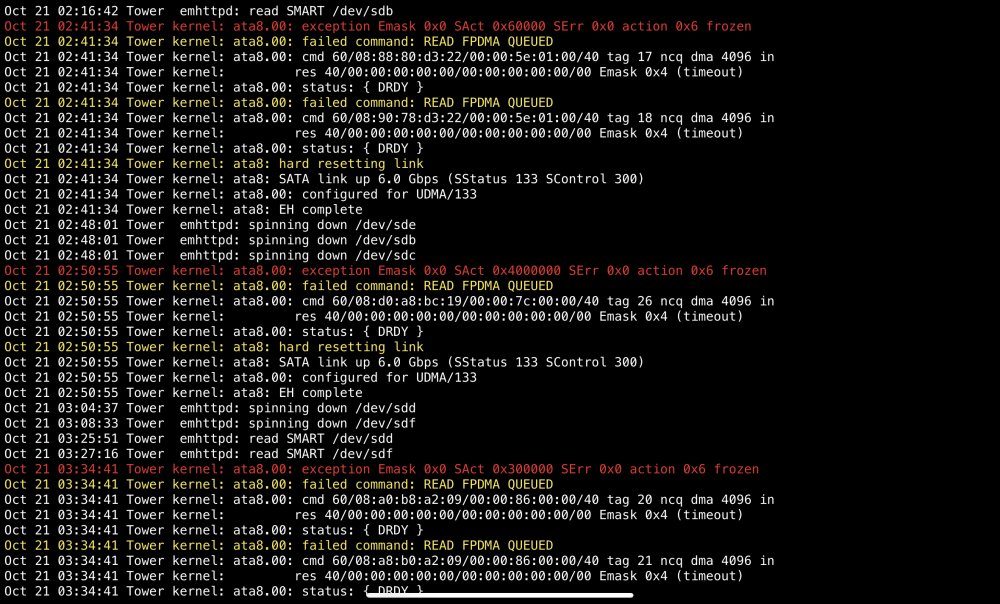
Morning, I added a new drive to my array and have been transferring new data all day and then this error popped up in the attachement which I presume is related to the new drive. I ran preclear on it and it was fine so I’m not sure what the issue is (or even if this is this disk it’s referring to). Diagnostics also attached. thanks in advance for any help and advice you can offer. tower-diagnostics-20221021-0646.zip