





snz
Members
-
Joined
-
Last visited
Everything posted by snz
-
Hi everyone, I’ve been running into a recurring issue over the past month where all my SMB shares suddenly become inaccessible, and the syslog fills with messages like this: smbd[363134]: chdir_current_service: vfs_ChDir(/mnt/user/3D-ZFS) failed: Transport endpoint is not connected When this happens: All /mnt/user/* shares break — ls /mnt/user gives: ls: cannot access '/mnt/user': Transport endpoint is not connected Docker containers and VMs that use user shares also fail. SMB shares disappear from the network. This has now happened 3 times in the past month. Here’s a snippet of the log during the event: chdir_current_service: vfs_ChDir(/mnt/user/3D-ZFS) failed: Transport endpoint is not connected. make_connection_snum: canonicalize_connect_path failed for service 3D-ZFS, path /mnt/user/3D-ZFS Restart seems to solve the issue but understandably this isn't going to work for me long term. tower-diagnostics-20251021-1003.zip
-
It was the psu. replaced it. has been up for 24 with no drops. thanks for your support once again.
-
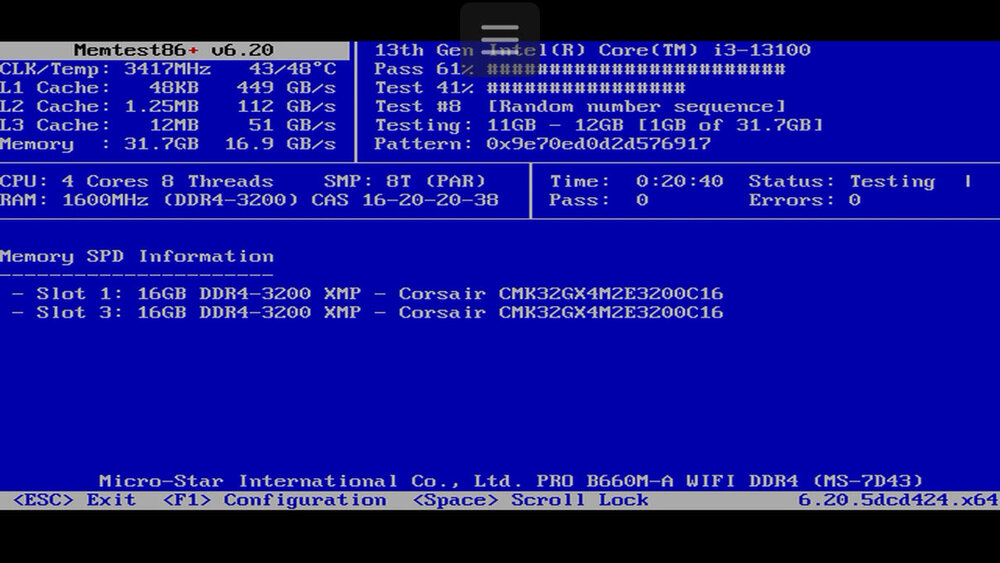
Have sent the output of previous syslog file after enabling it to write to flash. running memtest currently I'm wondering if its its the XMP profile being enabled?
-
What I’ve found is the machine reboots. That’s why there is a network connectivity drop. i will send you some syslog files if that helps? these are the ones written to the usb flash drive
-
So it just crashed again. And this is all the syslog shows right before the crash.. @JorgeB - Are you able to assist? Apr 1 17:08:11 Tower kernel: eth0: renamed from veth77bbdde Apr 1 17:08:11 Tower kernel: docker0: port 21(vethac00eb9) entered blocking state Apr 1 17:08:11 Tower kernel: docker0: port 21(vethac00eb9) entered forwarding state Apr 1 17:08:13 Tower kernel: docker0: port 21(vethac00eb9) entered disabled state Apr 1 17:08:13 Tower kernel: veth77bbdde: renamed from eth0 Apr 1 17:08:13 Tower kernel: docker0: port 21(vethac00eb9) entered disabled state Apr 1 17:08:13 Tower kernel: vethac00eb9 (unregistering): left allmulticast mode Apr 1 17:08:13 Tower kernel: vethac00eb9 (unregistering): left promiscuous mode Apr 1 17:08:13 Tower kernel: docker0: port 21(vethac00eb9) entered disabled state Apr 1 17:09:13 Tower kernel: docker0: port 21(veth53a2953) entered blocking state Apr 1 17:09:13 Tower kernel: docker0: port 21(veth53a2953) entered disabled state Apr 1 17:09:13 Tower kernel: veth53a2953: entered allmulticast mode Apr 1 17:09:13 Tower kernel: veth53a2953: entered promiscuous mode Apr 1 17:09:14 Tower kernel: eth0: renamed from vethafb4327 Apr 1 17:09:14 Tower kernel: docker0: port 21(veth53a2953) entered blocking state Apr 1 17:09:14 Tower kernel: docker0: port 21(veth53a2953) entered forwarding state Apr 1 17:09:16 Tower kernel: docker0: port 21(veth53a2953) entered disabled state Apr 1 17:09:16 Tower kernel: vethafb4327: renamed from eth0 Apr 1 17:09:16 Tower kernel: docker0: port 21(veth53a2953) entered disabled state Apr 1 17:09:16 Tower kernel: veth53a2953 (unregistering): left allmulticast mode Apr 1 17:09:16 Tower kernel: veth53a2953 (unregistering): left promiscuous mode Apr 1 17:09:16 Tower kernel: docker0: port 21(veth53a2953) entered disabled state
-
Appears that the logs only go back to the time the server came back online. I assume I now need to enable syslog to USB Flash so that I can capture the logs for when it happens next in a place that is persistent.
-
Here you go. It went down just now at 9.48AM 1/4/2024 (First of April 2025) The parity check that was going on got cancelled too.tower-diagnostics-20250401-0951.zip I couldn't access the server via network but console with keyboard and mouse I could.
-
Yes can access it using keyboard and mouse. It appears to sort of restart its array (VM/Docker servers also) but itself and comes back up. I also uninstalled the SR-IOV plugin for more testing
-
Apologies and thank you for moving it. - removed powertop - removed second NIC from config file. will restart and continue to monitor.
-
Hi everyone, I’m experiencing an issue where my Unraid server’s network keeps going down and back up intermittently. It happened just now around 8:50 PM on 29/03/2025. This has been occurring randomly, and I’m trying to figure out what’s causing it. Some details about my setup: • Unraid version: 7.0.1 • Network setup: using unifi flex 2.5gb switch but all other clients remain online when this happens. • Any recent changes: i did change the ram models but is this something that could cause this? I would have thought bad ram would cause it to crash completely.tower-diagnostics-20250329-2055.zip I’ve attached diagnostics from the time of the issue. If anyone can help analyze the logs or point me in the right direction, I’d really appreciate it! Thanks in advance.
-
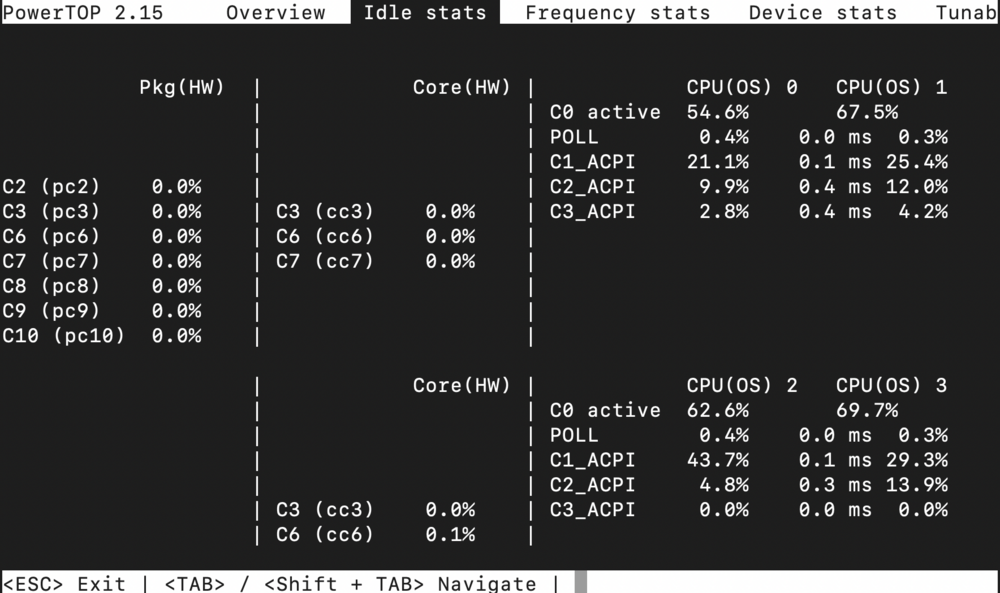
I've runt Powertop --autoconfig (or the equiv. command) but am not seeing any reduction in power using C States. Is this likely due to me having 2 VM's running? Have enabled the CStates settings in Bios to L0 and L1s as well. Taken them off auto. PRO B660M-A WIFI DDR4 (MS-7D43) with a Intel i3 13100 CPU.
 Thank you so much for posting this!!! You helped solve the issue of the Error 43 I was having above!Update: I shut down the VM Uninstalled the plugin rebooted the server reinstalled the plug in set the virtual card number to one. restarted the server.. reassigned the virtual GPU and still no success. any help would be appreciated. attaching screenshot of the error I am facing. as well as a screenshot of how it looked before I assume the vdisk got corrupted not allowing me to boot from it.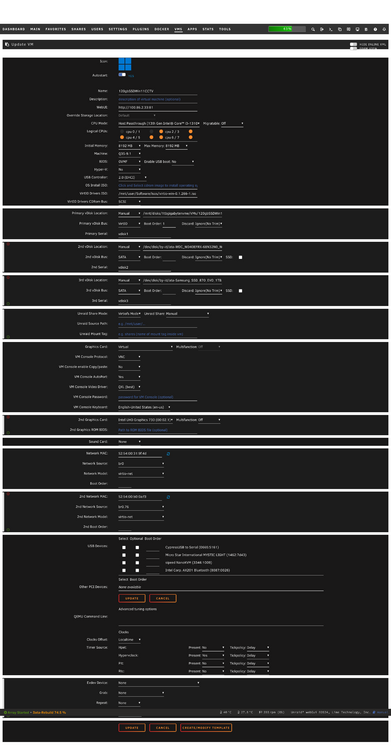
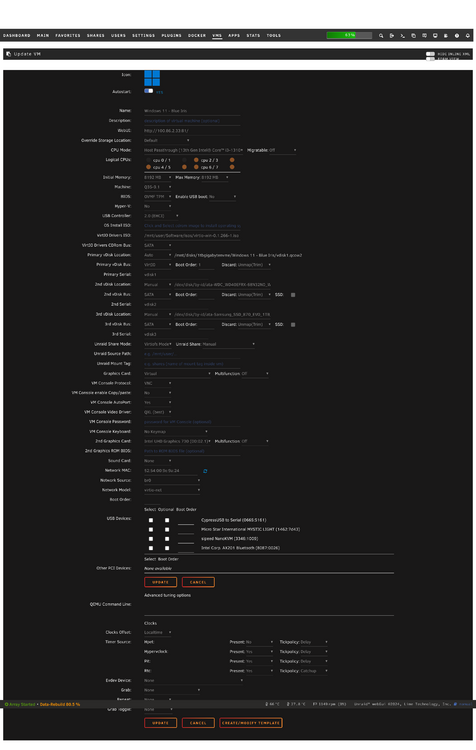
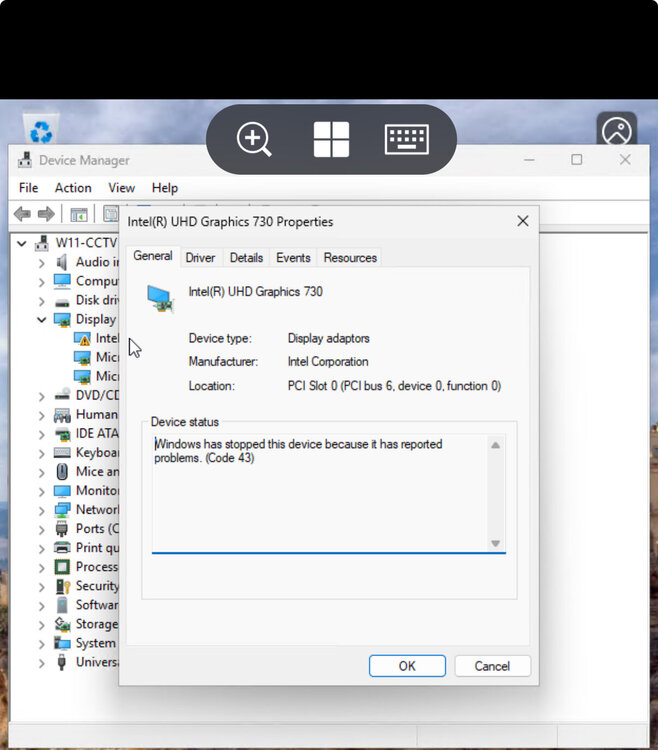
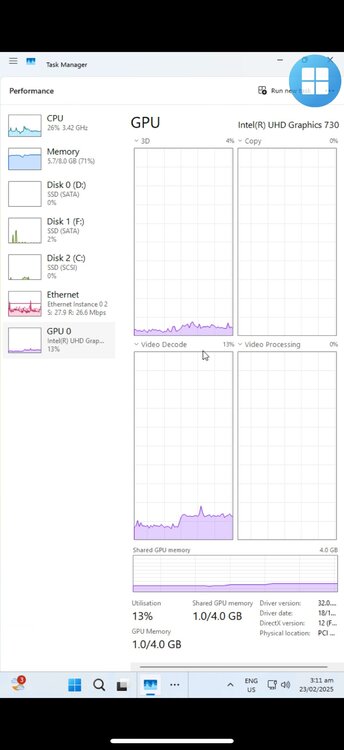 Very wierd behaviour. My VM running Blue Iris hosted on Unraid with the plugin installed was working perfectly. CPU: 13100 i3. UHD 730 was showing up in Task Manager perfectly. Then the VM stopped booting so I created a new one. However, the new one is showing Error 43 in the Device manager. I have a screenshot of the old config and the new one. Could someone please help me troubleshoot? Old Config: New config:
I am also having the same issue with my Windows 11 Blue Iris VM. It's really annoying. I am using a VDisk on a SSD mounted via UD. Anyone find a fix?
Very wierd behaviour. My VM running Blue Iris hosted on Unraid with the plugin installed was working perfectly. CPU: 13100 i3. UHD 730 was showing up in Task Manager perfectly. Then the VM stopped booting so I created a new one. However, the new one is showing Error 43 in the Device manager. I have a screenshot of the old config and the new one. Could someone please help me troubleshoot? Old Config: New config:
I am also having the same issue with my Windows 11 Blue Iris VM. It's really annoying. I am using a VDisk on a SSD mounted via UD. Anyone find a fix?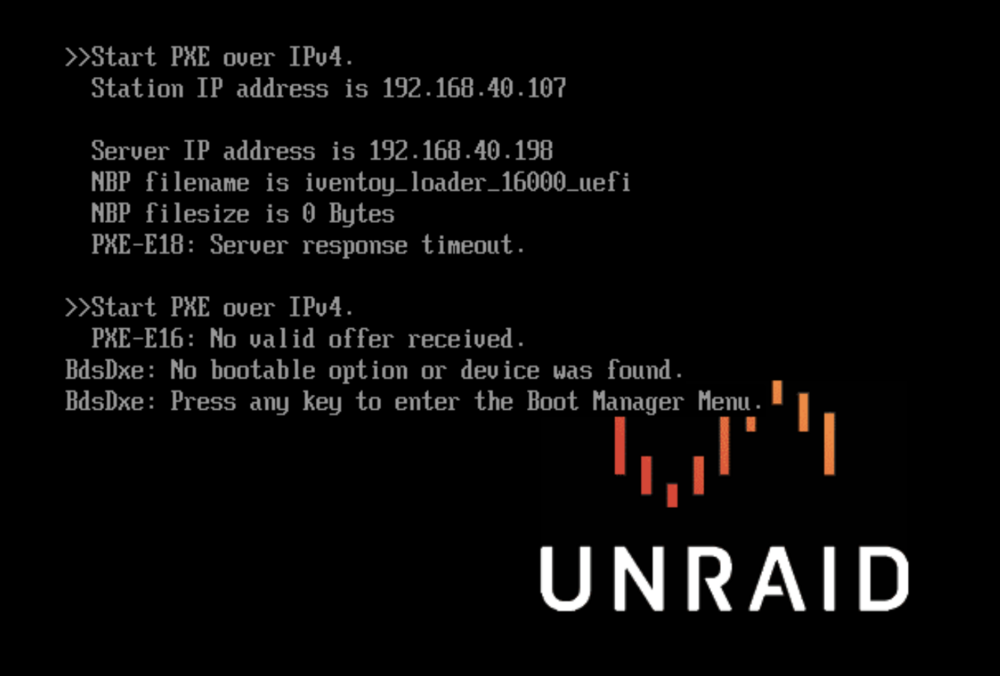 I disabled the VM's (not in safe mode) and it still crashed. These were the last SYSLOG entries before it crashed... I'm going to disable Disk Spin Down then repeat process. Failing this.. Would you suggest I reformat the flash drive and start again? Do I just need to backup my App Data Folder?
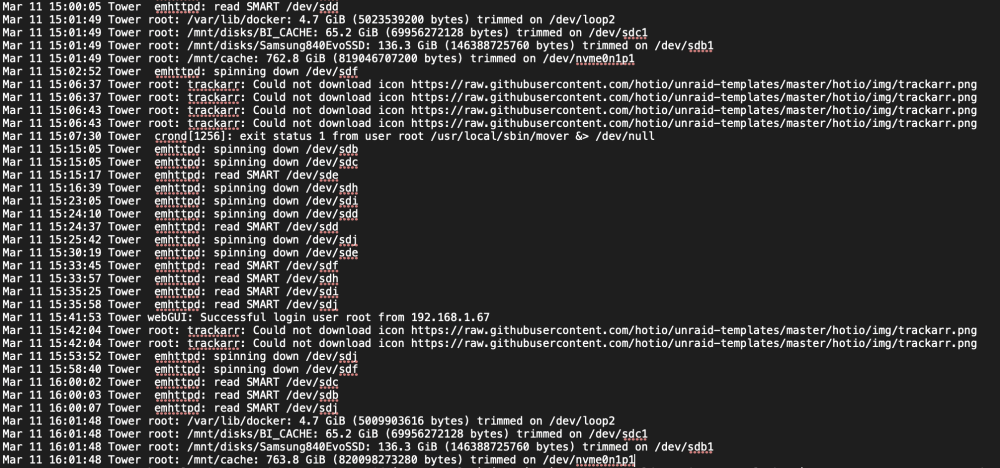 Is it possible this could be cause by a Windows Server VM 2022 running blue Iris using quicksync? ive been running Unraid in safe mode for 14 hours so far with no VMs running dockers all running and no crash so far…So I have changed the RAM to 32GB from my daily workstation and it has had the same issue. CPU is new. Motherboard is NEW. PSU has been changed. Only thing I haven't changed is the HBA Card but I haven't heard of these being faulty often. After changing the RAM I let the server run normally and it crashed after about 14 Hours. I have got the following logs from the syslog remote server..
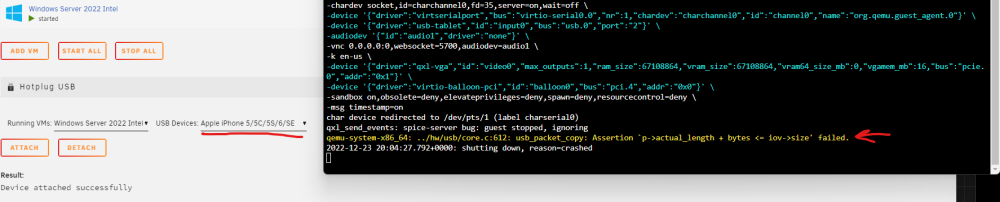
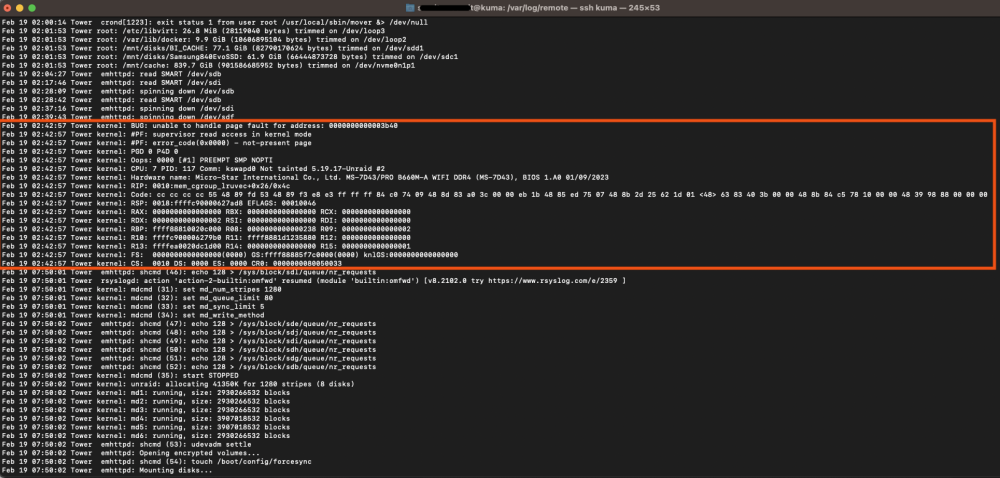 Okay will try this. I posted up on the FB Help page and people suggested it could be to do with power management so I have disabled tips and tweaks plug in to see if it was this.. I have also stopped the hard drives from spinning down. If this fails I will look to do as you mentioned above.I am having issues with random unresponsiveness from my Unraid Server. It will run for a ~40ish hours then become unresponsive. Cannot access Web UI, Cannot Ping, No Video Output to display I have run Memtest for 5hours which resulted in a Pass. Swapped PSU to 1000W CM unit. I have also monitored my remote Syslog server to look what's happening when it shuts down but as you can see by the logs attached there is no indication what it could be... Any help will be appriciated. b660M-A MSI 13100 Intel i3 LSI HBA Card with 6 HDD 10GB Mellanox Card - Have tried uninstalling this. Same issue. I have unplugged the UPS to eliminate this.Okay seemed to work perfectly fine when I passed through the controller on a newly built win 10 vm. Issue is either related to windows server 2022 or possibly something in the xml that is different for the two vmsAnyone know why my Windows VM is crashing as soon as I passthrough my iPhone or iPad?" I am using the USB Hotplug Plugin. It attaches sucessfully, then the OS crashes a few seconds later with the line with the arrow appended to the logs. I am trying to pass it through so I can back it up to an iTunes instance running on that Windows 2022 Server Instance. I have also tried to pass through an entire Asmedia USB 3 Controller but then the device does not appear in the OS. Any help would be apprciated.
 Hi All, Issues: Cannot read/write to the array Cannot stop the array after it is started Cannot stop Parity Checks Safe Mode without plugins works fine... which makes me think this issue is not hardware related... but I could be wrong. I've run into a major issue whereby I am getting heaps of read errors. Sequence of events. - Changed Motherboard from Asus B450-i to Gigabyte Z170XP-SLI-CF (AMD to Intel) - Disk 5 was being disabled by unriad so I followed the rebuild proceedure in 'safe mode' twice to no avail. - Changed out Disk 5 to a Seagate Iron Wolf I had spare. - Moved Disk 5 from being plugged into the m.2 to 5 port sata adaptor Adaptor being used: Link - JMB585 M.2 To NGFF 5 Ports SATA 3.0 Adapter Card M.2 Key M SATA3.0 Expansion Card For Purchased from here: https://www.amazon.com/dp/B07T3RMFFT/?m=A1DRFYPLBRASG2 This turned to array to 'good'. However, after booting up the OS I can access the shares for a minute or so but then I can no longer access them. Troubleshooting: - I can write to the flash drive - Syslinux config change: append initrd=/bzroot nvme_core.default_ps_max_latency_us=0 But have since changed it back to kernel /bzimage append initrd=/bzroot - New SATA Data cable on the original Disk 5 Issue - Recreated flash drive using myservers backup. Background: - Previously I was using an M.2 SSD as cache (previous motherboard had 2 m.2 ports). Hence the syslinux change was made to try to resolve this. Diagnostics attached. Have ordered an HBA card but that wont arrive for 3 weeks. tower-diagnostics-20221202-1239.zip



