Mrtj18
Members
-
Joined
-
Last visited
Everything posted by Mrtj18
-
Nope still nothing.... @ich777
-
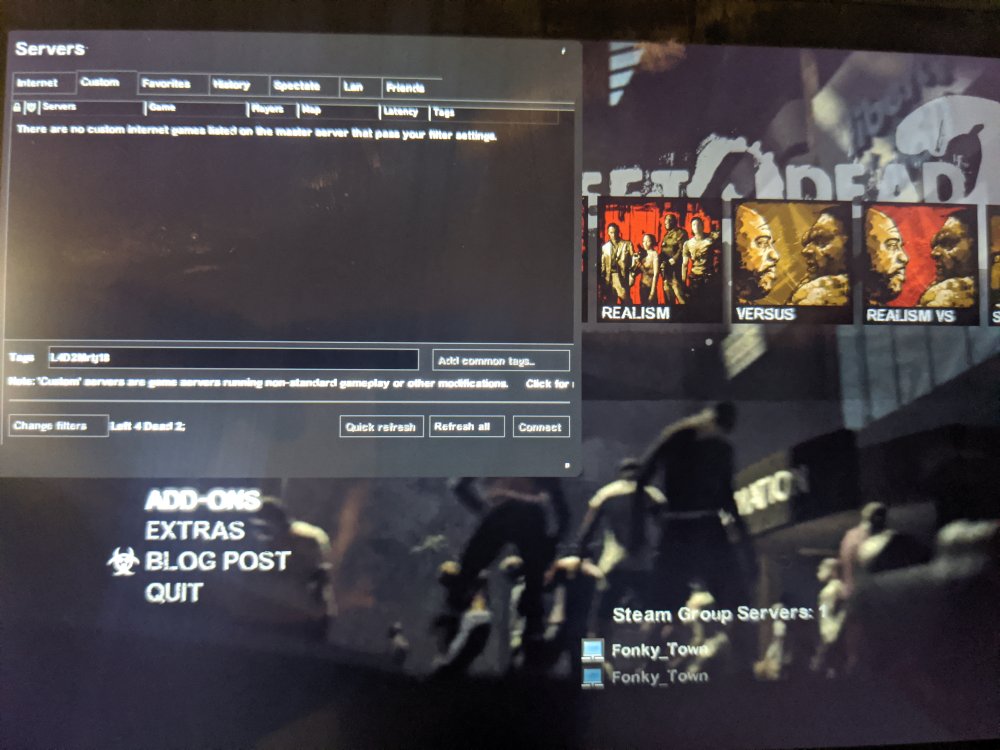
where are you typing this info in at to find the game? the custom tab, within the server browser menu? within the L4D2 game? When I enter this in the tags section it comes back blank. @ich777
-
I tired the +sv_setsteamaccount on the game_params section and still its a no go... I tried the following things: 1. Deleted steamcmd and the L4D2 folder deleted the the image reinstalled, still a no go.... 2. Changed the server.cfg file still a no go... 3. Deleted the server.cfg file still a no go.... 4. Started a co-op game from the main menu waited till people joined, changed the server type to "steam dedicated group server"... Game would load eventually, but kick out all other players that was in my lobby... So once again when the game starts once again I'm on my own.... 5. i have the port 27015 upd set on my router I'm stumped, cant figure it out for the life of me. And once again the server shows but nobody else can see it.... @ich777
-
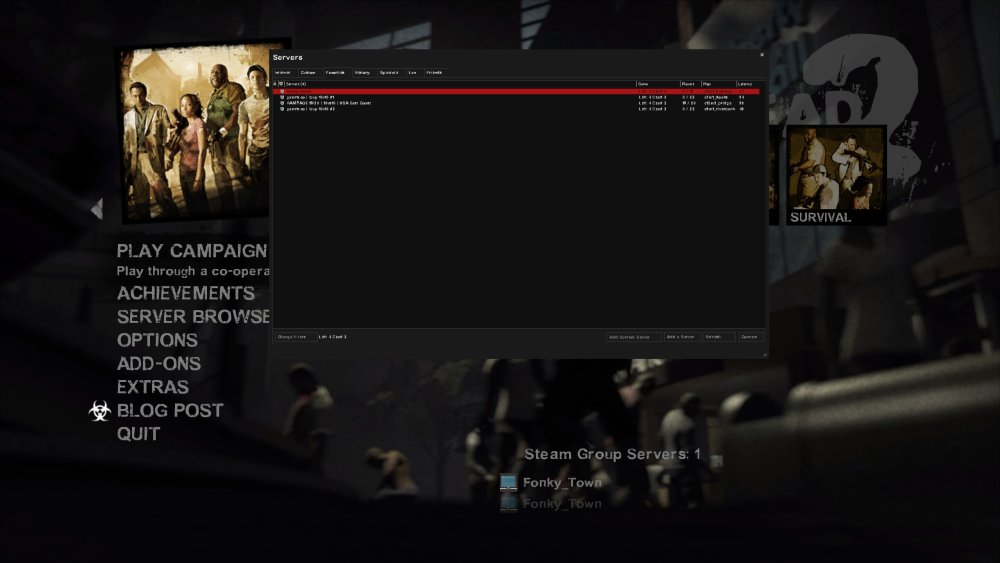
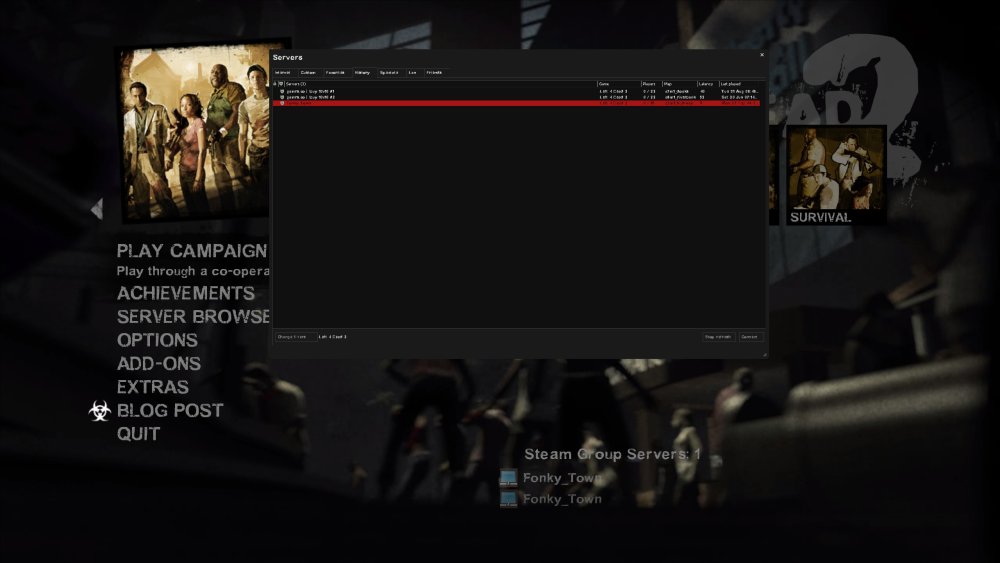
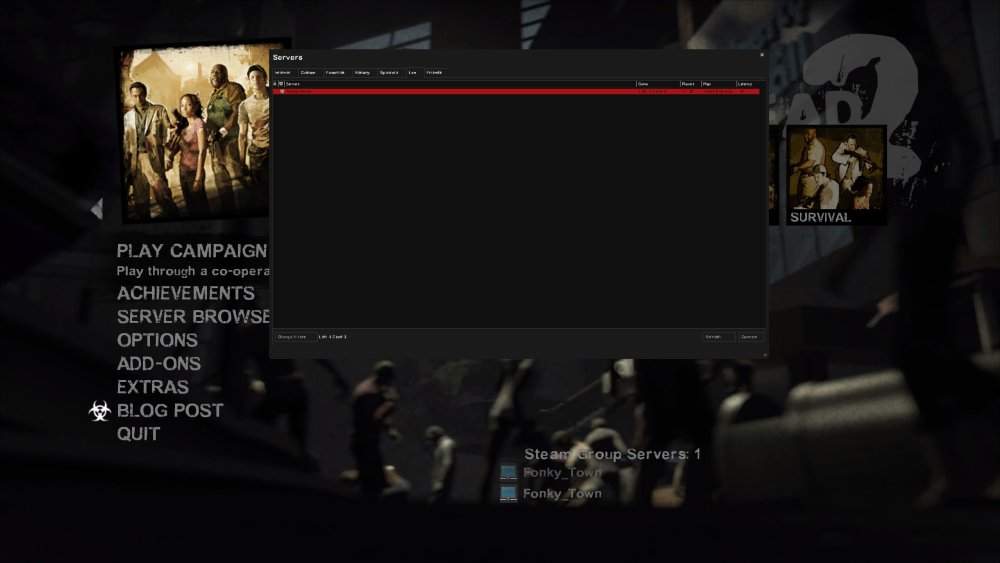
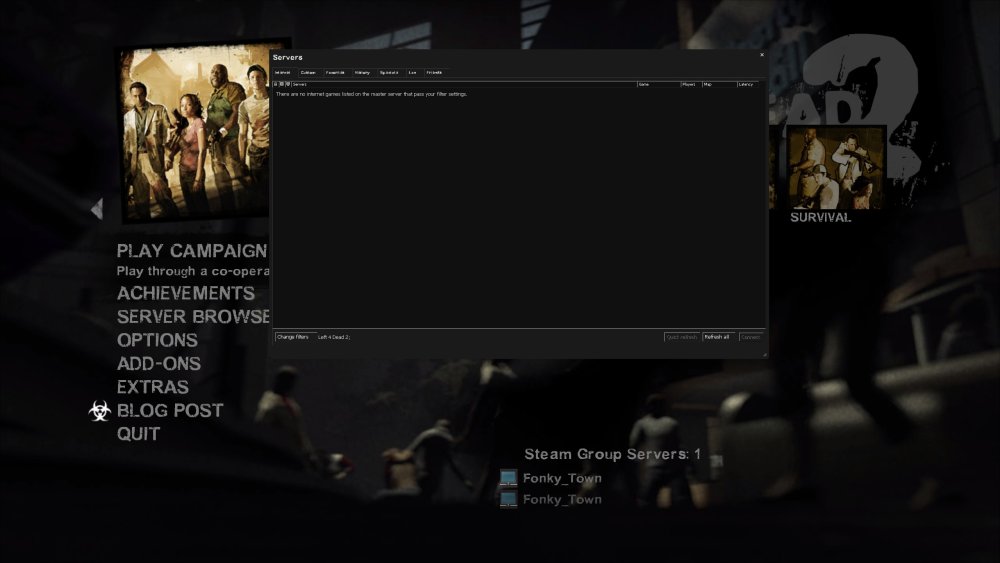
Im not sure what you mean by hair pin NAT or even if I have that. But when I use my steam deck boot up left 4 dead 2 and connect to it via my cell phones hot spot so im not on my local network. The server is only viewable in my saved favorites section. It does not show in the internet section, custom games, or lan ( for obvious reasons, because I'm no longer on my LAN network) So If I don't use the connect command in the console followed by my ip address I cant connect to the server.
-
I set up a left4dead 2 server and I see it in my steam group server at the bottom of my main menu screen, in my lan connection menu, and I can connect to it using my server IP address followed by the port number. And others outside my network can connect to it as well using my IP address and port. My question is, how can I make sure it shows in the public list for random people to join? Because people can only connect using my IP address. Because when I check the steam token for left4dead2 it shows that it's never connected. But When my csgo server I set up for test purposes with no mods installed it shows up as active. And joinable in the server browser menu. By the way my left 4 dead sever has mods installed. server config attached. Also whe sv_cheat 1 is on i cannot find it on the lan page or history page. only the steam server group is avalible Any help appreciated. server.cfg

-
Now I will admit I run an x570 3600x amd system with an rtx 3080. And I initially ran into issue after issue trying to get a windows 11 VM to boot and recognize my video card. But after a while I was able to solve my GPU black screen issue, audio cracking issue ( by passing through my windows drive, using virtual disk didn't help) my setup runs as intended. Now I need to spend more money to get a better CPU lol
-
I will admit I had a few issues getting my rtx 3080 to boot correctly within windows 11 VM. I had to: 1. Delete my windows 11 VM and vdisk from the VM menu and start all the way over. 2. Pass through my windows 11 nvme drive that already had windows 11 ruining. ( had issues getting it to run properly by installing it on a vdisk from my cache drive) 3. I used spaceinvadors GPU dumping tool found in his video. ( I only have 1 3080 in my primary GPU slot) 4. I had to set up the VM with the virtual machine GPU first, on first boot. Attempting to use the dumped GPU BIOS and passed through video and sound of my rtx 3080 would give me a black screen on first boot and would hang. Hopefully my experience may help with installing windows 10 VM with your GPUs.
-
Do you think 8 cores in the 5800X3D is enough for a dedicated windows 11 VM? I mean If we take one or two cores off, just to dedicate to unraid, that would only leave 6 or 7. Which could possibly put me in the ball park of where my system is today, just bare metal?
-
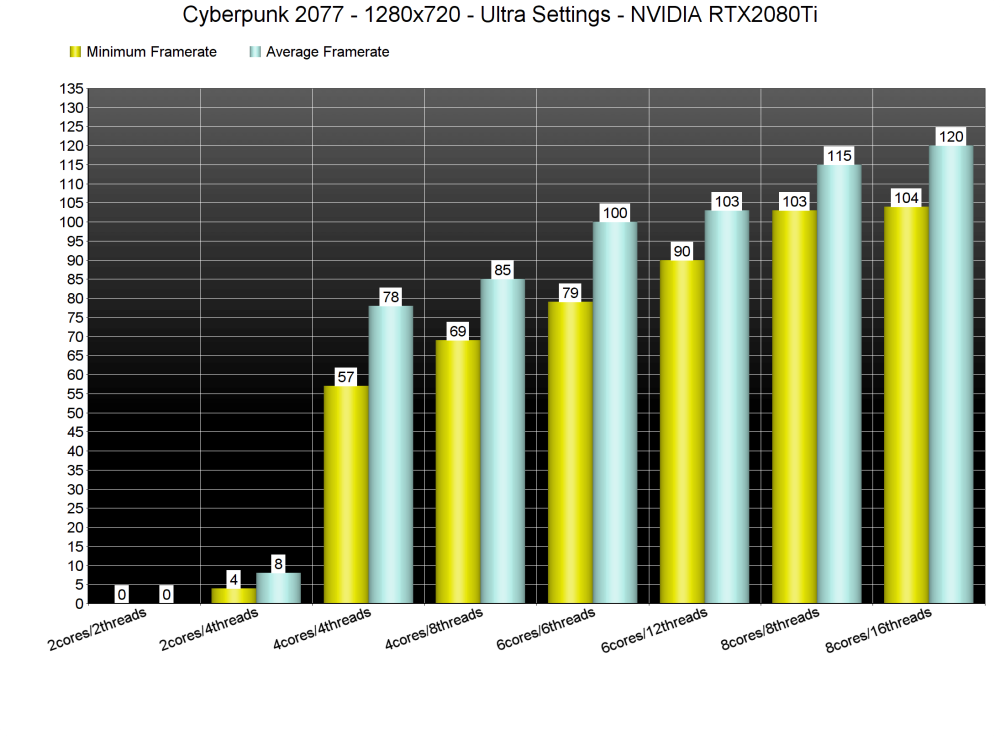
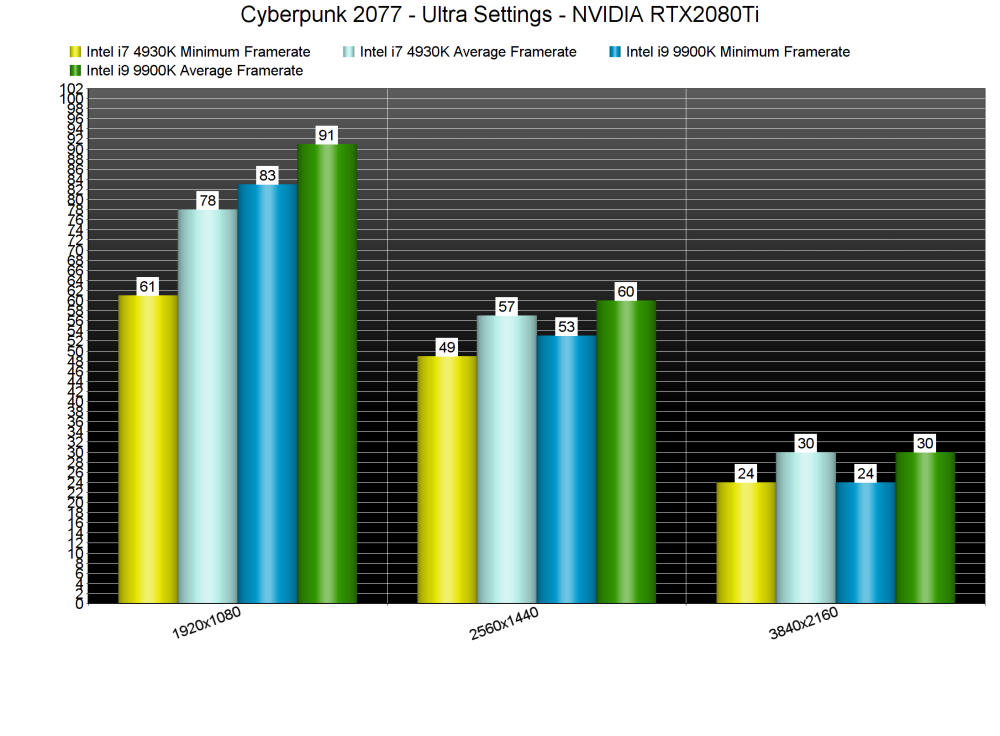
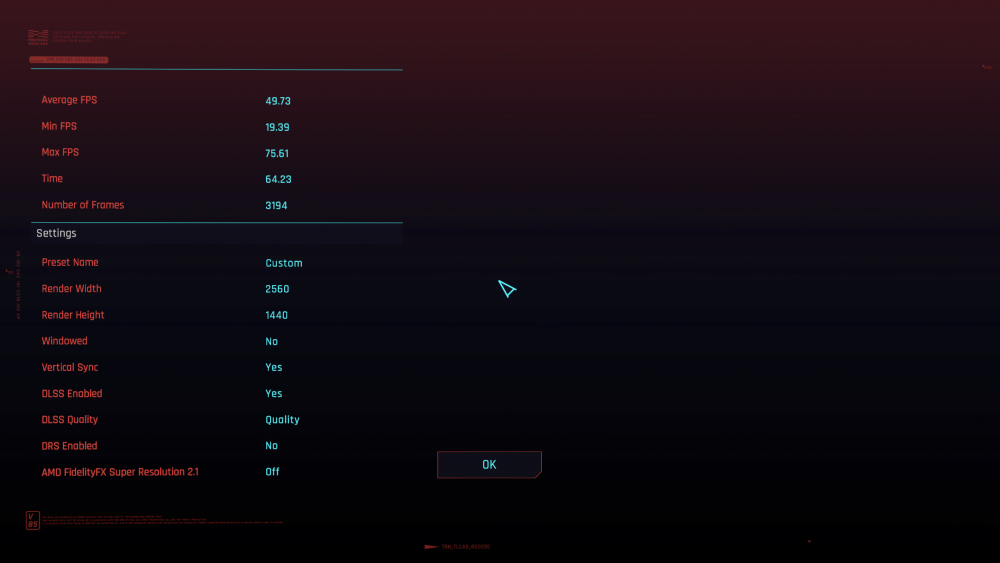
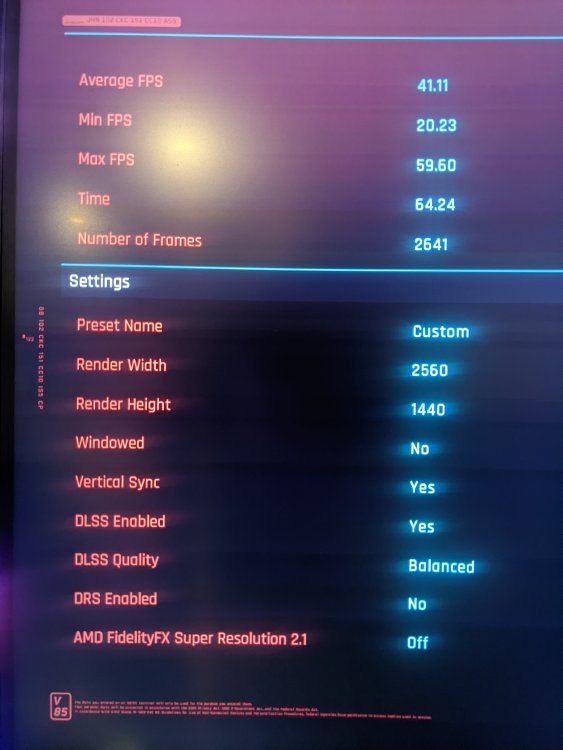
Welp seems I figured it out..... My issue of "low performance" was due to the low amount of cores allocated to my Windows VM. With only 3 cores dedicated to the VM I was getting 41 FPS average. And with 5 cores and 5 threads allocated my ryzen 5 3600x is performing more like an i7 4930k. So my performance is on par on what it should be. I just need to save up some more funds to purchase a higher core processor that can allow me to dedicate more CPU resources to the VM. Because my RTX 3080 is just being bottlenecked. Thanks for all your assistance @hot22shot On to my next Unraid project!
-
any suggestions @hot22shot?
-
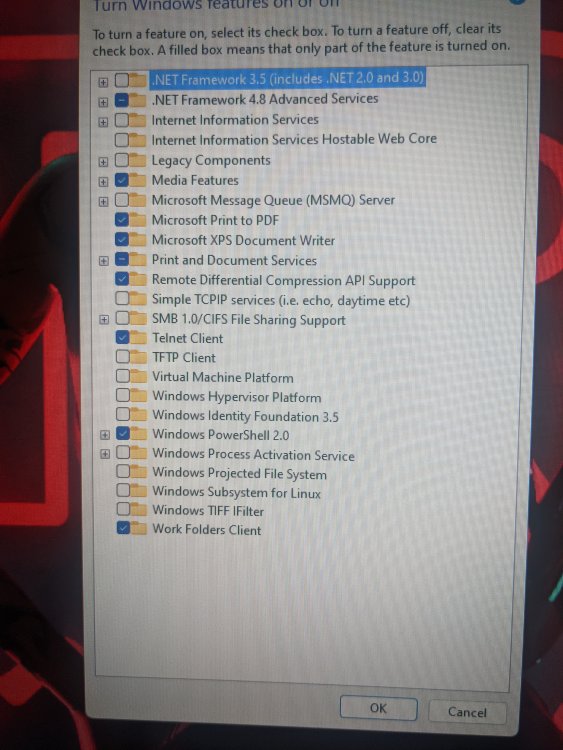
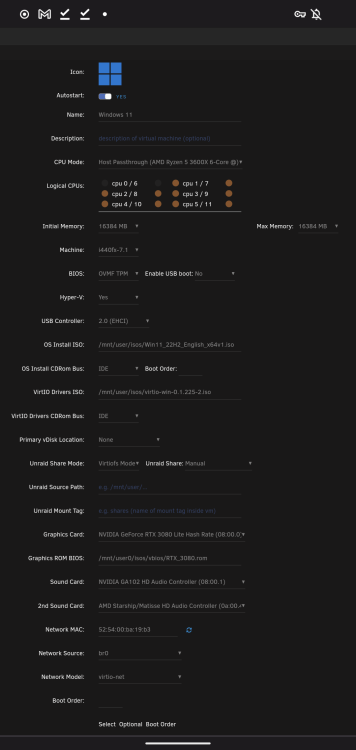
I wish this applied to me, I checked this before I even posted in this topic and as u can see I do not have those options, or its not enabled on my setup... I'm stuck here, not sure what else to try.
-
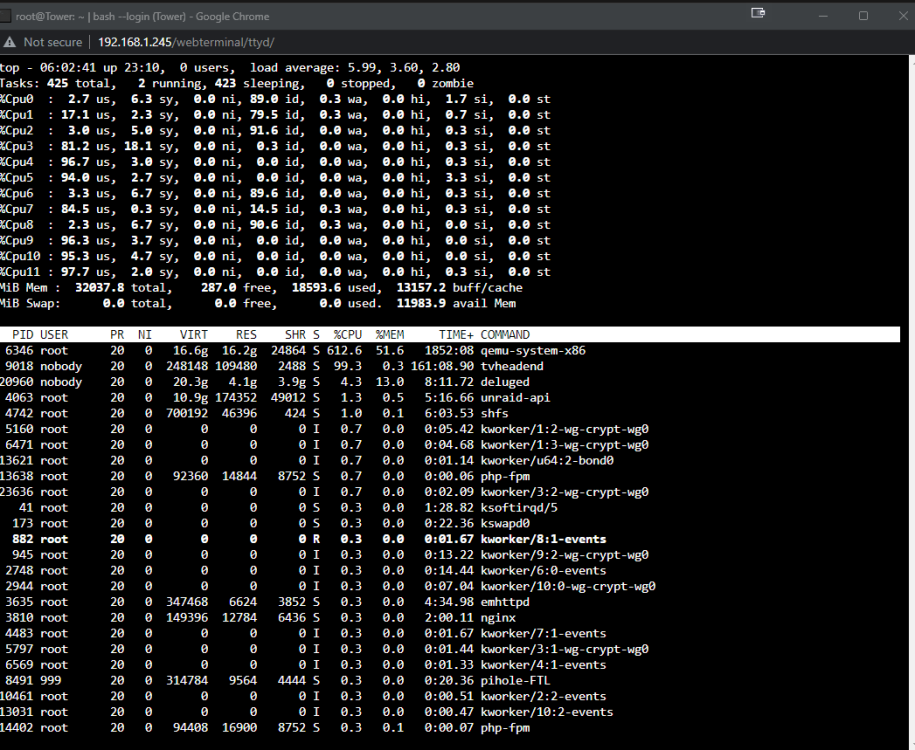
Here is the detailed look you asked for, please ignore the high usage for tvheadend, it will spike from time to time. but I have that app pinned to different cores than the windows VM. ( 0,1,2+6,7,*)
-
Attached is the top command within unraid of my system while running the cyberpunk benchmark WITH 3 pinned CPUs for the VM. I will have to run the benchmark again with all threads enabled when the girlfriend is not watching TV, with tvheadend enabled, because it may effect the TV playback. Lol... The top line of qemu-system-x86 is the windows VM...
-
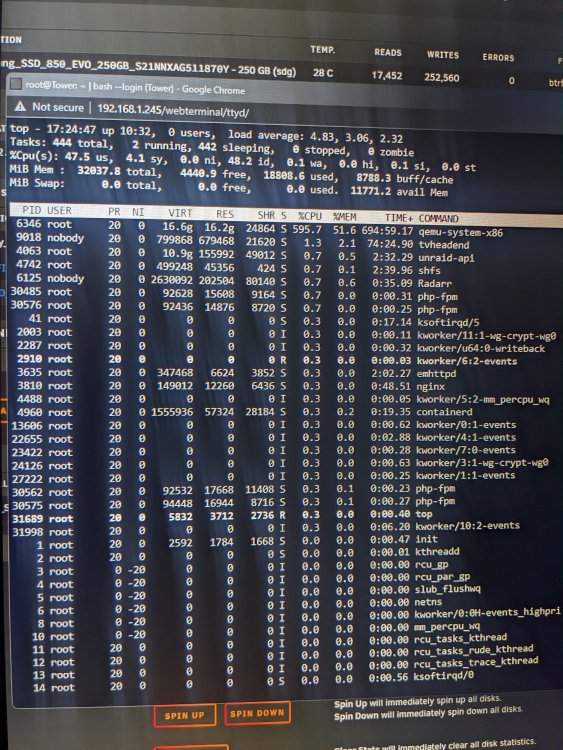
I only monitored the CPU usage from the desktop menu from unraid. All designated pinned CPU cores was maxed at 100% usage.
-
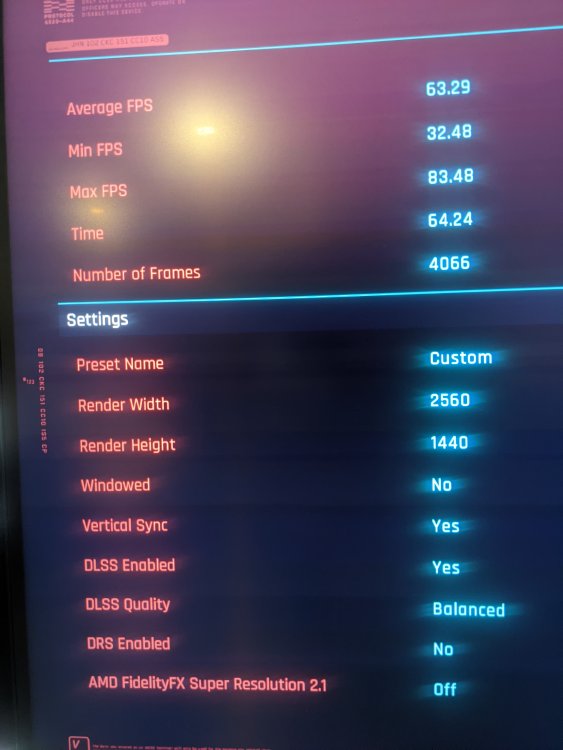
These are screenshots of my benchmark. One is from my bare metal results, and the next is from my windows VM. This is with the pinned CPUs we discussed.
-
I have never used this tool before, so I'm not sure how to accurately read it to diagnose any potential issues.
-
Seems my CPU is not strong enough to isolate and pin according to what was discussed. I was getting highs of 39fps and lows as low as 12fps. I tried pinning and isolating what we discussed and flipping the pinned cores instead of 0,1,2 I used 3,4,5 and it was a no go, same results. Looks like I would need to move my unraid setup to another machine to get my performance back, or leave some performance in the table till I can upgrade to a 8 core 16 thread processor. Because so far it can't keep up. My CPU was stuck at 100% utilization, for the whole benchmark.
-
Thanks for all your help, I updated my pinned snd core isolation selection, will update once I get home to run another benchmark on cyberpunk 2077.
-
Thanks for your assistance by the way.... So I should try grouping cores 0,1,2+6,7,8 to run with unraid or pin to windows VM correct?
-
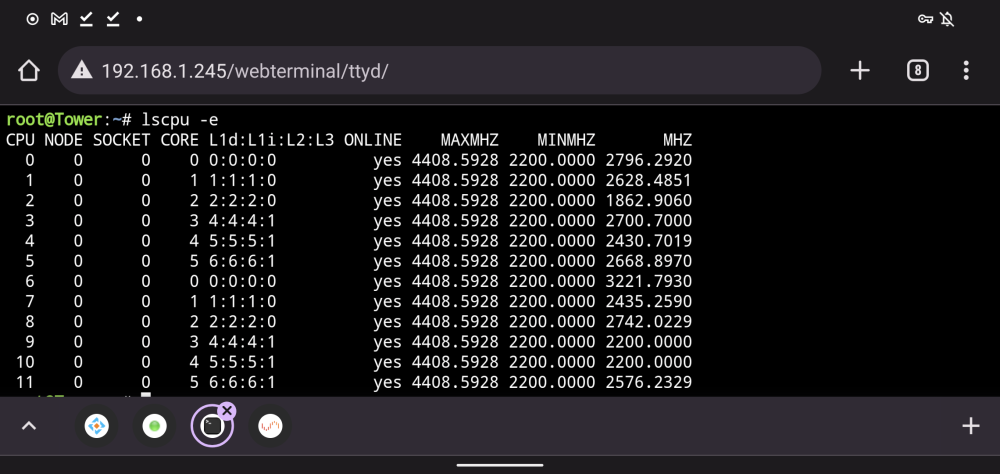
@hot22shot So I have a AMD 3600x and I ran the lscpu -e command and I got the attached CPU config.... So for me should my CPU paring be like this : 1+7.... 0+6... 2+8... 3+9...4+10...5+11..? So should I dedicate 1+7 and 0+6 to unraid, and pin the rest to my windows VM?
-
Same, I am passing through my nvme windows install as well. Mainly because so far, I still need it to run games at a high frame rate via dual boot, because of the issues I'm having getting the windows VM stable.... I will check out the guide to see if I have my CPU cores pinned correctly, because maybe it is a CPU issue
-
I don't see it, am I missing something?
-
Yeah, I have attempted to pin CPU cores as well from the CPU pinning menu within unraid as well, and that didn't help my situation, either.. In MSI afterburner it shows my memory at 100℅ usage. Yet in games like cyberpunk 2077 and heroes of the storm my GPU usage gets capped at like 70%. So I can't take advantage of the high refresh rate monitor I have.
-
I am having the same issue of not having full GPU usage. Everything else works fine as intended. On my rtx 3080. Cyberpunk 2077 stuck at below 58 fps and seeing lows into the 15 fps range. When I get 90fps+ constant on bare metal. I will attempt the hugepages fix, once I make it home, but I have tried.... 1. Uninstalling/ reinstalling the drivers using ddu. 2. Trying to remove the -hyperv code from my XML windows config file. But this line does not exist in my XML config. 3. Disabling windows virtualization within windows, but that option was already unchecked. There has to be some checklist out there of things to attempt to fix this, this seems to be a very common issue.
-
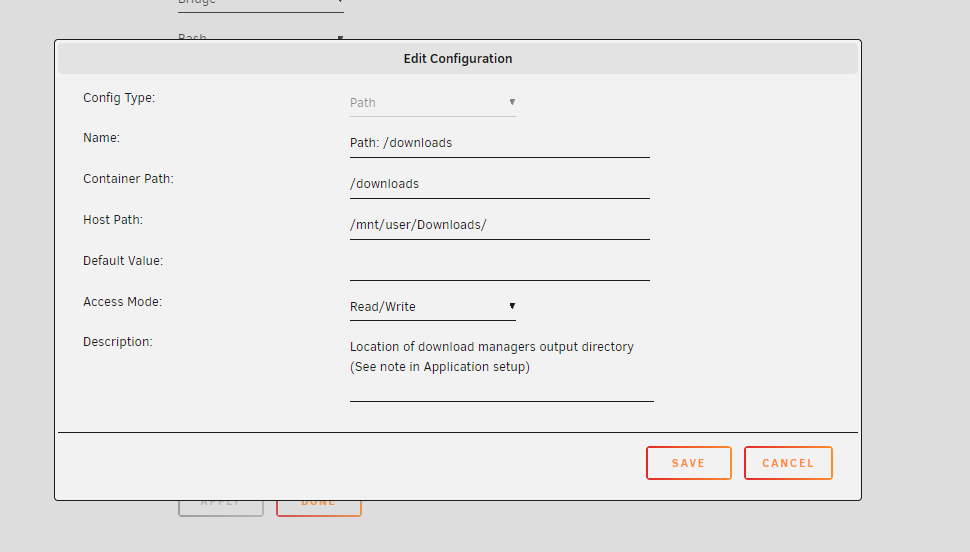
THANK YOU!! After re-reading your reply I finally figured out you was referencing. Changing radarr/sonarr "container path" folder location to match our download client, within the Sonarr/Radarr container setup config. I kept making the mistake of only changing the "host path" location and getting frustrated. Both the Container path & the host path must match within radarr/sonarr for tv/movies to be updated.