





Archivist
Members
-
Joined
-
Last visited
Everything posted by Archivist
-
Thanks JorgeB, It's been operating for ~ 2 years until a power outage over the weekend. It's back up but I knew the Boot Flash was out of date.
-
Hi, I'm a bit confused about. upgrading from an older version of the Boot flash to the current version. Do I need to go through several later versions first before updating the the current version?
-
Thanks for the Tips. I was able to see a ~ copy of the file and after several hours of playing with it, I was able to rename and restore the file. I do like your idea of the Recycle plugin and will install that immediately. I also found a few other options in the Unraid Forum including XFS-Undelete though I could not understand exactly how to use it. Again thanks for the response, yours was the only one I received. Archivist
-
I'm an idiot, that said, I somehow managed to delete my 2022 TurboTax file from the folder on my Server. I can't find a "Trash" folder on the Server but it might be hidden. Is there anyway to recover that file? Please Help a poor soul? Archivist
-
Using 6.9.2 and Dolphin. I'm trying to delete Share (Apple) that has 2 sub-directory files that refuse to delete. What do I need to do to clear them so I can delete the Share?
.thumb.png.6837e8ba3647fea7bef66e075e5d2d6b.png)

-
Thanks Conner, you were correct. I had to remove each Drive from the array individually to have them all show up under the Preclear App. All Drives now being Cleared of Data! Much obliged! I'd forgotten a lot of my programming for Unraid, this Server has been around for ~ 10 years+ from all the way back in the original release version (3 or 4). Dave
-
Thanks for the info, I've used Community Applications to install Preclear and stopped the array. I've also gone into Tools and tried to set a new config (all disks; yes) but they all still show up in the stopped Array. After that I've tried to invoke Preclear but it won't let me identify the drives. What am I missing? Much obliged for the assisance! Dave
-
Is it possible to Pre-Clear the Drives while they are still in the Old Server? I've done them externally in the past prior to adding them to a "new" Unraid.
-
I have an older Server that I'm no longer going to use. It is running 6.8.2 and I would like to make sure nothing can be read and/or retrieved since some of the data could be compromising. I've looked through the system and see where I can start over and even re-format the drives (2 to 5 GB in size) but that is very time consuming, If necessary ok, but is there a "Best Way" to Wipe the Drives similar to the DOD standard for Windows/Mac? Recommendations welcomed! Thanks, Dave
-
I have a question about changing from Needoplex:latest to Linuxserver's or binhex's repositories. It took a very long time to setup my Plex Server (still w/o PlexPass) and get it to work on my UnRaid Server. If I change to the other repositories, will that mess up my links and access? CA Fix Common Problems recommends this change but I'm not sure of the effect. Suggestions/thoughts welcomed. Thanks
-
Many Many Thanks! D
-
Yes, I did thanks, but therein lies the problem! Without your suggested Fix Common Problems first (which I can't find the URL for w/o Community Applications which is not loaded, hence no Apps to Search), I can't clean the system prior to updating to 6.4 or later so the current Community Applications suite will load.


-
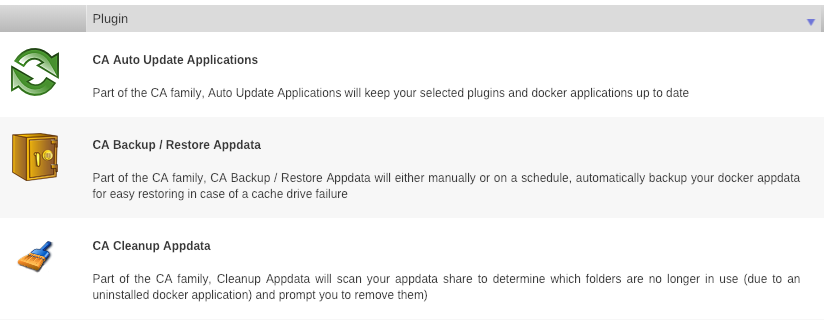
Hey Squid, I have a conundrum (great 2bit word). My Backup Server is running on 6.3.5 but can't update. Reading the posts, I need to install CA-Fix Common Problems to eliminate issues prior to the update. That requires CA-Community Applications, which could not be updated as the OS was too low, so was removed. Without Community Applications, I cannot install Fix Common Problems (duh)! I've searched everywhere for the URL for Fix Common Problems, but everything points back to this thread and Community Applications. HELP! I'm Stuck! Dave (Best Wishes for a Happy 2019 New Year)
-
Hi Talmania, I use web access vs the Plex webgui in UnRaid to access my Movies, but still had that problem. I also have a drive with less than stellar SMART status, but this was happening before adding it to the Array, so ? Thus far only 1x for me w/the Lockup not 12x ! Hopefully one of our Gurus will see this and figure out what is happening, my Server runs on a Xeon w/20 GB of Ram and twin 250GB of Cache (SSDx2) so I doubt if there is much problem there as well. Dave
-
Hi Talmania, I concur. After re-booting my server and doing a complete Parity Check (w/o issues), I've concluded that when Plex initiates, it seems to tie up the Server's resources. Interestingly after completing the Parity Check and reinitializing Plex (incl restart), I had to log out of my Webloc link and back in to find the "Server" (still do occasionally). It then seemed to find all of my movies, so apparently Plex continued to work in the background despite locking up regular access (either that or while it was checking Parity). I've subsequently added several more movies to my sub-directory w/o incident. It would be interesting if others are seeing this pattern. Are you using MakeMKV-RDP and if so have you had problems "ripping blu ray discs"? Dave
-
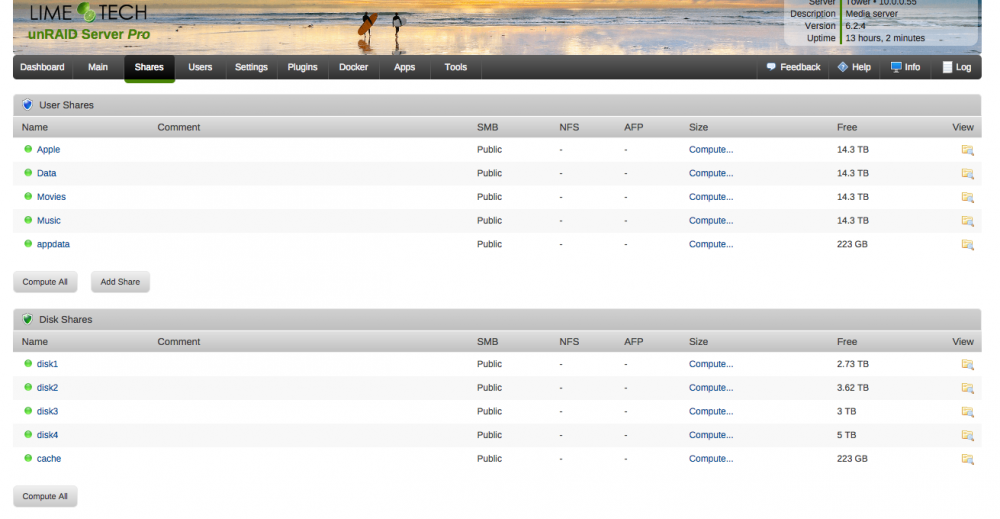
Too Large for both - Screen shot below:
-
Sorry Trurl, In a "rush", got called to hospital for a case. I did try to get a log file but it was too big to include. User Shares/diags attached. Parity re-check still in process. My bad, Dave tower-diagnostics-20161218-0539.zip
-
Hi Trurl, Thanks, will do (see below). Plex started to identify ~ 140 Movies w/artwork, then proceeded to Lock-UP not only Plex but my entire UnRaid Server. I could not even access the Server via telnet or directly from the GUI interface attached to the Server. I had to force power down Tower and restart. Of course I got the CA error from Fix Common Problems and Parity is being checked (not corrected). I do not ever recall having UnRaid "lock-up" in this fashion at any other time. Now it's back to the Plex Server not found again. I even tried to restart Plex Media Server and re-login to my Plex (webloc) link w/o success (grrrrr). Dave

-
Hey Squid, Thanks, I finally got the Plex Server up and its loading my Movies . Interesting the default to /Apple found a sub-directory for Bond Series first and I had to go back into Plex and add another /Apple/MK4-MKV Movie path to find all of the others which I thought was a bit odd. Dave
-
Technically that does work. Tell Plex to find the media within /Config. Hey Squid, Great to hear from you. I know you don't really use Plex (and/or CrashPlan), but it probably relates to my mis-understanding of how my Docker(s) should be configured properly. In the case of Plex my Config = /mnt/user/Apple/MK4-MKV_Movies so when trying to set the "path" within Plex I guess I'm lost. When I go into Plex the program, since it can't find a "Server" it does not give me the option to set a path. Dave *BUT* I really have to advise against that type of organization (storing appdata within your media shares) My opinion is that Plex has the god-given right to do whatever it wants to within its appdata path. And that includes deleting any files which it thinks does not belong (your media) if and whenever it chooses. Add another mapping of say /apple mapped to /mnt/user/Apple/MK4-MKV_Movies and point Plex's libraries to /apple Beyond that, I very rarely use Plex so don't know why it won't find your server. But I think you can go to your account and delete old servers that are present that may be mucking things up.
-
Hi CHBMB, Sorry, I guess that could be the problem, but my Config is "/mnt/user/Apple/MK4-MKV_Movies" so I thought that constituted the "path".
-
Hi Trurl, I've tried that multiple times. I've even re-downloaded my Plex App (WEBLOC) link several times as well. It just doesn't seem to see my movies - "/mnt/user/Apple/MK4-MKV Movies" or "Server" regardless of anything I do to modify the path (now with underscore). It finds my son's Plex Server but not mine. Dave
-
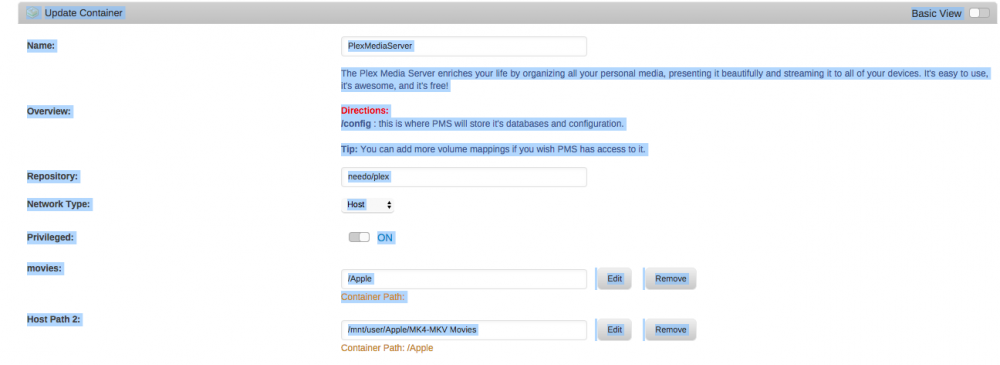
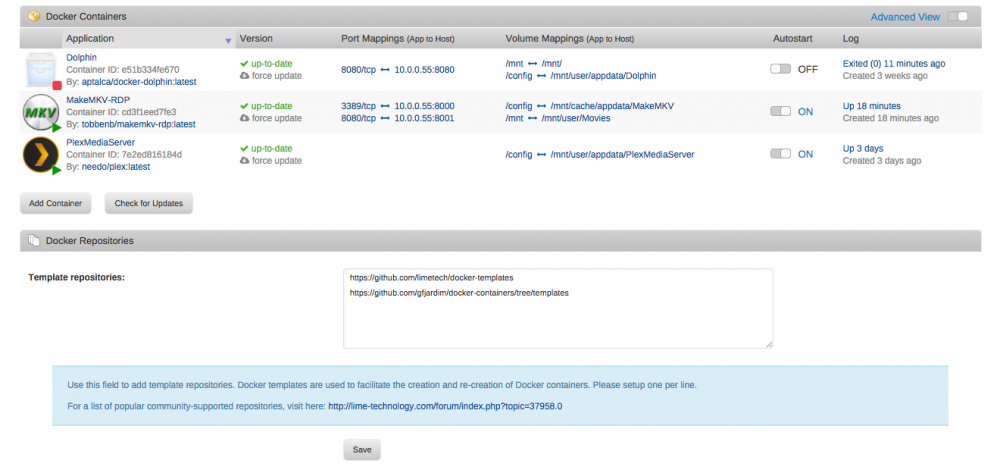
Oops, other 2 pics to my Plex Server (note the 1st is my Son's Plex Server that shows up).

-
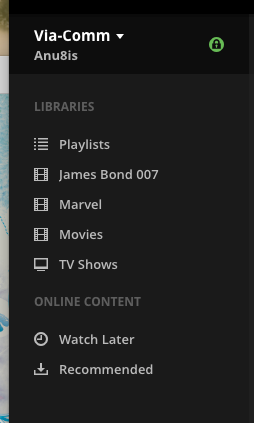
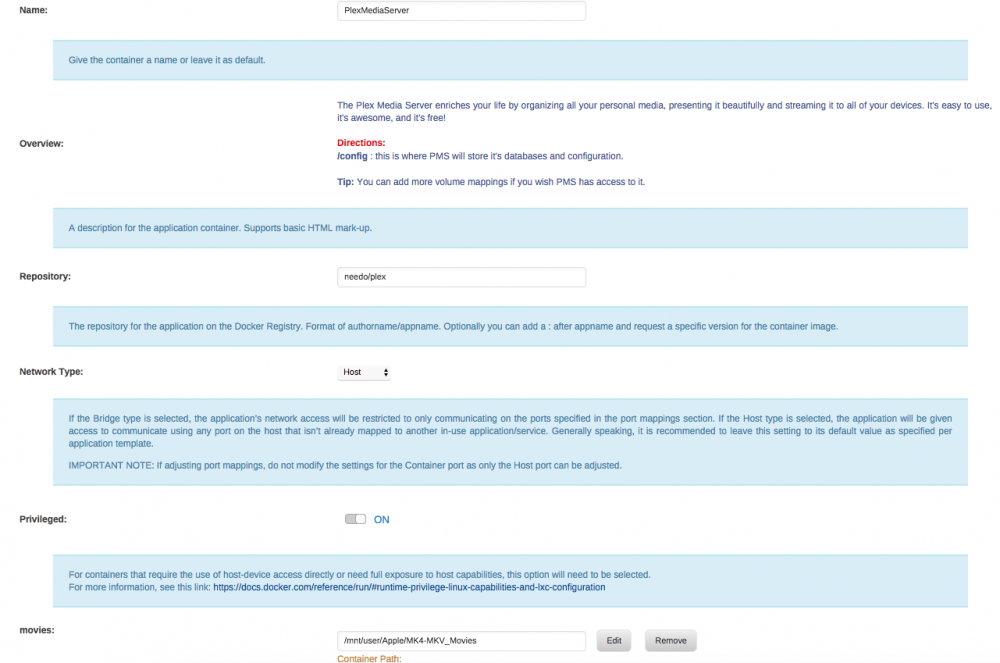
Hi Guys, I'm still having Plex Server problems. For some reason (probably me ) when I start Plex on my Mac via the Plex.webloc, it constantly fails to find my Server (though it can see my son's). I've uninstalled and reinstalled the Plex Docker many times and earlier in the week even went to Dolphin and removed all instances of Plex from my appdata share to make sure it wasn't being confused by previous installations. I had this working before I "screwed-up" my Parity Drive last Spring, but now that everything is straight again I would like to get it going again. I'm sure that it's probably something minor but despite pouring over this thread, the Docker application etc. I'm just not getting it to work. I would really appreciate some help and maybe the proper config files needed to make this work. Please ! I've attached a pic of my settings along with a pic of the Plex report when I try to get into my Movies. Note my MK4-MKV Movies are stored in my Apple "share". The Movies "share" contain all of my older DVD rips (Video_TS - or VOB type files that I'm slowly converting). Dave
-
Hi JJ, Plus 1, I'm getting the same problem. As an aside, I'm having problems getting my Plex Server to function. Could you please provide me a copy of your settings (configs). My Plex link on my Mac (https://app.plex.tv/web/app#!/server/9aa206e893b87c17ee7a55c3a0120af06768447c/section/1) fails to find my Server. Thanks in advance for your assistance. Dave
.png.1e832b4382bb0c6b939ece89c0739859.png)


