dhuesca
Members
-
Joined
-
Last visited
-
I am aware, great tool. Although I don't want to have to mantain 2 apps when one could do the trick 💻
-
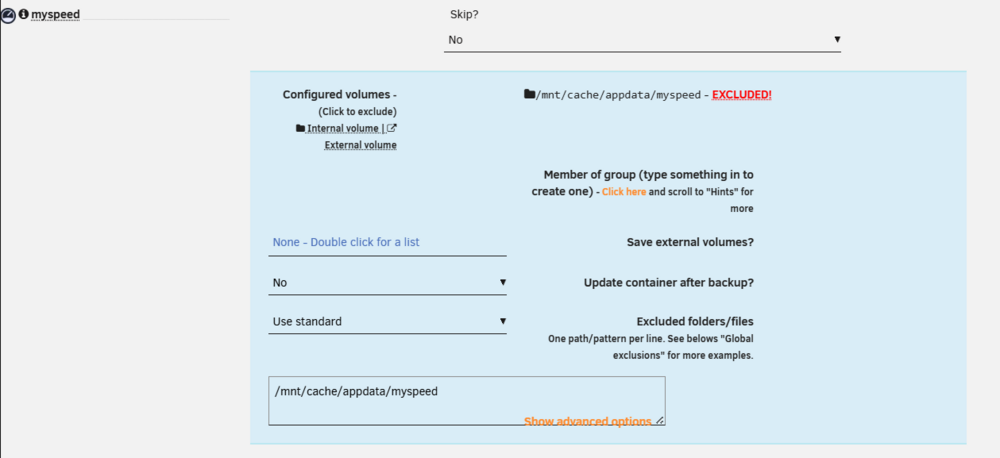
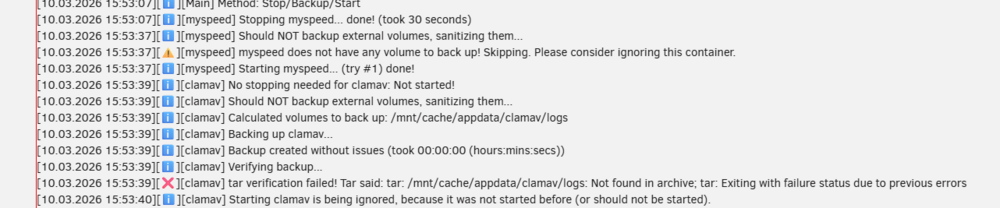
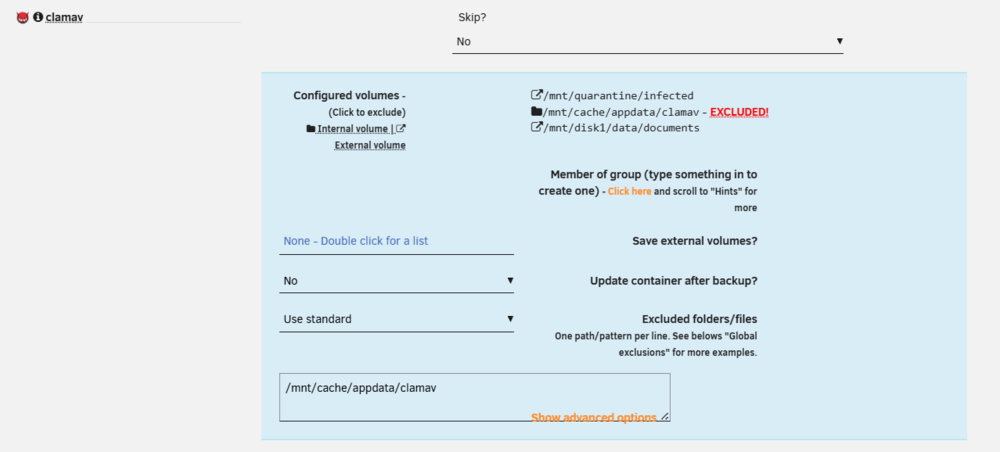
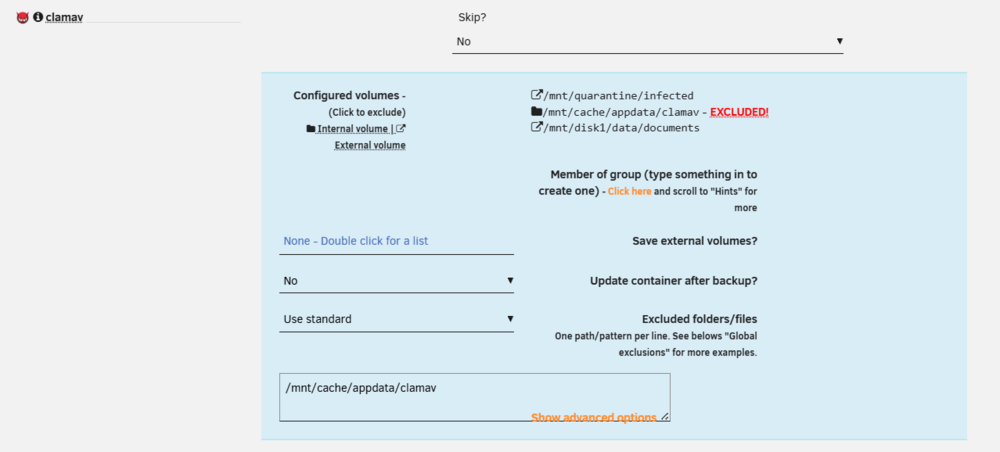
@Kilrah I don't want to backup anything from the filesystem, but I still want to make use of the auto-update feature the tool offers. That is why I don't set it to "Skip". If you notice, the error message actually says that there is a tar problem when checking for a folder that shouldnt even be checked for, the "/logs" folder. This problem only appears to happen with this particular container (clamav) though. I have another container configured the same way (no need to backup anything, just stop, update and bring back online) and I've excluded all folders related to the container and backup works ok 😓
-
did you manage to find a solution to this? i'm encountering the same issue. I have excluded the paths correctly, but still fails

-
Hi everyone, I've been using the Appdata Backup plugin in Unraid and it's been a game-changer for managing my Docker containers. However, I have a few suggestions and questions that could make it even better. I'd love to hear the developer's thoughts or if anyone else has workarounds. Default Backup Behavior for New Containers The plugin currently backs up every new (unknown) container with default settings. Is it possible to add a toggle to change this to an opt-in approach? I run a lot of Docker containers and install new ones frequently (that's the point of a lab environment), but I only want to back up the ones I consider "permanent" on my server. Instead of having to disable backups every time I install something new, I'd prefer to enable backups only for specific containers. Clarification on Start Order Panel I'm a bit confused about the "Start order" panel. It says, "This defines the start sequence. Stop would be this order in reverse." Does this refer to the start sequence of Docker containers on my Unraid server, or the start sequence of the backups themselves? Request for Pre-Container Stop Hook For custom scripts, is there any way to add a hook for "pre-container stop" with arguments like "pre-stop" and the container name? The default behavior is to stop the container, back it up (optionally update the image), and bring it back up. I have a lot of containers running, and some require special attention. For example, I have an rclone container that FUSE mounts a remote WebDAV into my host filesystem. This container runs at position 67/100 in my setup, so before stopping it, I need to run a custom script to safely decouple everything. Unfortunately, none of the current hooks work: "Pre-run" executes at position 0/100, so any containers from 0-67 that need sue the mounted WebDAV would fail if the decoupling script runs then. "Pre-container-backup" doesn't work either because it triggers after the container has already stopped. Other than these points, this plugin is amazing, and I thank you for your hard work! Best regards
-
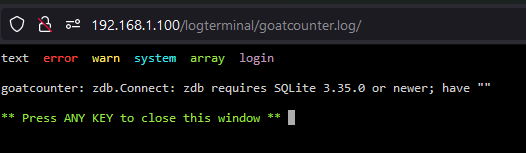
Does not work my-goatcounter.xml
-
As the title says, how can I configure Wake-On-Lan for VM hosted by UNRAID. I've installed the wake on lan plugin with all the workarounds from this post And I use apache guacamole (docker) and command line (from unraid) but I have no luck getting the VMs to wake from any state (sleep/off) Any ideas what to do? I'm using Unraid v6.11.5
-
I have the exact same issue, but with VM's hosted on UNRAID. I'm trying to connect via Apache Guacamole to a VM, using WOL but no luck. If this works, I will finally be able to configure a VM as a self-hosted Github actions runner!
-
Hello! did you manage to get this working with Guacamole? Having the exact same issue
-
That seems to have done the trick. Disabling proxy DNS on cloudflare dashboard worked. Thank you! Any ideas why this happened?
-
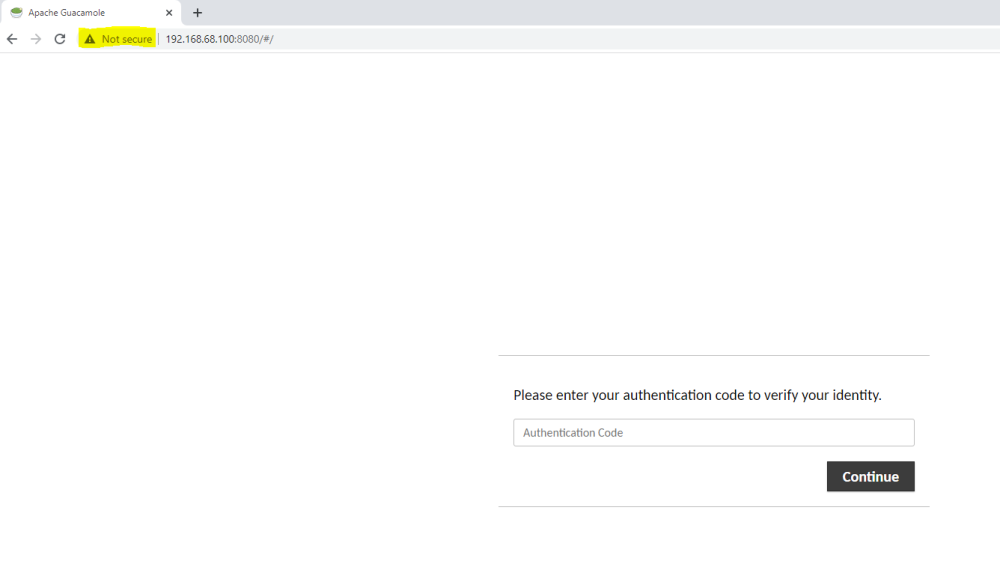
Hello everyone, I'm having a weird issue with this app. TOTP works only on http NOT https 😕 and I can't login because I can't input the code Can anyone lend a hand on how to fix this? unsecure http with https and my own domain on cloudflare