





alcxander
Members
-
Joined
-
Last visited
-
talk about giving up too early, literally just found a solution. thank you my95z34 over at reddit https://www.reddit.com/r/unRAID/comments/1ba2ncl/unraid_gui_isnt_working_says_error_refused/ not sure what this does but this command /etc/rc.d/rc.nginx start did the trick for me and i can connect on the ethernet again edit: if any other newbies see this in the future let this be a lesson to make sure you have telnet/ssh access set up so you can do exactly this solution if it happens to you. In hindsight im glad to have had it enabled otherwise this'd be a pain to resolve.
-
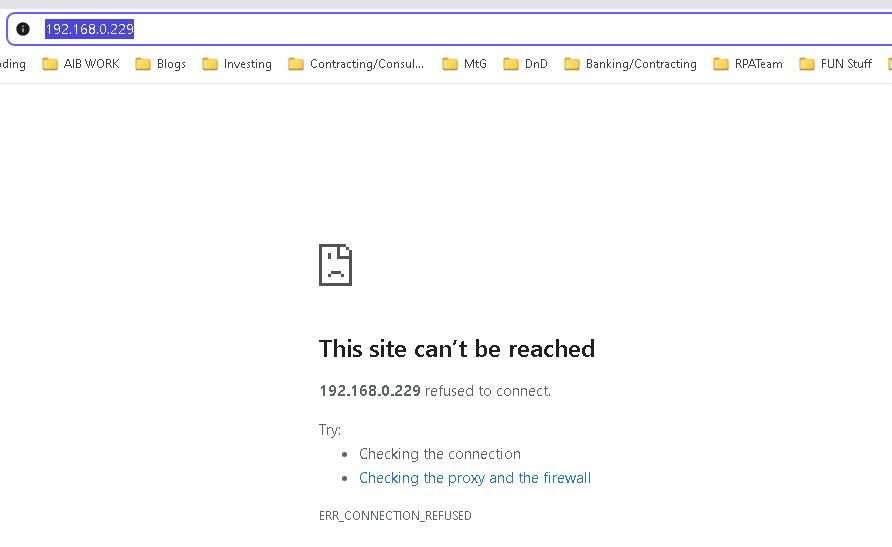
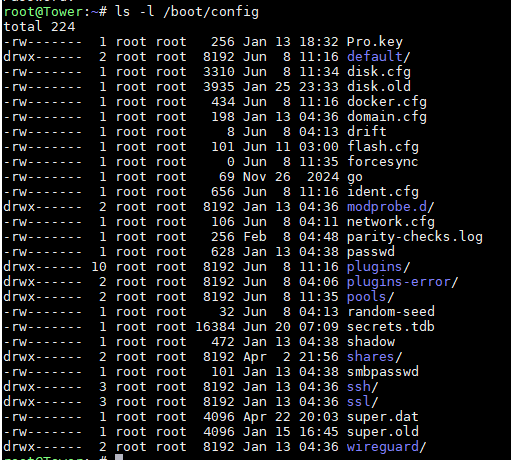
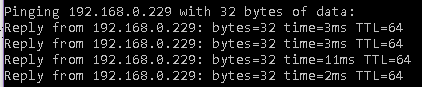
hi all, have always connected over wifi never been an issue, now recently got plug in the wall ethernet connection. Can connect to the internet just fine it all works but for some reason I no longer connect to the unraid server at http://192.168.0.229/ which it has been since 2 year ago. I can telnet to the machine and sign in I can ping the ip address I can see the shares in windows explorer when i connect with ethernet i get connection refused my media applications are accessible via cloudflare tunnels still. so the tower is very much up and running but for some reason I can't get the ui to resolve in browser. Any handy telnet commands I can try to reset some things on the system? Not sure at all what's going on here. To be clear the only change recently is access to the router is on the ethernet cable not the wifi. tower is ethernet connected to the router, I can see the machines both in the router dhcp settings and both with reserved IPs. i.e. on this machine the router shows me the machine with it's set IP address but when I try connect to that IP the router is telling me is there it won't connect.

-
hey sorry, busy weekend. It wasn't super clear cut, took a couple go rounds on plex. not sure what exactly was the issue but first seemed to be unraid wouldn't let something go in community apps, after a restart though it was able to install the plex container again but then some config wouldn't load. after little searching someone suggested resetting my plex server claim and that seemed to do the trick now I have plex started again AND i can see the media on it and play it. so win there. I think I'm all good now, just have to reset my other apps to run again and should hopefully be back to nominal status. On another note, how do you guys protect against power outages etc? is there a good practice I can follow for protecting against this in future?
-
Ive put in the latest backup I have but its from 2023 and i would've made changes in 2024 for sure. tried what you said copying the backup over but still gives bad parameter on launch. is it cooked will i need to reinstall it?
-
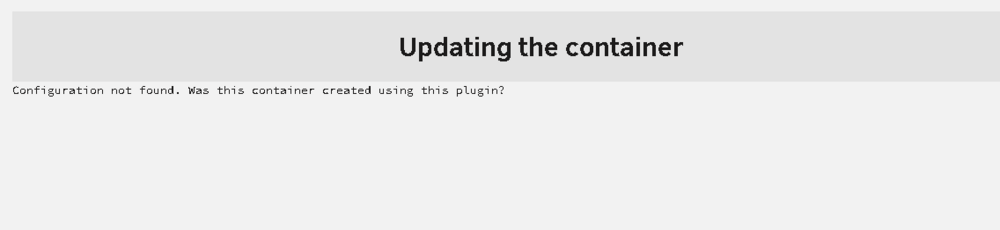
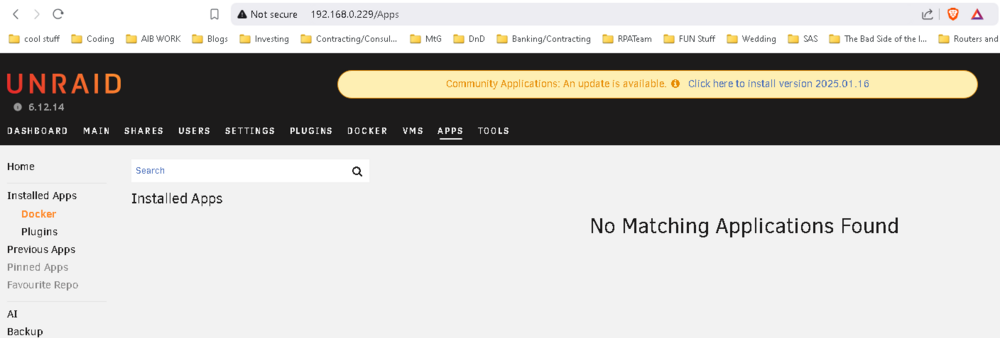
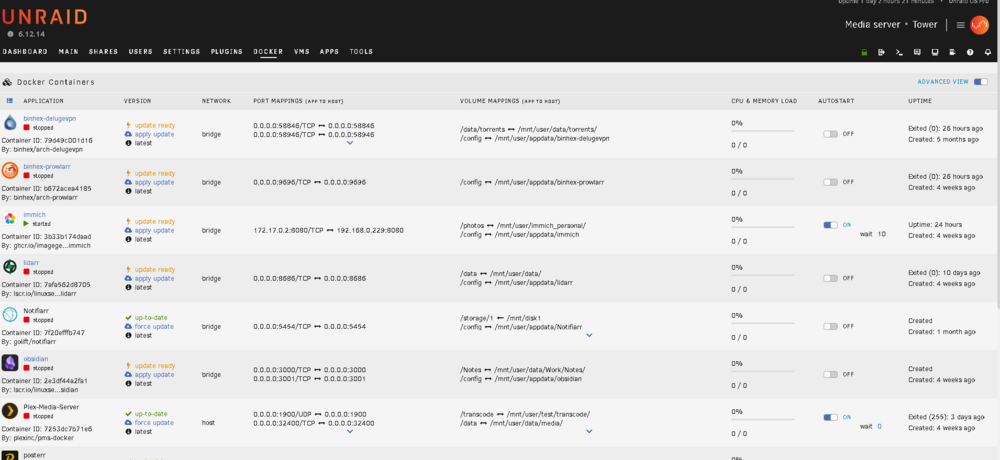
ok thank you @JorgeB and @itimpi the SMB issue I see now is fixed. ei totally missed the export option I thought that meant something else, not sure why. I can now see exported shares over SMB. I still have an issue with plex launching though i suspect it won't only be plex having the issue its just the one I'm looking at. I tried updating it and it says I want to look at the settings and see if there's maybe a conflicting port, transcode option or GPU detail to look at but i can't get to the edit image details in the docker tab, it doesn't show for some reason. most interestingly I tried looking at the apps in the community applications centre but it says i have no matching applications found interestingly I know immich is working and cloudflare as i can get to the served port on open internet so they work alright but they're not showing in comm manager. any ideas on this?
-
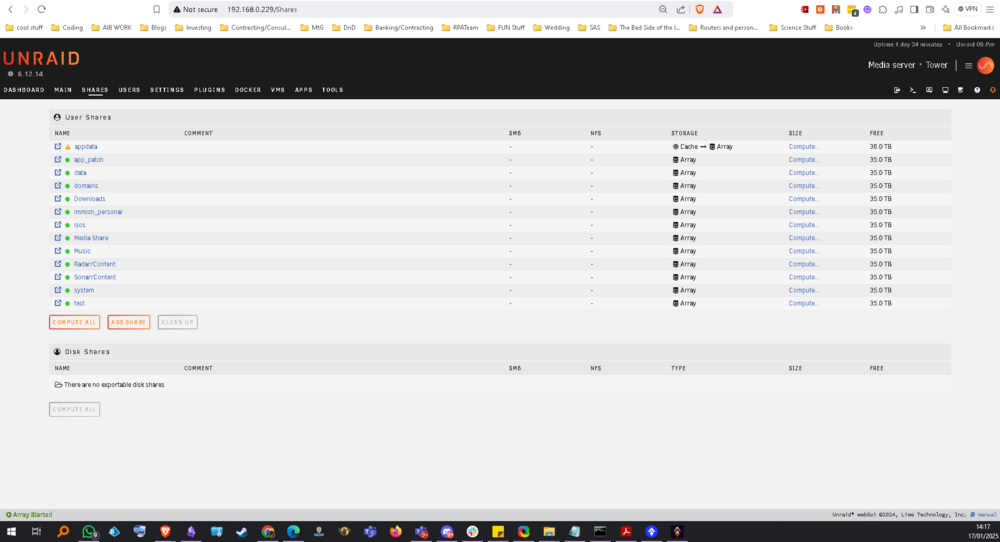
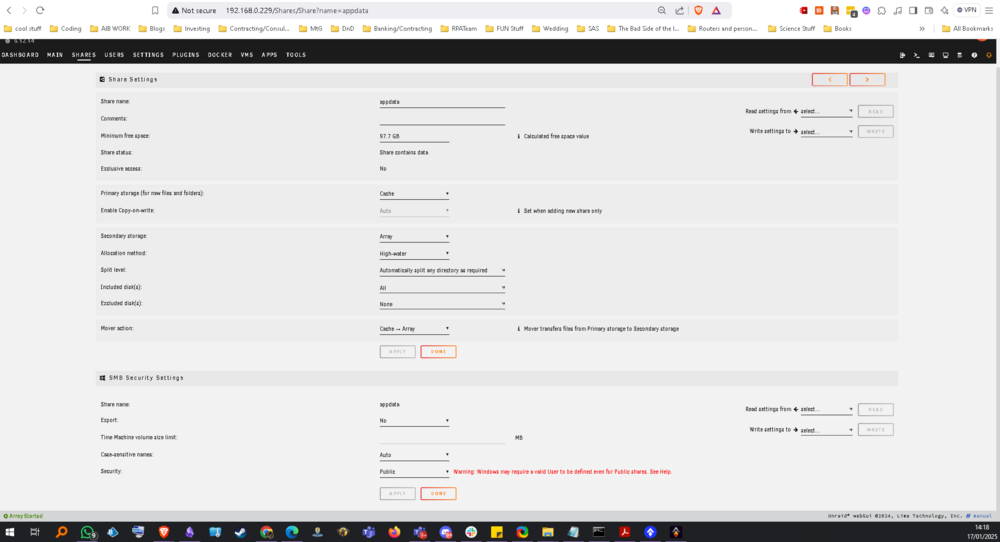
Hi Jorge, Not sure what you mean by exporting them. That screenshot is the full shares page. here's a new image of the shares page zoomed out slightly to show nothing else on the same page unless, apologies do you want this page e.g. the details of the share (this one is appdata when i click on it)
-
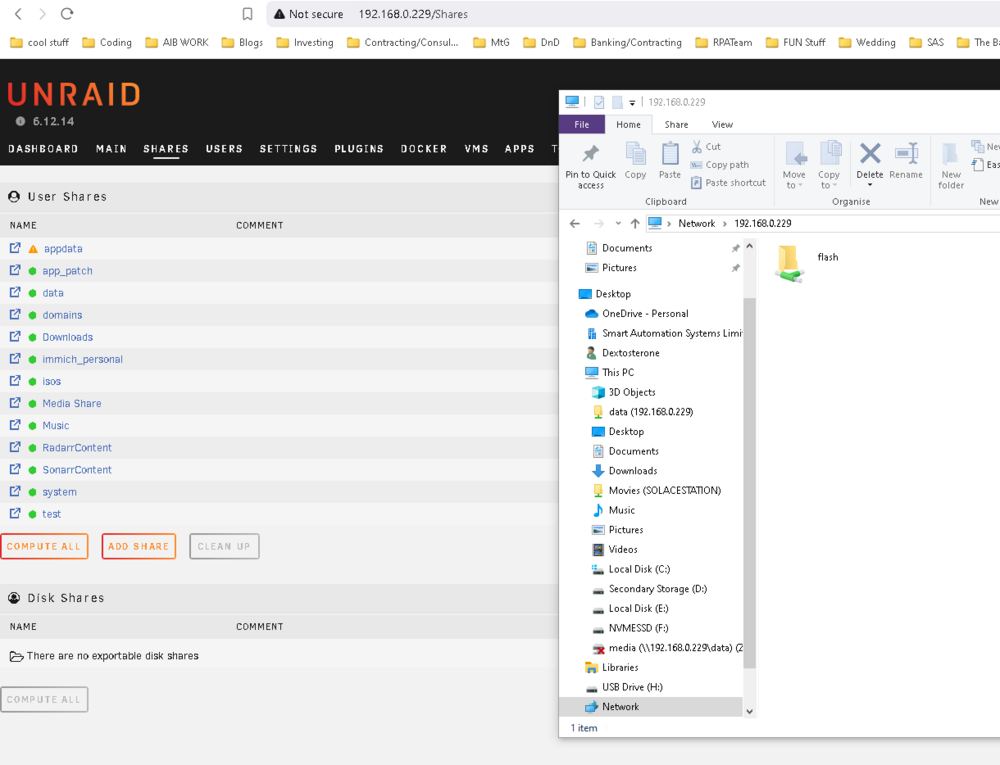
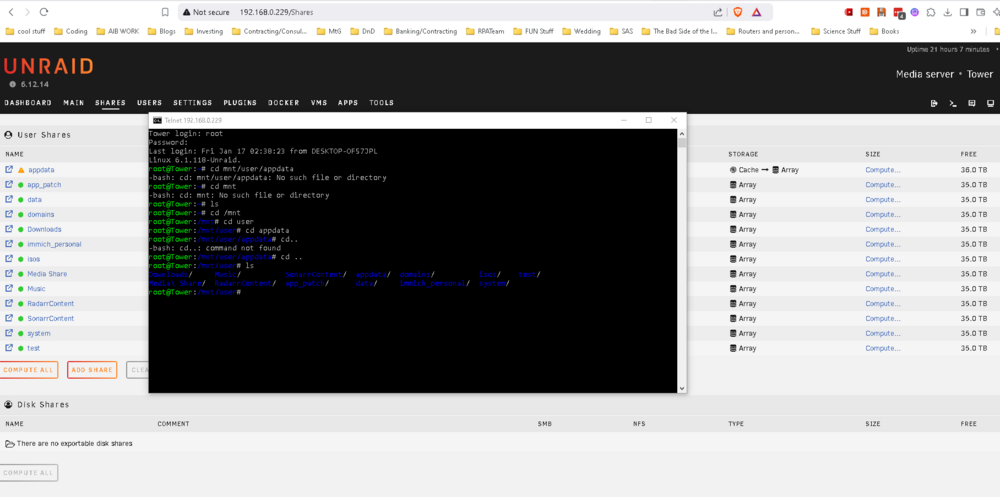
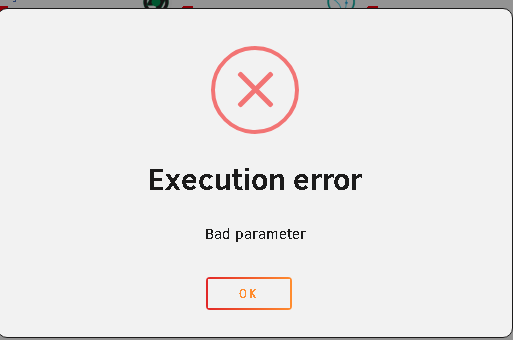
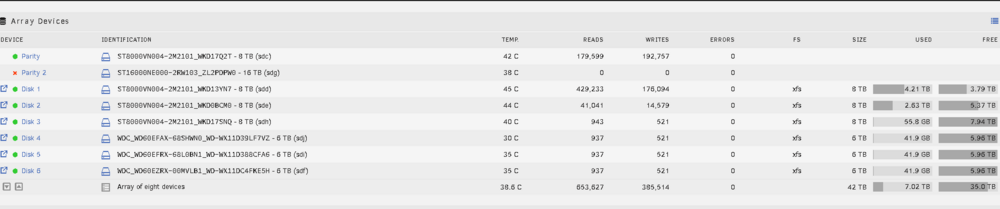
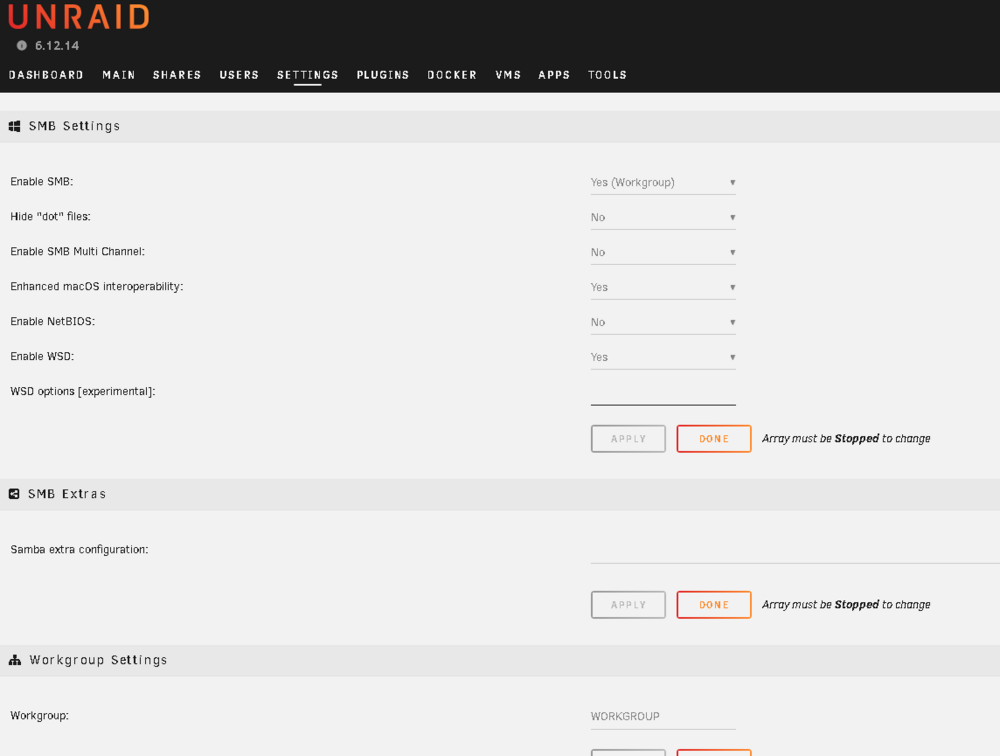
hi all had a power outage last week and seems like the USB corrupted. rebuilt the USB and now curing recovery of the server I'm encountering one thing after another. Current issue, potentially one of the last: I can see my shares on the system but with all the SMB settings turned on they won't show on my machine when I connect. here you see my flash I've made public jus to see something and the other shares in the background that are all there and visible. I can telnet to these shares on the machine: e.g. so the content definitely there and viewable just not sure why windows won't connect. another symptom, potentially unrelated but in case it is related: some of my docker containers work without issue immich, PostgreSQL and cloudflare but the other images e.g. plex won't start and show 'bad parameter' at a guess this is because the config for appdata is on the cache and it can't see it for some reason. other docker images like sonarr have the head challenged auth issue which I need to reset but can't until I can get to the file drive (could probably do it on SSH but i haven't done that before only done it via smb update the txt file directly). one other note: when I rebuilt parity my second disk had an error and disconnected, not sure why will look into it, just going to new config it potentially but it's there as an issue either way after the outage so if any one has any ideas, I'm looking to understand where should I debug next. are there some other settings I can configure and try out maybe see if that 'resets' the smb function or an alt way of connecting to the machine maybe. just a little stuck where to go next. thanks SMB settings
-
thanks! thats very helpful. I only got the 710 because it was a hand off. I could get a T series they all look very approachable. I have a 1080Ti because its a spare so i may go with it anyway. but thank you for the above recommendations.
-
this might be a probjem of age but where can I check what my GPU is capable of transcoding? I have a 2Gb geforce 710 installed but i cant get it to transcode anything on the machine when streaming. I also have a 1080i to the side i could install too (but haven't yet). before i do though i wanted to check what are they capable of transcoding i.e. are they usable for 1080/2160 type quality or what are they actually capable of to make the (hw) appear on plex for me to know its working. at the moment (hw) does not appear for me despite plex being able to see the GPU in the transcoder settings
-
this looks cool, and i want to give it a shot out of curiosity but mate please, put something up somewhere that says what this actually does. I've come from my tower to here to github to the wiki and i have no idea what this actually abso-facto does. nice image above but i don't know where that plays, is it on pause screens? is it before and after a movie is selected? is it it's own server that displays this elsewhere so you can see what people are watching on the server? No idea, I'm going to go find out now when i set it up but just putting that out there is its very difficult to know what this actually does lol
-
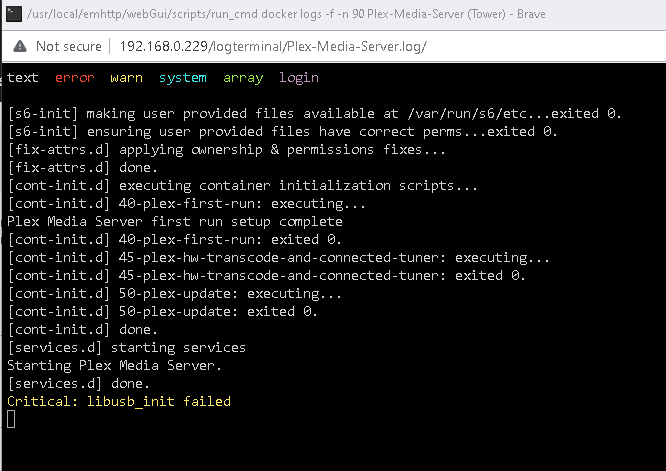
Hi Squid very sorry for not replying sooner, been just banging my head like an idiot (and working I guess) and forgot I wrote this. the run command: docker run -d --name='Plex-Media-Server' --net='host' -e TZ="America/Los_Angeles" -e HOST_OS="Unraid" -e HOST_HOSTNAME="Tower" -e HOST_CONTAINERNAME="Plex-Media-Server" -e 'PLEX_CLAIM'='claim-RYYznJVPE2KSGVs8D-ze' -e 'PLEX_UID'='99' -e 'PLEX_GID'='100' -e 'VERSION'='latest' -l net.unraid.docker.managed=dockerman -l net.unraid.docker.webui='http://[IP]:[PORT:32400]/web' -l net.unraid.docker.icon='https://raw.githubusercontent.com/plexinc/pms-docker/master/img/plex-server.png' -v '/mnt/user/test/transcode/':'/transcode':'rw' -v '/mnt/user/Media Share':'/data':'rw' -v '/mnt/remotes/SOLACESTATION_Movies/':'/solacestation':'rw' -v '/mnt/user/appdata/Plex-Media-Server':'/config':'rw' 'plexinc/pms-docker' c2819961e19e4e82bbc84f619c7a87d8755f4f92b7cd1cee1472636dd5649257 The command finished successfully! ----------------------------------------------------- i got logs too but not sure how helpful they are. this is after startup I then navigate to plex in unassigned devices on tower and I can see everything in the drive. When I go to Plex I am getting issues with it like indefinite loading times on certain movie selections, or lag in the screen populating with information on movie screen like actor listings. I guess I'm still a little lost on what could be causing this. any other ideas of information I can gather to try resolve this?
-
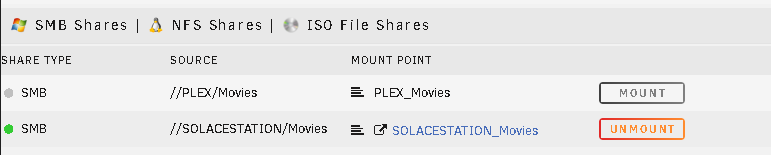
hi all, Using plex to serve movies from the array which works just fine. I have a second NAS that I connected to the router, it's Synology NAS, and I connected it to Unraid as a remote mounted SMB (pictured). I can see these in PLEX so I know communications are happening across the devices. The quality however when played through Plex is not coming through correctly, it's darker, more blurry, artefacts on screen like it's streaming at low resolution. If I connect direct to the Synology it works and displays just fine. So I feel I've probably done the wrong connections on this and need to alter something but I'm not sure what. I have one plex endpoint I'd like everything to go through, i.e. the one through the Unraid server but for that Plex to see the Synology NAS I'm not sure how else to connect these apart from through the router, is there someway I can connect the NAS direct to the Unraid network card instead of how I've currently done it or am I looking at this all the wrong way entirely. cheers
-
funny enough this wasnt the issue but pointed me to fixing it. i found another article with the same issue and they pointed at rebuilding the flash drive which i did and now im back up and working again. went through a few issues. soem things of ntoe ill write in case someone encounters the same issue themselves, my dvi -> hdmi did not work on the tower but my dvi -> vga did work to show an output, this showed a kernel error which was happening on boot so to overcome this i saved my config folder, reflashed the usb, dropped my configs back in the usb, made it bootable again and worked first try without issue. one lesson learned amongst many was that LAN connection with lights does not mean its receiving anything if the kernel wont load, something ill keep in mind for future debugging
-
Hi all, Having an issue with my tower. It worked previously in another home before I moved and since i have moved it no longer works. i have looked on the router and i see multiple wirelessly connected devices but the ethernet no longer shows (it worked previously to be clear). the ethernet lights up as if working, fans are spinning, disks spinning like theyre being read on start up but not showing. Ive tried getting to the gui mode but its not outputting on the DVI that I can get a display out of on the monitor (annoyingly), not sure how to make it present now. starting to run out of ideas on what to try/test next to work out whats going on. looking for any ideas, next things to try will be rebuild the boot stick. test connection on router to other devices (this is working as of writing this post) try a switch/another router to route traffic through any ideas appreciated. new to unraid, i had it made out the box for me which was great to start with but now when debugging its a detriment when trying to find root cause issues out. thanks

-
100% thought I replied to this, ended up going down so many roads i wrecked my computers ability to communicate and spent a week just unwrecking it to get to a point of working again. I am finding that when the internet is coming through on the wifi on my machine it is causing colossal screw ups in what communications take precedence over ethernet and vpn connections on the machine. I found so many ways to connect my machine but then not have internet access, or connect it and not have vpn access, or have vpn and internet but no access to the tower. Even when i reset all IP's manually, remove the dhcp pool on the router, reprioritise the connections on the pc, I just can't get a good grip on it. instead i bought a little dumb switch and im going to try that instead of the router. should be here in 5 days ill try again then.



