slanus13
Members
-
Joined
-
Last visited
-
@ich777 I am not sure if I am missing something or what but I can not find your template for Atlas anywhere in Unraid Community Apps. I have a functioning 6x6 running in a windows VM but wanted to run in on unraid. Can you point me in a direction on where to get started to do this?
-
I moved the data from my cache drive to the array for my plex media share. The cache drive I use for my appdata was almost full. It is not anymore because I moved the ripped files from the cache drive to the array. Mover hasn’t been working on my system for whatever reason.
-
I noticed that mover wasn't moving my most recently ripped videos from the cache drive to the array so I did that but still super slow. odin-diagnostics-20251103-1238.zip
-
I have had this server for awhile but this year it is operating slowly. It seems to have gotten worse with updates. The main thing I use this for is a plex server. I did use it for game servers but have not in a very long time. Could I get some advice on where to start? odin-syslog-20251102-1704.zip
-
I have tried the Data center driver as well as a quadro workstation driver as well; which will install but does the samething. This is what the GRID driver says.
-
is vGPU drivers supported by unraid yet? Are you meaning like a GRID driver? I have GRID drivers that I have tried installing on the VM but it says my hardware is not compatible with the vGPU drivers?This is my control panel? I have no idea what could be going on.
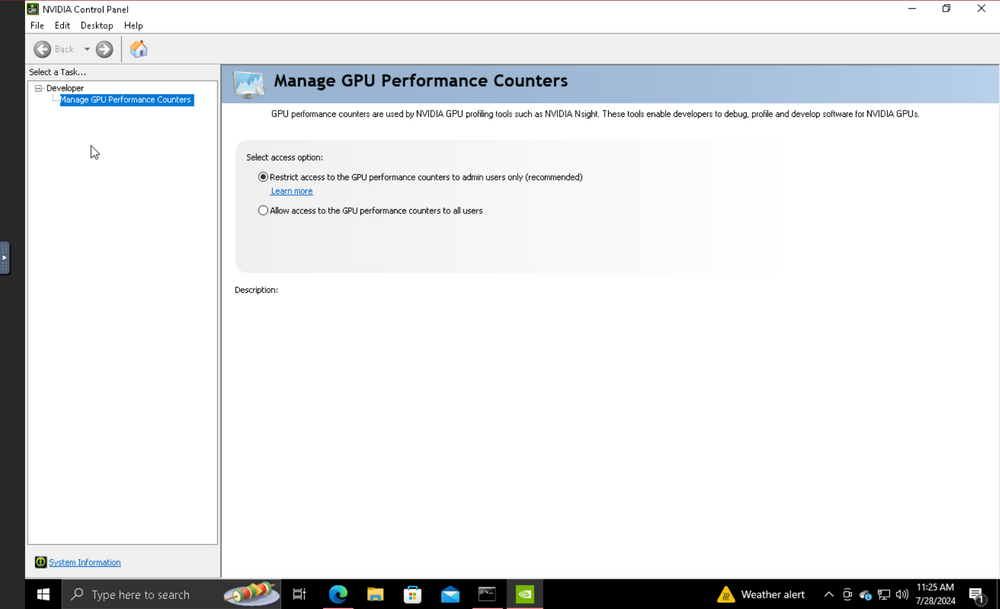 It provides this
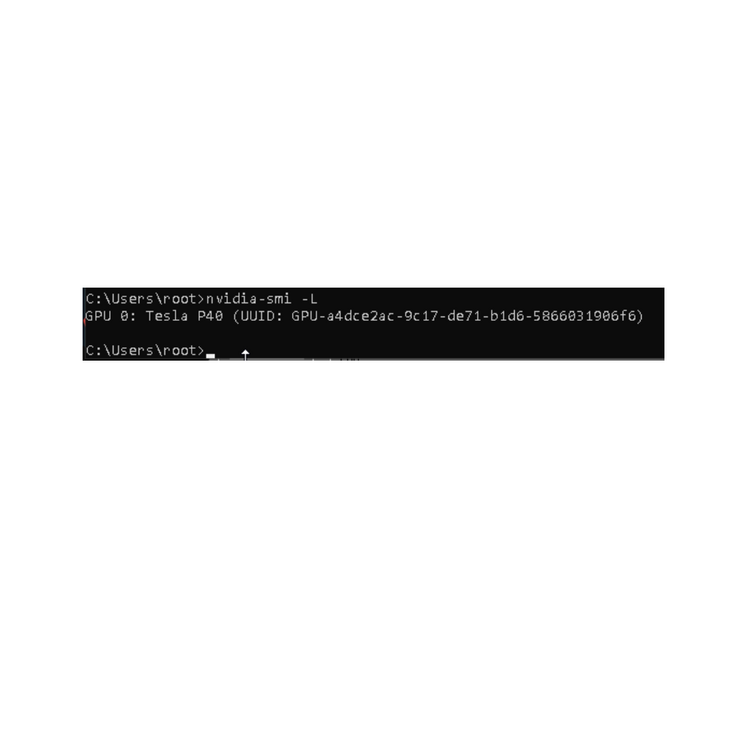 I didn’t realize it was case sensitive I ran it again and got this.
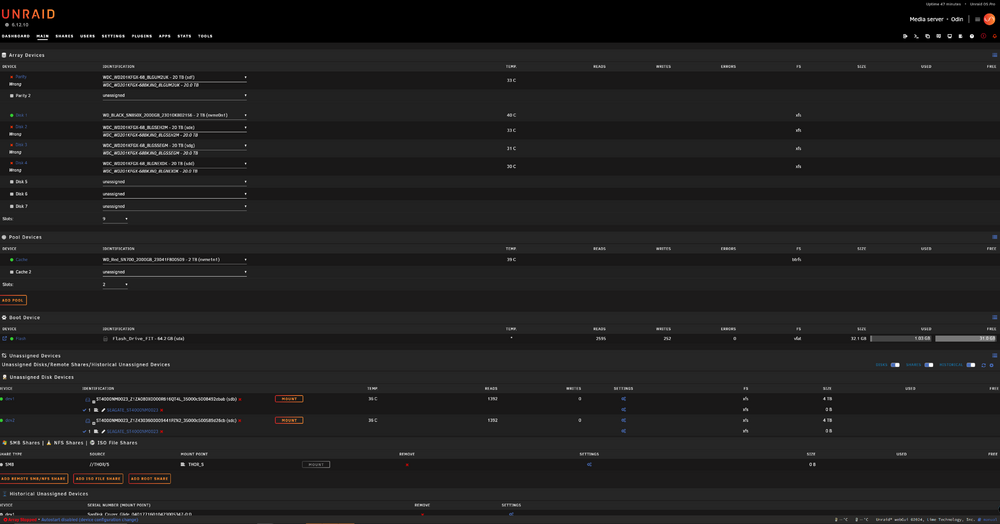
 It came back as “option wddm is invalid for -dm” I am running windows 10 on the vm. I shouldn’t need a vgpu on unraid for it to work correct? Barebones and pass through shouldn’t require a vgpu driver to my understanding?I have been going at this for awhile now. I can not get my p40 to switch from tcc to wddm in a VM I have. The Vm sees the gpu and I could use it as a compute card just fine. No method I have tried to change it from tcc to wddm works. I was wanting to make that card the primary card for that VM headless and then remote into it. Any help would be appreciated!I've got a dell r7525 and I am trying to get system temp and fan control working on it. I ran sensor-detect and it came up with this... Now follows a summary of the probes I have just done. Just press ENTER to continue: Driver `to-be-written': * ISA bus, address 0xca8 Chip `IPMI BMC KCS' (confidence: Note: there is no driver for IPMI BMC KCS yet. Check https://hwmon.wiki.kernel.org/device_support_status for updates. No modules to load, skipping modules configuration. I am not sure where to go from here? Any help please?Hello, I recently moved drives from my old working unraid server to a new dell server. Everything is recognized but the spinning drives in the array come up as disabled and wrong. I am unsure if I do a new config and place the drives where they were, if I would lose all my data on the drives? Or do I need to go into maintenance mode to fix this? Any suggestions? Really hoping I can get the array back online without wiping these drives and losing all the data. Thanks!