





slanus13
Members
-
Joined
-
Last visited
Everything posted by slanus13
-
@ich777 I am not sure if I am missing something or what but I can not find your template for Atlas anywhere in Unraid Community Apps. I have a functioning 6x6 running in a windows VM but wanted to run in on unraid. Can you point me in a direction on where to get started to do this?
-
I moved the data from my cache drive to the array for my plex media share. The cache drive I use for my appdata was almost full. It is not anymore because I moved the ripped files from the cache drive to the array. Mover hasn’t been working on my system for whatever reason.
-
I noticed that mover wasn't moving my most recently ripped videos from the cache drive to the array so I did that but still super slow. odin-diagnostics-20251103-1238.zip
-
I have had this server for awhile but this year it is operating slowly. It seems to have gotten worse with updates. The main thing I use this for is a plex server. I did use it for game servers but have not in a very long time. Could I get some advice on where to start? odin-syslog-20251102-1704.zip
-
I have tried the Data center driver as well as a quadro workstation driver as well; which will install but does the samething. This is what the GRID driver says.
-
is vGPU drivers supported by unraid yet? Are you meaning like a GRID driver? I have GRID drivers that I have tried installing on the VM but it says my hardware is not compatible with the vGPU drivers?This is my control panel? I have no idea what could be going on.
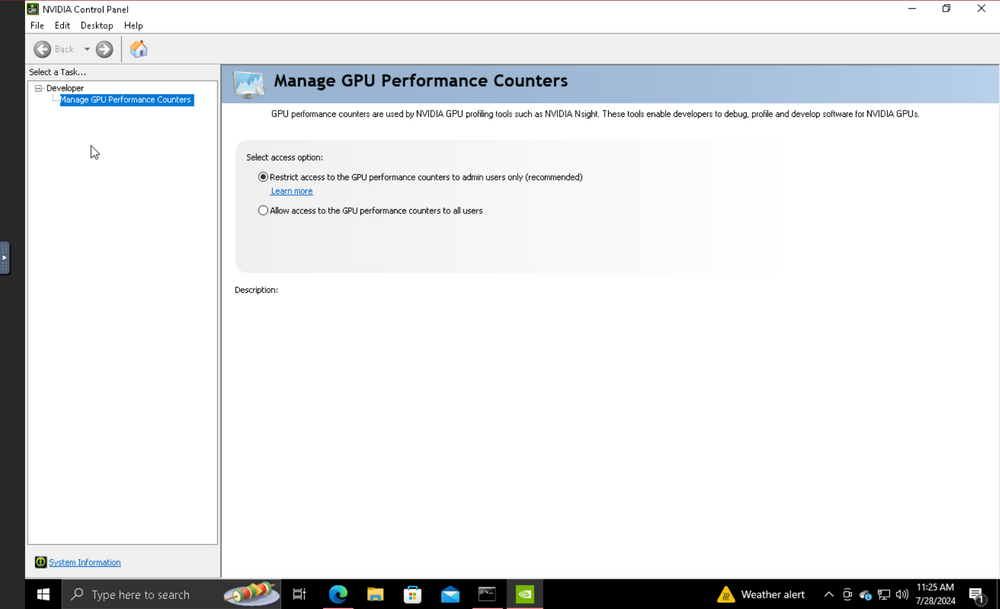 It provides this
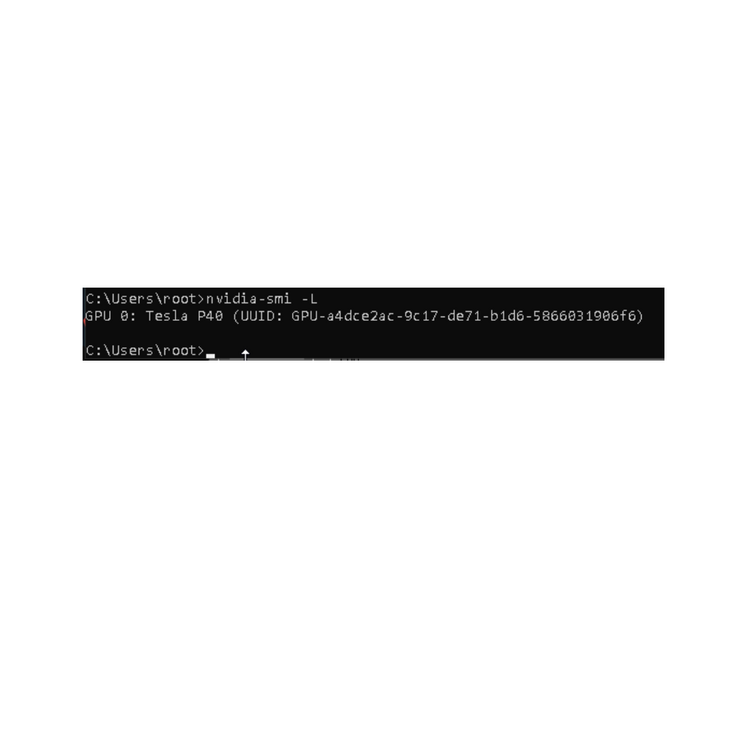 I didn’t realize it was case sensitive I ran it again and got this.
 It came back as “option wddm is invalid for -dm” I am running windows 10 on the vm. I shouldn’t need a vgpu on unraid for it to work correct? Barebones and pass through shouldn’t require a vgpu driver to my understanding?I have been going at this for awhile now. I can not get my p40 to switch from tcc to wddm in a VM I have. The Vm sees the gpu and I could use it as a compute card just fine. No method I have tried to change it from tcc to wddm works. I was wanting to make that card the primary card for that VM headless and then remote into it. Any help would be appreciated!I've got a dell r7525 and I am trying to get system temp and fan control working on it. I ran sensor-detect and it came up with this... Now follows a summary of the probes I have just done. Just press ENTER to continue: Driver `to-be-written': * ISA bus, address 0xca8 Chip `IPMI BMC KCS' (confidence: Note: there is no driver for IPMI BMC KCS yet. Check https://hwmon.wiki.kernel.org/device_support_status for updates. No modules to load, skipping modules configuration. I am not sure where to go from here? Any help please?Hello, I recently moved drives from my old working unraid server to a new dell server. Everything is recognized but the spinning drives in the array come up as disabled and wrong. I am unsure if I do a new config and place the drives where they were, if I would lose all my data on the drives? Or do I need to go into maintenance mode to fix this? Any suggestions? Really hoping I can get the array back online without wiping these drives and losing all the data. Thanks!
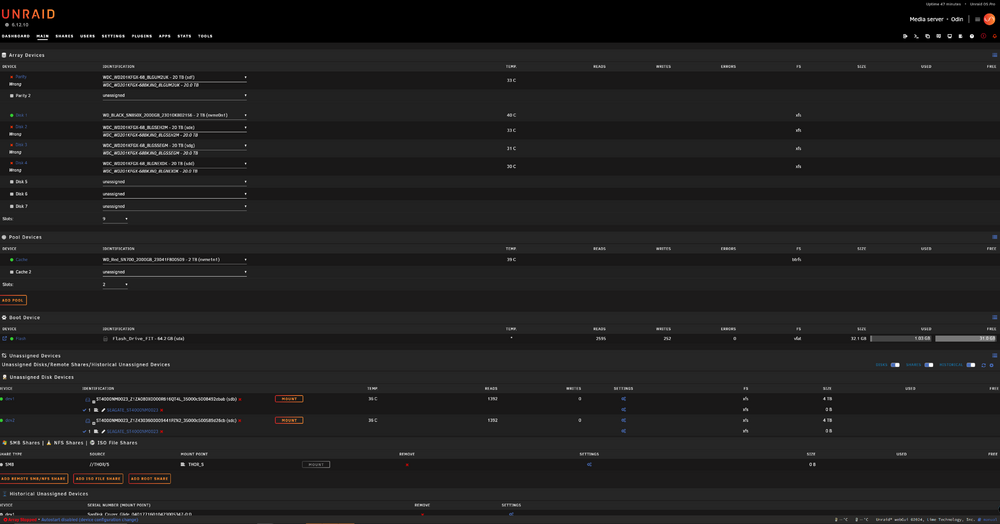 I will be messing with it for sure to see if it retains or not through reboot. I do plan on getting a 10gb ocp 3.0 card for this thing. I have a choice of broadcom or mellanox. Any suggestions?It worked! It finally assigned an ip and I am currently in the webgui! Thank you for you time and help I really appreciate it!I figured that was the case! I did try to delete the config file and give it a go but it still is not assigning an ip address. I am unsure on how I can try to get eth0 up? Can you point me to some info on that please?I apologize, let me explain again. I currently have a pro license on a machine working great. Before I try to migrate to the dell server I wanted to try the unraid experience on it. I did set up a new drive with a trial version to test it out. Hope that makes sense now. I was trying to load the os with a gui to see if that would work better than headless is all. I don't care either way. I access my current server through the webgui. When I set up the new drive and loaded the os headless, it loads completely and lets me log in. It does not assign it an ip address to reach it on a webgui. I tried setting it up with a static ip and when it loads, the console shows the ipv4 address I set, but it is unreachable. Here is a diagnostics log! Thanks for the help! r7525-diagnostics-20240514-1239.zipI went through and tried it on all 3 usb ports on the machine. It is doing the samething on all of them. I believe I got a necessary stuff in BIOS set as well but I could be wrong. It boots to the drive. I can select to boot with gui. It loads like normal but when it goes to bring up the gui the screen just goes black. No cursor in the top left corner or nothing. Just a black screen. If I load without gui it seems to fully load. I can log into root with no password and that it. I can not see it on my network. I can not ping it nothing.I own an unraid server with a w680 board and an intel 13900 in it. It works good but I recently got a new to me dell R7525 and wanted to migrate to that. I set up a new thumb drive to test unraid out on the dell but can not get the gui to load. If I use it headless it will load up to the log in and let me log in but that is it. I can not get to the webgui. I feel like I set the bios properly but there may be something in bios I am overlooking. Any help would be appreciated!I have a windows 10 VM on my unraid 6.12.8 that has been working flawlessly. I recently realized the VM has no working audio. Both the GPU and onboard sound controller show up in the VM but not passing any audio. I am using the VM as a workstation next to my main PC. I use it as a stream pc and have some game servers on it. I feel like the passthrough of the GPU and sound controller are done correctly? Not sure where to go from here. Any suggestions?Hello and thanks in advance! I have been planning a home sever here for awhile and got the majority if it all together now. I have been struggling to figure it out and could use some help setting it up so it can be expanded in the future. This is what I got so far. I went with a fractal meshify 2 case Intel 13900k Asus w680 ipmi board 128gb ddr5 ecc memory 2 wd sn850x nvme drives Theres a rtx 3060 in this machine I plan on passing through to a windows vm I got 6.12 on a samsung fit usb drive (im planning a zfs array) My goal is to set it up as a plex server primary with the ability to run a vm windows in 1 of the nvme drives. I have onboard ability for 8 spinning drives on sata and would like to get as much storage as possible with those 8 drives. I am not sure if raidz1 would be best with 8 18+ drives with 2 vdevs of 4 drives each or if I should go with raidz2 on 1 vdev of 8 drives. Either way I want to use that extra nvme as a cache drive for meta data for plex. I have no spinning discs as of now and just trying to plan this out so I don't buy all the drives at once. My plan was to go with wd red pros 18 or large. This is all new to me so I'm open for suggestions. Let me know if you need any more info on my current setup or what my plans are. Thanks again! I appreciate all the help!


