





gadget069
Members
-
Joined
-
Last visited
Everything posted by gadget069
-
I'm having some issues with my install. For some reason I have lost the ability to edit the container. Second, I'm getting the notification of an update, but each time I get this error "Configuration not found. Was this container created using this plugin". I am also unable to uninstall the container, no option to. I've attached screenshots. Thanks for your time.
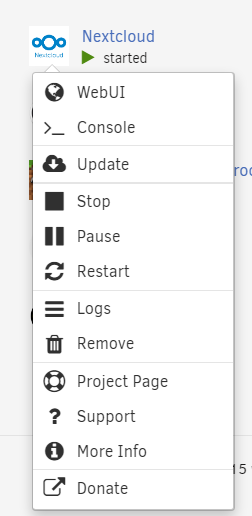
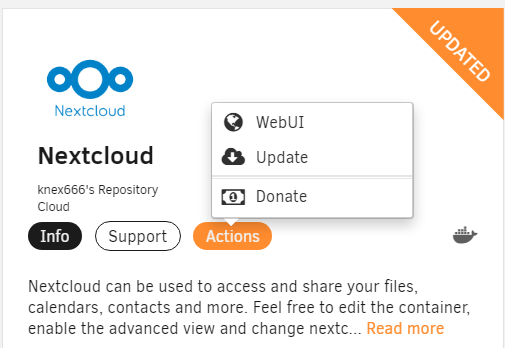
-
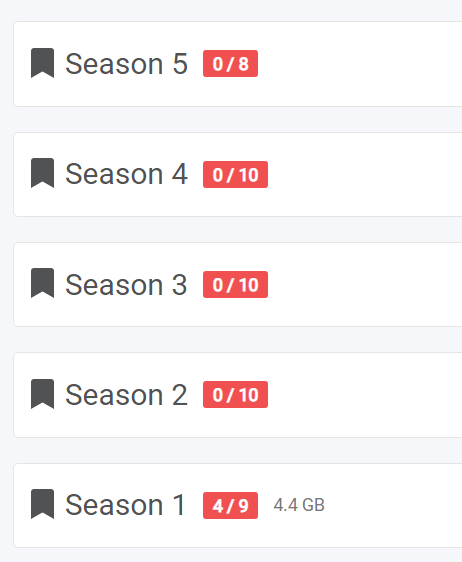
**Figured outhe issue, two folder for the same show. Deleted the one, all fixed** I just completed my migration from a windows machine to my unraid server. Sucessfully configured sonarr, but noticed it not seeing all the episodes in the folders. Example, I have 5 seasons of a show complete(files in season folders), but sonarr is only seeing 4 episodes in season 1. Am I missing a setting somewhere? Thanks
-
Thanks, know I know.
-
Only 14 days into using unRaid, still way wet behind the ears. I'm struggling to switch the download location for Chromium. I would like all the downloads to go to /mnt/user/Media/xxxxx temp. No matter what path I add, it still defualts to the download folder in appdata/chromium/downloads. All the searching I cannot find answer. I also cannot post in the Docker section. Thanks
-
I was able to get this resolved. My router took an update which caused a bunch of issues.
-
First off, I'm completley new to Unraid. I'm on a trial for the next 19 days. I've been learning a lot. But am compltley stumped. Besides my title issue, the apps tab erros out to a DNS issue. My router routes through OpenDNS by default to filter my kids browsing activities. But I have set the DNS for server to Googles DNS (8.8.8.8, 8.8.4.4.). I've tried both OpenDNS and Googles serves and nada. I saw form another post with a similar issue to attach a diagnostic report which I will do. Thanks any advice/help for a newb
