nubbz1992
Members
-
Joined
-
Last visited
Everything posted by nubbz1992
-
Following up. So I made the updates restarted up the docker and went back into the file and I noticed it removed the "serverpassword": "dipdip", line. that's weird. i went through the read me file and did not see the base server password within the files. \appdata\enshrouded_proton\enshrouded_server_readme.txt
-
Just downloaded and setup Enshrouded_Proton. I am able to see the server with the updated name but when I try to login the password does not seem to work. Looking into the file there was no server password in the json i added "serverpassword: "DipDip", and this does not seem to correct the issue. am I able to go into the docker console and use a prompt to verify the password or is there another file I need to update?enshrouded_server.json
-
Good afternoon @ich777 I was working to setup a Minecraft server and was wondering once the server has been loaded am I able to apply mods?
-
Update I am able to connect via steam settings>servers and direct connect with the custom bridge ip hopefully my homie can connect to me when i am logged in via friends and add it as a fave.
-
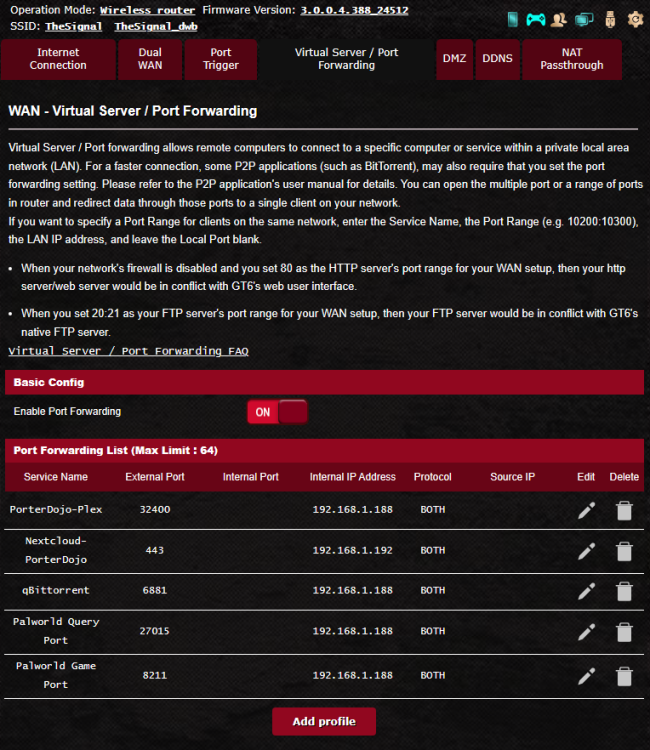
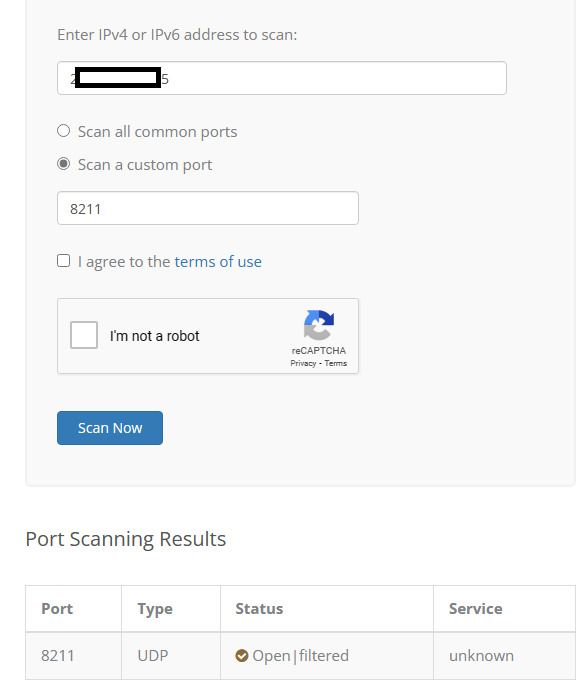
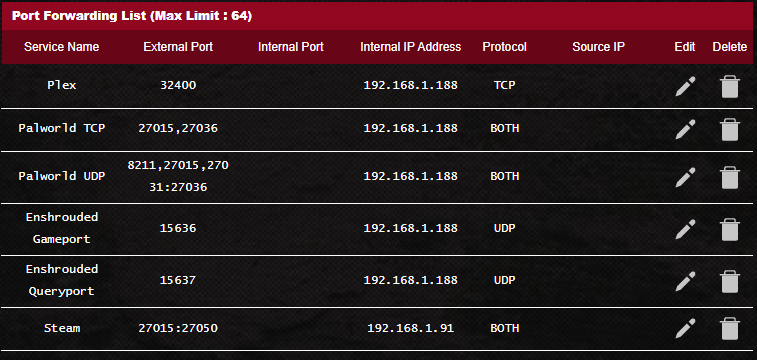
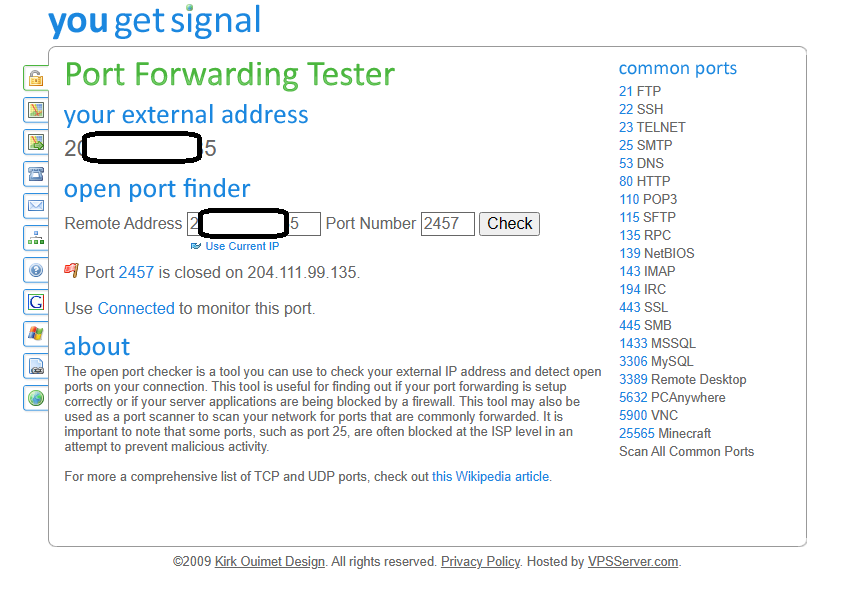
Sorry for the delay was distracted by palworld.... but back to troubleshooting. here is a list of my ports. I am able to successfully ping my public ip address and ran some tests to see if any ports are blocked. I am not able to locate the server locally or public. I tried Bridge and Custom b0 with a an ip address 192.168.1 .181 as an example. I was able to configure a palworld server and connect to it. I feel Like I am missing something silly. configstore_log.txt connection_log.txt connection_log_15636.txt content_log.txt enshrouded_server.log service_log.txt systemaudiomanager.txt systemdisplaymanager.txt systemdockmanager.txt systemmanager.txt systemperfmanager.txt
-
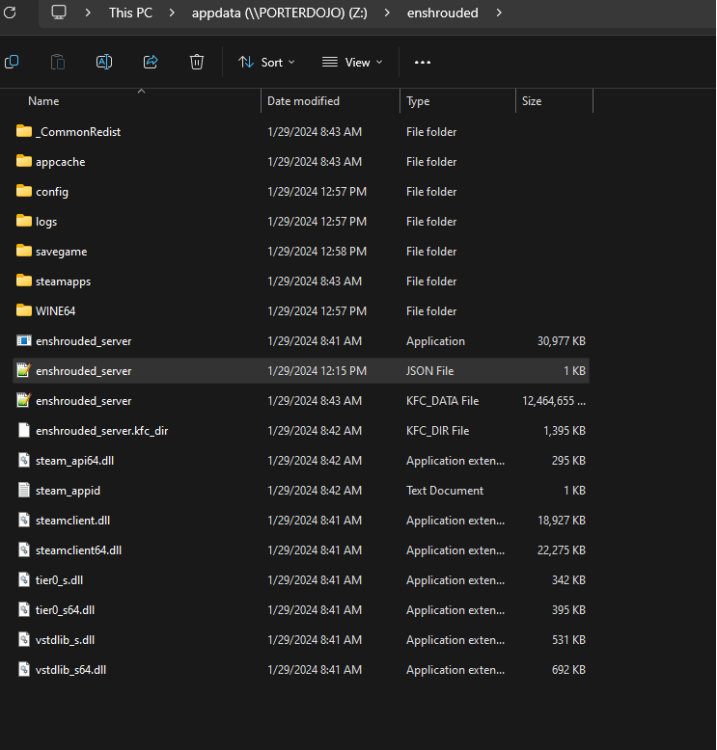
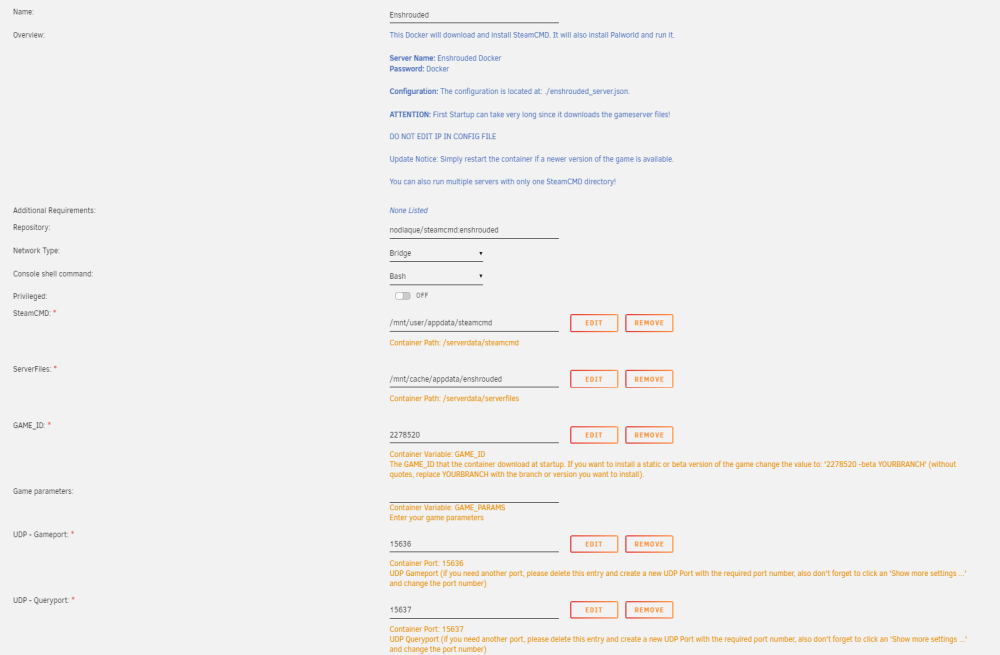
I went back and uninstalled and re--installed the docker. let the docker run for a few hours before i updated the .json and it seems to be still not connecting. is there any console commands i can use to confirm information. screen shot of the docker install. json is located at \\appdata\enshrouded\ .. i do see wine installed. enshrouded_server.json Enshrouded Docker Logs.txt
-
I just downloaded the Enshrouded Gameserver and when looking at the logs i noticed that the enshrouded_server.json file changes i made did not update when the server was turning on. { "name": "Dip Dip Enshrouded Server", "password": "Docker", "saveDirectory": "./savegame", "logDirectory": "./logs", "ip": "0.0.0.0", "gamePort": 15636, "queryPort": 15637, "slotCount": 16 } server logs.txt
-
GloFiber under Shontel
-
It looks like my isp had it locked out. contacted them and they have the ports open but they are going to provide me a dedicated ip address which should resolve the issue. I will follow up once all the updates have been made
-
I will be honest I am looking into Hair Pin NAT and I am not sure I know this process. I have an Asus GT6 on stock OS. I have not been able to connect to the container from outside my lan since I am a homebody. I have been able to confirm that my plex server is working.
-
I do have it flagged as true for update public ip
-
I have tried both. and followed a few different sites. https://hub.tcno.co/games/palworld/dedicated_server/ and https://tice.tips/gaming/palworld-port-forward/ the one thing i can't do is below powershell in unraid but it shouldn't matter. netsh advfirewall firewall add rule name="Palworld Port 27015" dir=in action=allow protocol=UDP localport=27015 netsh advfirewall firewall add rule name="Palworld Port 8211" dir=in action=allow protocol=UDP localport=8211 PalWorldSettings.ini where it has PublicIP="" should i key it as PublicIP=127.0.0.1 (except with my actual ip) Also, is there a thing in the ini that I need to setup so it is setup to be a publicip server for my friends to connect to?
-
Good afternoon, UnRaid Gamers, I am attempting to setup my Palworld server on my unraid setup. I am able to connect to the server via my localipaddress:8211 but when attempting to connect to the server via publicipaddress which is confirmed in the logs and whatismyip. I have gone through and made sure t hat the docker is using 8211 and setup port forwarding. I will provide pics for context. For additional context I do have plex setup and I am able to connect to my server remotely.