K1LLA_KING_KING
Members
-
Joined
-
Last visited
Everything posted by K1LLA_KING_KING
-
Control Panel > Device Manager > Right Click on Device > Properties > Details Tab > Change 'Property' to Driver Key > Guid will be displayed in 'value' section
-
I have have just tested an old 2TB disk through SMART and pre-clear. Both failed. I'm not really sure how to interpret the results. But does this mean I should not use this disk at all? And secondly is there anything I can do to fix a disk? alien-smart-20230820-1106.zip preclear_disk_WD-WMAZA4904886_18807.txt
-
OK so in this case I did not pre-clear the disk. Here was the process: Add disk (still had factory partition, which i did not delete), new config, assign device posistion (array), choose XFS, start array All started. Nothing more needed to do. (Did not need to press format) How is it that can happen? The disk was already in the required format? Or UD or Unraid did it all in the background? Asking just out of curiosity
-
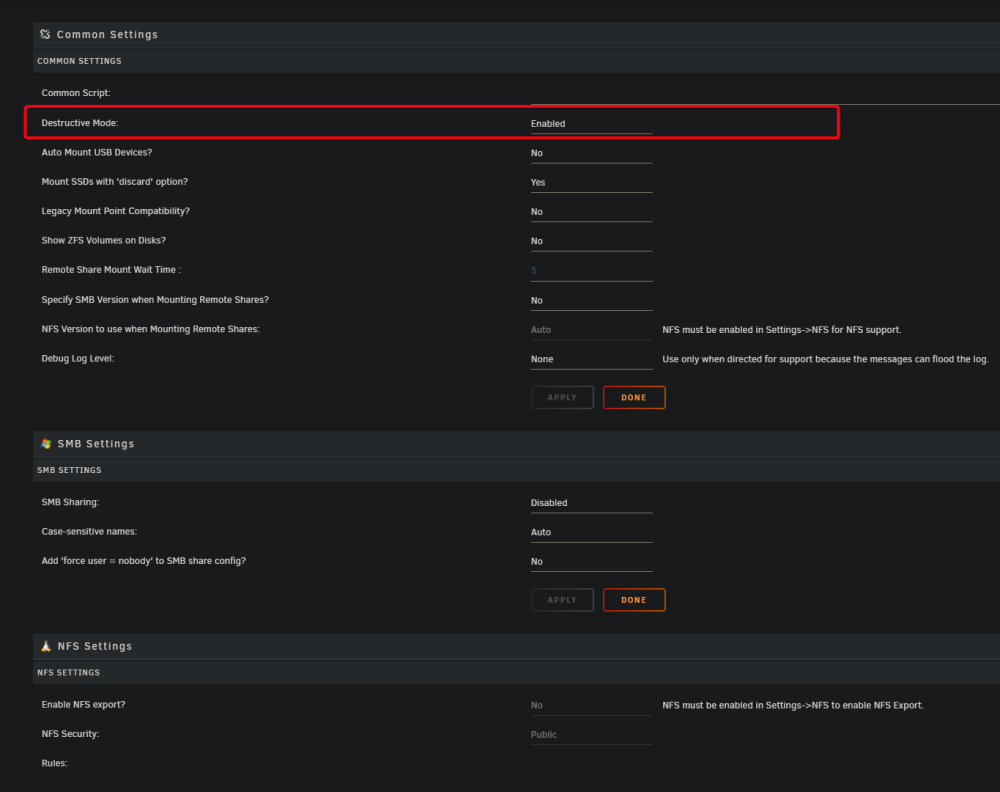
Where do I find destructive mode to format disks? Is this still a feature of UD? I see others get a red X next to the disk, but I do not. EDIT: OK forget this first part Also would I be correct in assuming mounting any drive to any position (parity or data) will be automaticlly formatted anyway? I understand normally you would get a message "'unmountable'" with "format" button. But I just mounted a brand new disk (out of the box) to the array, started the array, and it did not require format.
-
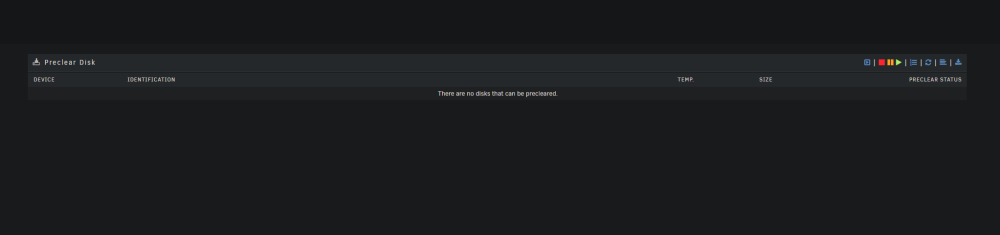
Disks dont show up in pre-clear

-
UPDATE: today it mounted after a reboot, but now have lost Unraid GUI via ZT, I seem to be finding some anomalies with DNS settings and Zeroteir. So deff network related issue

-
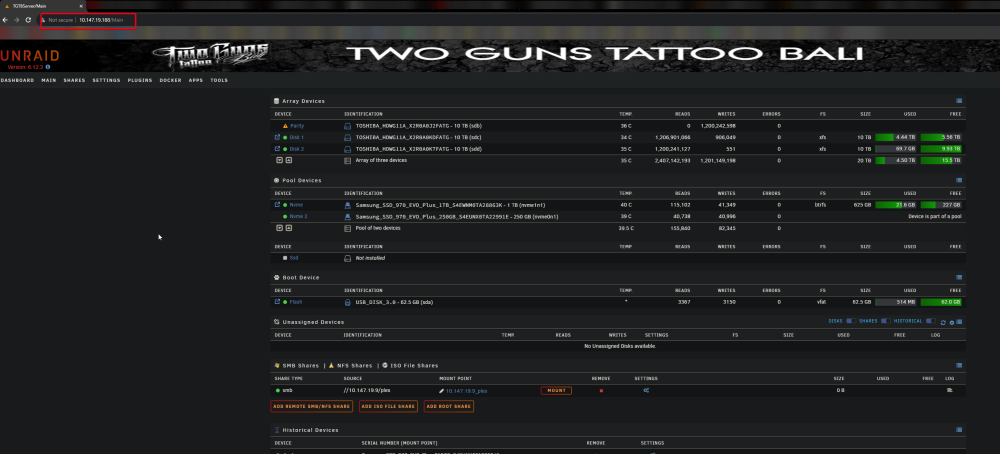
Well I have both servers GUI's accessible via ZT, I can access the other dockers UI's, so it seems the network is currently set up properly. Unfortunatly port forwarding is not an option with CGNAT but since I can only mount on 1 machine but not the other.. I will need another solution for file sync / backup
-
Remote SMB share won't mount when 'mount' is pressed, but got the green light. I am connected via Zerotier to another Unraid server which can mount this servers SMB shares (in a vice-versa config) tgtbserver-diagnostics-20230816-1931.zip

-
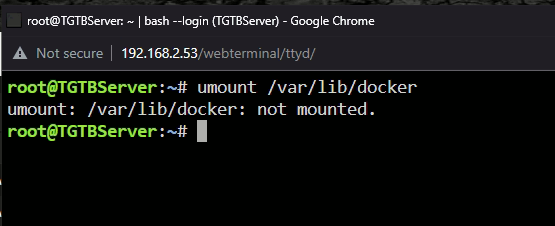
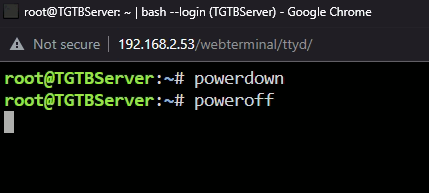
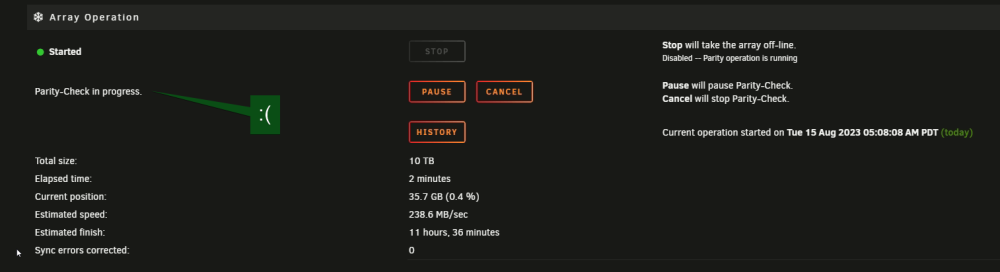
Array wont stop, the solutions in this thread dont work either. How do i avoid an unclean shutdown? Im on 6.12.3

-
Hi, im looking for a guide to set up sync between 2 unraid servers remotely. I need to do it without port forwarding, currently i use cloudflare for all remote access
-
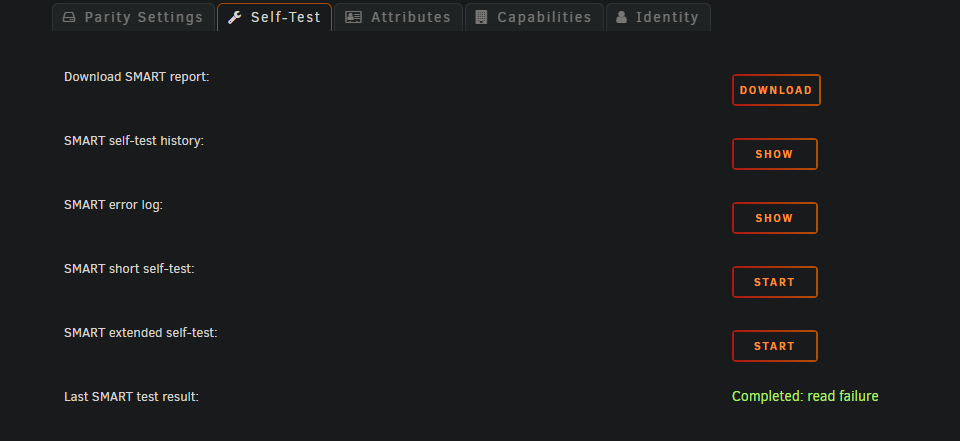
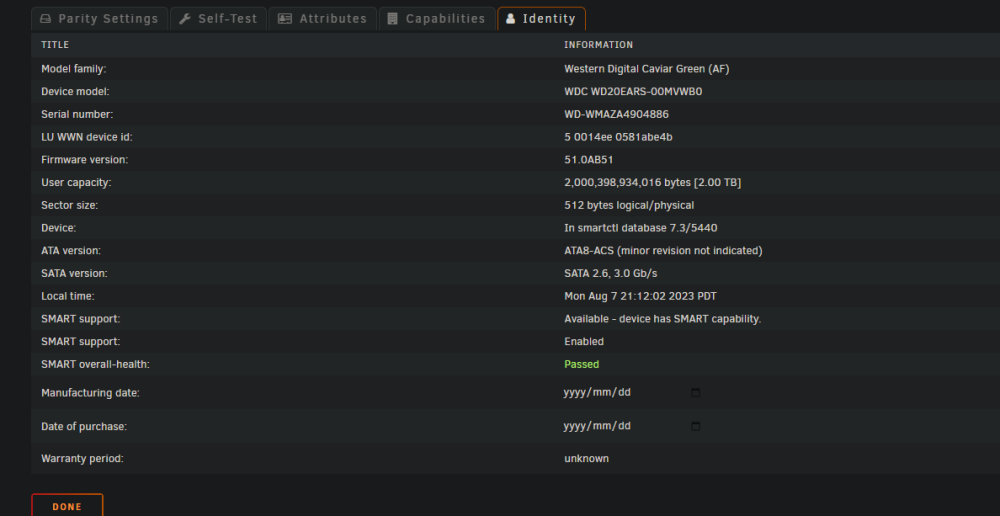
HDD SMART overall health: passed But failed SMART test This is an old HDD im using temporarily as a parity (just for testing puposes, no important data) but curious to know if its usable in the future Test results attached alien-smart-20230807-2052.zip
-
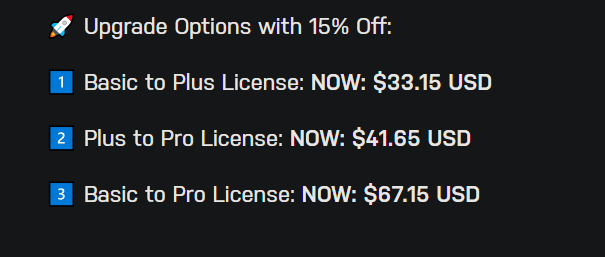
What do you mean? It clearly states all version and their discounted rates: https://unraid.net/summer-sale
-
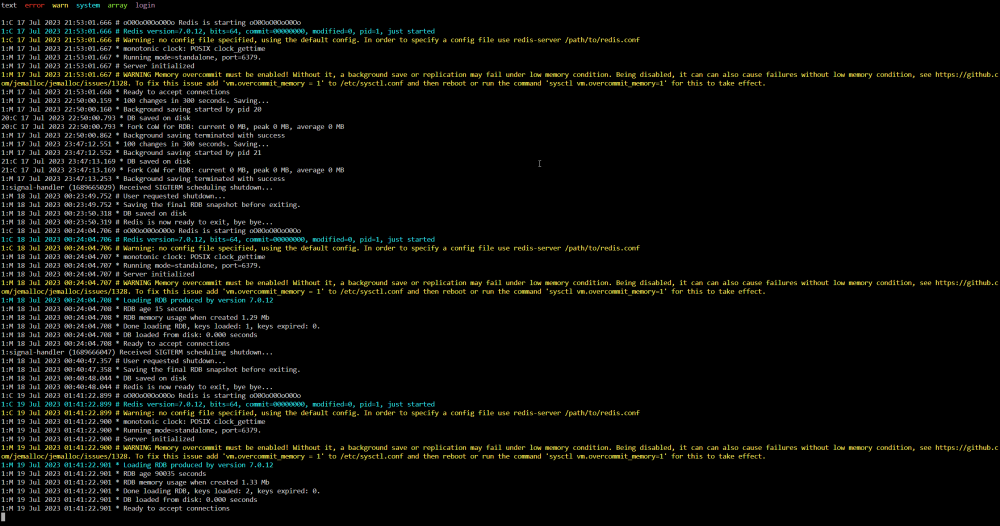
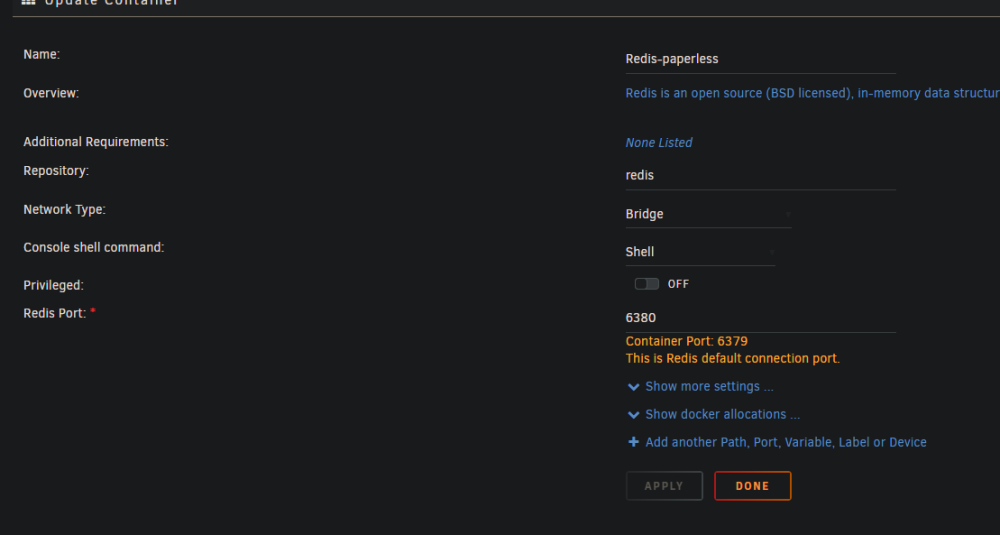
sure did, all worked fineOk interesting that 3 different guides dont mention anything about another database, heres my references: and also checked this: All 3 have no mention of Postgres or any other database, so if you could please inlighten me as to a guide which does would be great. ThanksIs Redis not the database? I have MariaDB already installed, not sure its working properly tho, as it fails to work with Nextcloud, I could try Postgres, how does one set this up to work with paperless?Errors in Redis log: I wonder is this because I have chose 'bridge' network amd need to define an IP?
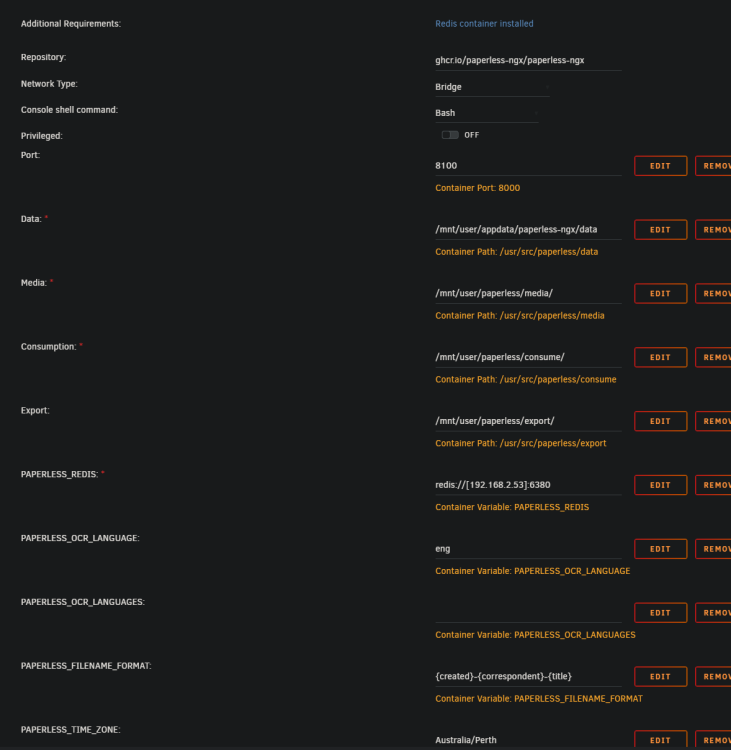
 Thannks for your response, I'm using Chrome Log: [2023-07-19 16:41:49 +0800] [67] [INFO] Server is ready. Spawning workers [2023-07-19 16:41:49,085] [INFO] [paperless.management.consumer] Using inotify to watch directory for changes: /usr/src/paperless/consume [2023-07-19 16:41:50,597] [INFO] [celery.beat] beat: Starting... [2023-07-19 16:41:50,720] [INFO] [celery.beat] Scheduler: Sending due task Optimize the index (documents.tasks.index_optimize) [2023-07-19 16:41:50,736] [INFO] [celery.beat] Scheduler: Sending due task Train the classifier (documents.tasks.train_classifier) [2023-07-19 16:41:50,741] [INFO] [celery.beat] Scheduler: Sending due task Check all e-mail accounts (paperless_mail.tasks.process_mail_accounts) [2023-07-19 16:41:50,799] [INFO] [celery.worker.consumer.connection] Connected to redis://192.168.2.53:6380// [2023-07-19 16:41:50,836] [INFO] [celery.apps.worker] celery@b46f1761350f ready. [2023-07-19 16:41:50,841] [INFO] [celery.worker.strategy] Task documents.tasks.index_optimize[9e6d5250-2cb0-49f4-a594-2f0255d576bf] received [2023-07-19 16:41:50,845] [INFO] [celery.worker.strategy] Task documents.tasks.train_classifier[0e04c1e9-aca7-4e79-8fd2-e585ce5f828e] received [2023-07-19 16:41:50,848] [INFO] [celery.worker.strategy] Task paperless_mail.tasks.process_mail_accounts[72088d1b-028f-42cf-95a3-ca600e2ac119] received [2023-07-19 16:41:50,935] [INFO] [celery.app.trace] Task documents.tasks.index_optimize[9e6d5250-2cb0-49f4-a594-2f0255d576bf] succeeded in 0.05476205900777131s: None [2023-07-19 16:41:51,187] [INFO] [celery.app.trace] Task documents.tasks.train_classifier[0e04c1e9-aca7-4e79-8fd2-e585ce5f828e] succeeded in 0.03916469099931419s: None [2023-07-19 16:41:51,440] [INFO] [celery.app.trace] Task paperless_mail.tasks.process_mail_accounts[72088d1b-028f-42cf-95a3-ca600e2ac119] succeeded in 0.039933549996931106s: 'No new documents were added.' [2023-07-19 16:42:07,459] [INFO] [paperless.management.consumer] Received SIGINT, stopping inotify worker: Warm shutdown (MainProcess) [2023-07-19 16:42:08 +0800] [67] [INFO] Handling signal: term [2023-07-19 16:42:09 +0800] [67] [INFO] Shutting down: Master -------------- celery@b46f1761350f v5.3.0 (emerald-rush) --- ***** ----- -- ******* ---- Linux-6.1.38-Unraid-x86_64-with-glibc2.36 2023-07-19 16:41:50 - *** --- * --- - ** ---------- [config] - ** ---------- .> app: paperless:0x1462dcf8d3a0 - ** ---------- .> transport: redis://192.168.2.53:6380// - ** ---------- .> results: - *** --- * --- .> concurrency: 1 (prefork) -- ******* ---- .> task events: ON --- ***** ----- -------------- [queues] .> celery exchange=celery(direct) key=celery [tasks] . documents.tasks.bulk_update_documents . documents.tasks.consume_file . documents.tasks.index_optimize . documents.tasks.sanity_check . documents.tasks.train_classifier . documents.tasks.update_document_archive_file . paperless_mail.mail.apply_mail_action . paperless_mail.mail.error_callback . paperless_mail.tasks.process_mail_accounts 2023-07-19 01:42:06,457 WARN received SIGTERM indicating exit request 2023-07-19 01:42:06,458 INFO waiting for gunicorn, celery, celery-beat, consumer to die 2023-07-19 01:42:07,634 INFO stopped: consumer (exit status 0) celery beat v5.3.0 (emerald-rush) is starting. __ - ... __ - _ LocalTime -> 2023-07-19 16:41:50 Configuration -> . broker -> redis://192.168.2.53:6380// . loader -> celery.loaders.app.AppLoader . scheduler -> celery.beat.PersistentScheduler . db -> /usr/src/paperless/data/celerybeat-schedule.db . logfile -> [stderr]@%INFO . maxinterval -> 5.00 minutes (300s) 2023-07-19 01:42:07,826 INFO stopped: celery-beat (exit status 0) 2023-07-19 01:42:08,574 INFO stopped: celery (exit status 0) 2023-07-19 01:42:09,305 INFO stopped: gunicorn (exit status 0) Paperless-ngx docker container starting... Creating directory /tmp/paperless Adjusting permissions of paperless files. This may take a while. Waiting for Redis... Connected to Redis broker. Apply database migrations... Operations to perform: Apply all migrations: admin, auth, authtoken, contenttypes, django_celery_results, documents, guardian, paperless_mail, sessions Running migrations: No migrations to apply. Running Django checks System check identified no issues (0 silenced). Executing /usr/local/bin/paperless_cmd.sh 2023-07-19 01:42:19,643 INFO Set uid to user 0 succeeded 2023-07-19 01:42:19,646 INFO supervisord started with pid 1 2023-07-19 01:42:20,648 INFO spawned: 'gunicorn' with pid 67 2023-07-19 01:42:20,649 INFO spawned: 'celery' with pid 68 2023-07-19 01:42:20,651 INFO spawned: 'celery-beat' with pid 69 2023-07-19 01:42:20,653 INFO spawned: 'consumer' with pid 70 2023-07-19 01:42:20,656 INFO spawned: 'celery-flower' with pid 71 Checking if we should start flower... Not starting flower 2023-07-19 01:42:20,664 INFO success: celery-flower entered RUNNING state, process has stayed up for > than 0 seconds (startsecs) 2023-07-19 01:42:20,665 INFO exited: celery-flower (exit status 0; expected) 2023-07-19 01:42:21,665 INFO success: gunicorn entered RUNNING state, process has stayed up for > than 1 seconds (startsecs) 2023-07-19 01:42:21,666 INFO success: celery entered RUNNING state, process has stayed up for > than 1 seconds (startsecs) 2023-07-19 01:42:21,666 INFO success: celery-beat entered RUNNING state, process has stayed up for > than 1 seconds (startsecs) 2023-07-19 01:42:21,666 INFO success: consumer entered RUNNING state, process has stayed up for > than 1 seconds (startsecs) [2023-07-19 16:42:22,749] [INFO] [paperless.management.consumer] Using inotify to watch directory for changes: /usr/src/paperless/consume [2023-07-19 16:42:22 +0800] [67] [INFO] Starting gunicorn 20.1.0 [2023-07-19 16:42:22 +0800] [67] [INFO] Listening at: http://[::]:8000 (67) [2023-07-19 16:42:22 +0800] [67] [INFO] Using worker: paperless.workers.ConfigurableWorker [2023-07-19 16:42:22 +0800] [67] [INFO] Server is ready. Spawning workers [2023-07-19 16:42:22,939] [INFO] [celery.beat] beat: Starting... -------------- celery@b46f1761350f v5.3.0 (emerald-rush) --- ***** ----- -- ******* ---- Linux-6.1.38-Unraid-x86_64-with-glibc2.36 2023-07-19 16:42:22 - *** --- * --- - ** ---------- [config] - ** ---------- .> app: paperless:0x14a17911b3a0 - ** ---------- .> transport: redis://192.168.2.53:6380// - ** ---------- .> results: - *** --- * --- .> concurrency: 1 (prefork) -- ******* ---- .> task events: ON --- ***** ----- -------------- [queues] .> celery exchange=celery(direct) key=celery [tasks] . documents.tasks.bulk_update_documents . documents.tasks.consume_file . documents.tasks.index_optimize . documents.tasks.sanity_check . documents.tasks.train_classifier . documents.tasks.update_document_archive_file . paperless_mail.mail.apply_mail_action . paperless_mail.mail.error_callback . paperless_mail.tasks.process_mail_accounts [2023-07-19 16:42:23,079] [INFO] [celery.worker.consumer.connection] Connected to redis://192.168.2.53:6380// [2023-07-19 16:42:23,104] [INFO] [celery.apps.worker] celery@b46f1761350f ready.
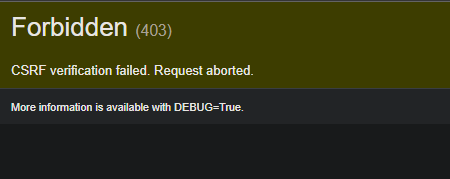
 bumphi, ive just installed paperless ngx for the first time, in paperless UI im able to get to the log in screen, after entering superuser login details i get 'Forbidden (403) CSRF verification failed. Request aborted. How to resolve this?
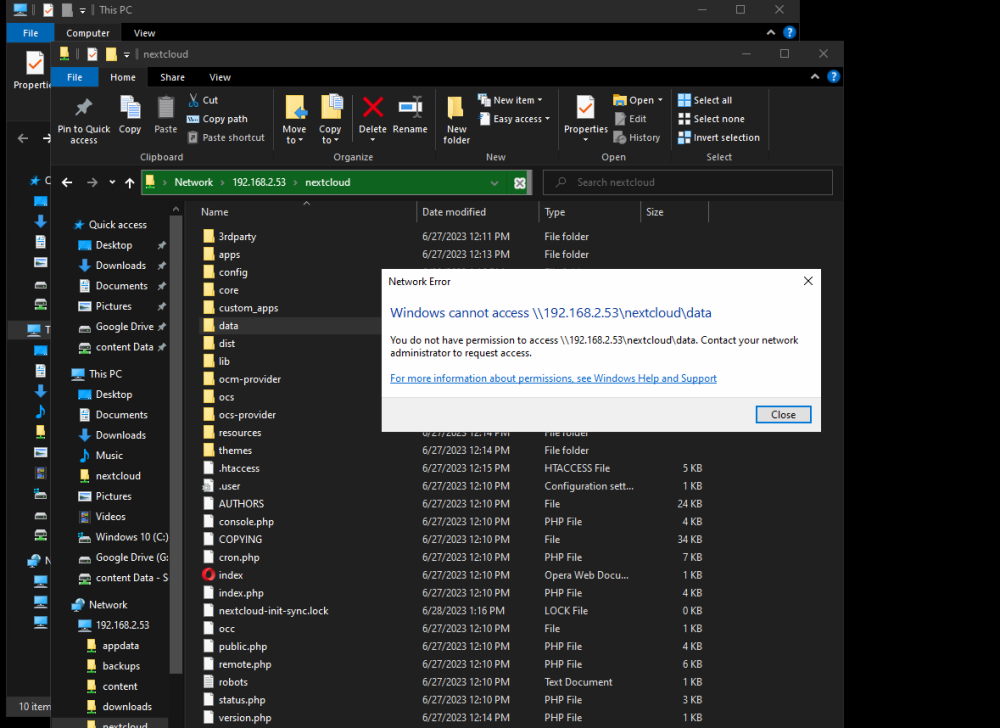
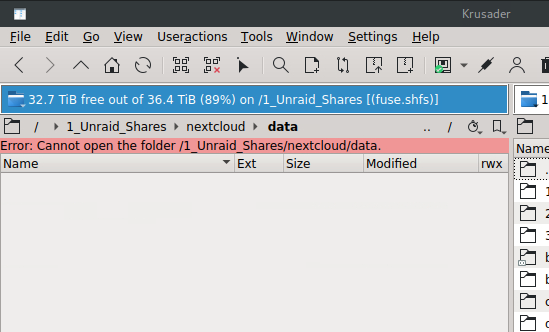
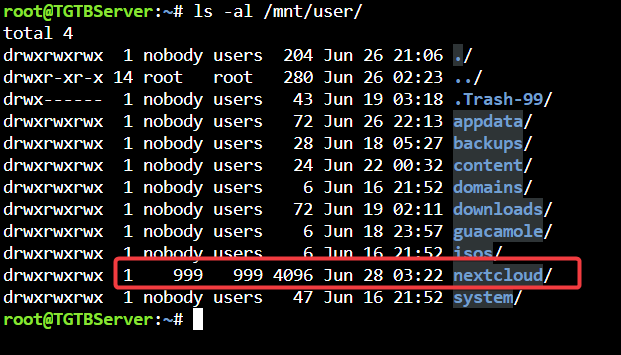
 As the title suggests. I have 2 unraid servers at 2 different locations. I'd like to backup from one server to the other. I use cloudflare application tunnels for remote access. I have already paid for a 5 year subscription for Duplicacy, but I'm open to other options too. How would one set this up?Hey can you explain the method you used for Duplicacy? What was your storage configuration option? Looking to set this up myself, cant find any guides yetIm on 6.12.0 and im a bit hesitant to update in the case I will lose any docker config, as I have heard about this happening (with other updates) So I'm wondering 1. Do I need to update? and 2. Can I just wait for a more significant update? What does everyone usually do?Building a NAS server with some dockers like Jellyfin, Nextcloud, and a bit of a home lab, multi server back up. Mobo needs 6-8 (usable) sata ports, Ideally 2x M.2 ports but 1 is OK, 8x PCIE slot for a 10GBE NIC, would be nice to have ECC ram but not a deal breaker if not. I dont mind if its ATX or MATX Theres some NAS specific boards out there and some server specific boards too, which I have no experience with yet. So besides you standard home / office boards what should I be looking at? Unless of course there are some standard boards which meet my requirements.6.12.0 I cannot access the 'data' folder. As you can see I have access to the share with rw permissions. But I cannot get past 'data' folder from Windows or Krusader For reference Nextcloud is insatlled via Portainer How am I supposed to get to my files? I assume this is the permission problem, can I change this?