





caras
Members
-
Joined
-
Last visited
Everything posted by caras
-
Change Tailscale serve to serve, not funnel.
-
Ofc I click, for mp4 it says unsupported view, and jpeg opens as folder.jpeg. It can open PNG without any problem. Tried to edit editor.cfg, and to add mp4, jpg, and jpeg in there, but same result. I am using v7 beta 3.
-
I still can't find out how he managed to open media files like jpeg, mp4?
-
Any chance to make intel 630 working in macinabox?
-
Thank you so much for your help. Your plugin is a lifesaver.
-
I checked a little bit more, whatever is on br0 (pihole, filebrowser) is not accessible vith tailscale and subnets. Solution for me was to enable host access to custom networks in docker settings. Now, I can access everything. One question, is this maybe some kind of security risk?
-
I just checked, Pihole is only one unreachable. My unraid server is 192.168.0.25, and when I am accessing webui via desktop pc, I can access everything, all dockers, including pi on 192.168.0.50. When I do that on the phone, and phone is on wifi, I can access everything on 192.168.0.25, all docker apps, but not pihole on 192.168.0.50. So I guess it has nothing to do with tailscale it self.
-
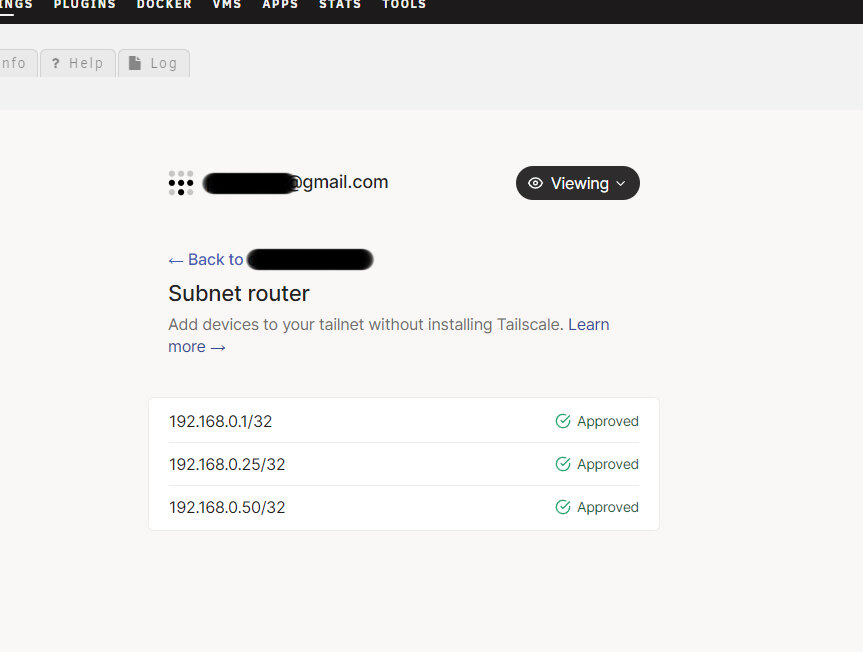
Just wanted to say, great plugin. I have one small problem, I advertised subnets, to be able to access from unraid my pihole and router that are on different subnet. I can access router remotely, but cant access pihole. I entered ip correctly, 192.168.0.1/32 for router, and 192.168.0.50/32 for pihole. Where did I make a mistake?
-
Yes, I have docker container installed. But for some reason I cant access apps to install plugin version.
-
I managed to view gui, managed to call somebody to head back to my house, and login to unraid server. I had tailscale0 in interface extra, but did not had eth0, only br0, and when that was added I can access remotely. But I have problem now, cant check for docker updates or cant browse thru apps. After some time I am getting error message that I need internet access to view apps.
-
Thank you for your response. I cant access ssh, it say connection refused. I can access and use all other docker apps, like radarr, sonnar, qbittorrent, netdata and similar. Gona remove this docker version and install plugin soon as I get home.
-
Sry for asking here, since I have same problem but with docker version of tailscale. Tbh, I wasnt aware that there is 2 versions. Is there anything I can do to access gui of unraid since I am away from home for the next month and cant connect to my server using lan, Or I am doomed to wait...Thank you in advance for your answer.
-
I wasn't aware that it is better to go with plugin version of tailscale, i have docker version installed few months now, and I can access my docker apps from my laptop (qbittorrent, sonarr, radarr and similar), using tailscale ip, but I have trouble accessing gui of unraid server. The odd thing is that sometimes it works, sometimes it does not, I problem is that I am away from home for the next 30 days and need access, so is there anything I can do at this point to acces gui of unraid? I am awre of the solution, but for the moment cant be on my local network. Thank you in advance for any help possible.

