





jolma
Members
-
Joined
Everything posted by jolma
-
my bad, yes it is, rebuilding disk3, and it faster than my expectation. but my disk replacement is 4TB and it shows capacity 2TB, is that normal?

-
so far is good rebuilding parity, will update in 12 hours...
-
Thank you, I will do both of that
-
Okay, I decide to buy another drive, I'll keep 10TB original parity for backup if something happen, so I will assign new drive to disk3 and start the array? While waiting for new drive, should I put it no device and start the array, just start the array, or just shutdown the unraid and start after new disk arrive?
-
I don't have spare drive, so from this, 12TB parity drive is valid?, is it okay now I reformatted 10TB (original parity) then swap it to disk3? If not I have to buy another drive...
-
I am using web UI, I started the array and rebuilding in progress, but the speed is very slow, only around 800KB/s here is diagnostic tower-diagnostics-20250408-0907.zip
-
At first I wanted to upgrade my array, I bought a 12TB HDD, because my parity drive is 10TB, so my plan is to set the new 12 TB as a new parity drive formatted the 10TB, then replace one of the array with 10TB array, however while in shipping disk3 (at first size is 1TB) failing, so I replace it with spare 2TB harddrive (my previous thread) and rebuilding failing too, so I want to create parity 12TB (thus cloning) and make sure it is everything ok, then replacing disk3 with 10TB (current plan) so what is the best plan? 1. put 10TB original parity in new config with "old configuration", then replace disk3 with another harddrive? less risks of losing data but have to buy another drive 2. format 10TB original parity and put it in disks3 with the risks of parity in 12TB is not valid and lost all content in disk3? Thank you
-
start array in maintenance mode and then running check filesystem in disk3 but it keeps loading for long time, if I just replace disk 3 with another harddrive I will lost all of the data, or return the 10TB original parity disk and try rebuild it with another disk?
-
Thank you, " here is the new diagnostics after following steps above, After this, if all is alright, next step will be replacing disk 3? tower-diagnostics-20250408-0125.zip
-
Hello, I am sorry to post again, didn't know what happen, my rebuild is failed after retrying couple of times, to provide context this is continuance from my post before: here this is the latest diagnostics.. So I want to retry with another harddrive but awhile ago I bought a 12TB hdd, so currently my plan are (and in progress): 1. clone 10TB disks parity into 12 TB (done) 2. 10TB previously will reformatted and plug in to replace disk C.. however, after I clone 10TB to 12 TB (using clonezilla), when I put it into array, it is not recognized as a new parity. so if i started the array, it will build new parity which all data from disk 3 will be lost. That is why I cloned it first. is it okay if I follow this guide ? Thanks in advance tower-diagnostics-20250407-2321.zip
-
restarted and all good, i do not know what it seems the problem... port sata or power issue Thank you
-
Thank you, here is the new diagnostics, speed is better and all drive is connected.. so is this just sata problem or maybe sata controller problem?, because this is the 2nd time it happened. before drive B&C were unregonized so I can prepare to change its motherboard? tower-diagnostics-20250321-1904.zip
-
Hi, I have a problem one another after so I'll try to explain it throughly I have an array with one 10TB hdd as a parity drive, then 4 hardrive I'll identify it as A - 2TB disk, B - 10TB disk, C - 1TB disk, and D - 4TB disk. 1. 2 days ago, disk C gave warning error and mark as disable, so I replace it with spare 2TB drive I have with only 2month online, Also replace all the SATA cable which already test and work well 2. mount it as part of array and the array start building, but it takes very slow process with less than 1mpbs process read and write. but after 2 days, drive B (10 TB) started showing errors also. 3. Restarted it, and now C disk (2TB that I just inserted) is disabled and drive B showing errors to and heat indicators of both shows asterix * I attach current diagnostics, hope anybody can help me, Thanks tower-diagnostics-20250321-1354.zip
-
root@Tower:~# du -h -d 1 /mnt/disk2/lost+found 1.3G /mnt/disk2/lost+found/4762 1.4G /mnt/disk2/lost+found Here is the code, Thank you I think everything is okay now, all drive green, parity sync speeds are relatively fast 100Mb/s now
-
sorry it is middle of the night last night here is the result from command above root@Tower:~# ls -lah /mnt/disk2/lost+found total 47M drwxrwxrwx 3 nobody users 4.0K Mar 23 04:19 ./ drwxrwxrwx 10 nobody users 171 Mar 21 10:15 ../ drwxrwxrwx 2 player_one users 4.0K Mar 26 01:31 4762/ -rw-r--r-- 1 nobody users 94K Mar 21 19:30 6506306976 -rw-r--r-- 1 nobody users 112 Mar 21 19:30 6506306977 -rw-r--r-- 1 nobody users 4.4M Mar 21 19:30 6506306978 -rw-r--r-- 1 nobody users 187K Mar 21 19:30 6506306979 -rw-r--r-- 1 nobody users 111 Mar 21 19:30 6506306980 -rw-r--r-- 1 nobody users 83 Mar 21 19:30 6506306981 -rw-r--r-- 1 nobody users 4.8M Mar 21 19:30 6506306982 -rw-r--r-- 1 nobody users 135K Mar 21 19:30 6506306983 -rw-r--r-- 1 nobody users 107 Mar 21 19:30 6506306984 -rw-r--r-- 1 nobody users 5.1M Mar 21 19:30 6506306985 -rw-r--r-- 1 nobody users 169K Mar 21 19:30 6506306986 -rw-r--r-- 1 nobody users 70 Mar 21 19:30 6506306987 -rw-r--r-- 1 nobody users 94 Mar 21 19:30 6506306988 -rw-r--r-- 1 nobody users 4.4M Mar 21 19:30 6506306989 -rw-r--r-- 1 nobody users 129K Mar 21 19:30 6506306990 -rw-r--r-- 1 nobody users 84 Mar 21 19:30 6506306991 -rw-r--r-- 1 nobody users 6.6M Mar 21 19:30 6506306992 -rw-r--r-- 1 nobody users 169K Mar 21 19:30 6506306993 -rw-r--r-- 1 nobody users 79 Mar 21 19:30 6506306994 -rw-r--r-- 1 nobody users 93 Mar 21 19:30 6506306995 -rw-r--r-- 1 nobody users 4.4M Mar 21 19:30 6506306996 -rw-r--r-- 1 nobody users 176K Mar 21 19:30 6506306997 -rw-r--r-- 1 nobody users 84 Mar 21 19:30 6506306998 -rw-r--r-- 1 nobody users 65 Mar 21 19:30 6506306999 -rw-r--r-- 1 nobody users 4.9M Mar 21 19:30 6506307000 -rw-r--r-- 1 nobody users 286K Mar 21 19:30 6506307001 -rw-r--r-- 1 nobody users 117 Mar 21 19:30 6506307002 -rw-r--r-- 1 nobody users 4.0M Mar 21 19:30 6506307003 -rw-r--r-- 1 nobody users 326K Mar 21 19:30 6506307004 -rw-r--r-- 1 nobody users 6.0M Mar 21 19:30 6506307005 -rw-r--r-- 1 nobody users 251K Mar 21 19:30 6506307006 -rw-r--r-- 1 nobody users 114 Mar 21 19:30 6506307007 Thanks
-
The new diagnostics, all drive detected tower-diagnostics-20240326-2348.zip
-
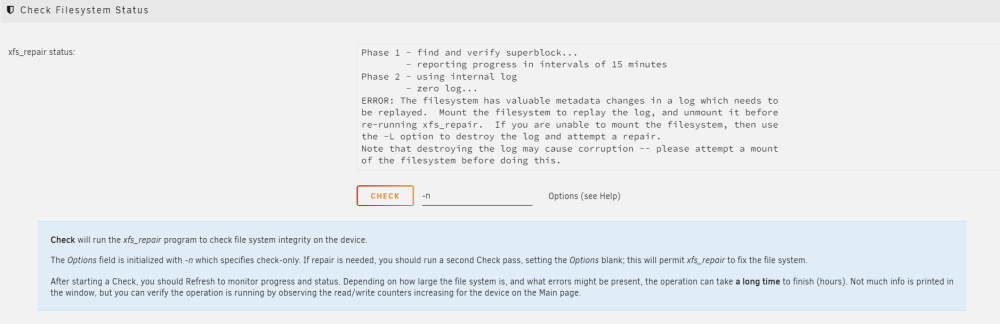
attached check without -n asks for -L command this is the code after run -L Phase 1 - find and verify superblock... - reporting progress in intervals of 15 minutes Phase 2 - using internal log - zero log... ALERT: The filesystem has valuable metadata changes in a log which is being destroyed because the -L option was used. - 09:20:41: zeroing log - 119233 of 119233 blocks done - scan filesystem freespace and inode maps... clearing needsrepair flag and regenerating metadata agf_freeblks 952538, counted 952537 in ag 0 agi_freecount 44, counted 43 in ag 0 finobt sb_ifree 1283, counted 1284 - 09:20:42: scanning filesystem freespace - 40 of 40 allocation groups done - found root inode chunk Phase 3 - for each AG... - scan and clear agi unlinked lists... - 09:20:42: scanning agi unlinked lists - 40 of 40 allocation groups done - process known inodes and perform inode discovery... - agno = 0 - agno = 30 - agno = 15 - agno = 16 data fork in ino 4762 claims free block 590 correcting imap - agno = 1 - agno = 17 - agno = 18 - agno = 19 - agno = 20 - agno = 21 - agno = 31 - agno = 22 - agno = 23 - agno = 24 - agno = 25 - agno = 32 - agno = 33 - agno = 26 - agno = 34 - agno = 27 - agno = 28 - agno = 29 - agno = 35 - agno = 36 - agno = 2 - agno = 3 - agno = 37 - agno = 38 - agno = 39 - agno = 4 - agno = 5 - agno = 6 - agno = 7 - agno = 8 - agno = 9 - agno = 10 - agno = 11 - agno = 12 - agno = 13 - agno = 14 - 09:20:45: process known inodes and inode discovery - 49984 of 49984 inodes done - process newly discovered inodes... - 09:20:45: process newly discovered inodes - 40 of 40 allocation groups done Phase 4 - check for duplicate blocks... - setting up duplicate extent list... - 09:20:45: setting up duplicate extent list - 40 of 40 allocation groups done - check for inodes claiming duplicate blocks... - agno = 0 - agno = 1 - agno = 2 - agno = 3 - agno = 4 - agno = 5 - agno = 6 - agno = 7 - agno = 8 - agno = 9 - agno = 10 - agno = 11 - agno = 12 - agno = 13 - agno = 14 - agno = 15 - agno = 16 - agno = 17 - agno = 18 - agno = 19 - agno = 20 - agno = 21 - agno = 22 - agno = 23 - agno = 24 - agno = 25 - agno = 26 - agno = 27 - agno = 28 - agno = 29 - agno = 30 - agno = 31 - agno = 32 - agno = 33 - agno = 34 - agno = 35 - agno = 36 - agno = 37 - agno = 38 - agno = 39 - 09:20:45: check for inodes claiming duplicate blocks - 49984 of 49984 inodes done Phase 5 - rebuild AG headers and trees... - 09:20:47: rebuild AG headers and trees - 40 of 40 allocation groups done - reset superblock... Phase 6 - check inode connectivity... - resetting contents of realtime bitmap and summary inodes - traversing filesystem ... - traversal finished ... - moving disconnected inodes to lost+found ... disconnected dir inode 4762, moving to lost+found Phase 7 - verify and correct link counts... resetting inode 4761 nlinks from 2 to 3 - 09:20:50: verify and correct link counts - 40 of 40 allocation groups done Maximum metadata LSN (1969582969:78) is ahead of log (1:2). Format log to cycle 1969582972. done
-
No, anything is a video file, if I trying to save it, can i copied first to another computer?
-
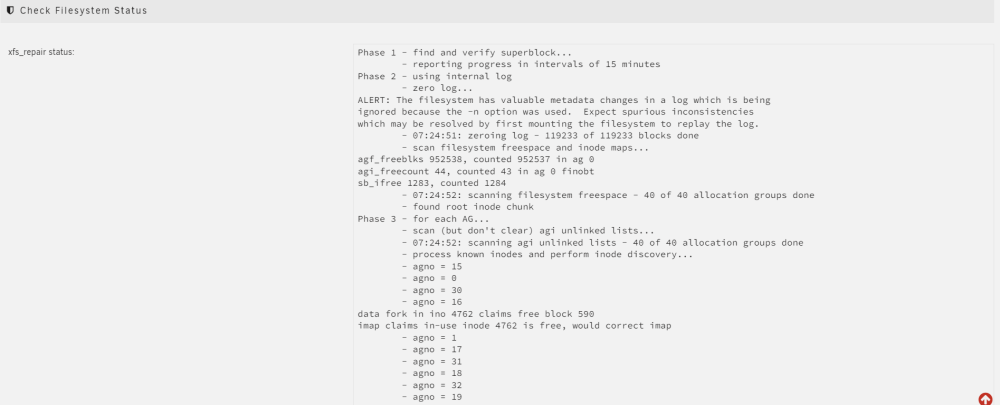
Phase 1 - find and verify superblock... - reporting progress in intervals of 15 minutes Phase 2 - using internal log - zero log... ALERT: The filesystem has valuable metadata changes in a log which is being ignored because the -n option was used. Expect spurious inconsistencies which may be resolved by first mounting the filesystem to replay the log. - 07:24:51: zeroing log - 119233 of 119233 blocks done - scan filesystem freespace and inode maps... agf_freeblks 952538, counted 952537 in ag 0 agi_freecount 44, counted 43 in ag 0 finobt sb_ifree 1283, counted 1284 - 07:24:52: scanning filesystem freespace - 40 of 40 allocation groups done - found root inode chunk Phase 3 - for each AG... - scan (but don't clear) agi unlinked lists... - 07:24:52: scanning agi unlinked lists - 40 of 40 allocation groups done - process known inodes and perform inode discovery... - agno = 15 - agno = 0 - agno = 30 - agno = 16 data fork in ino 4762 claims free block 590 imap claims in-use inode 4762 is free, would correct imap - agno = 1 - agno = 17 - agno = 31 - agno = 18 - agno = 32 - agno = 19 - agno = 20 - agno = 33 - agno = 34 - agno = 35 - agno = 21 - agno = 22 - agno = 36 - agno = 2 - agno = 37 - agno = 23 - agno = 3 - agno = 38 - agno = 24 - agno = 25 - agno = 26 - agno = 39 - agno = 27 - agno = 28 - agno = 29 - agno = 4 - agno = 5 - agno = 6 - agno = 7 - agno = 8 - agno = 9 - agno = 10 - agno = 11 - agno = 12 - agno = 13 - agno = 14 - 07:24:55: process known inodes and inode discovery - 49984 of 49984 inodes done - process newly discovered inodes... - 07:24:55: process newly discovered inodes - 40 of 40 allocation groups done Phase 4 - check for duplicate blocks... - setting up duplicate extent list... - 07:24:55: setting up duplicate extent list - 40 of 40 allocation groups done - check for inodes claiming duplicate blocks... - agno = 0 - agno = 1 - agno = 3 - agno = 2 - agno = 4 - agno = 5 - agno = 6 - agno = 7 - agno = 8 - agno = 9 - agno = 10 - agno = 11 - agno = 12 - agno = 13 - agno = 14 - agno = 15 - agno = 16 - agno = 17 - agno = 18 - agno = 19 - agno = 20 - agno = 21 - agno = 22 - agno = 23 - agno = 24 - agno = 25 - agno = 26 - agno = 27 - agno = 28 - agno = 29 - agno = 30 - agno = 31 - agno = 32 - agno = 33 - agno = 34 - agno = 35 - agno = 36 - agno = 37 - agno = 38 - agno = 39 - 07:24:55: check for inodes claiming duplicate blocks - 49984 of 49984 inodes done No modify flag set, skipping phase 5 Inode allocation btrees are too corrupted, skipping phases 6 and 7 No modify flag set, skipping filesystem flush and exiting. here is the command after I put -n command for the next step please tell me what is the command, Thanks

-
Thank you, replacing the sata cables with a different and work cable here is the diagnostics disk2 still unmountable tower-diagnostics-20240326-2101.zip
-
Hello, I need help and I am a newbie in unraid, already tried after reading in forum, but the problem keep appear so I am gonna ask anyway. 1. I have 4 drive, one 4TB Drive as parity drive, 2 1 TB drive and one 2 TB drive, decided to upgrade, my parity drive from 4TB Drive to 10 TB drive, building parity take a relative short time. Then I replace one of 1TB drive with another 10TB drive and it worked flawlessly, 2. I add 4tb drive previously as parity drive to array. already preclear before adding it to array. so now I have array with 10TB as an array drive, and 4 drive consist of each one 2TB drive as disk 1, 10TB as disk 2, 1TB as disk 3, and 4TB as disk 4. 3. Then the problem comes, after preclear, 4TB drive (disk4) showed as unmountable, so I formatted it and it shows fine. 4. les than 24 hours, suddenly the 10TB array (disk2) showing that unmountable no supported drive or no system files, and parity drive showed yellow triangle acclamation mark (Array is Started, but Parity is invalid.) 5. Tried this https://docs.unraid.net/unraid-os/manual/storage-management/#drive-shows-as-unmountable, but I confused so tried this https://www.youtube.com/watch?v=JVjB0ROdLBA and it worked. 6. then parity drive started to sync because of acclamation mark and it took a very long time, (first time 100mb/s (first install), but every time a started to parity sync, it speed only 500ish Kb/s it estimates around 200-300 days, stop the sync, change all sata cable and restarted, all is fine, but then suddenly all 4 drive unmountable. 7. reboot the array, all drive except 10tb (disk2) keep showing unmountable. here is the diagnostic Thanks for all the help tower-diagnostics-20240326-1747.zip


