





Bannie
Members
-
Joined
-
Last visited
-
Hi I tried latest which when downloaded the Nvidia driver app plugin was 590.48.01 started with the above error then round it back to 590.44.01 still the same just gonna try the above and it works Just done production branch version V580.119.02 rebooting server now back working Server is a Dell R730XD OEM .... many thanks for the help thought it was me lol bannie
-
Is anyone else getting these errors with Nvidia Cards i have uninstalled drives remove swapped out with another card exactly the same anyone know of a work around NVIDIA-SMI has failed because it couldn't communicate with the NVIDIA driver. Make sure that the latest NVIDIA driver is installed and running. graphic card is listed in tools >> system devices IOMMU group 53: [10de:13bb] 08:00.0 VGA compatible controller: NVIDIA Corporation GM107GL [Quadro K620] (rev a2) [10de:0fbc] 08:00.1 Audio device: NVIDIA Corporation GM107 High Definition Audio Controller [GeForce 940MX] (rev a1) Many thanks bannie
-
Hi All Been running this little monster of board with two NVMe drives as well a LSI 9400 16i in HBA to a Back Plate 16 Port works like a charm ..... just wondering if any one tried the bifurcation and managed to get the 8x8x to work via PCIe Spitter was trying to fit a 10GBe Nic as well as the HBA card each one seen when on Port 0 of this two spitter but not found a way of seeing both Many thanks Bannie
-
Two Dell Servers R730XD and R520 Updated to 6.12.11 from 6.12.10 no issues work like a charm ......the only other issues i have is me lol
-
i have now remove that plugin and one of the GPU which i was going to use for VM passthrough nothing special only a K620 ..... and now monitoring ..... and so far working ... plex run for 25 mins no issues and VM running both working fine now .... i let run for a fews to check if all is ok
-
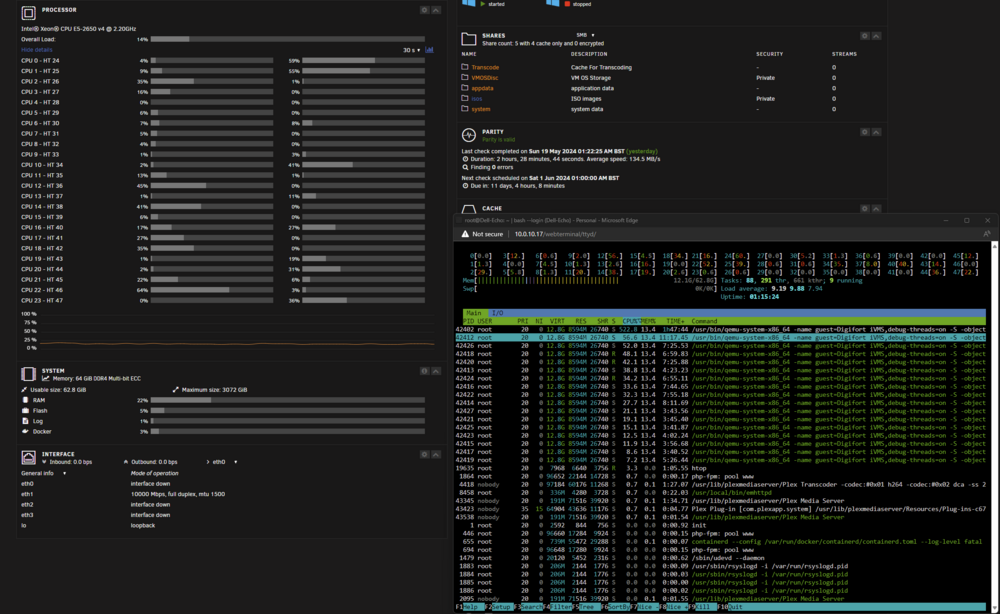
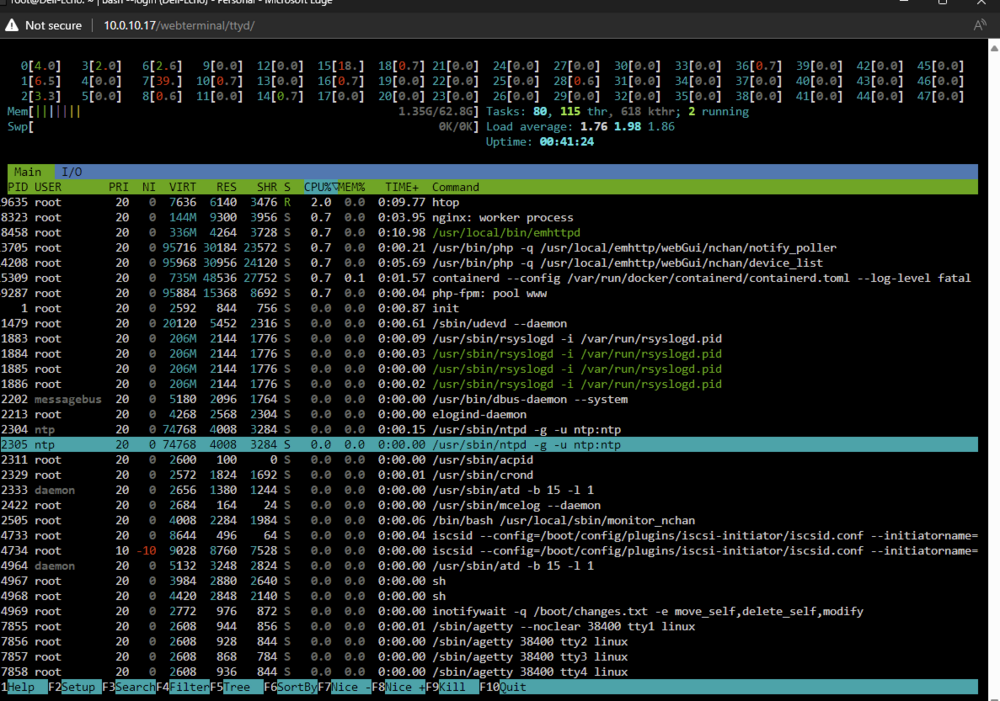
Nope spoke to soon ...... its back ..... i tested the VM on another Unraid server with No issues ...... i have plex running steaming a film stop the film after 30 mins and the still ok went off for five minutes check bang Core 26 100 %So last night before i went to the land of nod i tried a few thing and after few minutes is was still doing either straight away before the array had been started manually just to see if it was doing with it not running and it was .... in the end i headed up to nob brain still thinking ..... so i had a little brain fart during the day thought i wonder if one of the drives could be causing this so when i got home today i went about mission drive ....... lol very odd so before powering up server i remove all my drives as was thinking possible a Drive could be causing this random core to go 100% so Parity missing and drives booted in to unraid put them all back so Unraid could see restarted the array and then rebooted . then added the acpi=off code where you said rebooted then only showing one CPU and one core , run htop and did show CPU all as one . so remove code rebooted started the array and so far still acting normal only array running no real data on here yet so array layout not worried about yet ...... still a bit New to Unraid (linux codes) still learning as go what is what and does .... htop it is screen grab taken before docker running and after still all ok then started the VM ...... expecting it to do it 1 core 100% but nope it running fine .... i it either that magic code work and did something or a possible drive error caused not fully in ..... just in case i ordered a couple of drives to replace then because did have a little doubt about two of them so i wait and see what happens ..... at the monument no data on array all on the NVMe drives ...... then started Plex Docker ...... still all ok .... starte dto play film still go to go ...... just so you know its running on a Dell R630 Dual CPU in HBA Mode .......with a couple of SAS drives for the array for testing and Cache Pool is Two CT1000P3PSSD8 1TB which i had in the unraid before porting across to server and was working fine no issues that i know off Again Thanks you for all your help as it now seems to be running and Docker running and VM which before you ask is whats the Digifort it is a iVMS Server ..... for CCTV NVR .... Thank you Bannie
 Run Memtest no issues PASS ..... CPUs Set as Stock ..... Could it be a Corrupt file on the USB Stick ? many Thanks Bannie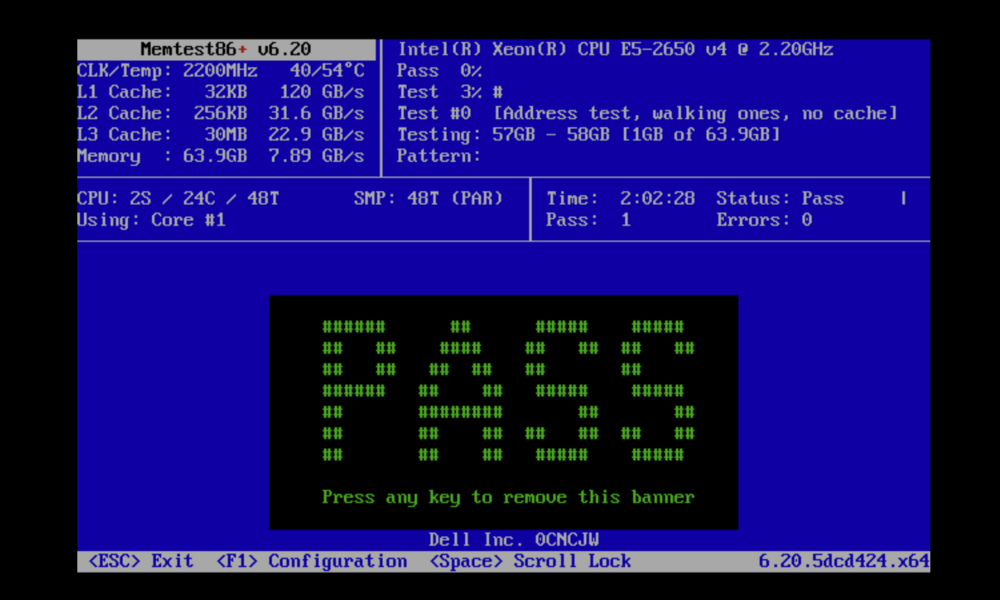
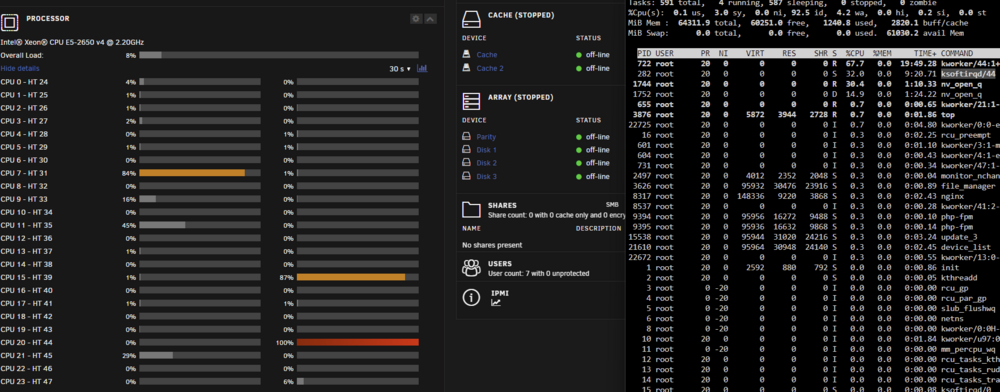
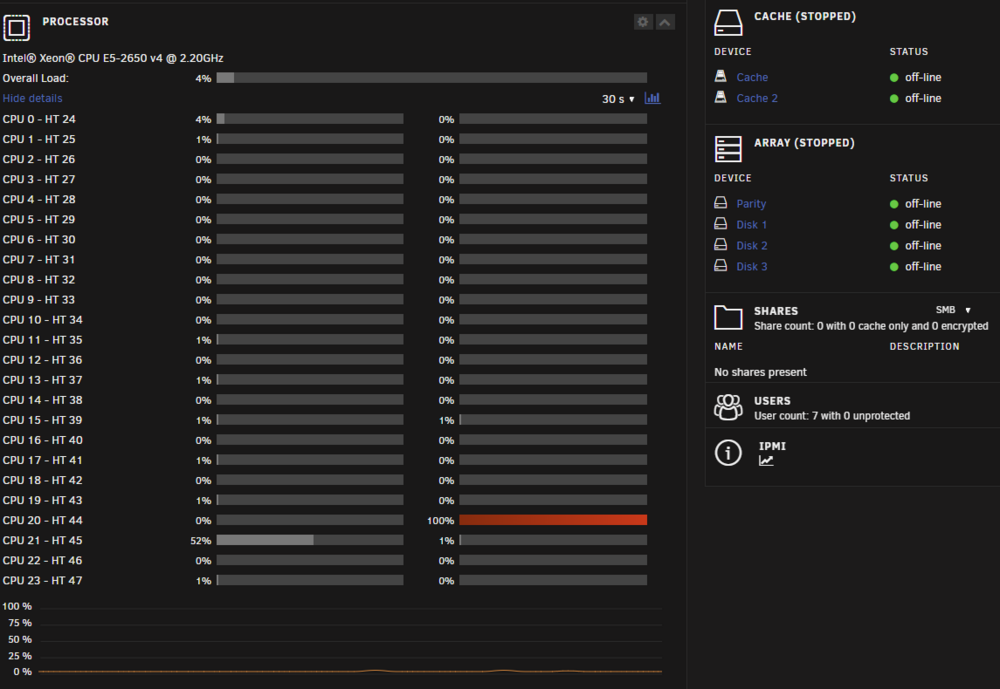
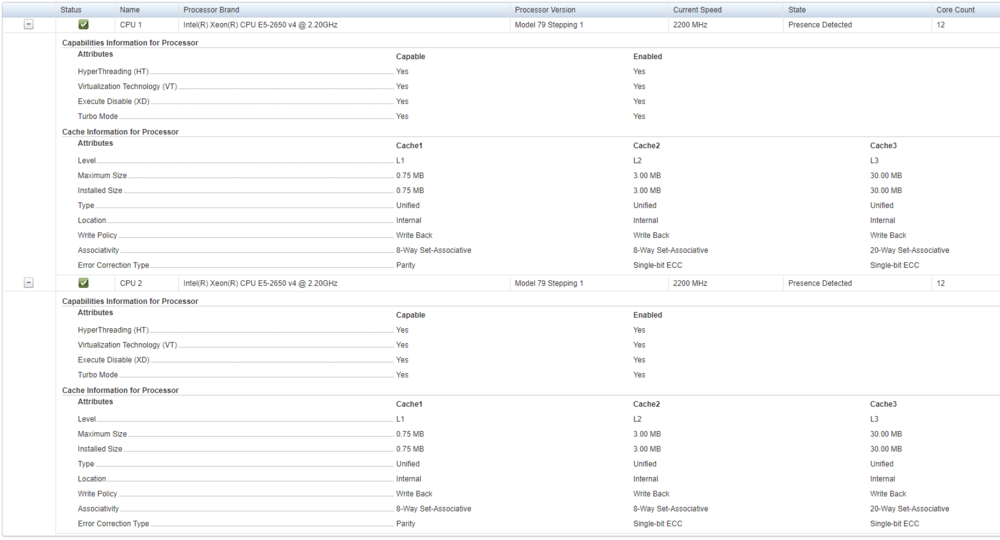 Thanks for the reply i try mem test ..... just a bit odd as was runs windows Server 2022 fine with no issues on for a few weeks and VMs with no signs on cpu thread at 100% ...... i let you know if it does or does not see any errors .Hi All Need some advise or what could be causing this i Keep getting one Core stuck on 100 % even when the array not even started or running . this is my second Unraid server and the other one is working fine. I have one Docker Plex with GPU installed one VM Windows runs no issues but keep noticing one core at 100% even before i started the Array or any Docker or VM some time it happens after i started them also random Core as well attached Screen Shots and Diagnostics for the smart people to dive in ....... this starting to drive me mad as i double check remove cards move them etc as all working from other server when install in another PC before i move it across. Unraid Version 6.12.10 Many Thanks Bannie dell-echo-diagnostics-20240519-1957.zip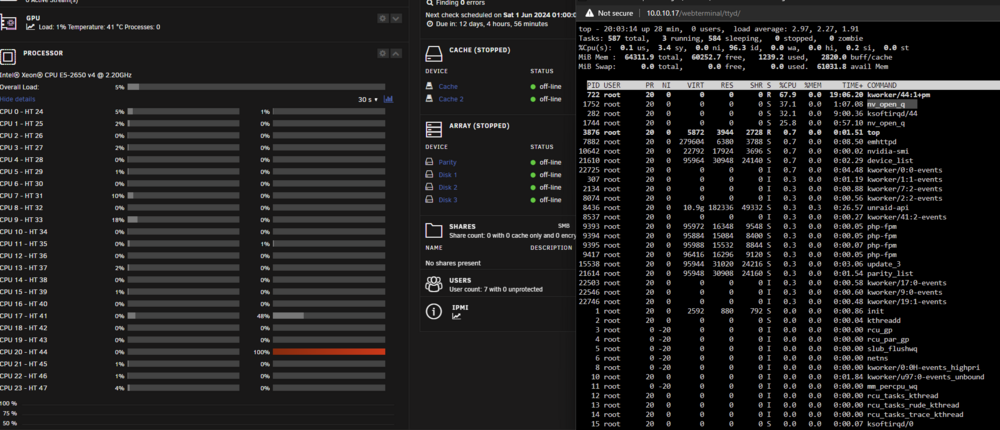
 Updated to 6.12.8 from 6.12.6 Went as smooth as ice no issues on Dell R730XD .... Excellent . ThanksHi i have DELL R730XD with the 10GB Daughter Card and SAS Drives and a SSD SATA for your info SAS or SATA Drives work fine once in HBA Mode Unraid will see them , the only issues i have at the moment is transfer speeds seems to be really slow , I can transfer from my Desktop to the Server running Windows 2022 speeds of 850mb but in Unraid same machine same drives 350mb max and then drops right down to 5mb , not sure if anyone else has a this transfer speed issue ...... so it seems to be UNRAID Issues drivers ? for NIC card still trying to find out tried ZFS XFS and BTRFS all the same if anyone case shed any light before i ditch UNRAID as i Cant live with the Poor Transfer speed and go back to Windows



