Sebby
Members
-
Joined
-
Last visited
-
Hi, I've all of a sudden got an out of memory error somewhere according to fix common problems but unable to isolate it. Any clues? sebbytower-diagnostics-20251215-0820.zip
-
I dont think tis a docker container as it happened today without the array started. I'll downgrade to 7.1.0 tomorrow and see how ti goes
-
I'll also note that it has now happened without the docker even running
-
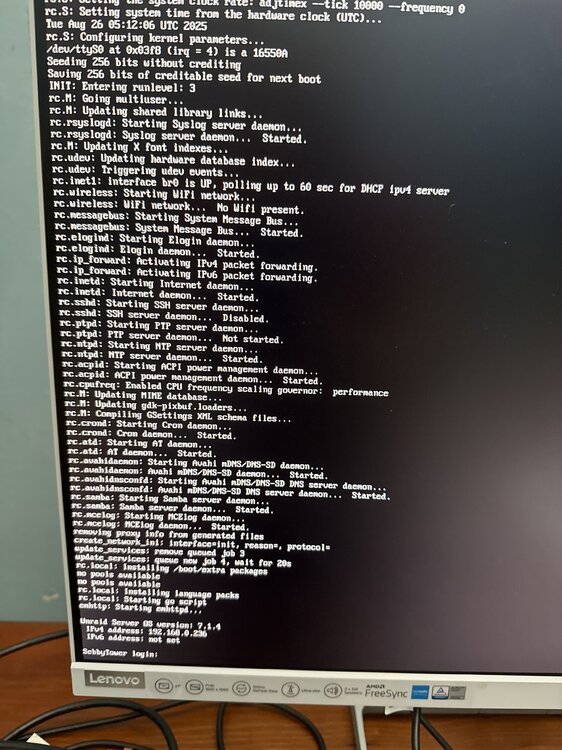
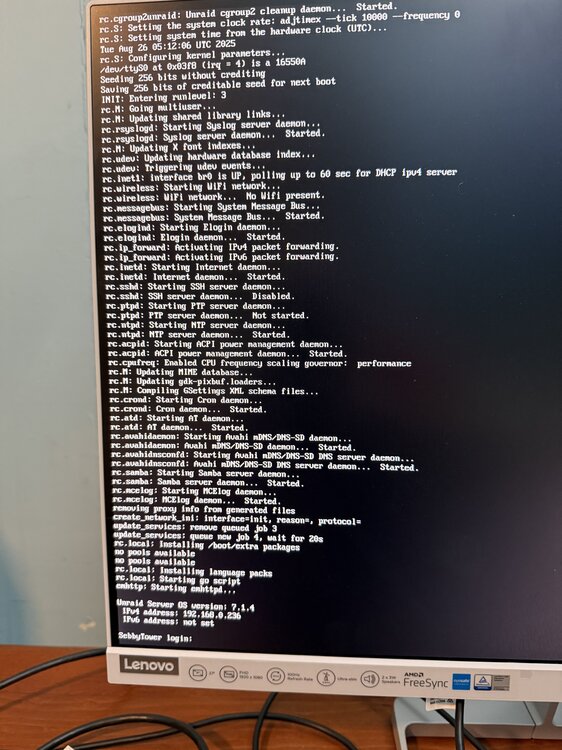
I left it off since my previous response just to test and the server went MIA again last evening and came back by itself. It was MIA around 2100 last night syslog.txt EDIT: This is now happening very often ever since upgrading to 7.1.4 so next time its up I will be reverting too. I can't access my server through tailscale but am getting uptimekuma notifications saying stuff is available Server is showing this both times today been unresponsive
-
Seems to be authentik-worker
-
Uploading Attachment...This is the syslog from today syslog-previous.txt
-
Hi, I've been on unraid for nearly 2 years now which has been amazing but since the start I've had issues of the server going non-responsive but still turned on. The only fix has been restarting the server manual with a forced shutdown on the case. This sometimes also causes issues with the server unable to see the USB drive unless i move it between slots. Sometimes it runs for 4 months no issues, today it was 24 hours. Interestingly - when i went to reboot it today, I only pressed the shut down button for a second and the server became responsive on the monitor to do a safe shutdown. I have no clue what is going on Attached my diagnostics - happy to supply anything else needed. sebbytower-diagnostics-20250826-1558.zip
-
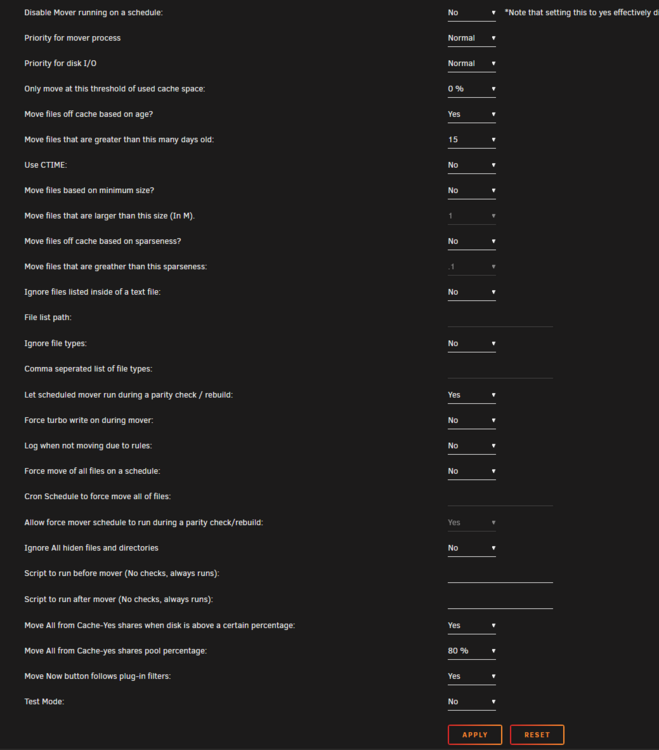
Sorry I didn't see this. This is what I was using when I was trying to work on this.
-
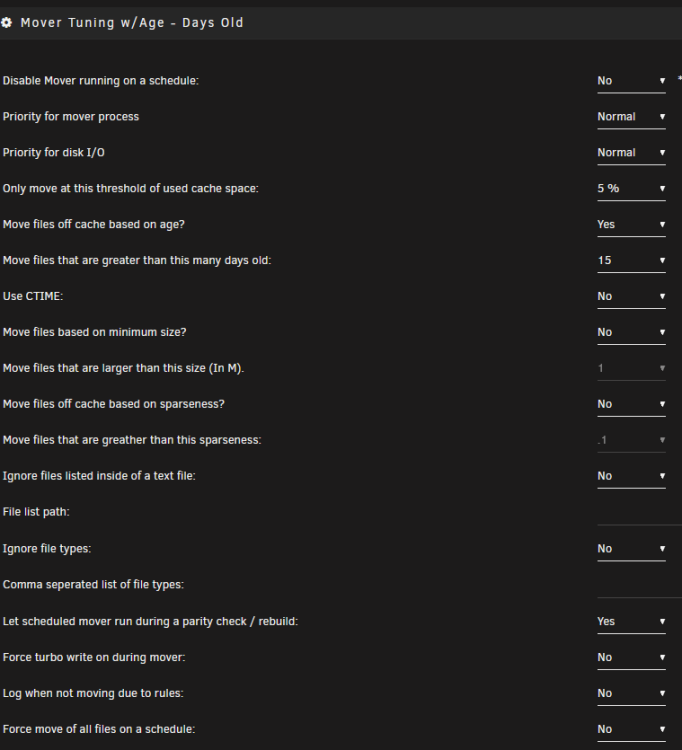
Most of the files are over a month old. I understand the settings but its not moving files that are well over 15 days. I was trying to run it nightly for files over 15 days old but they are just accumulating and not moving
-
Hi, I'm on unraid 6.12.10 and mover tuning released on 2023.12.19 I have over 600gb on my cache and my settings are Even with forcing mover to run, it still doesn't move any of the files. Could this be a mover tuning issue or a hardlinks issue?
-
Hi, I have set my mover tuning to essentially move anything that is older than 15 days from my cache to array, however, when fiddling with it - I've been getting alot of these errors file already exists for plexmatch files. I was wondering if I have fucked something up in my hardlinks or trashguide settings or is this a mover issue? https://logs.notifiarr.com/?e79c8df2a3a49f1f#6nKnkvDSXJZTXKeTCEdBM913fitSK7JqkqJKLXnSGkmW Second small QOL issue - Am I able to hide my orphan python container and nextcloud aio extra containers on my docker screen for aesthetics' sake?
-
Fixed it. Just had to restore templates from my backups. Thanks for the help

-
These need to be deleted? Or you mean they are based off that and now all my templates have been somehow deleted?
-
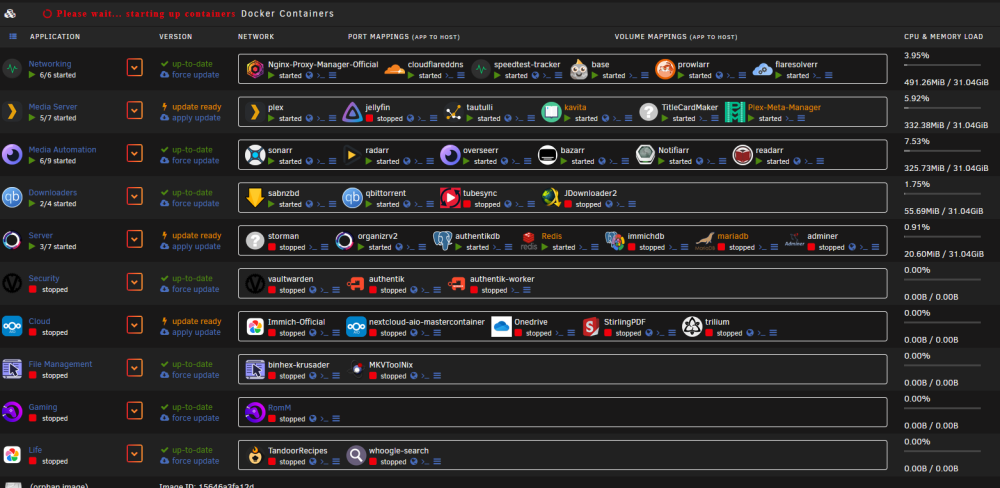
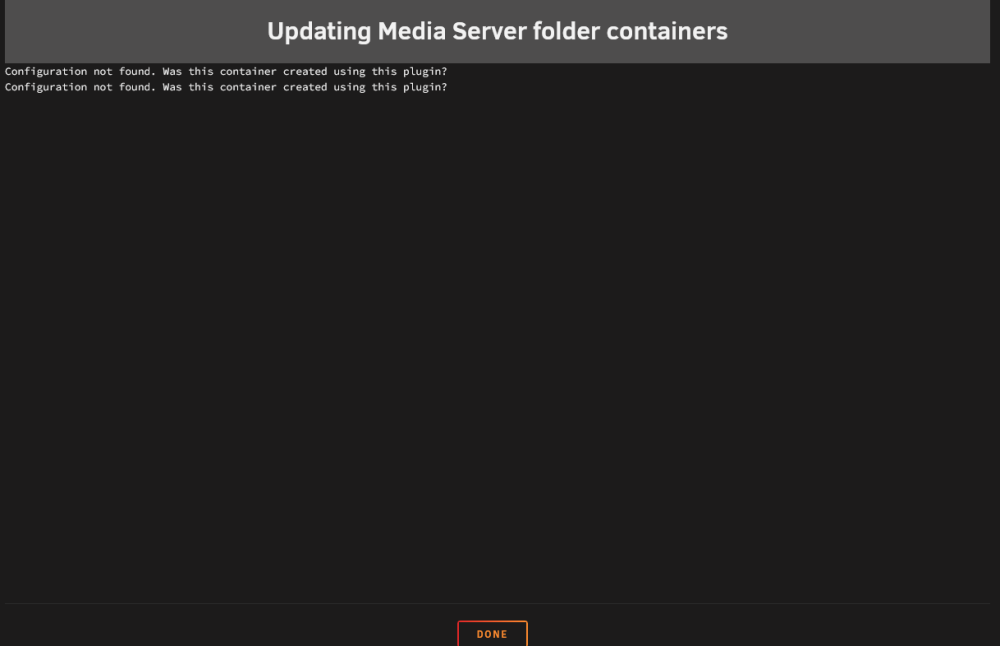
Hi, I've just woken up and seen an issue with my docker and I think its related to folder view?? Nearly all of my containers name have gone white and unclickable. And if I try to update through folder, I get that error in the 2nd photo. Am unable to update containers at all Any experience with something like this? My containers are still running fine.
-
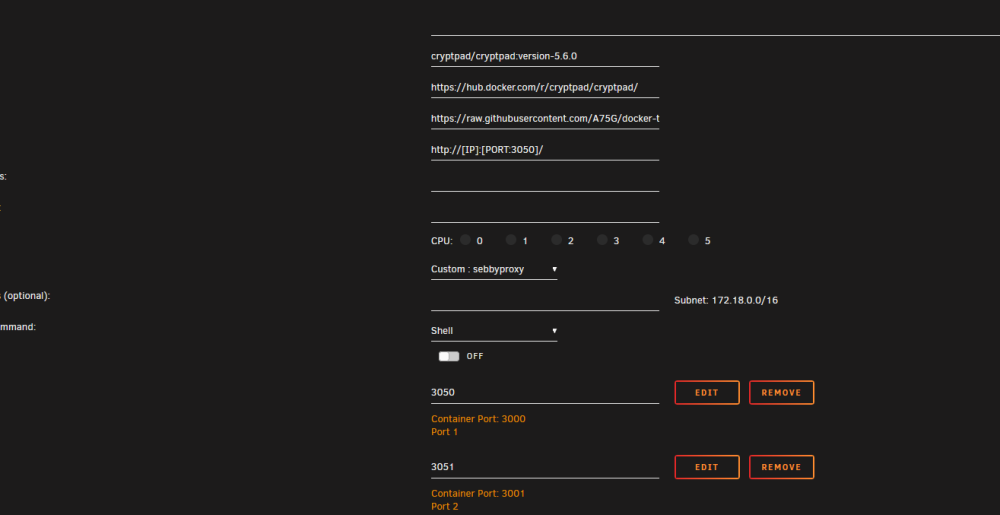
Am having 0 luck getting cryptpad to work. Have looked at both the doco on community apps and the github with 0 luck. Not much info to be found by search either Anyone had any luck? I have had to move the ports to 3050 and 3051 for Nginx proxy manager.