





anticholium
Members
-
Joined
-
Last visited
Everything posted by anticholium
-
Thanks for reaching out. I can downgrade, but the downgraded driver is the closed source version, which doesn't work with my 5060Ti...
-
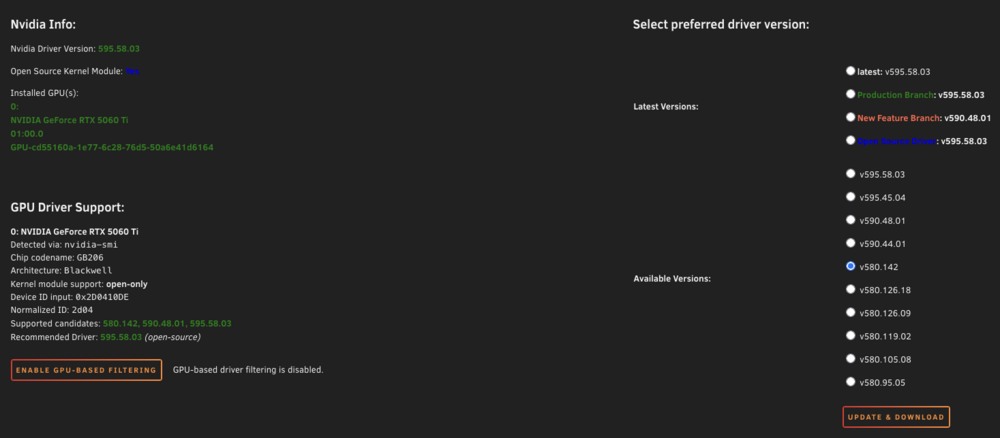
How were you able to downgrade? If I downgrade the version to 580.142 (obviously non open source), my GPU is not detected (and consecutively not usable, sure). How to downgrade to open source 580.142? Thx!
-
Hey guys, I need your help. I'm running Unraid 7.2.4/6.12.54-Unraid on a AM5/Ryzen 7 machine with a NVIDIA GeForce RTX 5060 Ti, currently Nvidia Driver Version: 595.58.03 Open Source Kernel Module: Yes Since the upgrade, I'm running into unfixable erros in a steam-headless container I'm using since more than a year for moonlight based game streaming to different devices in my network. At the moment, there's a X11 related boot loop, which I can't fix with my very basic knowledge/abilities and also some research didn't help. For details, see the attached log-File. Claude 4.6 Sonnet Thinking states the following: "The root cause is a confirmed bug in NVIDIA driver 595.58.03 combined with the RTX 5060 Ti (Blackwell GB206) in headless containers: • nv_drm_atomic_commit flip timeouts in headless mode → Xorg watchdog kills it (exit 130) • GSP firmware polls display hotplug every ~50ms with no monitor connected → infinite DFP loop → Deleting GPU-0 • No fix from NVIDIA yet for this specific scenario" Is this plausible and actually the cause? I can't downgrade to for e.g. 580.142, since without the open source option, my GPU won't be detected anymore, so I'm stuck on 595.58.03 at the moment?! I can't figure out, if there's a work around for me nad also others experiencing a comparable problem. Any help is very much appreciated! Thx in advance! Kind regards, Chris steam-headless.log Xorg.55.log
-
Hey guys, I need your help. I'm running Unraid 7.2.4/6.12.54-Unraid on a AM5/Ryzen 7 machine with a NVIDIA GeForce RTX 5060 Ti, currently Nvidia Driver Version: 595.58.03 Open Source Kernel Module: Yes Since the upgrade, I'm running into unfixable erros in a steam-headless container I'm using since more than a year for moonlight based game streaming to different devices in my network. At the moment, there's a X11 related boot loop, which I can't fix with my very basic knowledge/abilities and also some research didn't help. For details, see the attached log-File. Claude 4.6 Sonnet Thinking states the following: "The root cause is a confirmed bug in NVIDIA driver 595.58.03 combined with the RTX 5060 Ti (Blackwell GB206) in headless containers: • nv_drm_atomic_commit flip timeouts in headless mode → Xorg watchdog kills it (exit 130) • GSP firmware polls display hotplug every ~50ms with no monitor connected → infinite DFP loop → Deleting GPU-0 • No fix from NVIDIA yet for this specific scenario" Is this plausible and actually the cause? I can't downgrade to for e.g. 580.142, since without the open source option, my GPU won't be detected anymore, so I'm stuck on 595.58.03 at the moment?! I can't figure out, if there's a work around for me nad also others experiencing a comparable problem. Any help is very much appreciated! Thx in advance! Kind regards, Chris Xorg.55.log steam-headless.log diagnostics-20260426-1629.zip
-
-
Thanks for your instructions! But: is this really neccessary for the integrated rclone to work?? Can't believe, that there is no way to store the rclone.conf in a persistent location without doing all the user script stuff? Really? Shouldn't this be easier? Thx for any replies! All the best Chris
-
Awesome!! Thank you so much! Right now, no more "generic" Nvidia Graphics Device but: NVIDIA GeForce RTX 5060 Ti. And: Counter Strike 2 before (as already mentioned, sorry) 7-10fps, right now: 60fps (capped by configs), low GPU load, everything is fine now. Let's see which other changes also come together with this
-
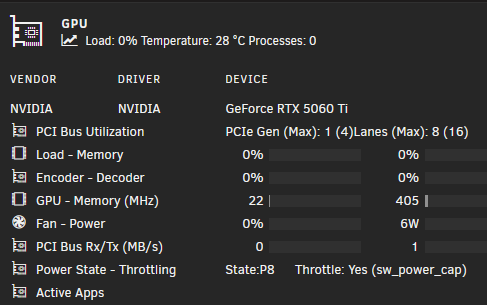
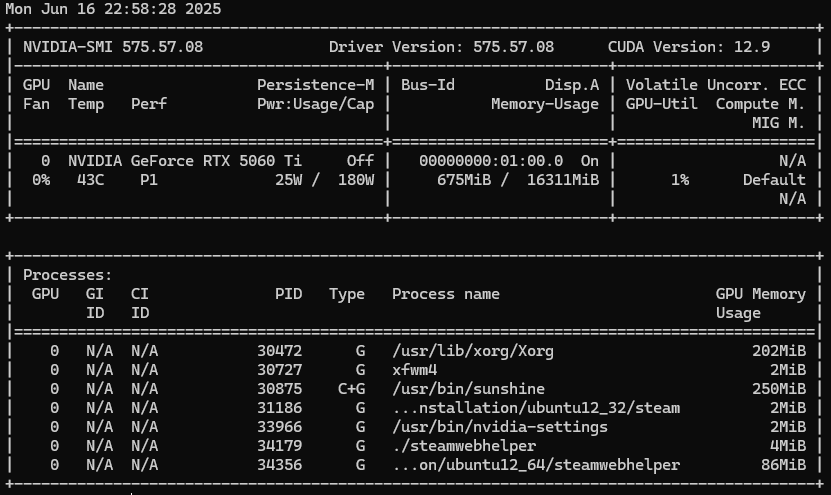
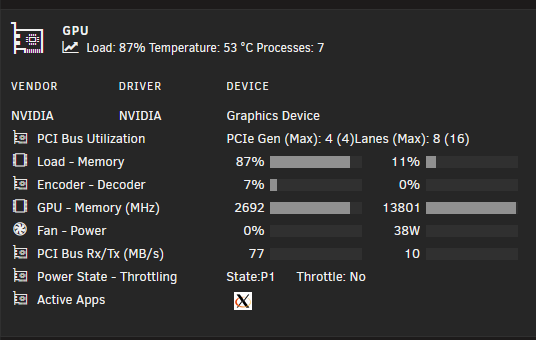
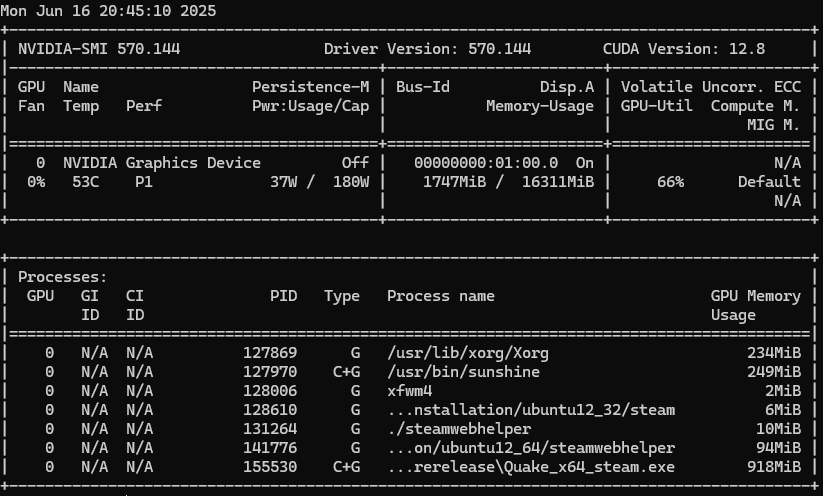
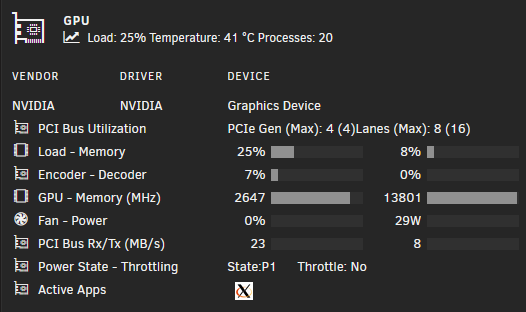
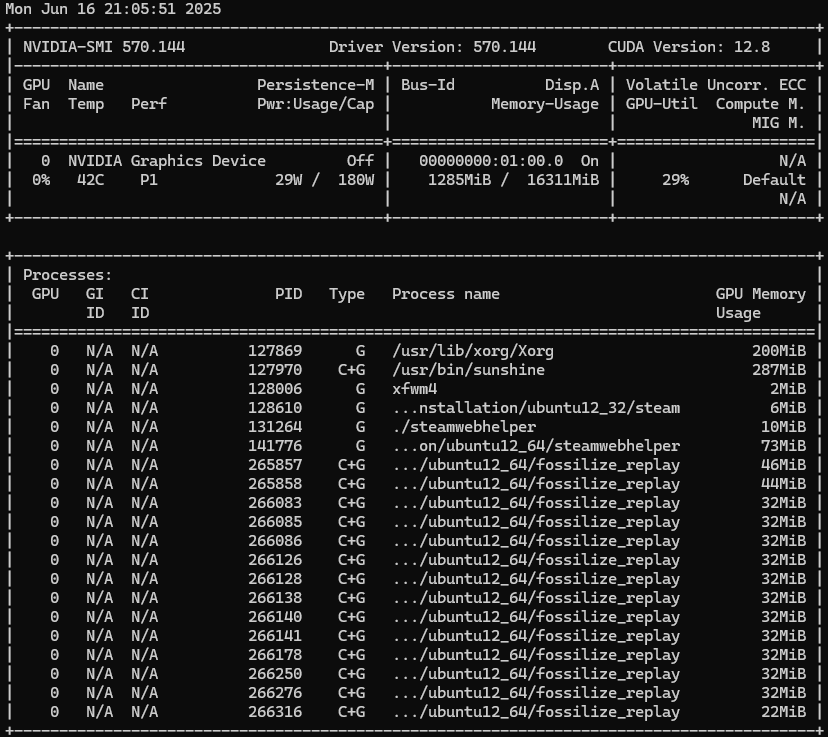
I don't think they are culprits because Steam Headless is recognizing the correct driver version (has to be same as host system), but both, Unraid and of course Steam Headless also, are recognizing the graphics card as "generic" N Yeah, I'm aware, what this support forum is for, sorry for the inconvenience, I just wanted to demonstrate, that appeared very strange to me, that GPU-statistics is showing some GPU load etc produced by X Window System/Sunshine, and at the same time, I thought nvidia-smi is showing 0% load/activty despite some specific processes which are linked to the steam headless container... but I was mistaken, sorry. - The screenshots are 1-2s apart. - Please see my diagnostics attached, first while running oldy FPS Quake I, second while (trying) to run Counter Strike 2 (which should theoretically be around 200-300fps, but is 7-10fps). I'm thankful for any hint/advise. Thx! diagnostics-20250616-2040.zip diagnostics-20250616-2059.zip
-
Strange observations: when starting/playing a game via Steam Headless container, GPU Statistics shows the GPU and VRAM load etc, which is quite substantial even for very old titles, but nvidia-smi shows 0%! Which one is true? Official Nvidia driver download section states 5060 Ti support only for 570.153.02, not for 570.144, maybe the reason for generic „NVIDIA graphics device“ (and not the specific model) in Unraid?
-
I just concluded because of this comment (see below), but was asking in my last post if I got right. Obviously no... I'm on Unraid 7.1.3, using the latest Opensource Nvidia Driver (MSI Geforce RTX 5060Ti), latest Steam Headless Container and I'm trying to fire up some more up to date gameing titles and was hoping to streamline them with Sunshine/Moonlight to the more weak laptops of my son. Sadly, despite the quite powerful GPU, I simply can achieve just around 8-10fps even for older games like Counter Strike 2; hardware acceleration is enabled, the container is using the GPU (nvtop, nvidia-smi)... In other use cases like Handbrake video transcoding (NVENC AV1, 10bit, 30fps, CQ30) it works very well, for LLM-based text-toaudiobook-"conversion" it works pretty well too. So my thoghts were, that the current open source driver might only be partyl supporting the quite actual GPU gen? Do you know, when there might be a change in this? I will perform a diagnostics when using the scenario as described and will attach the zip, if that might be helpful. Thank you so much!
-
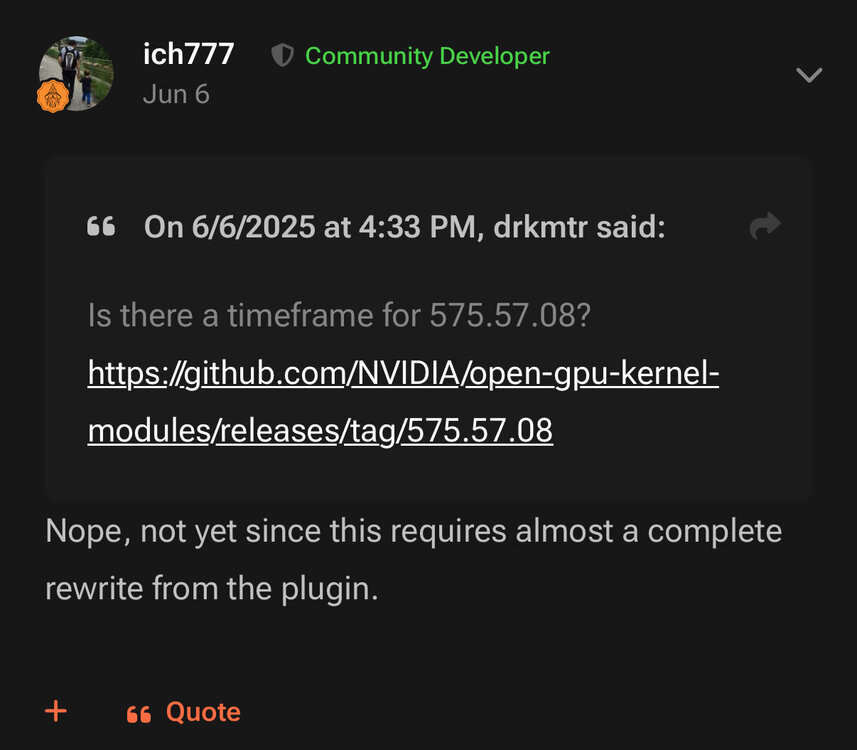
Hi, first of all: huge thanks to ich777 for providing everything in the context of the nvidia driver plugin, I wish I would be able to do the same/support you in doing so, but unfortunately I'm just a dangerous half knowledged semi-noob, so, sadly that will not work. - Question for (better) understanding: there are mainly two different kinds of drivers, proprietary and open source, for GPUs like mine with Blackwell architecture, a RTX 5060Ti, I need to use the open source version to get at least a partly usable graphics card (recognized as generic NVIDIA Graphics Device). I already saw the next version 570.153.02 on github for kernel 6.12.30. Afaik things remain much or less the same? For full support of my card/GPU it would be necessary to advance the plugin to >575.51.02, but for this, a complete rewrite of the plugin would be necessary? I would like to use the GPU for Steam headless, right now most titles are unplayable bcs of very low fps, maybe bcs of partly usable 5060Ti? Thank you in advance Chris
-
Hey guys, just another "performance issue" question. I managed to install the steam headless container, managed to make it use of my Nvidia GPU by --runtime='nvidia' etc., I was able to install for e.g. Counter Strike 2. Problem is, that the game is almost unplayable bcs of ~8-10 fps! My hardware is a Ryzen 7 8700, MSI GeForce RTX 5060 Ti 16G Ventus 2X OC Plus, 64GB DDR5 RAM, Asrock 850i; in other containers (Handbrake, AV1-NVENC around 600-700 fps, ebook2audiobook via GPU in around 4x real time "encoding" etc) the GPU works like a charm, and I can approve the steam headless is using the GPU via "GPU statistics"/nvidia-smi, so I guess it's something about steam/sunshine/moonlight configs which is causing the 90ies like slaggish gameplay!? Network? --> same issues with 1Gbit LAN cable... Please tell me which configs you need to know/I have to post and maybe to change according to your recommendations? Any help is very much appreciated, thank you in advnace! Chris Edit: yeah, all containers which might use the GPU are stopped. Unraid: Nvidia open source driver v570.144


