





neuronflow
Members
-
Joined
-
Last visited
-
Can you elaborate, please? My unraid runs on btrfs.
-
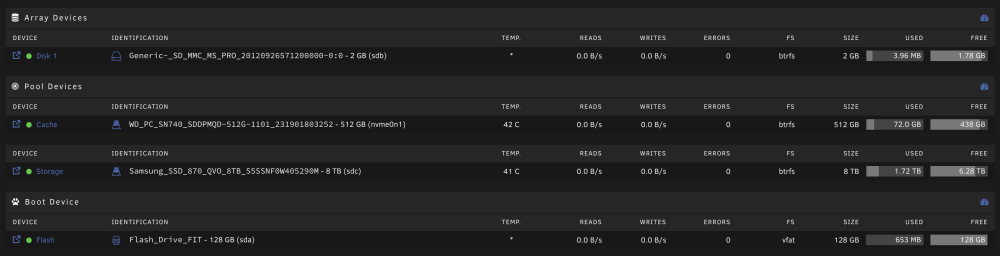
I have two SSDs, a small one serving as cache in front of the bigger one. I get this warning. What should I do to resolve it? See screenshots for setup details:



-
Hurray unraid 7.0 seems to bring the long-awaited changes
-
ich777 solved it: https://github.com/ich777/docker-krusader/issues/4 It seems I have to mount /mnt instead of /mnt/user because I am using exclusive shares.
-
My host path is `/mnt/user` I am using default settings for everything. I believe this might be an access rights issue, somehow.
-
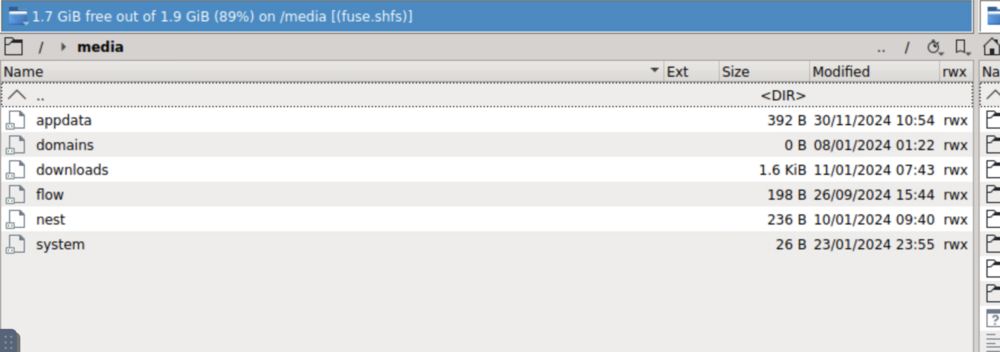
I installed binhex-krusader. If I navigate to /media I can see my shares, however, I cannot look inside the folers, instead it asks me which application I want to use to open them:
-
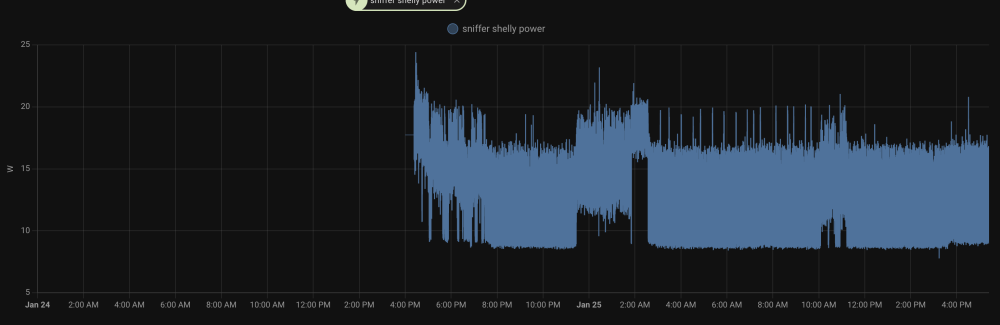
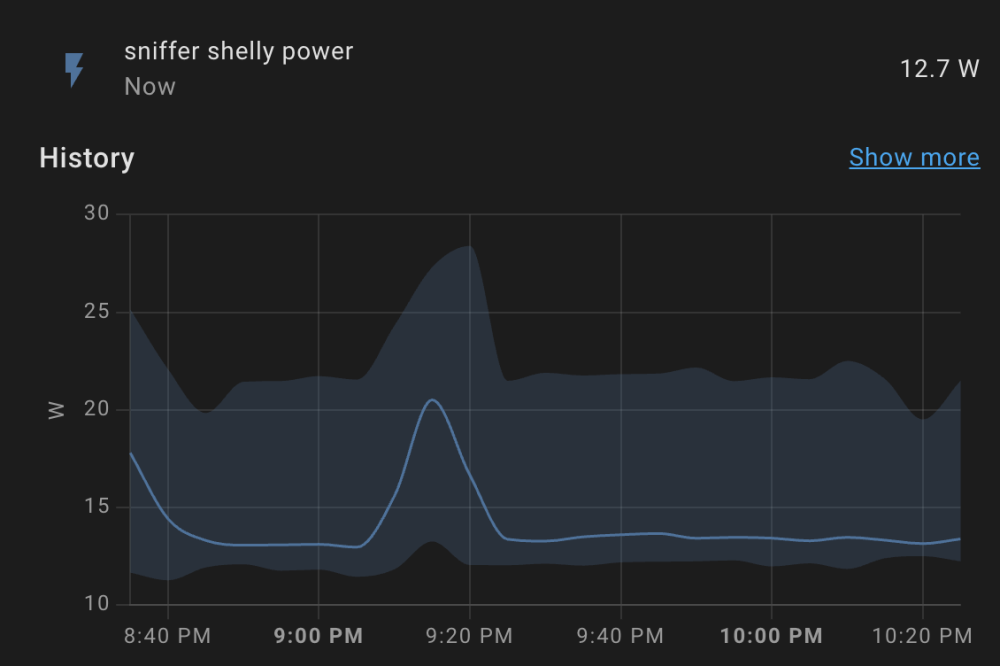
Following your suggestions I now migrated to the following setup: Interestingly this had a significant effect on power consumption - after the change it looks like this: Before it was always >10W: I hope with a future update I can use my cache again, and I will not need the 2GB SD card for my "pseudo array". Even though I can send the SATA SSD to low power mode via the GUI, it is always back online after a while and will never reach it on its own (spindown delay is set to 15min).
-
Yes, it is. Ouch, I am not sure what is wrong then. I somehow expected atleast a small effect of compression?
-
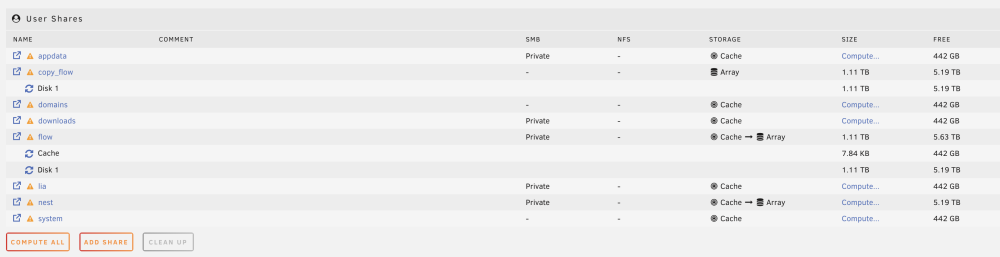
out of laziness I now copied a folder using the dynamix file manager. It remains at the exact same size as the source (1.11TB). So the compression is either not in effect or completely uneffective? Do I need to copy to another drive first and then back?
-
Will this requirement be lifted with 6.13?
-
I tried migrating my 8TB QVO to a Pool now. But I am presenting with this message when trying to configure my shares: "Array must be Started to view Shares." Without any disks the array cannot be started.
-
Ah okay, thanks I misunderstood your previous comment. After a reboot I am able to "spindown" the SATA ssd as it should be. Unfortunately you are right and there is no noticeable effect on energy consumption of this operation.
-
I have this barebone: https://www.zotac.com/de/product/mini_pcs/zbox-ci337-nano-barebone-0 The M2 is connected via NVME the 8TB via SATA. That's what I mean the current wording is confusing for SSDs. My SSDs do not reach a lower power state, even if I try to manually set them to it by clicking on the green light or clicking the `spindown` button at the bottom.
-
Even though the GUI suggests that functionality nothing happens if I click on these buttons for both SSDs.
-
PS: I would argue that lower limits here should be possible for SSDs? As far as I know setting SSDs to idle state has no real disadvantages? Maybe there should be an option to define `spindown` for HDDs and a `low power mode delay` (or similar) for SSDs? Plus a button to send them to idle. This way users who have both SSD and HDD drives have more fine-grained control.


