





K18LDP
Members
-
Joined
-
Last visited
Everything posted by K18LDP
-
Thank you... I think 'glances' docker container may have been the issue... I had it mounted at /mnt
-
Hey All Wonder if anyone can help - receiving the `Invalid folder appdata contained within /mnt` error. Be great if someone can point me in the right direction on how to resolve. Many thanks unraid-diagnostics-20241125-0852.zip
-
supervisord.txtCommand Execution.docx Hi, Random issue just happened this morning. I was logged into qbit via webui. I had cross-seed also running at the same time. Qbit webUI started playing up in that I could browse - but the injected torrents from cross-seed weren't showing up. I stopped cross-seed and restarted the Qbit container. The container is showing as started in the docker dashboard. But when I now navigate to ipaddress:port for qbit it doesn't load the login screen and times out. I have stopped and restarted the container a few times. I've also removed the container and reinstalled. I know that application is running as, it's showing that I'm still seeding the torrents on various sites. I just can't get the webUI to load?? Any help would be highly appreciated
-
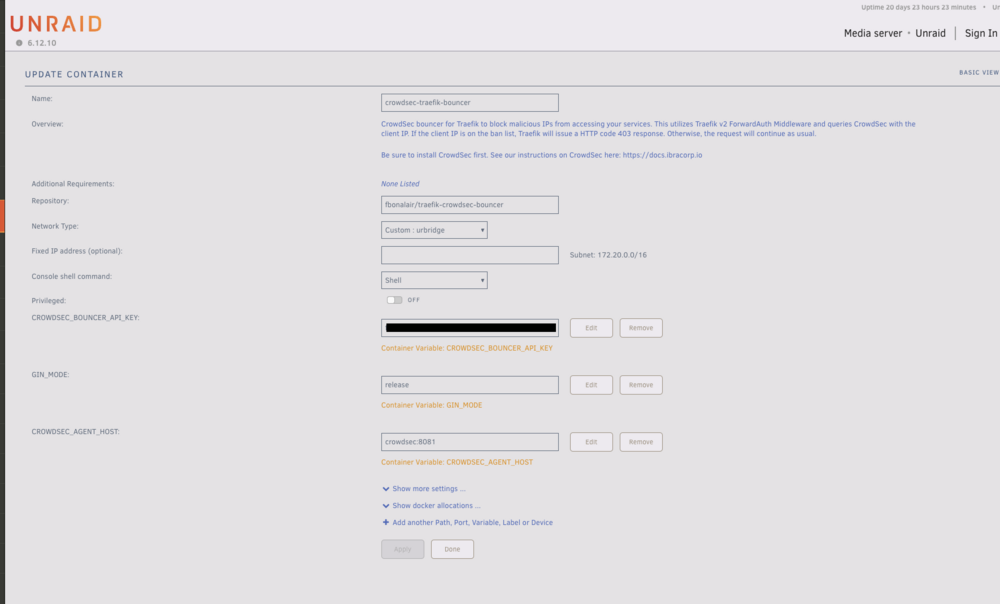
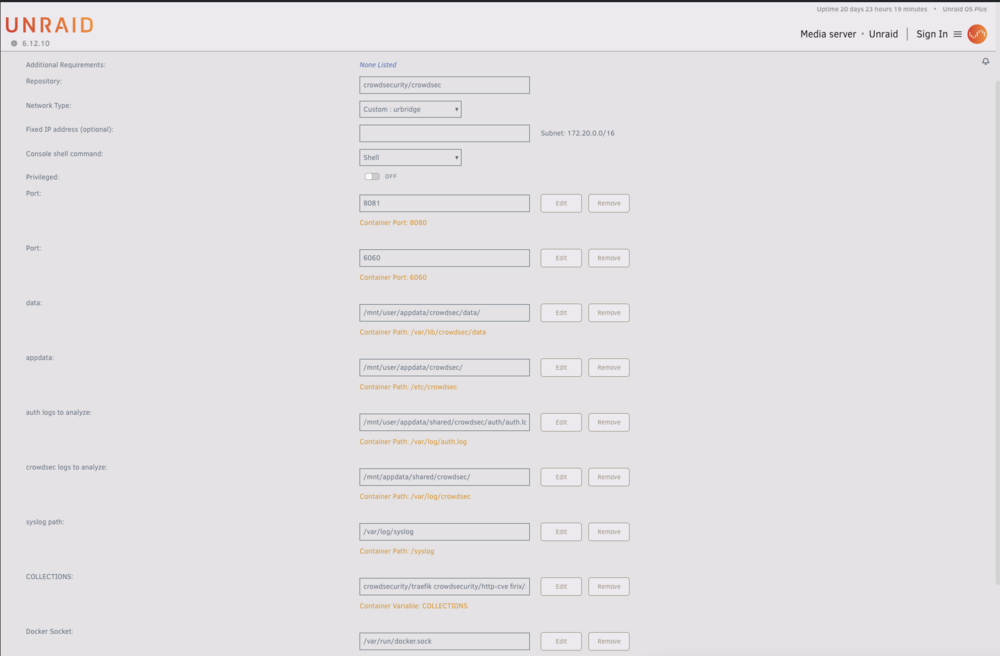
SOLVED by a member of the crowdsec discord community https://discord.com/channels/921520481163673640/1239282865100034139/1239512270480867409: the in crowdsec-traefik-bouncer container , the variable I had for CROWDSEC_AGENT_HOST was incorrect Incorrect: crowdsec:8081 Correct: crowdsec:8080
-
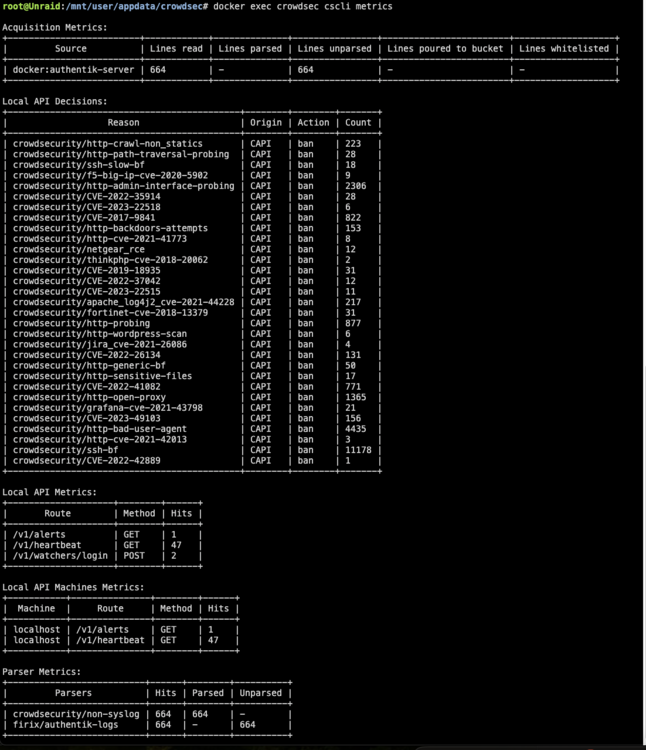
cscli metrics
-
Decisions List from Crowdsec


-
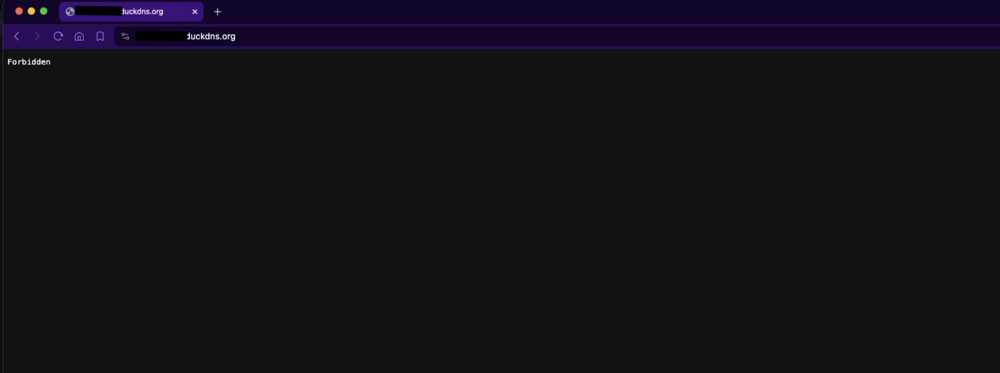
Example of webpage when I open subdomain.mydomain.com
-
Traefik.yml for traefik https://pastebin.com/NRdSNfGA file.config.yml for traefik https://pastebin.com/QvtvBRE4
-
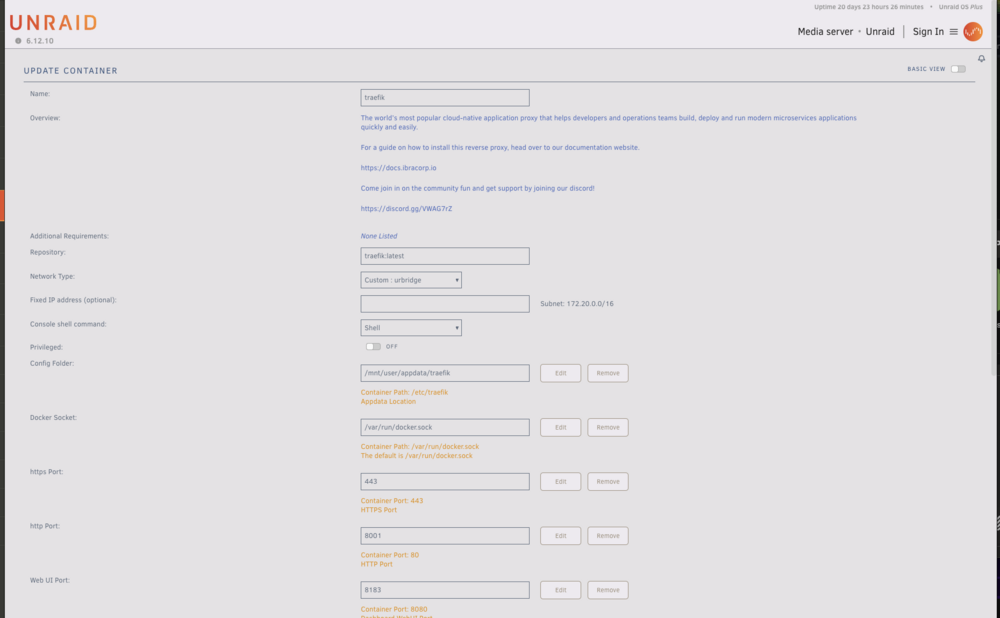
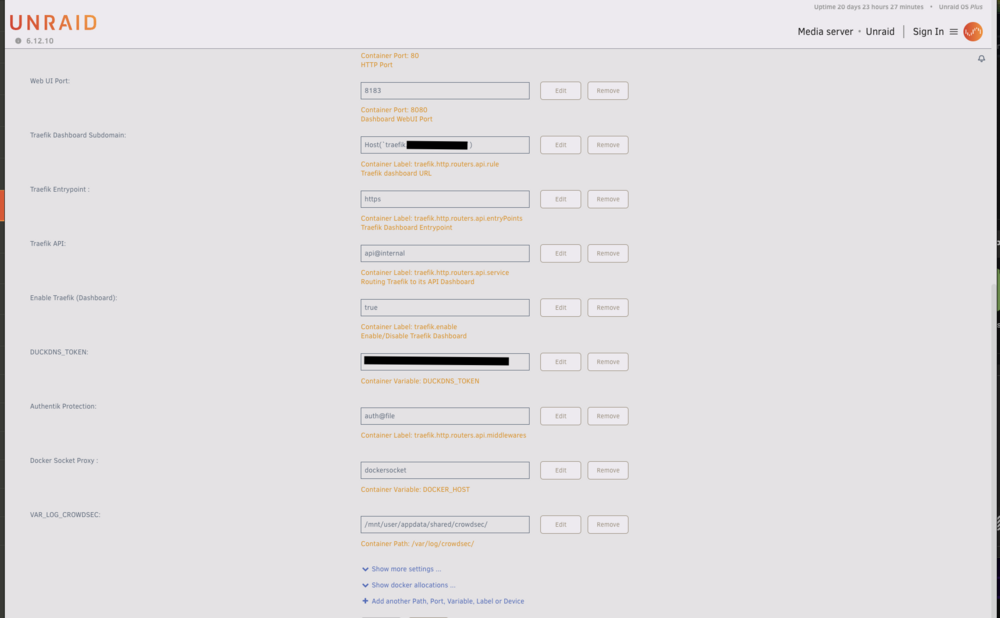
Traefik container:
-
Logs from Crowdsec_traefik-bouncer https://pastebin.com/iBxc4iMW These are the pertinent logs I believe they show the errors when trying to access both locally and externally
-
Crowdsec-traefik-bouncer container
-
Logs from CROWDSEC https://pastebin.com/RbULjMHb
-
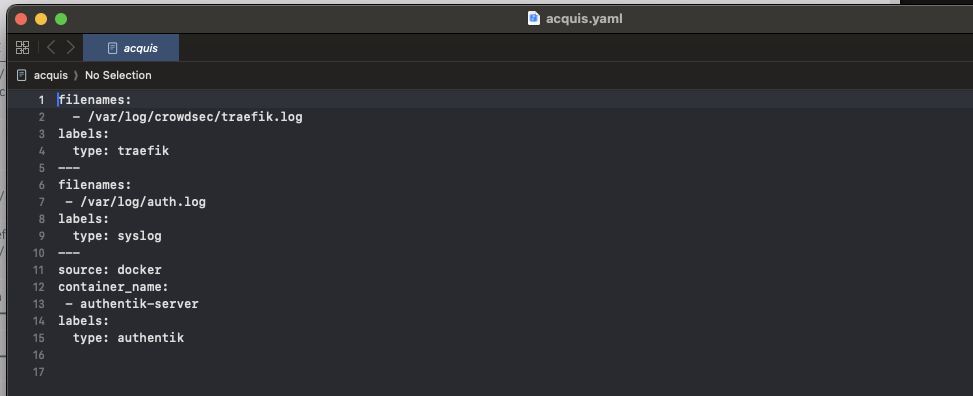
Acquis.yaml file from Crowdsec
-
Crowdsec Container
-
Hi All (First post on here - please be gentle!) I am in the process of setting up Traefik + Crowdsec on my UNRAID server. I have followed Ibracorps documentation/videos to get this set up. Traefik by itself is working as intended and I can access my subdomains (eg overseerr.mydomain.com, authentik.mydomain.com etc) as needed. I have set up crowdsec container and this seems to be working as well in isolation. I have the crowdsec-traefik-bouncer container also up and running (I have added the api key generated from crowdsec container). As soon as I try to connect crowdsec-traefik-bouncer with traefik (ie add in crowdsec-bouncer@file into middlewares in traefik.yml and the settings in fileConfig.yml), I am blocked from accessing my services using subdomain.mydomain.com In the crowdsec-traefik-bouncer logs I can see an error (which I will add into the comments below). Perplexed as to what's causing the issues and I'm at the point of giving up on traefik... Hopefully someone has some ideas and can help me I will add in all the settings and logs below EDIT: the decisions list within crowdsec does not have any banned IP addresses (will add a pic to comments)
-
In the SWAG template I cannot see the DUCKDNSTOKEN listed as an option? Do I need to add this as an addtional variable?


