shelfactor
Members
-
Joined
-
Last visited
Everything posted by shelfactor
-
Hi All, I have a single large ZFS pool of mirrored pairs. I did this, as I was building a media server, where all my data needs to be stored on a single share. Currently I have used up the 120 slots, as that apparently seems to the max allowed. Is there a way to add more drives? Thanks!
-
I am currently in an oddball position, that I'm battling my need to make things perfect, so please forgive me for the odd question. Current pool has 22 of 24 drives in a NetApp DS4246 disk shelf filled with 16TB drives. Drives are added in Mirror Pairs to a ZFS pool. 12 Mirror Pairs One of the remaining two drives has to be replaced (defective drive) before adding the last mirror pair. 1) If I add two spare 18TB drives to these two slots, can this mirror pair be replaced/reduced to 16TB drives, when the replacement drive arrives? 2) If not, can I add 1x 16TB and 1x 18TB? Then replace only the 18TB to a 16TB later? Open to other options as well. Thanks!
-
@JorgeB Currently at about 75% done resilvering on the one drive. It's been interesting watching the pool "scrub" (yes I know it's not a scrub) but read the whole pool to rebuild a single mirror. After doing a bunch of reading during this week, I now understand a little more about why it reads through all the TXs etc to rebuild the single drive. Mainly to due with verifying the data before copying it back to the drive. I found this comment blurb and wanted to get your take on it. For this pool, the data is very static media files. Therefore, data integrity isn't a mission critical thing. I think being able to issue this command, which will replace the drive and copy the data back quickly. I can verify the files during the monthly scrub. found @ https://serverfault.com/questions/1007438/zfs-scrub-vs-resilver-are-they-equivalent

-
@JorgeB 1) I suppose I should let this resilver finish, since it was replacing a missing drive. Then move on to the other drives -> 2) With the manual zpool replace, does the pool need to be removed from the GUI first? Then re-add it to the GUI as you mentioned after the replace? 3) To you knowledge does manual zpool replace work in parallel, as in, can I run multiple replace at the same time?
-
@JorgeB Haha, I was on that exact same page! I thought I would check in to get your opinion. Thanks for all the help! I'll update this and mark it solved in the title. UPDATE/EDIT: I was planning to replace a couple other drives that have now been marked as problematic (other vdevs)... Can/Should I replace those at the same time then? Considering this is ready ALL data, similar to scrub, but not he same. If this is possible, can you suggest the command progression that I would follow to replace those drives. I can have all drives online, I have the slot space
-
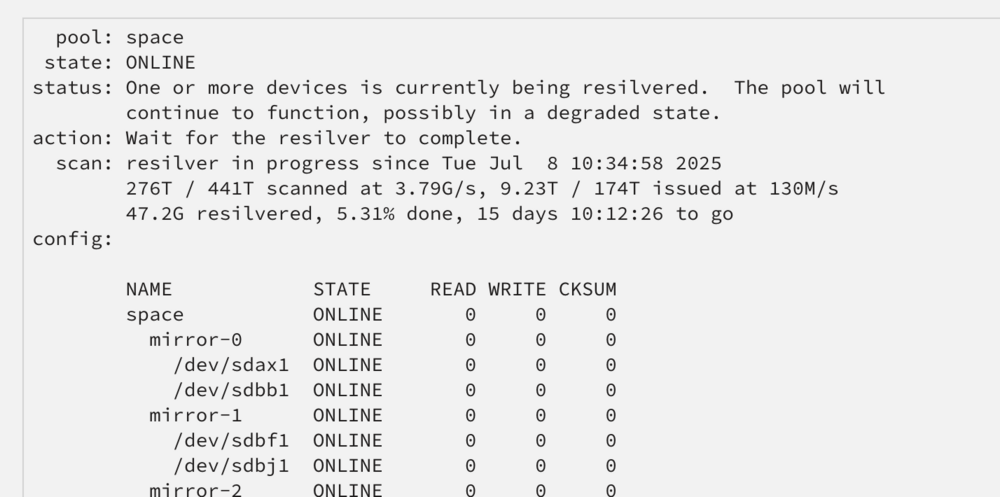
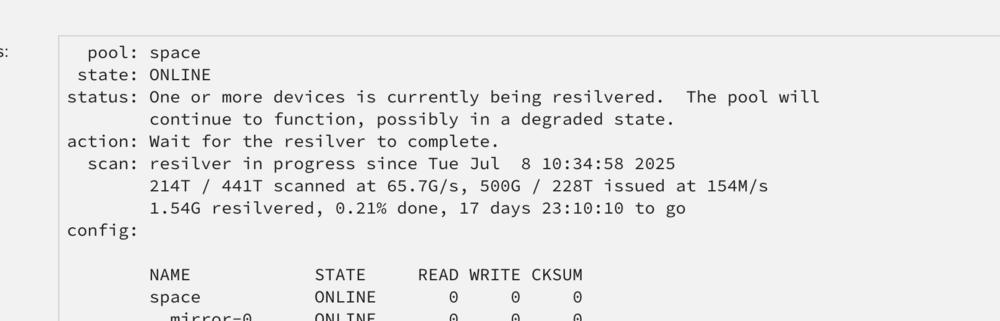
@JorgeB Everything seems to be moving forward! However, I do have one curiosity. When I watch the progress, as well as the 'main' tab to see the read/writes on the pool, it appears that the resilvering is reading the whole pool. I would have thought resilvering one mirror would only require reading/copying the other single drive in the mirror? Here are progression from yesterday when it started, to now in the morning.
-
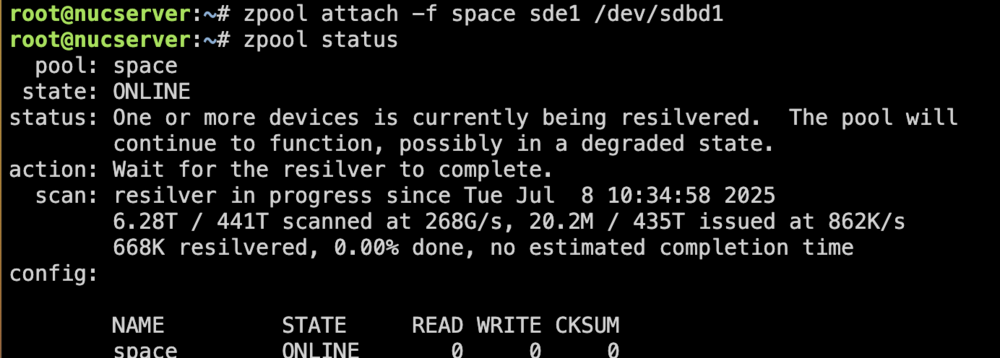
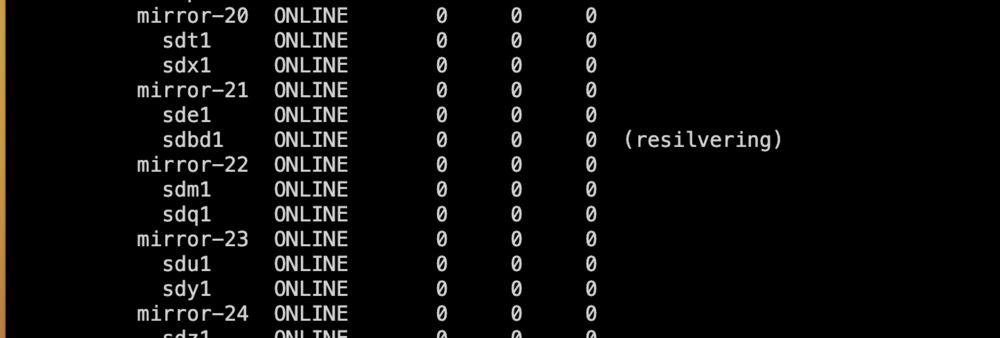
@JorgeB Thank you! I was getting stuck trying to use the same format (ZFS) to partition the drive using UD. This was causing the conflicts and preventing the attach command from working. Formatting using XFS in UD, doesn't require a pool name. It just partitions, formats and names the drive from the serial number. After the attach command completed, I immediately saw the resilvering started on the new drive, as part of mirror-21. -- Is it ok to export the pool and re-import via the GUI while the resilvering has already started? or should I wait for it to complete? Thanks Again @JorgeB , without you, I surely would have messed this up.
-
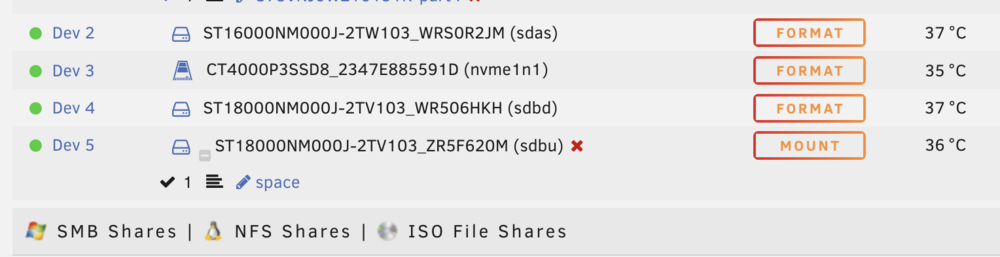
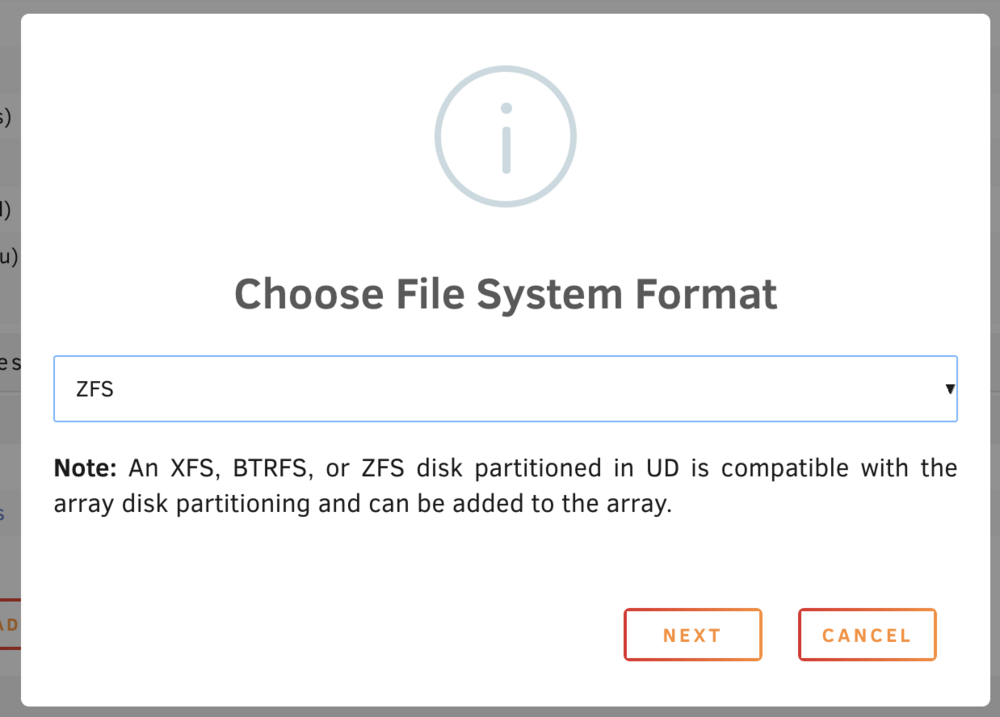
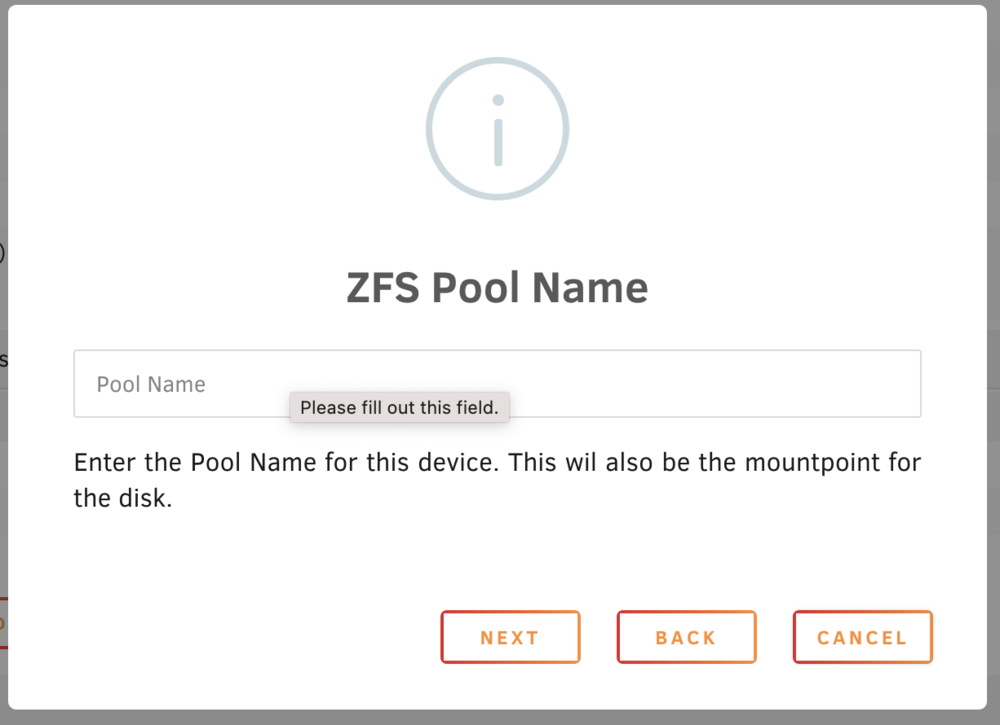
@JorgeB Understood. To prepare the new drive in UD, is there a certain way to only partition the drive? When I go to prepare the new drive (sdbd) it wants me to format it and name the pool for which it will be used. Some Notes as I have been trying to get to the attach step, I was able to zpool import the pool. Using Unassigned Devices - if i format with a pool name different than space (in this example i tried 'empty') then it wont attach due to the different name. If I try to format the drive using 'space' as the name and I get the error that the pool name already exists. Thanks!
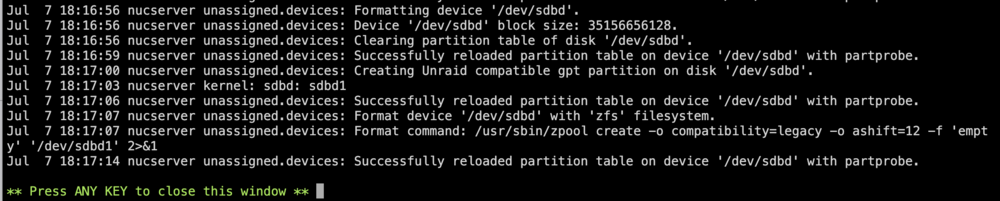

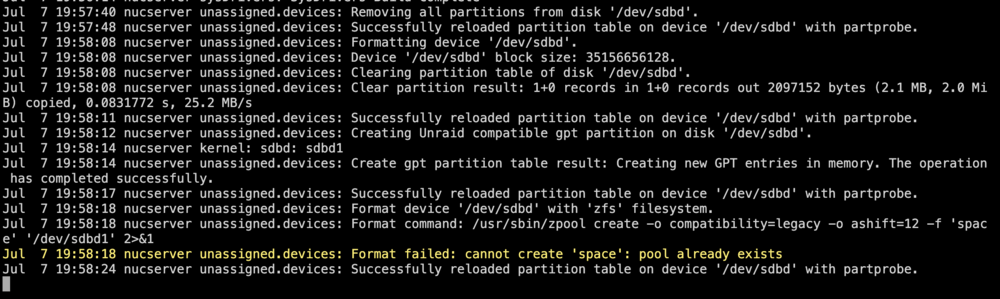
-
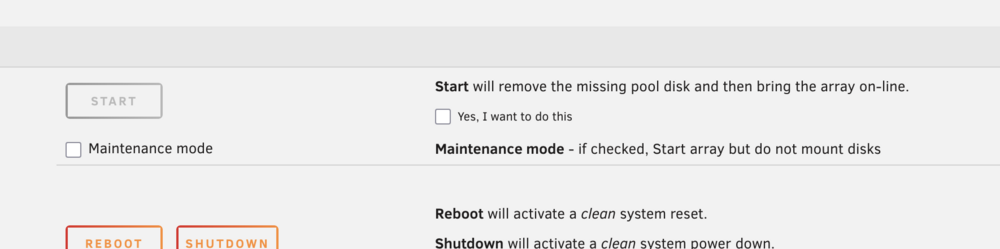
@JorgeB *Again note, the pool is shown in the GUI, (all drives filled, except the missing one). Array stopped. I assume this is because 'space' is present in the GUI still? IF this is the case do I got back and do this:

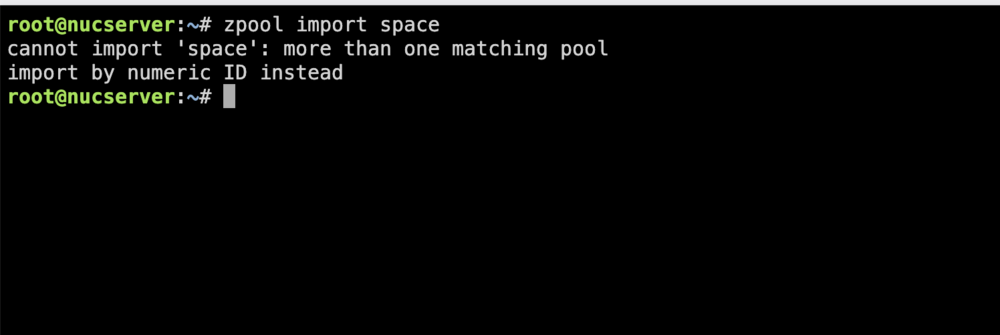
-
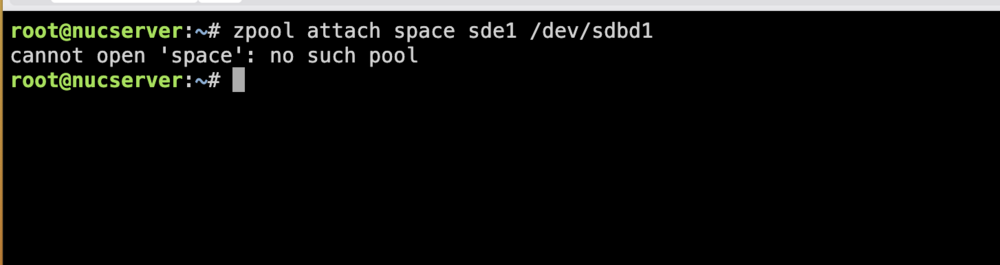
@JorgeB You're the best. Out of an abundance of caution, I'd like to clarify the next steps. - Currently the array is stopped, and I can not perform the command mentioned above. (As I assumed, it would need to be started) Do I start the pool, with the missing drive, by clicking to remove the missing drive?
-
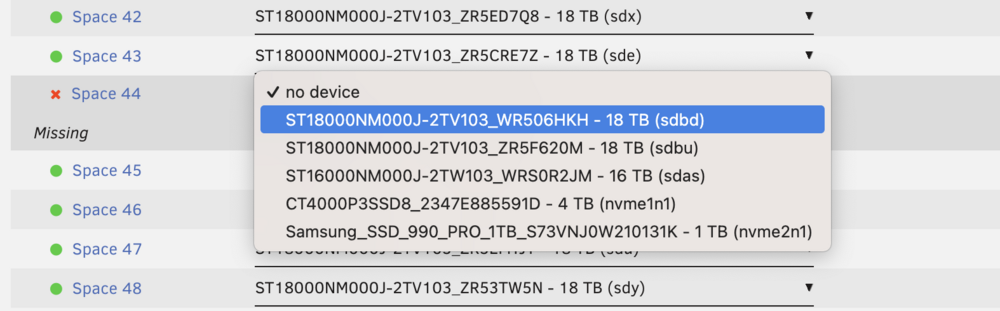
Very interesting, I'm curious what caused that change, other than the drive failing. 1) Would it be smarter to remove that single drive, (is that even possible?) and then re-added another mirror pair? 2) Does your above suggestion retain data on the 'single' device? (mirroring to the newly added device? 3) If your current suggestion is still the way to go, and it doesn't lose the data on 'single' device. I would do: single device currently is: sde1 (space 43) zpool attach space sde1 /dev/sdbd1 This is just for example, showing the available drives, and the one that I will want to be in the new pair: ** Sent over some $$ Beer Money!!
-
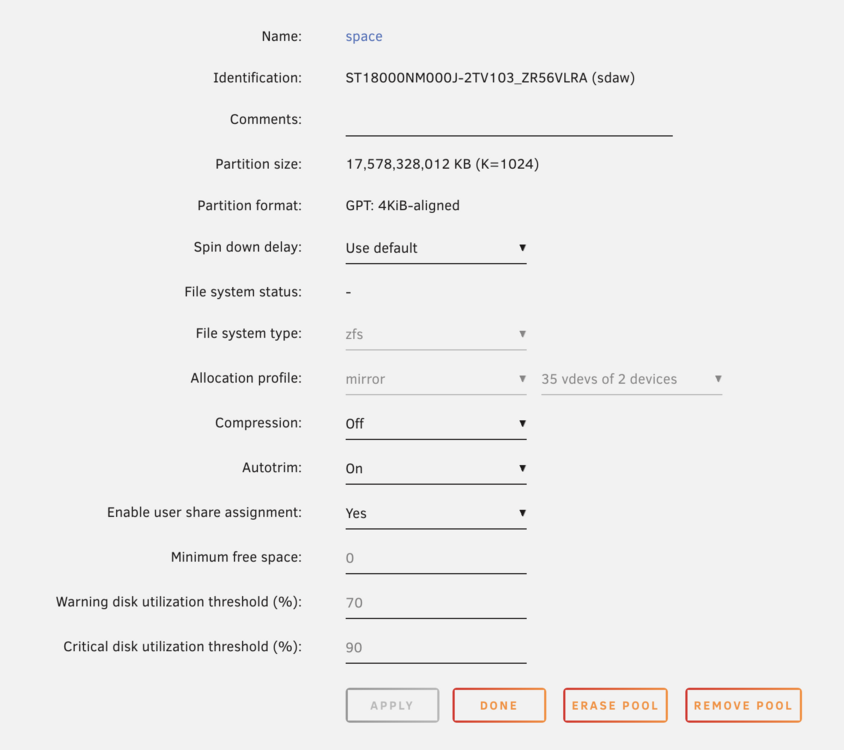
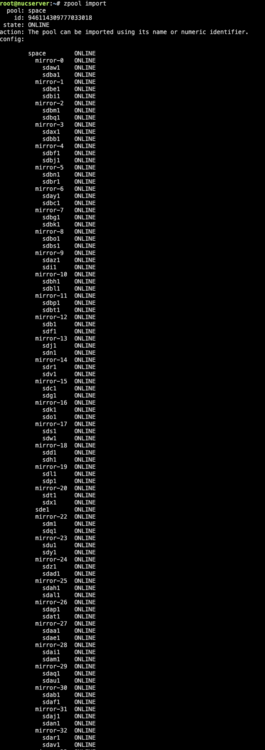
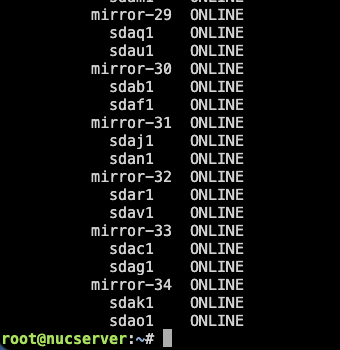
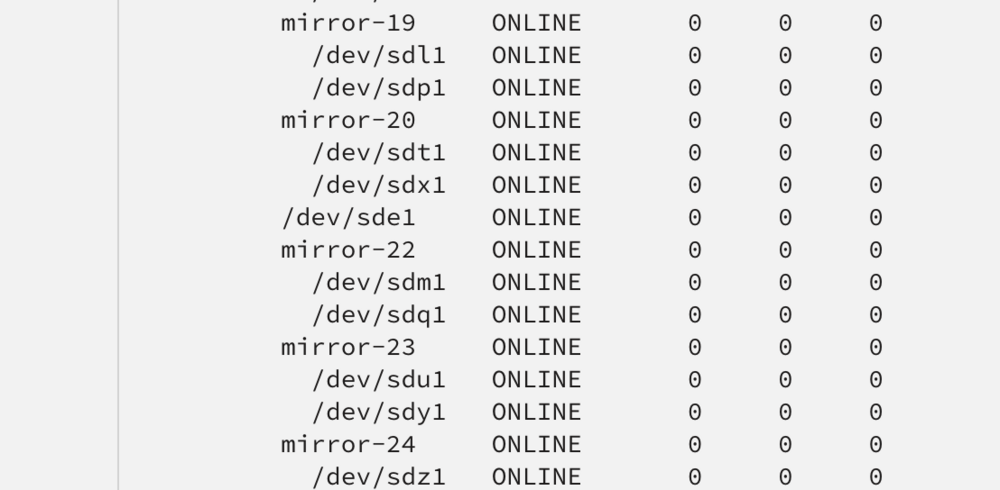
That drive was definitely part of a mirror pair vdev prior (less than 24 hours ago). Here is the zpool import (array not started for safety right now) sorry for the split images. I ran into a drive issue where the sector count started going up quickly, before I could stop the array and replace it, I started having read issues. When I rebooted the server, I had the 'no file system warning'. For which I had made a post, but since deleted it. After a second reboot the array started successfully, just now not reflecting mirror-21. @JorgeB I'm attaching the 3 diagnostics (prior to the one attached above) that I had pulled during this error phase, I'm sorry I dont have exact notes where in the reboot process they were. My thoughts right now: - pool still says 35 vdevs of 2 devices - pool/array will start and mount correctly (as you believe it sees the drive as a single device nucserver-diagnostics-20250706-2126.zipnucserver-diagnostics-20250706-2026.zipnucserver-diagnostics-20250706-2004.zip
-
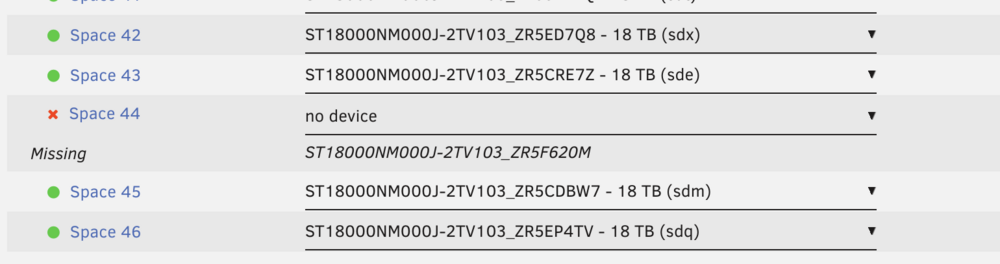
@JorgeB That is the single 'working' device left from the mirror vdev. Space 43 and 44 were part of mirror-21. I need to replace Space 44, so that it can rebuild mirror-21 Thanks for the reply.

-
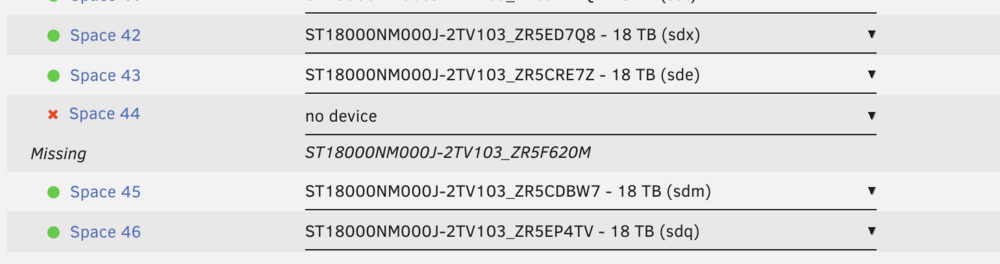
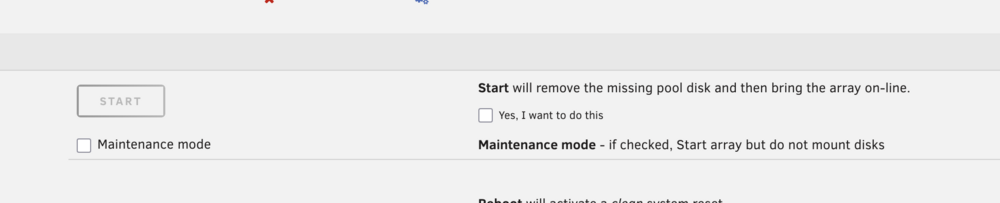
Diagnostics attached. Space 44 is the issue, which is part of Mirror Pair 21 I have a drive that is failing, which is causing mirror pair-21 to not complete. I can start/stop the array. Is the correct path to replacing it, to set the slot to "no device", start the array and check "Start will remove the missing pool disk and then bring the array on-line." Then, once it's started, stop the array, and then add in the new disk? -- Thus far, if I stop the array, and try to add a new disk, the new disk just stays unassigned once the array starts. nucserver-diagnostics-20250706-2152.zip
-
Thank you @bmartino1 for taking the time to reply. Sorry for my delay in response.
-
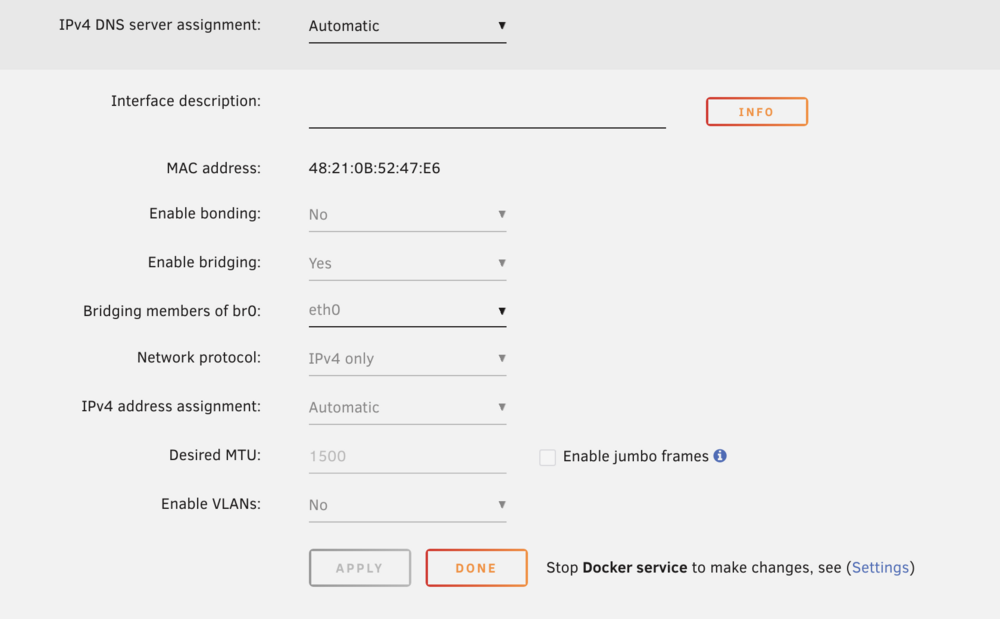
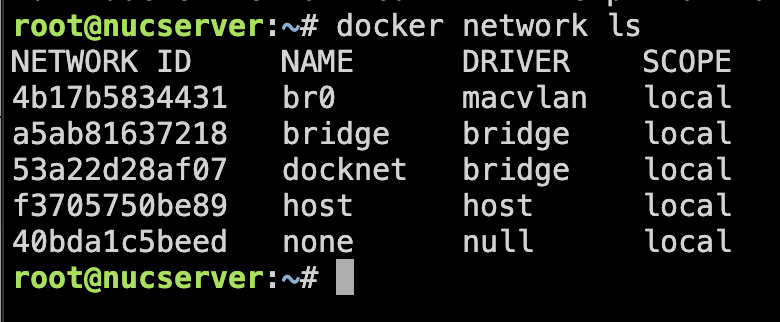
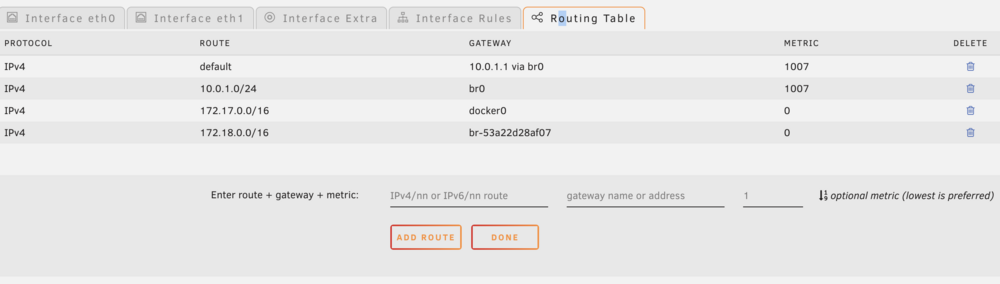
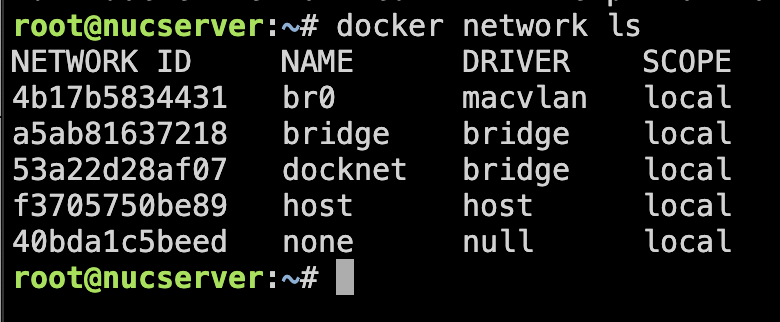
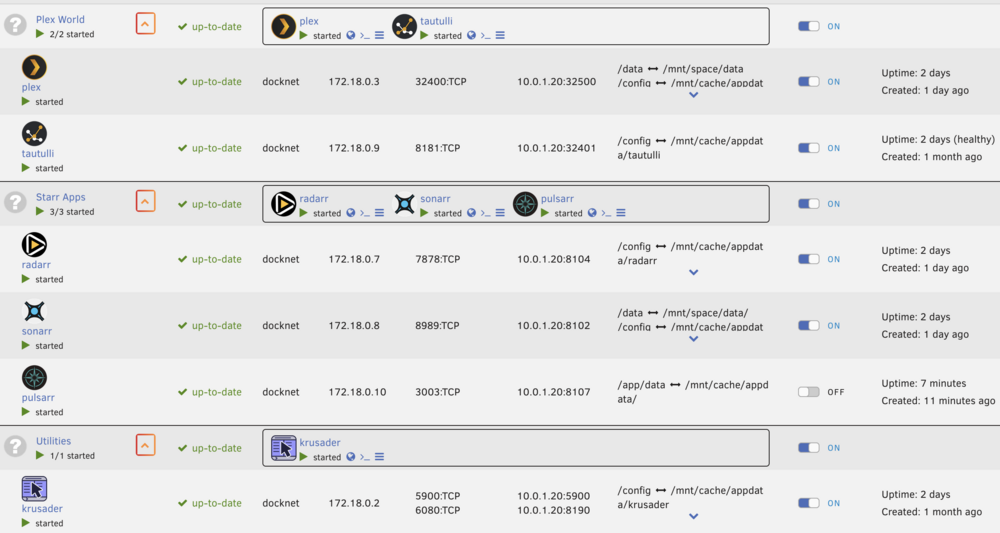
Hi all, thank you for any insight. I have a fairly basic network setup I believe. Under the Routing Table, I notice a network with the label docker0, then one with 'br-[NETWORK ID from my custom docker network 'docknet'] (br-53a22d28af07). 1) What is the difference between the docker0 & br-53a22d28af07
-
Sorry for the late closure on this. When I separated the pools to two machines, they started without issue. Since then, I have had no issue with them. @MowMdown My setup has all my drives in DS4248 disk shelves. They appear to be working correctly. @JorgeB I never had a chance to run your command. Thank you both for jumping in.
-
@JorgeB Thanks for the input! Backup data restored my pool with zero issue. This one was a fun experiment for me, but I am still unclear as to what corrupted the data. By chance, are you able to comment on if this process can be used successfully with Unraid (in version 7+) https://openzfs.github.io/openzfs-docs/man/master/8/zpool-remove.8.html I have a few other commented threads you've been on, about it working. Maybe I messed up the stages of removing the mirrors, stopping pool, and restarting pool. **** Recovery Notes *** Also, for any others coming here later. I did run Klennet ZFS recovery on this pool, as I was always curious how well a ZFS pool could be recovered. Due note, that my data is pretty static, media files. Thus the datasets don't change much. The software found 100% of my data and from what I tested (verified checksums) and copied off & re-hashed, everything could be recovered.
-
As always Thank you @JorgeB you're the best. I too have been thinking that the pool is lost. When I try the above I get:

-
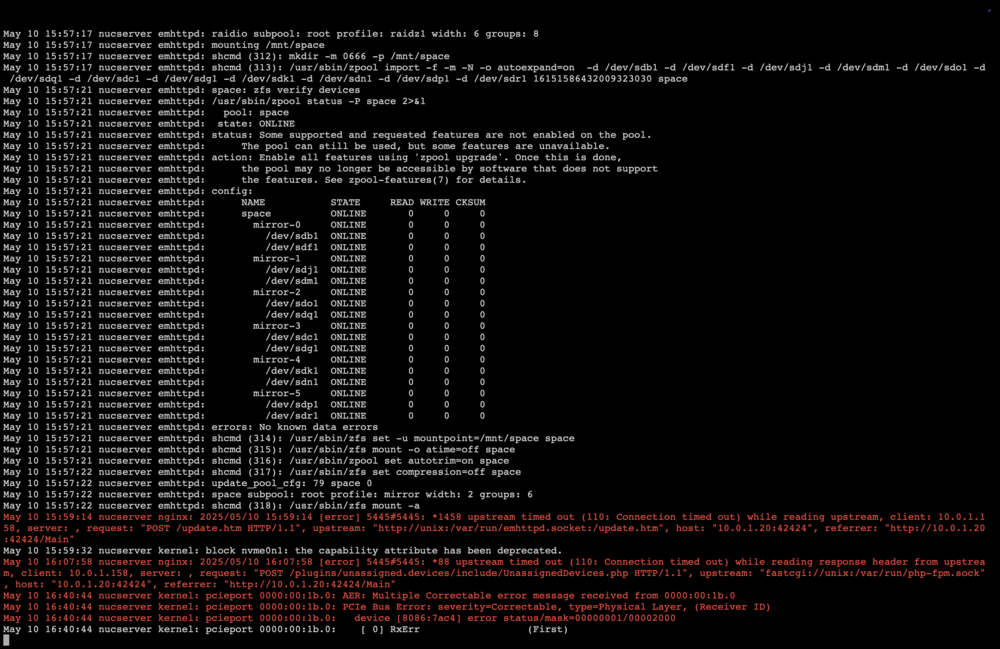
Hi All, I'm trying to figure out how to get my zfs pool back online. 2way mirrors. Started as 12x 2-way mirrors, then just earlier today, I added 3x 2-way mirrors to the pool. They were added correctly, and everything was fine, until a power issue caused those 6 drives to cause errors. I was able to successfully complete 'zpool remove (name) (mirror-set-name) on the 3 new mirror sets. ** But the slots were still present on the unraid pool page. During me trying to get those drives out of the pool, I removed the pool from unraid.. I tried to re-add it with the original 24 drives (12 mirror pools), but I am not getting the error "Unmountable Unsupported or no file system. No Data had been written to the "3 new mirror sets" and as I mentioned, they were removed successfully and quickly. Attached diagnostics. Thank you to all that can help! nucserver-diagnostics-20250523-2249.zipServer 2, with POOL 1 attached. Has finally mounted after about 30 minutes of waiting. Here is the current Diagnostics from Server 2 / POOL 1 setup. *** Again thank you to any one that may have input on this *** oldio-diagnostics-20250510-2305.zipAttempted to attached POOL 1 to a spare unraid server, issue persists with this pool. Diagnostics attached here, from my second server, with POOL 1 stuck on Mounting Disks. (POOL 2 and first server appear to be working normal now) oldio-diagnostics-20250510-2247.zipUpdate: I hard reset the server again, this time I kept POOL 1 unattached. When I logged back into the web interface, I removed POOL 1. With just POOL 2 in place, the array mounted and started immediately. I am now looking into potential issues on POOL 1.After coming back to my laptop, I saw this error in the log: