shelfactor
Members
-
Joined
-
Last visited
Everything posted by shelfactor
-
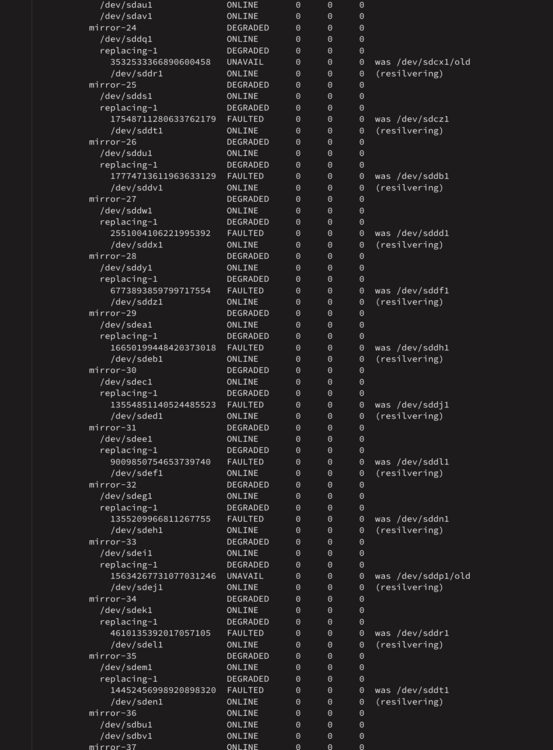
UPDATE: All mirror sets have returned to 'resilvering' however the countdown clock is ever increasing the estimated time remaining. Drives still show red flags.
-
More information: The two drives alone (ZR53YVXT & ZR532FCM) have zero read/write occuring on them. The mentioned group of drives with red flags does.
-
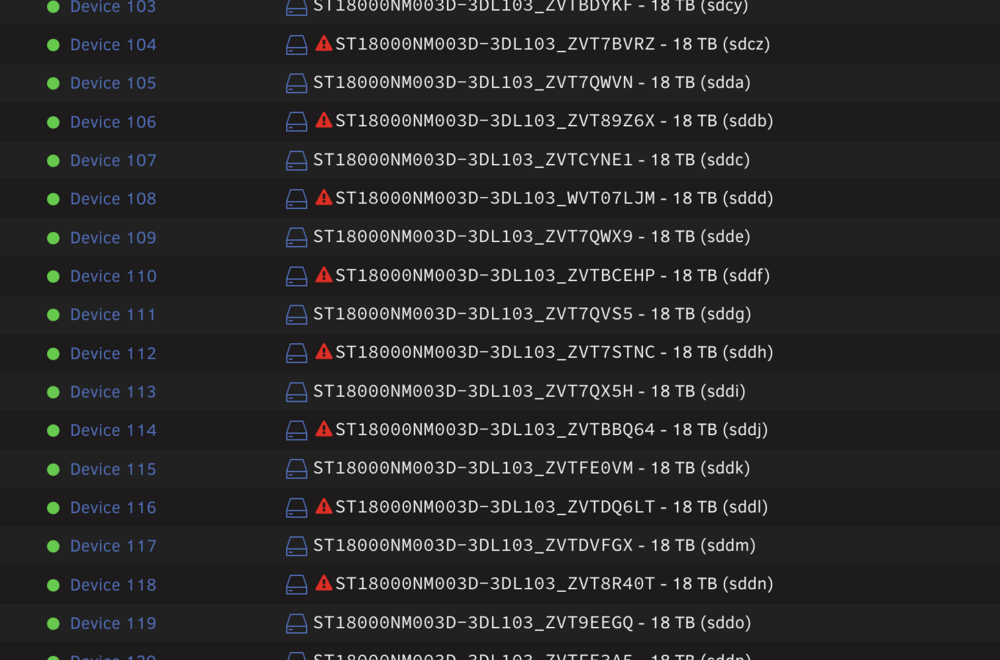
Sorry for the multiple updates, however, now the red flags have come back to the original big group. Showing them again below with updated logs again. UPDATED-2 - server-diagnostics-20260531-1610.zip
-
To clarify: The two drives with the Red Flag, are two that are not related to the drive replacements.
-
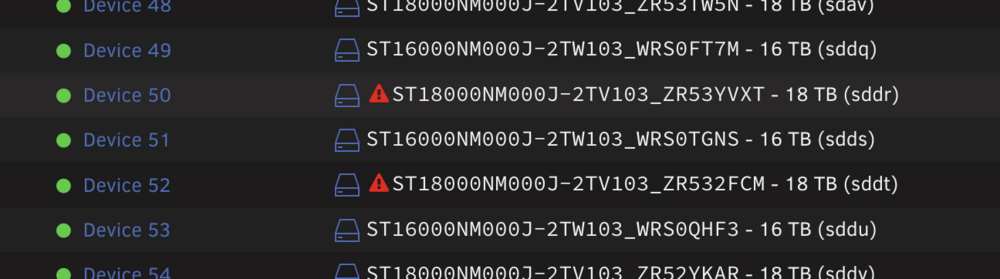
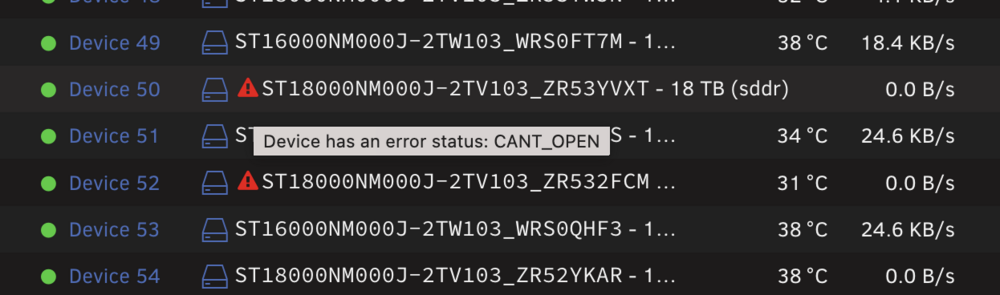
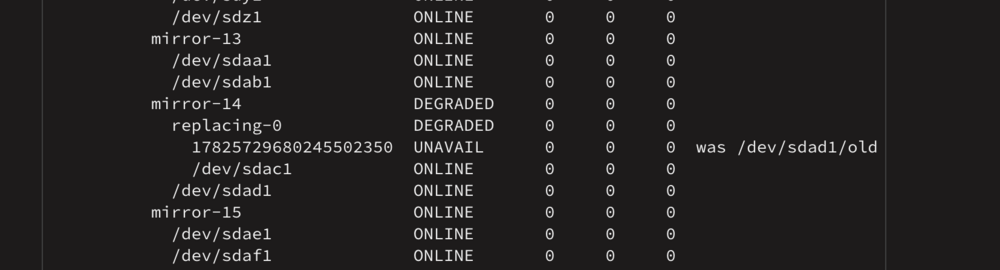
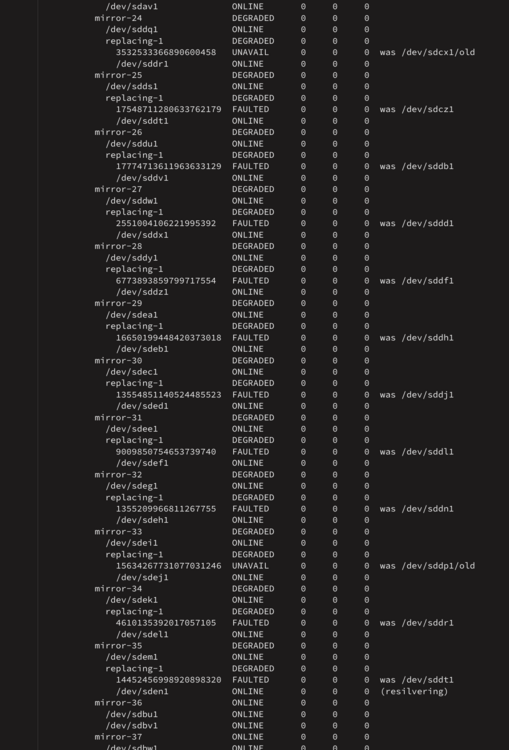
EDIT: I was able to get the bulk of the drives to drop the error, with a stop and start of the array. not sure why. Edit down to the two drives still showing the error, and adding new log. Thanks in advance to any help provided. @JorgeB I think we ran into this once before, but I can't find the old thread related to it. Maybe I posted on someone else's thread. Sorry if I am wrong, But you have always been an amazing help to me with these goofy ZFS issues. ZFS 2-Drive mirror pool. I am currently replacing some 16TB drives with 18TB drives. Resilvering has been going for a couple weeks now, slowly but surely. I just noticed last night that two drives not related to the upgrade were showing a red-flag on the "main" tab, and the error read: Device has an error status: CANT_OPEN I had to perform a reboot today on the entire server, so while the server was off, I took the change to pull out and put the drives back in, just to make sure that wasn't a connection problem. There was no issue with the shutdown or startup. Now, more drives that are the new 18TB drives, are showing up as red flag. As well, the resilvering is only showing on a single drive. Diagnostics attached. Screens: server-diagnostics-20260531-1513.zip UPDATED server-diagnostics-20260531-1532.zip
-
@Kilrah Thanks for the info. I understand what you are saying, and agree that it's cosmetic. It just seems like something that could be fixed (again, past my knowledge).
-
So how does the CA reference/compare the docker containers? Purely the the default CA name <> the name you designate? This is above my knowledge, so I'm not judging it. But I would assume there could be a way to identify which docker container is being used. Similar to the updates.
-
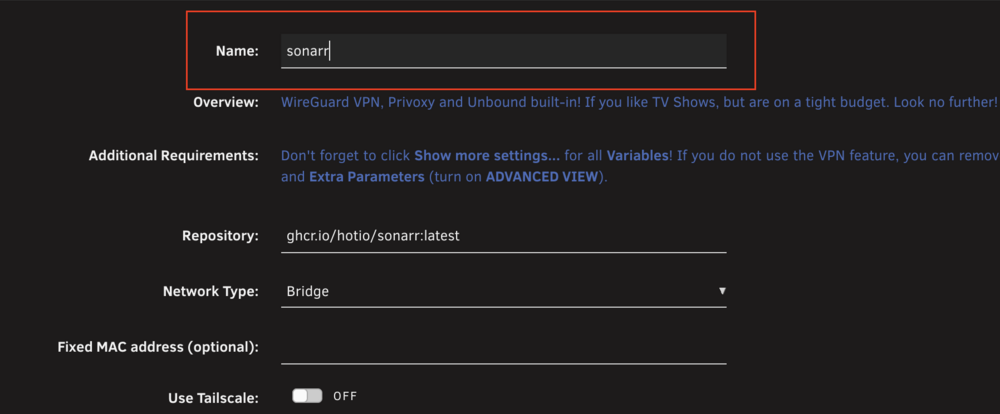
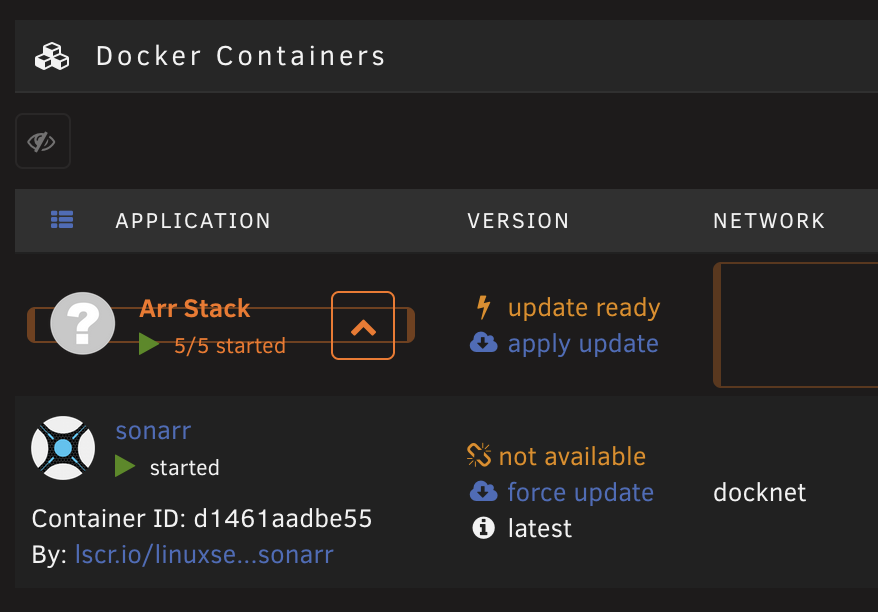
Are you referring to the name of the container? This spot: I can't image putting in a custom name, will break a link to the repository? This broken update link is happening on custom names and on default names. I would only position that if the name is changed, the 'update' check should point and reference the repository and not search for whatever name I call it. And if changing the name breaks something, then why are we allowed to change it? I can manually click Check for Updates, and they will find updates appropriately.
-
Marking this old thread as solved... Was an uncofirmed bug at the time. No longer an issue.
-
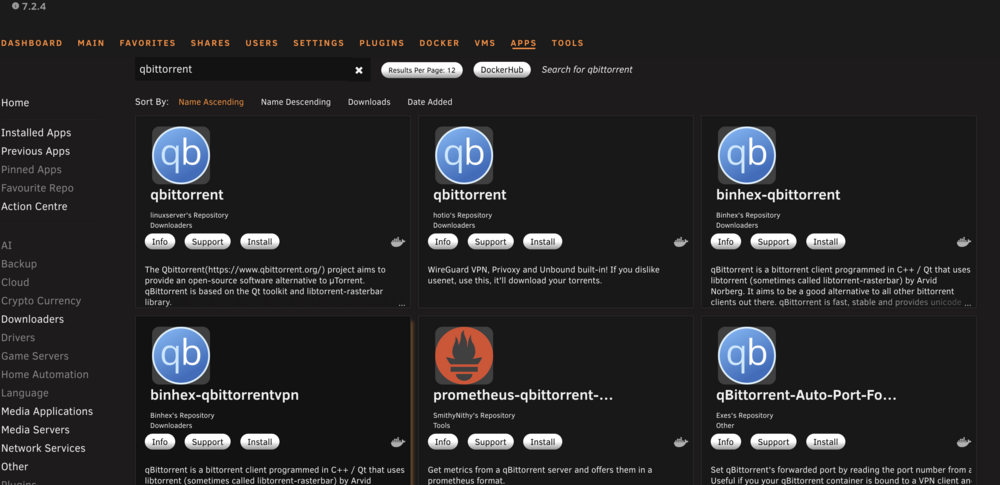
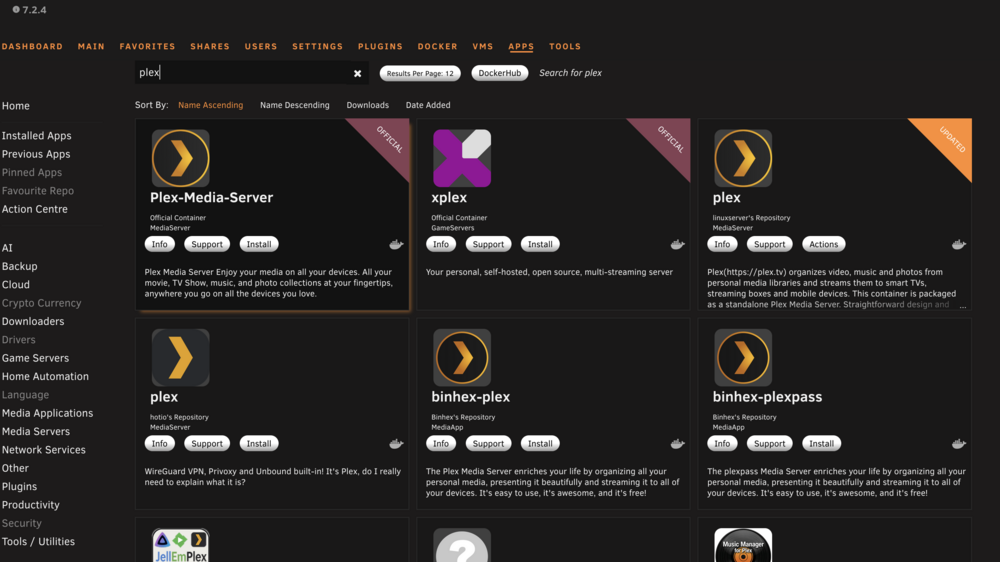
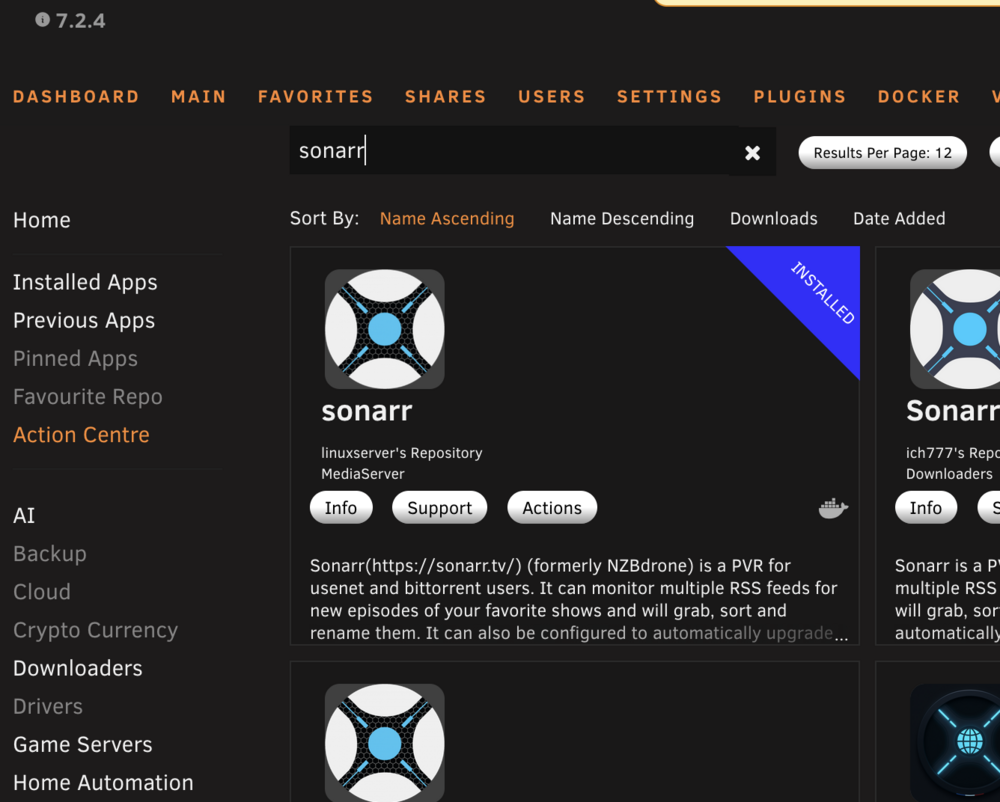
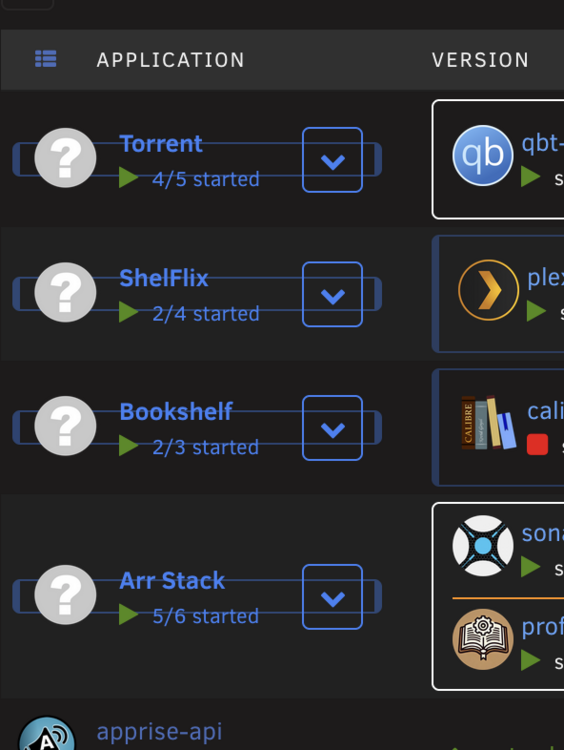
Hi all, I default to using linuxserver.io containers, I just so happened to notice that in Community Apps when I search for qBittorrent, it does not have the 'installed' flag as my other containers do. Is there a broken linkage that I can fix? Thanks!
-
Sure! Sorry for the delay. Will DM you now.
-
First off, thank you for all the hard work on this! I just migrated from v2 to v3 and I'm enjoying the updates. I appreciate all your hard work and time. A few bugs i have found: 1) CSS Preset Colors causing extra borders to appear When I apply any of the Preset CSS colors, my folders end up getting an odd boxing effect: 2) Apply Global Defaults to All Folders not working as expected I really like the "default" setting for folder creation. However, I have noticed that attempting to use "Apply Defaults to all Folders" does not work (maybe partially). - Global Defaults Tab > change preview borders > Click apply defaults to all folders. - Refresh Docker Page > Folders would not reflect the update Workaround: - Edit each folder individually > toggle OFF, then toggle ON "Use Global Defaults". This would then mirror and apply the correct folder defaults. 3) Global Default: Activation Mode not applying to new folders - Set Global Defaults Tab > Activation Mode: Hover - When I create a new folder, this setting is set to click Workaround: - Click Use Global Defaults first, on the new folder creation page, when making a new folder.
-
For anyone coming to this thread from a search, I ended up using User Scripts + INOTIFY to watch the folder and hardlink to others. I have the script set to run at startup continuously. #!/bin/bash WATCH_DIR="[WATCH DIRECTORY]" DEST1="[DESTINATION FOLDER1]" DEST2="[DESTINATION FOLDER2]" echo "Starting hardlink watcher..." echo "Watching: $WATCH_DIR" inotifywait -m -r -e close_write,moved_to --format '%w%f' "$WATCH_DIR" | while read FILE do # Only process files (skip directories) [ -f "$FILE" ] || continue REL_PATH="${FILE#$WATCH_DIR/}" DEST1_PATH="$DEST1/$REL_PATH" DEST2_PATH="$DEST2/$REL_PATH" # Create destination directories if needed mkdir -p "$(dirname "$DEST1_PATH")" mkdir -p "$(dirname "$DEST2_PATH")" # Create hardlinks if they don’t already exist if [ ! -e "$DEST1_PATH" ]; then ln "$FILE" "$DEST1_PATH" echo "Linked to calibre: $REL_PATH" fi if [ ! -e "$DEST2_PATH" ]; then ln "$FILE" "$DEST2_PATH" echo "Linked to calibreweb: $REL_PATH" fi done
-
Hi all, I'm looking for ideas/suggestions here: I would like to be able to download a file into one folder, then have it automatically duplicate into two other folders. I would like for this process to be running continuously, and if possible notice the downloaded file rather quickly. Download into Folder A -- insert process or suggestion here, that will notice this file here and then automatically duplicate the file to Folder B and to Folder C. ** If possible a huge preference would be to have the files hard-linked instead of copy. But not a requirement. Thank you for any suggestions!
-
Excellent, that's what I currently have set.. I saw some recent posts where people argue that xfs vdisk is better. Thank you!
-
@JorgeB Jumping in on this thread after a search for answers. 1) What, if any, are the implications of switching from btrfs vdisk to xfs vdisk. Feel free to include your personal opinion of which is the better option. Thanks
-
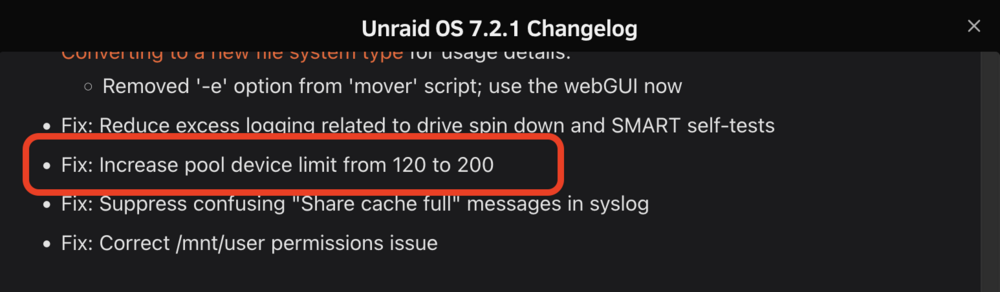
Thanks again for the help! Great to see this:
-
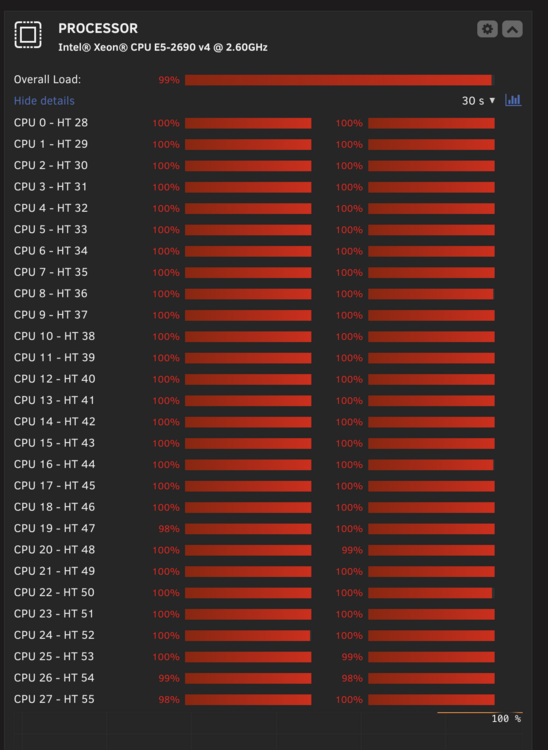
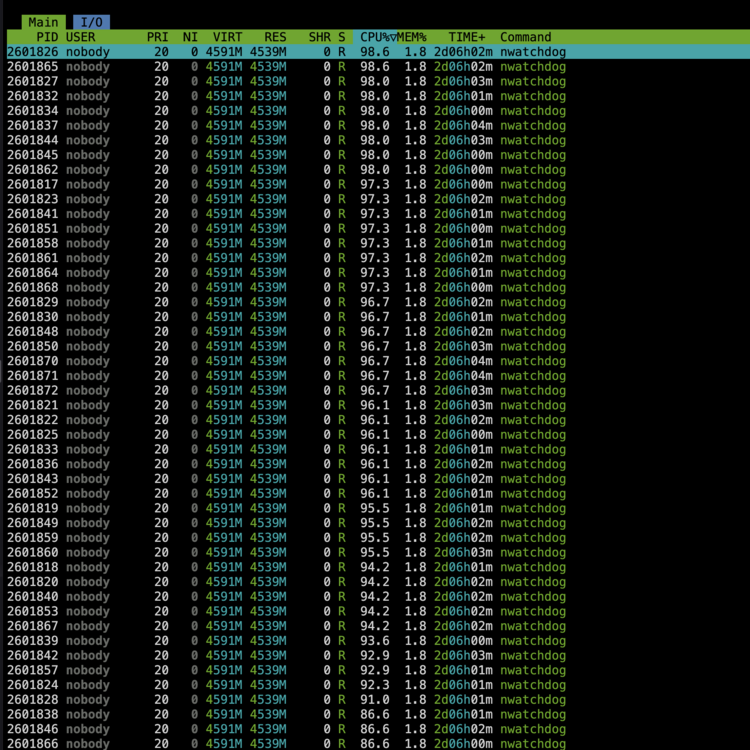
Hi all, Ive noticed twice now, that my server will start to act sluggish, still accessible via web/gui, however plex streams will start buffering for users. When I check the dashboard, I see all cores are maxed out 100%. Viewing htop, I see nwatchdog processes are the culprit. I am not too familiar with how to deep dive into processes, to figure out where it's coming from. I am open to any help, ID'ing what is causing this. After reboot, it runs fine for approx 2 days, before it'll come back. Thank you!
-
Unfortunately, I prefer to use hardlinks. And you are correct about if an entire vdev (both drives in one of the mirrored pairs) then yes, I would lose the pool. However, as I mentioned the one issue I had, taught me that I can recover from that loss if needed (time is the only thing lost really) Thanks for the input!
-
@JorgeB Challenge Accepted. haha. Thanks again!
-
I have 60 vdevs of 2 devices As I mentioned, I was using zfs raidz1 6wide prior. But, I learned about the limitations of pool reduction (if ever necessary, and at the time i was for me). Thus, through a bunch of reading and comparison, I landed back to classic mirrored pairs. The data is very static, and easily replaceable if i were to ever lose two drives from the same vdev. Which I feel is a low probability. I create a report of files to drive, so I would know what was lost if that were to ever happen. As far as I know *and I could very well be wrong.... I need to have my data located on one pool, so that I can take advantage of hard-linking.

-
@bmartino1 I love it when we all get excited about everyone's setups. I continually find myself intrigued about posts I see as well! Recently, I was running this setup from a NUC13 Extreme (mini tower looking one). However, I have recently reverted back to an older setup, as I wanted to rack mount the server in my other rack, instead of having it standing on a shelf in the rack. Current harward is an old Gigabyte MD60-SC0 dual Xeon motherboard. Allows for me to have dual 10g NIC coming off the Intel 82599ES connector. I then have the NetApp DS4248 disk shelves connected to a LSI 9300-8e. 4 shelves daisy-chained per port on the card. - I recently switched to using two of these cards, to test if any latency was experienced with 1 card... meaning 2 cards, 2 shelves per port. There wasnt a noticable difference that warrants the extra card right now. I use an Intel Arc B380 for transcoding needs, as the Xeons do not have QuickSync. As far as the layout, I am using mirrored pairs, during a lengthy discussion and an issue that I had with a prior layout (z1) I decided I would rather spend the extra money and have pairs. Which will allow me to remove pairs/drives if ever needed. I am always open to suggestions if you feel I am doing something incorrectly :)
-
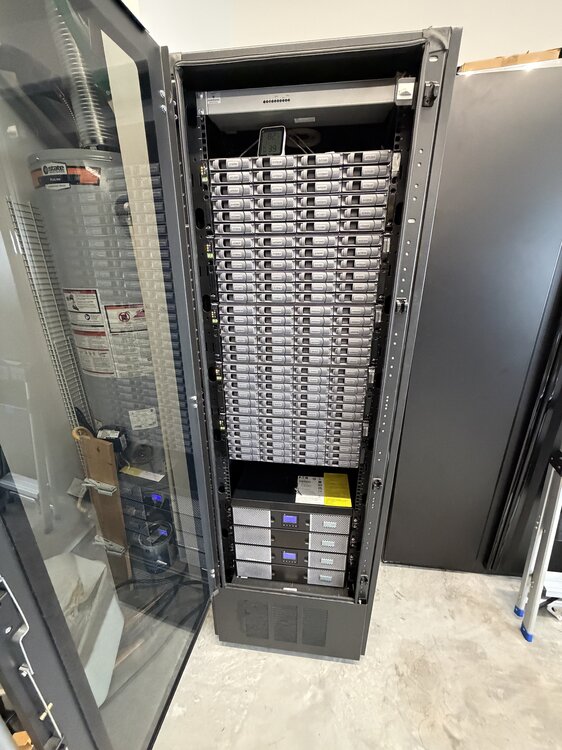
@JorgeB You're the best, I will look forward to the update. I can offload some data for awhile until the change is implemented. FYI, here is the current setup, (prior to adding the aforementioned 2 more shelves) 1.1PB of fully air-conditioned awesomeness
-
@JorgeB Thank you as always for all the help. Currently I have another 2 disk shelves connected, so I could see potentially another 48 drives. But immediate expansion needs would be to allow at least another 24.
-
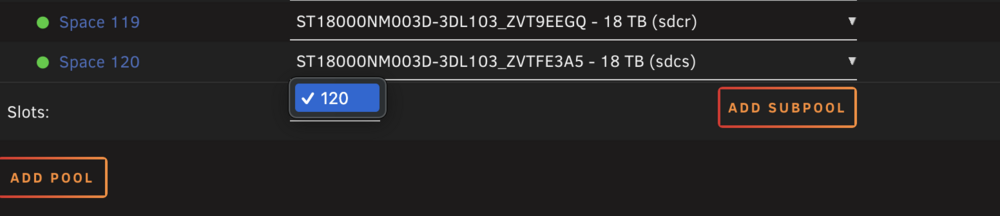
@JorgeB I currently have 120 drives in the pool. I have more drives that are connected, not being used. I would like to add them to the current pool, so that they can be a part of the same share. As far as I know, there are limitations to the software for hard-linking. that wont allow me to use the array or another pool. @bmartino1 You can see in this screenshot that 120 is the max. *Prior to 120 assigned, I would see all the number up to 120, but never higher than 120.